





bobbintb
Members
-
Joined
-
Last visited
Everything posted by bobbintb
-
I've noticed you have to change most of the settings in the config file if you want them to stick. Otherwise they keep reverting. Shut down the docker and change the config file.
-
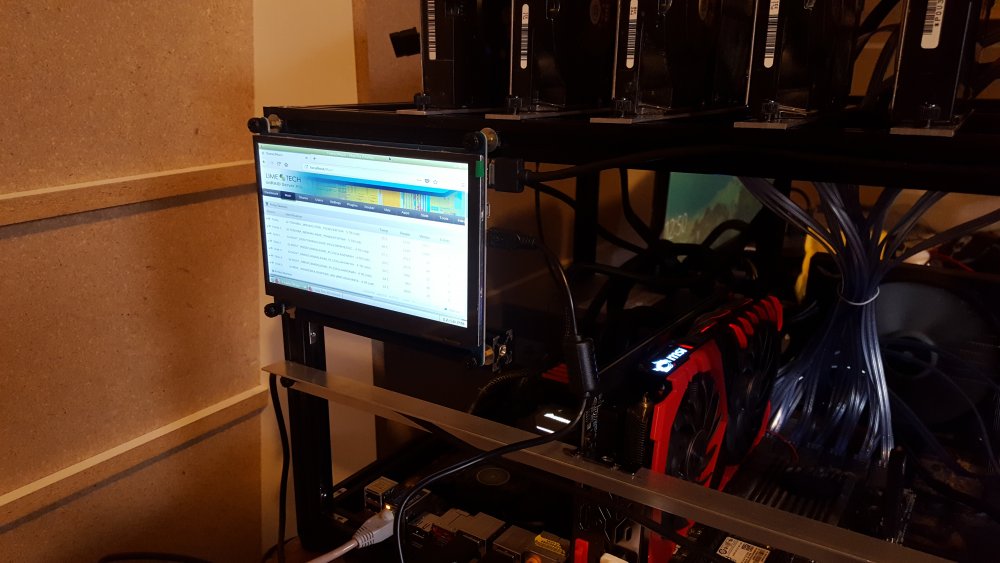
I added a touchscreen. Now I don't have to take a laptop down with me every time I need to do something.
-
Good point. I'll have to look at that. It might make it a little harder to deal with the cables, but probably worth the temporary hassle.
-
That's just how I decided to have them but I can easily do it that way as well. There is plenty of room to just flip them over. It's in the corner of an unfinished room that is just a computer room and some storage so there isn't much risk.
-
I'm thinking about adding a touch screen display now. Any recommendations? This is my top pick so far: https://www.aliexpress.com/item/New-Raspberry-Pi-3-Display-HDMI-7-Inch-1024X600-LCD-with-Touch-Screen-Monitor-for-Raspberry/32682184439.html
-
Yeah, I had to make custom brackets. I need better photos. The brackets are pretty stiff. The vibration doesn't seem too bad. I have some foam adhesive strips on the brackets.
-
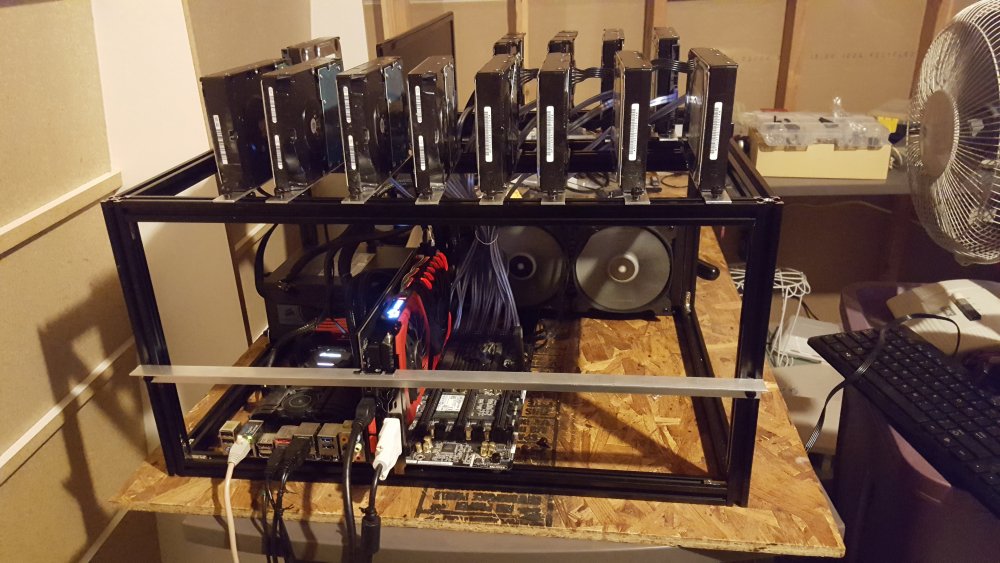
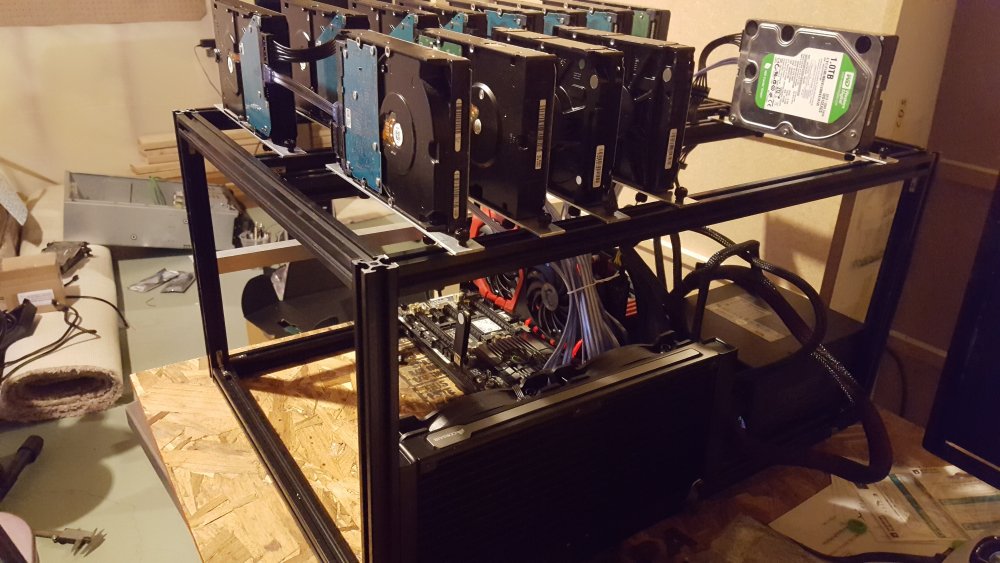
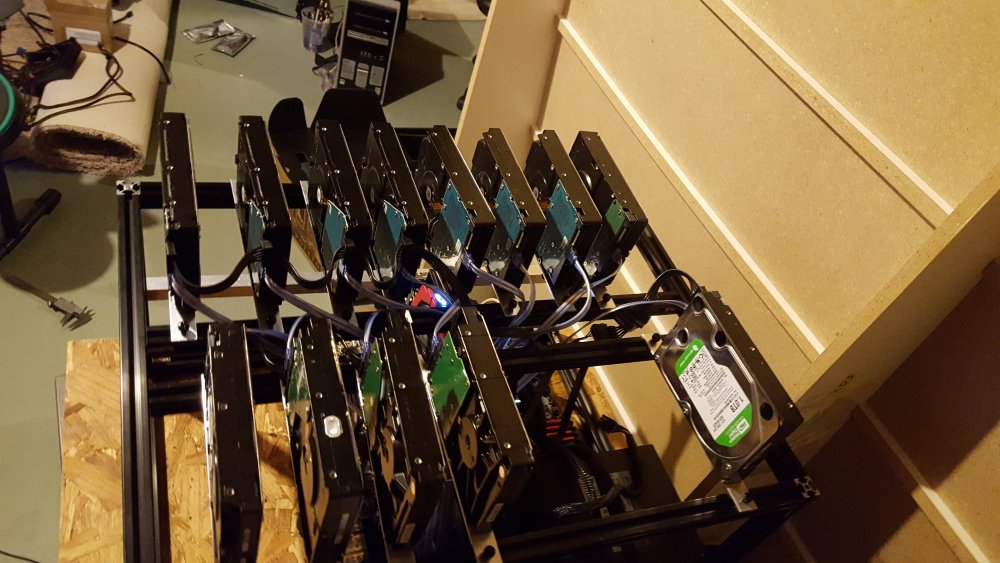
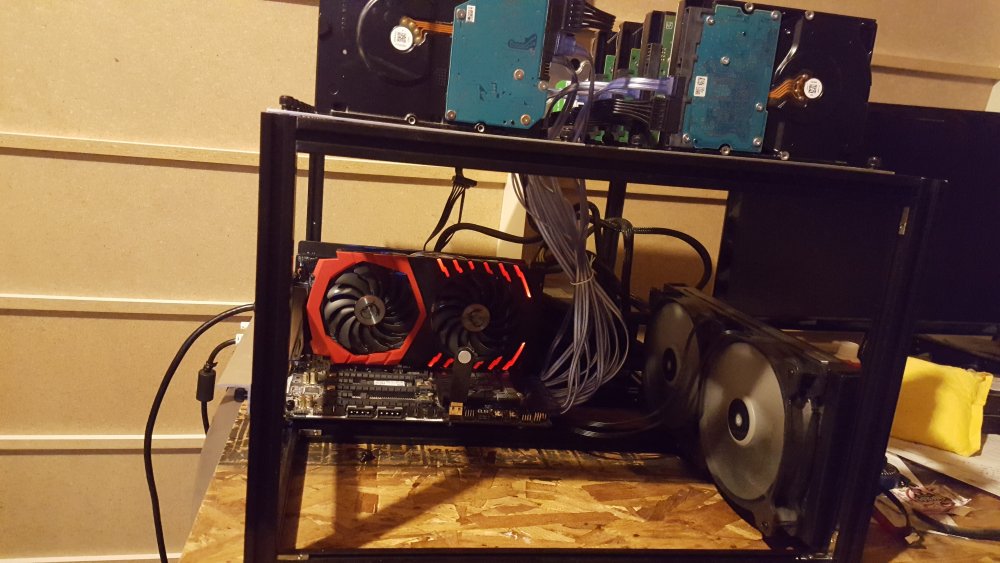
After months of fine tuning my design and sourcing parts I have finally finished building my much anticipated (by me at least) open air server frame. It's very versatile, configurable, and can fit any size motherboard and at least 20 hard drives. You can adjust the distance between hard drives so it really just depends on how close you want them. They stay very cool without any fans due to the spacing between them and the fact that the vertical mounting allows the heat to dissipate more efficiently than horizontal mounting. Were I to cram them close together, I could mount fans underneath them to blow heat straight up. I'm pretty pleased with how it turned out and might even consider selling them, or at least open sourcing the plans if no one is interested. Let me know what you think, especially if you have any tips or ideas for improvements.
-
MagicSG1, do you have a folder in UnRAID named /mnt/cache/Downloads/complete/tv? Make sure you pay special attention to the 's' on 'Downloads'. Sometimes people don't notice a download/downloads mis-match.
-
1. Yes, I believe that is it. Not sure if it will work for you but that's what I would try first. If not, you will have to manually locate the file and change permissions. We can help with that if needed. 2. Yes, depending on how it is set up. Typically, any configuration files are in the appdata folder and lie outside the docker image, but are virtually linked to it. Separating the config files from the actual program makes portability, backup, and other things easier. Someone correct me if I'm wrong but I don't believe the plugins folder is located in the appdata folder in this docker. It is part of the main program within the docker image. That's just the way whomever made the docker image decided to do it. I'm willing to bet they did this so they could have control over which plugins are included and limit having to support a bunch of different plugins and users unfamiliar with how to properly set them up.
-
1. I believe there is an option in UnRAID to correct the permissions in docker images. I don't recall exactly where it is in the settings but it shouldn't be too hard to locate. 2. Short answer, you can't. The plugins would have to be packaged with docker. Long answer, you would have to get to the terminal in the docker image and install them in the docker image but the plugin would get wiped out any time there was an update to the image.
-
To be clear, it's the plugin version, not a docker. Just in case you specifically wanted that one. I don't recall but does this need frequent updating. Does the plugin just pull the latest stable release?
-
Ah, gotcha. I don't really have time to mess with a beta anyway.
-
There is an open beta for it though.
-
Would we be able to just change the update branch to try v3?
-
There is a plugin to auto-update dockers and plugins. Ombi is designed to work with Sonarr and Radarr.
-
My plugin doesn't seem to update. It keep saying there is an update, I update, and it still says there is an update.
-
The Plex data must be using symlinks. Did you use -L or --copy-links like the error suggests?
-
It's annoying. http://feathub.com/tidusjar/Ombi/+45
-
Not sure. If it's by design, it would be unRAID's design, not rclone.
-
I didn't notice the space. Put it in quotes.
-
rclone sync /mnt/user/Backup Items /mnt/disks/Data_Backup_ 1
-
Sorry, I didn't see your response until now but yeah. Sounds like an issue with the tracker. All you can do is wait.
-
This will back up your VM configuration. Any files on the drive image of the VM will have to be backed up and treated as a separate machine.
-
Sounds right to me.
-
That's because it's not in /mnt/user/TV-series, it's in /tv. Take a look at your mappings again.




