




.jpg.adf8def3431e0aa8e590900f82752d7a.jpg)

wgstarks
Members
-
Joined
-
Last visited
Everything posted by wgstarks
-
Attach your supervisord log and docker run command to your next post. Be sure to redact users/passwords.
-
Afraid I’m out of ideas.
-
Can you post a screenshot of what you are seeing in the webUI?
-
If you can access the webUI then you are connected via the vpn.
-
Looks like a successful start. Why do you think your not connected through the VPN?
-
Post a new supervisord log.
-
No. I was referring to the name server setting in the docker configuration. In the docker tab click the name of the docker. Edit the name server section to only include 1.1.1.1 and click apply.
-
May be a DNS problem. Try setting your DNS to just 1.1.1.1
-
I've never had an issue with disks needing to clear again after a UD pre-clear. Don't forget to format it.
-
I don’t think so, but as you say if the plugin’s signature isn’t correct you’ll need to let Unraid clear the disk anyway. The purpose of the plugin these days is really for testing the disks. Preclear is no longer needed since Unraid can now clear a disk while the array is started.
-
Thanks
-
Just installed this plugin and I’m seeing a warning that I have a custom instance of TMUX already running on my system. Not sure if this is an issue or not or even how/when TMUX got installed.
-
Looks like one of the containers is still listed in CA so I deleted and re-installed it. Still listed as 3rd party. I believe log4j has probably been completely patched by now so I just went ahead and removed the docker. Without the SpaceInvaderOne docker offering the UI for Unraid integration it’s not much use to me anyway.
-
The disk will have to be formatted when you add it to the array. That will erase any data on the disk. I believe that’s what you are seeing the warning for.
-
Attach your supervisord log and docker run command to your next post. Be sure to redact users/passwords.
-
Refresh didn’t work. I even tried a full screen browser window.
-
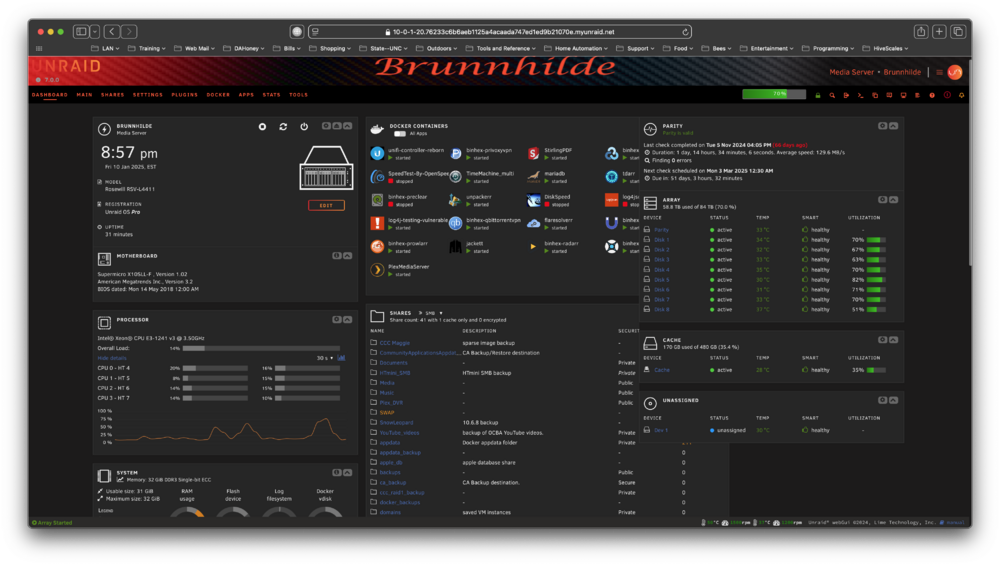
I dragged them all into two columns and got that to work. I’ll give safe mode a try later to see if I can get them back into 3 columns.
-
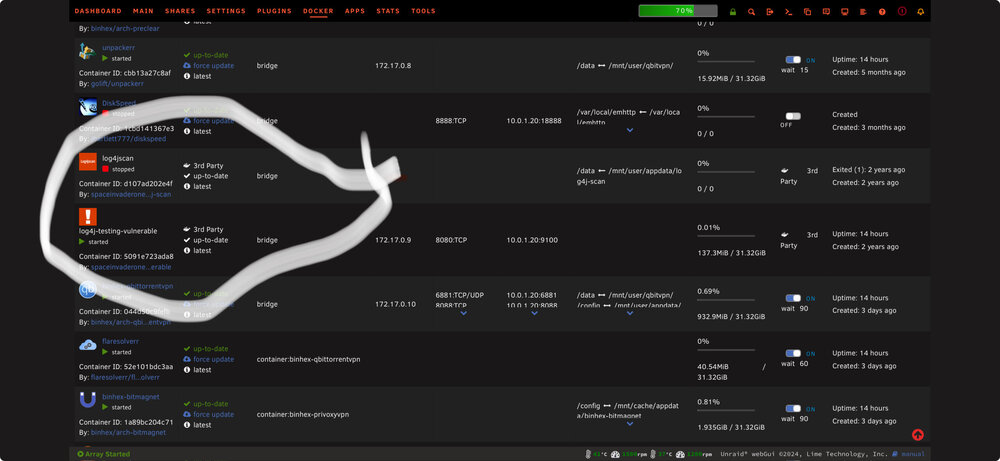
These are the SpaceInvaderOne dockers used to scan for log4j and might no longer be needed but I don’t understand why they would be considered 3rd party. These were installed via CA. brunnhilde-diagnostics-20250111-1035.zip
-
Disk location, UD, Nividia GPU, IPMI, APCUPSD. The rest are system related (array, parity, interface, system, processor, motherboard, etc).
-
I’m running 7.0 and not getting any warnings.
-
Tried dragging them further apart but they just snap back to current positions.
-
I would post in the Sonarr forum. You really shouldn’t need root paths.
-
Delete it and run the health check again.
-
It should be /media I believe.
-
What do you have set for root folders in Sonarr? Sonarr>Settings>Media Management. Bottom of the page. Be sure to set “show advanced”.




