





eagle470
Members
-
Joined
-
Last visited
Everything posted by eagle470
-
Its funny because we used to have a roku, I switched to apple for better privacy. Now I’m back to roku and it sucks
-
I almost bought an nvidia shield. Honestly jellyfin works way better, we’ll probably move to that
-
Not silly, appletv 4k 2021 and roku ultra 4k 2022 as well as testing in my browser
-
I've been a plex user for 8 years. My collection is extensive and as such my Database is enormous. 113MB, to be exact, but (jokes aside) the issue is nothing I have done has really improved the user experience enough to satisfy my wife. I switched from the Hotio container to the Binhex one and saw a huge performance improvement. I then replaced my gen4 WD Black (WD is a bunch of frauds) nvme with two gen3 Team MP34 2TB NVMe drives in a RAID 0. I take weekly backups, so I'm not hugely concerned about data loss. The two drives in a RAID 0 (stripe) helped, but it's still nearly a 30 second delay for the library to load. I've installed Jellyfin and it's instaneous in it's response. I've cleaned and optimized the plex database as much as I could, does anyone have any other suggestions on how to fix my Plex database performance issues?
-
Did this work for you? I'm running a ryzen 9 3900x and I'm having wierd issues.
-
A reboot seems to have fixed it. I have no clue what is going on. I downed the server to put in better fans. something did not load right at start up.
-
No I did not. Now things are running ungodly slow. The whole system. Apps aren't loading or being responsive, I can't even pull diagnostics things are so slow. Even the terminal is unusable.
-
At times yes, I had newer containers that had just been released that spewed logs. I've also played with multiple implements of the same thing and had lots of containers going and bumped up against the 20g limit.
-
Woke up to this error message on telegram this morning. Looking for advice on how to solve the issue. Or, more over, what issue needs to be solved. Thanks. unraid1-diagnostics-20220823-0810.zip
-
Still getting flooded by those errorsunraid1-diagnostics-20220811-1506.zip
-
My logs are being flooded by this message: Unraid1 kernel: program smartctl is using a deprecated SCSI ioctl, please convert it to SG_IO I'm not sure how to fix this. Searching online has netted me nothing conclusive. unraid1-diagnostics-20220811-1115.zip
-
First you need to get the name of you containers written down. Make sure they are named somethingsimple and easily identifiable as unique to avoid confusion. You'll need use use the script below, set it to run at "Array Startup" #!/bin/bash # Check if nvidia-smi daemon is running and start it if not. if [[ `ps ax | grep nvidia-smi | grep daemon` == "" ]]; then /usr/bin/nvidia-smi daemon fi TREX=`docker container ls -q --filter name=T-Rex` while true; do if [[ `/usr/bin/nvidia-smi | grep plexmediaserver` == "" ]]; then # If Plex is not transcoding, start the trex-miner container if it is not running. if [[ `docker ps | grep $TREX` == "" ]]; then echo "No Plex, starting Trex." docker start $TREX fi else # If Plex is transcoding, stop the trex-miner container if it is running. if [[ `docker ps | grep $TREX` != "" ]]; then echo "Plex running, stopping Trex." docker stop $TREX fi fi sleep 1 done You may need to change trex-miner to match what your container is named. plexmediaserver is the name of the process that appears in the nvidia-smi control panel. I had to make a guess as I couldn't see the whole thing and can't figure out the command to show it to me. I am running the Hotio container currently but have had this working with the Plex, inc, Linuxserver and binhex versions as well. I did not write this script, it is borrowed.
-Brave.png.d2936dc8343bfb45be0e382abe497372.png)
-
Looks like version 3.8 works fine, but nothing else will crunch or start. I'll just stay on that I guess.
-
My Trex miner keeps stopping immediately after starting it. Looking at the t-rex fold under appdata, there is nothing there but the json file. I'm not getting any logs. Any ideas what the issue might be?
-
This is the third controller in 8 months. One was a chinese marvell based thing, then an LSI 9211 and now it's direct to the motherboard sata ports.
-
I have a brand new Toshiba disk that is throwing errors: nel: program smartctl is using a deprecated SCSI ioctl, please convert it to SG_IO and A mandatory SMART command failed:exiting. To continue, add one or more '-T permissive' options. How do I add the '-T permissive' option? also many of my previous errors turned out to be due to a bad motherboard. the CPU was seated and firmly clamped, but when I pulled the cooler off the CPU came with it. it appears to be a case of a failed clamp. I have replace the motherboard. Please ignore any major issues dating before June 26. unraid1-diagnostics-20220627-1232.zip
-
This was a bad storage controller....hopefully I didn't corrupt anything.
-
System was able to start in safe mode (no gui.)
-
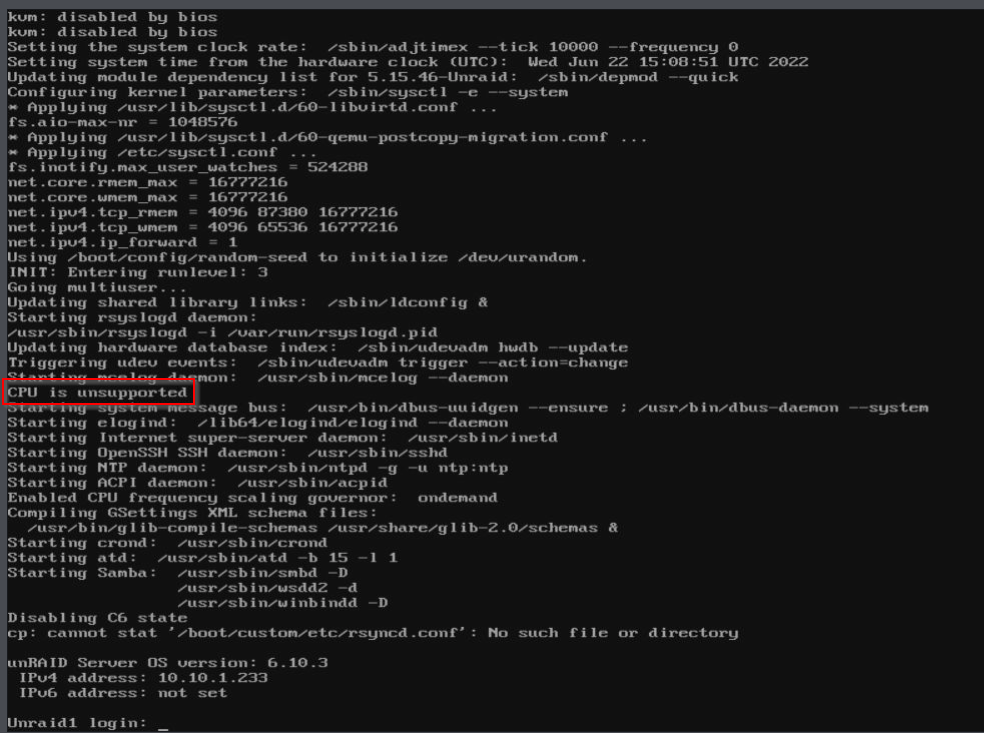
Unraid is telling my my cpu is unsupported
-
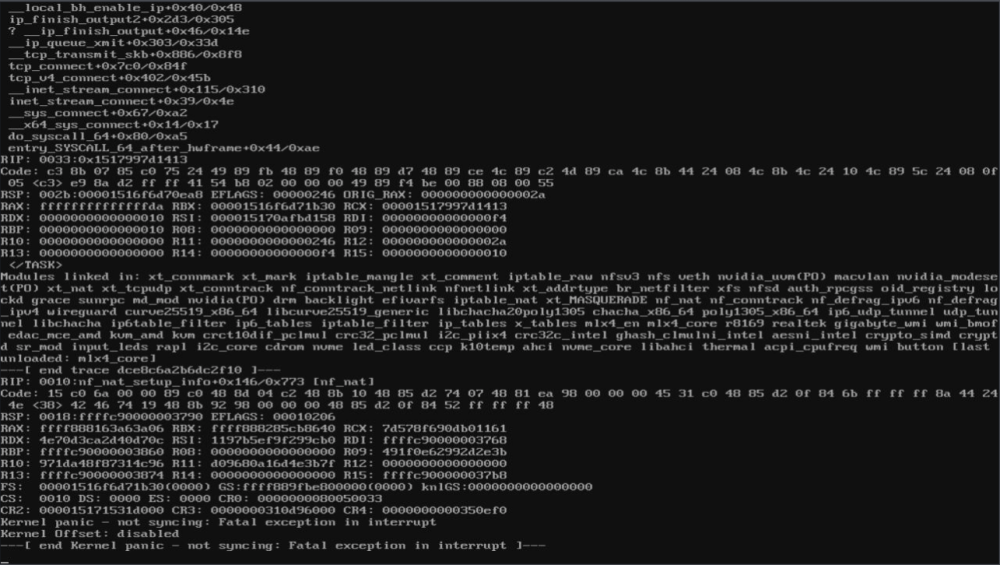
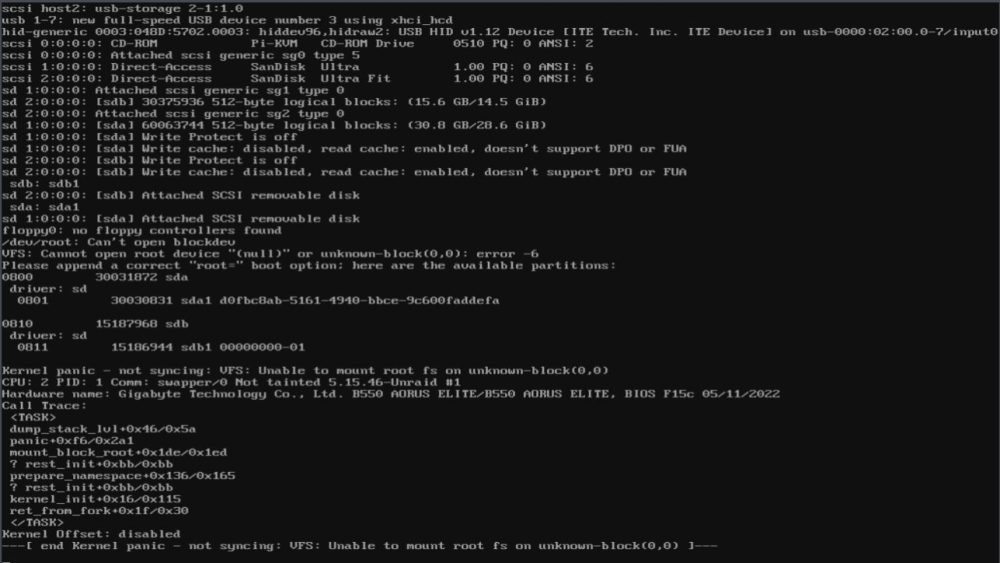
System is getting kernel panics, please advise. Working on getting up so I can get to logs.
-
please help unraid1-diagnostics-20220620-0934.zip
-
I just ran into this. Also, I'm having issues with Parity check. I have errors set to be corrected, but I've had 5 errors on my last 3 parity checks. I did have two hard shutdowns due to the shutdown process taking more than 30 minutes. unraid1-diagnostics-20220616-0946.zip
-
It appears I'm unable to back down far enough to get to /tmp when navigating directories in the docker configuration settings. I'm having buffering issues and I'm wondering if my typed '/tmp' entry is having issues. I have a post of at the plex forums detailing the exact issue. https://forums.plex.tv/t/plex-media-server-stuttering-on-playback/796230
-
Hello, I'm wondering if you've seen this issue on Github yet? https://github.com/Unmanic/unmanic-plugins/issues/268
-
How did you get this working?
-Brave.png.d2936dc8343bfb45be0e382abe497372.png)

