TexasDave
Members
-
Joined
-
Last visited
Everything posted by TexasDave
-
Yes - I have restored my appdata backup. I am slowly adding back my dockers (I only have 12 or so) and seem to be making progress. Having issues on a few but will circle back on them (NPM and CrashPlan Pro) but others seem to be picking up the backed up information. I think I am just going to have to add the dockers again....
-
OK - a mix of "good news" and "bad news".... @JorgeB and @itimpi thank you for helping me get this fair and sorting my disk issue! Good News Array and disks are backup and healthy from what I can see. Disk 2 was bad (as noted) I moved my Movies to disk 1, TV to disk 3, everything else to disk 4... Shrunk array and removed bad disk. Been meaning to shrink it anyways.... All seems fine.... Bad New My dockers have all disappeared. I suspect this is because the docker information was on cache and in trying to move everything off disk 2, this may have caused issues. I also seem to have moved stuff from cache onto disk 4. When I went to start up my dockers - I got the message that "/mnt/cache/appdata" was missing so I made this "/mnt/user/appdata" and the dockers started. But it looks like stuff got out of sync. I started adding in the dockers as with the "restore" function this is not too bad. But in checking the dockers, the first few were behaving weird and did not have app data. For instance, Nginx Proxy Manager lost my login. I restored appdata using the plugin and it fixed NPM. But some dockers like NZBget and NZBHydra2 (which I router through binhex delugeVPN) no longer are accessible from the web UI. CrashPlan Pro will not allow me to login in with my account details on unRAID but works find on the external code42 website with my credentials. Before I try to add the rest of my dockers - any ideas? Like I said, I think I have "good" app data on /mnt/disk4/appdata (and /mnt/user/appdata) but do not want to keep going without some kind of sanity check. But I may have messed up and may have to re-configure all of my dockers which would kind of bite.... Diagnostics attached. Thanks! zack-unraid-diagnostics-20230130-1104.zip
-
After 3 plus days - I gave up. I figure the bad disk was causing too many errors. I went with the "Remove Drives Then Rebuild Parity" Method and this worked fine. Took about 12 hours. Thanks!
-
I was hoping 1-2 days max but that does not appear to be the case 🙂
-
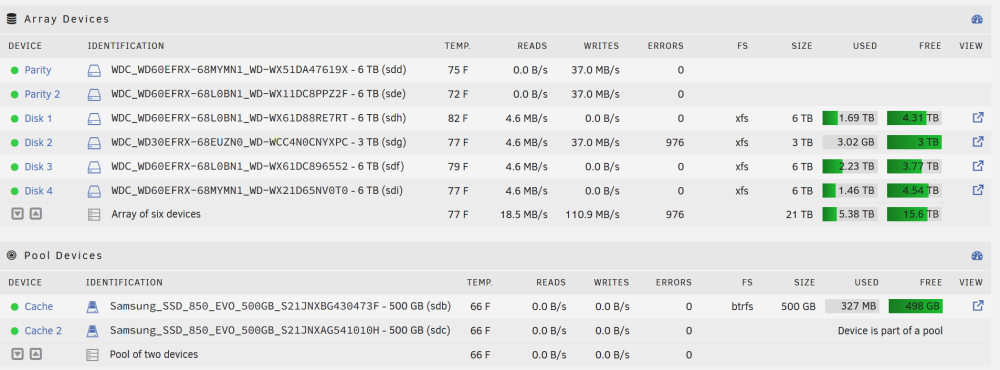
I am shrinking my array - dropping an old 3TB drive (which is close to failure) and will just use the remaining 3 6TB drives which have plenty of room. I kicked off the "clear array drive" script for my 3TB drive. It has been running for 48 hours. Is there any way to see how much longer it will take or where it is at in the process? Attaching current status and read/write speeds. Thanks!
-
That second data disk in my array is throwing up errors again. This time, I will let the Data Rebuild complete. Once that is done - I will likely replace that data disk....
-
That disk (Disk 2) - with a previous error - was a disk in my data array. It looks like the second parity drive was fine and I did not have to stop the other day. I stupidly assumed it was the new parity drive 2. But glad I stopped and ran an extended smart scan on all drives. I will keep an eye on that data drive (Disk 2). I have googled/searched and it appears the consensus is running monthly parity check is as good or better that running extended scans on a regular basis. Thoughts? Finally - The drive that failed (my first new parity) was pulled. I ran an extended and extended smart scan on it in a caddy on a windows machine and it is coming up fine. It is the one that was making horrible noises and seemed to have a ton of errors. I may try to run some scans on it - via a caddy - in unRAID at some point. But Smartscans should be the same regardless of OS? I attach that scan again. Many thanks and will update and (hopefully) close this out once data rebuild on new parity 2 is complete. zack-unraid-smart-20230124-2211.zip
-
@JorgeB - thanks again for your help, much appreciated. I ran extended smart scans on all disks in the array. Results as follows and attached: Disk 1 (WD-WX51DA47619X): Passed Disk 2 (WD-WCC4N0CNYXPC): Passed (but one previous error?) Disk 3 (WD-WX61DC896552): Passed Disk 4 (WD-WX21D65NV0T0): Passed Cache 1 (S21JNXBG430473F): Passed Cache 2 (S21JNXAG541010H): Passed Parity 1 (WD-WX51DA47619X): Passed Possible Parity 2 (WD-WX11DC8PPZ2F): Passed I think my interpretation above is correct? I am now going to try to add Parity 2 and hopefully no issues. Any comments welcome and appreciated - Thanks! zack-unraid Extended SMART Scan all Disks.zip zack-unraid-diagnostics-20230126-0647.zip
-
How does one stop the data rebuild? I can not see how to do this? EDIT: Rebooted and then unassigned drive in question. Will now run extended Smart-scan. Thanks!
-
So stop the current parity rebuild and focus on the extended smart scan on the disk in question? Is this correct: As I have one "good" parity and my other disks look ok, I should be OK while I figure this out? Thanks!
-
I am not sure how to tell but running with a 650W Power Supply which I think would be enough? My system specs are in the signature. Do I just look at CPU, drives and GPU to add up and it should be under 650W? No power splitters... EDIT: Found power supply calculator and all looks ok? https://outervision.com/b/nBNNuj Thanks!
-
Attached and thanks! At this point, I would be more inclined to stop trying to add a second parity and just make sure my current setup is safe and secure. And then try again. I am assuming as my other drives and my old parity seem fine I am ok. Some of these drives are old which is why I decided to add a second parity. zack-unraid-diagnostics-20230125-0925.zip
-
Thank you - much appreciated. The sound coming from my server seconds that diagnosis. I had a spare disk and have started to try to add that in as my new "second parity" but have gotten several errors already. Jan 25 07:21:34 Zack-unRAID kernel: md: disk2 read error, sector=2930266240 Jan 25 07:21:34 Zack-unRAID kernel: md: disk2 read error, sector=2930266248 Jan 25 07:21:34 Zack-unRAID kernel: md: disk2 read error, sector=2930266256 Jan 25 07:21:34 Zack-unRAID kernel: md: disk2 read error, sector=2930266264 Jan 25 07:21:34 Zack-unRAID kernel: md: disk2 read error, sector=2930266272 Jan 25 07:21:34 Zack-unRAID kernel: md: disk2 read error, sector=2930266280 Jan 25 07:21:34 Zack-unRAID kernel: md: disk2 read error, sector=2930266288 Jan 25 07:21:34 Zack-unRAID kernel: md: disk2 read error, sector=2930266296 Jan 25 07:21:34 Zack-unRAID kernel: md: disk2 read error, sector=2930266304 Jan 25 07:21:34 Zack-unRAID kernel: md: disk2 read error, sector=2930266312 I am now a bit freaked out. 1) Do I stop trying to add a second parity and run extended tests on all drives? Can I do this all at once (run the extended test at the same time) 2) Can I run extended tests while it is rebuilding the new second parity (imagine this would slow parity rebuild) 3) Complete the parity build for the second parity and then run extended tests for all drives? 4) Other options? I like to learn stuff but now a bit frustrated at myself as adding a second parity has not been as straightforward as I thought. Getting a failed new drive can happen but I doubt the second drive I added (which passed pre-clear a year or so ago (and then was put in storage offline)) would also be bad? Thanks!
-
I guess the good news is I have a spare drive already in the system. If the new parity 2 is dead, I can just use the spare....
-
Hello - I decided to add a second parity drive this weekend. No real need, I do not have a large array but wanted to learn and set it up "just in case". I also added another disk but it is not online. I had the case open, I had pre-cleared it some time ago and figure I would put it in but leave it unassigned. I hate going into the server as I seem to always knock something loose. All went well and all was good for 2-3 days but just started getting increased error messages and warnings. See attached logs. I can also hear "disk noise" which does not sound good and I never hear this kind of noise so a bit worried. It sounds pretty horrific. I have shutdown and have checked all connections which seem fine. On reboot, the second parity drive no longer shows up. All other drives seem fine. Both the new "suspect" parity 2 and my spare data drive show up in unassigned devices. I am trying to decide next steps. Should I: 1) Reassign the suspect drive back to Parity 2 and let it "rebuild" (I assume that is what will happen)? 2) Run extended SMART on the suspect drive? But not sure how to do that to an unassigned drive? 3) Run a parity check (with no corrections)? 4) Something else? It is a brand new drive - so it should be ok - but I know there is a chance it is bad. ANd the sounds it is making do not sound good. Think gravel in a tin can. 🙂 But I think in reading the forums many times it is a poor connection or something else? I attach logs/diagnostics and the "brief" SMART report for the drive in question. Thoughts on next steps? One of the reason I added the second parity was I do have some old drives so wanted to have an additional safety net...Thanks! zack-unraid-diagnostics-20230124-2213.zip zack-unraid-smart-20230124-2211.zip
-
Just installed Scrutiny - seems very nice! Is there a way to create your own "labels" (Disk 1) instead of the default (ie: "/dev/sdf - WDC WD60EFRX-68L0BN1")? Thanks!
-
Agree 100%. I eventually installed "Wireguard Easy" and that seemed to fix it. No clue why.
-
Happened to me as well just now....Just added a second parity drive, all went well. Went to start the array and no "start" buttons - just "reboot" and "shutdown" To get the START ARRAY button back I did what was suggested by @jagz707 I clicked the play button in the Dashboard and all started. Stopped it again. Start button gone again. Tried a few other things and then rebooted and things seem normal. Did learn about the "Play" button so that is good 🙂 I do think something weird is happening?
-
I am adding a SECOND Parity Drive - no need to preclear, correct? Does it provide any value? From what I read, it does not with a PARITY DRIVE? Thanks!
-
Yes, thanks! But Disk 2 is only 3TB so do not think I can use it for Parity as my other disks are all 6TB?
-
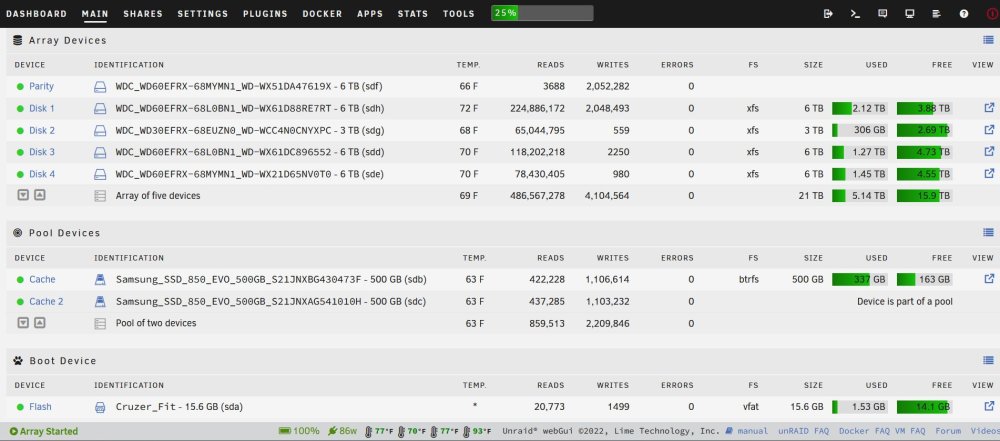
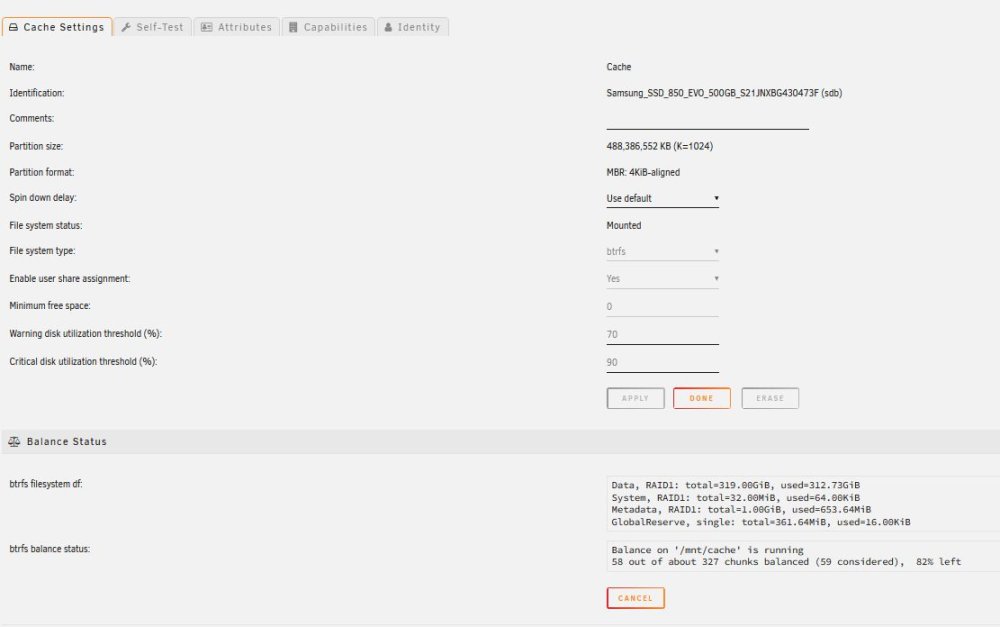
I am thinking about re-configuring my array. I currently only use 25% of my space. And I do not see me filling it up any time soon. I keep a spare WD Red Plus formatted in case I need to replace a drive. Thoughts on the following: Remove one of the 6TB drives from the storage array and make it a second parity drive? Can folks confirm that my 2 cache drives are indeed RAID 1 so I do have a cache backup in case one of the cache drives dies? I think I am ok on my dual cache drives as far as size right now? Comments? Are there instructions on how to do (1)? (A) I assume I first "decommission" (aka shrink) one of the 6TB drives. (B) I then turn that into another parity drive? Pointer to how to do this? Any other thoughts, tips, concerns or comments would be welcome. Thanks!
-
Thanks both - as it "came back instantly" from the GUI, I was afraid something was not working. And I guess I thought the GUI would show something different. Thanks!
-
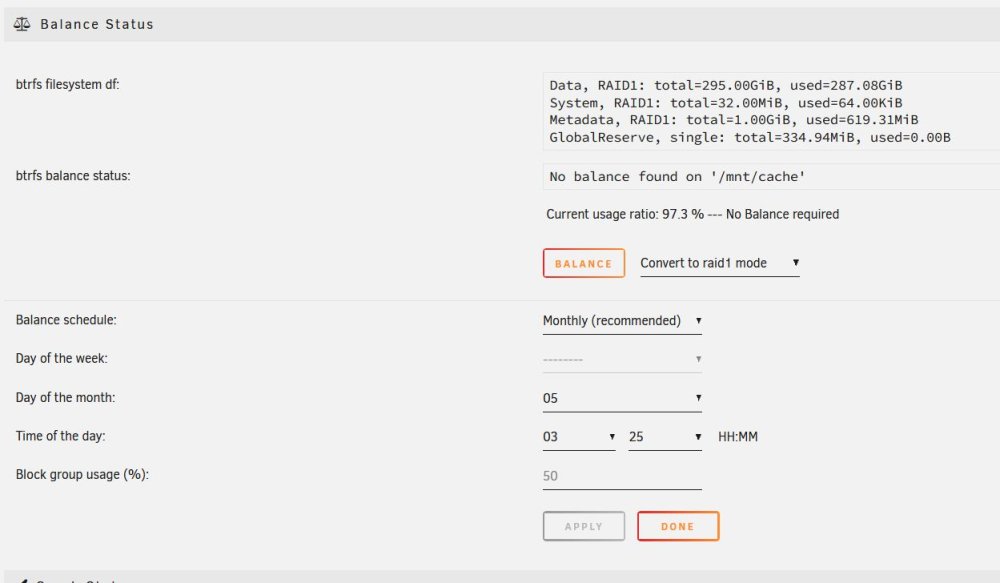
Happy 2023! I am doing some yearly maintenance and want to split my cache pool. All is fine I just do not think I need that big of a cache and would prefer the redundancy of splitting it. It is a pool of two devices - see attached. There are two excellent threads on doing this. Thread One is here. This is done using the GUI. When I do this (see screenshot), fill in the fields as directed (to RAID1) and click "Balance" it returns instantly which I am sure is not right. And looking at my Shares - the Cache has not been split. Thread Two is here in the unRAID FaQ. I then try to do it on the CLI. I execute: btrfs balance start -dconvert=raid1 -mconvert=raid1 /mnt/cache and this took about 60 minutes. But again - I am not seeing a change. See screenshot. I am sure it is "pilot error" and would appreciate a pointer as to what I am doing wrong? Many thanks!!


-
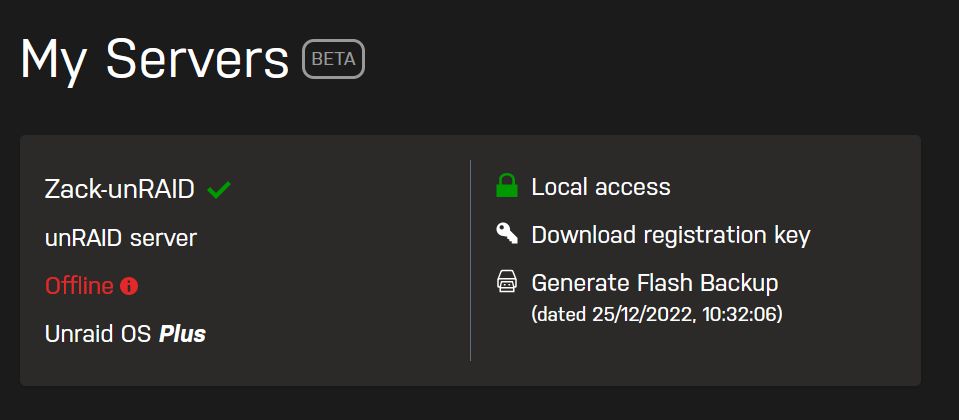
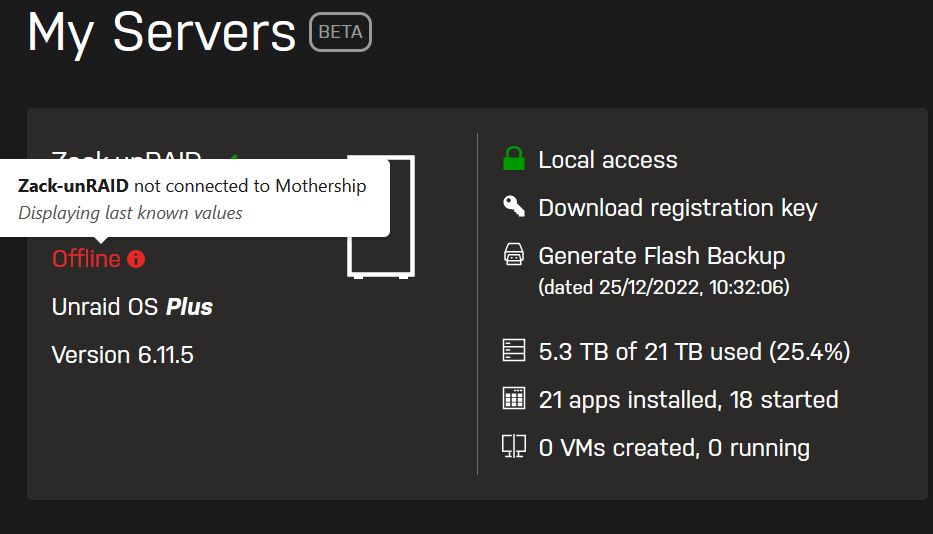
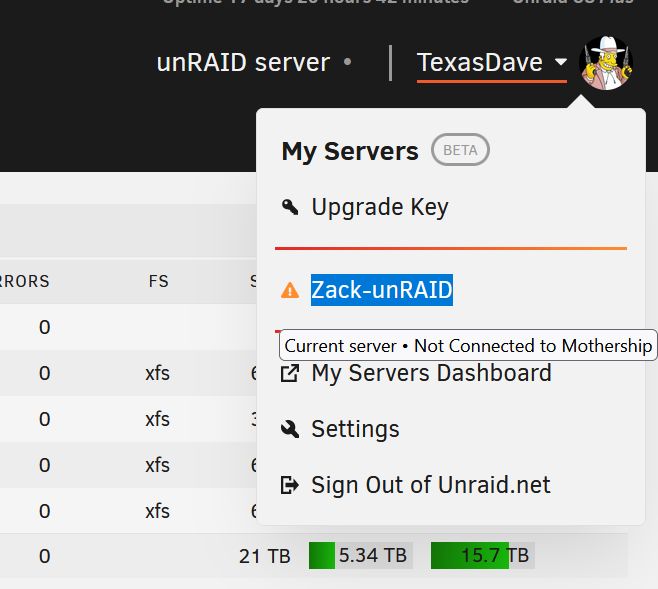
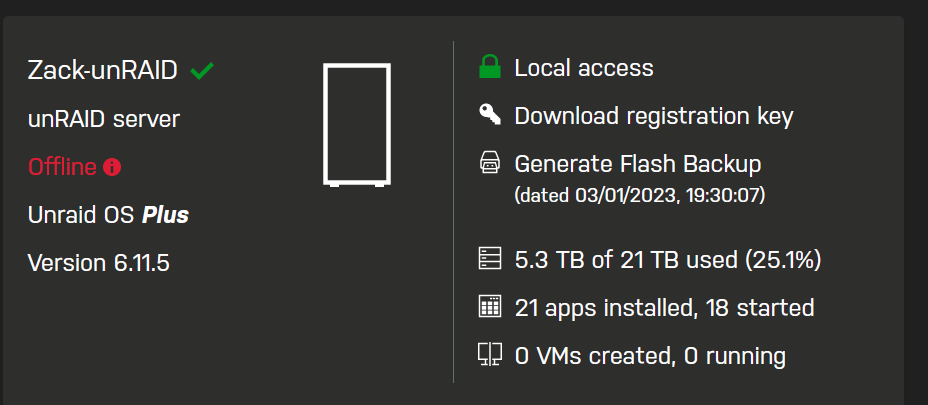
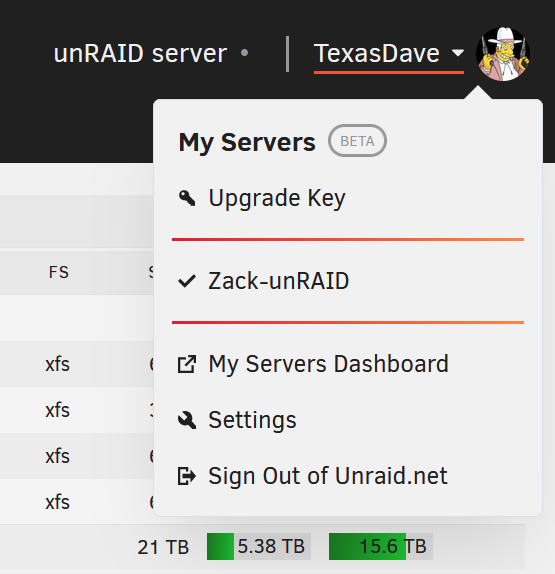
Update from me. My actual unRAID console now (mostly) shows that I am connected. Did not do anything different. But the dashboard is very inconsistent. Sometimes it shows connected, other times it does not.
-
My system does not seem to connect to the server service any more?