





Katherine
Members
-
Joined
Everything posted by Katherine
-
I was using the "PPTP/L2TP/SOCKS" username and password which starts with an x--------. With the next-gen network, PIA wants everyone to use their login username and password which start with p--------. Once I switched credentials, I was able to authenticate right away.
-
I received the message in the log to switch to PIA's next-gen network: VPN configuration file '/config/openvpn/openvpn.ovpn' 'remote' line is referencing PIA legacy network which is now shutdown, see Q19. from the following link on how to switch to PIA 'next-gen':- https://github.com/binhex/documentation/blob/master/docker/faq/vpn.md exiting script... I downloaded the next-gen ovpn config file from the link in the FAQ. I used the same credentials.conf as my previous settings but replaced everything else. This my ovpn file: client dev tun proto udp remote de-berlin.privacy.network 1198 resolv-retry infinite nobind persist-key cipher aes-128-cbc auth sha1 tls-client remote-cert-tls server auth-user-pass credentials.conf compress verb 1 crl-verify crl.rsa.2048.pem ca ca.rsa.2048.crt disable-occ For some reasons, I am unable to connect and I keep getting AUTH_FAILED error in a loop which freezes the Unraid webui. DEBG 'start-script' stdout output: AUTH: Received control message: AUTH_FAILED DEBG 'start-script' stdout output: SIGTERM[soft,auth-failure] received, process exiting Has anyone encountered this problem?
-
I had similar issues but it was due to browser permissions. I've since switched to Jitsi apps and haven't had any issues since. Did you managed to figure out a way to redirect visitors from the "meet.domain.com" to "https://meet.domain.com/"? Doesn't work automatically for me.
-
Thank you for this guide @SpaceInvaderOne. Had Jitsi docker up and running before the video was over. 😆 Out of curiosity, how does one update this docker? Should we re-clone the repo and compose the dockers again?

-
Not sure about docker but I'm running Jitsi Meet on an Ubuntu VM using this ansible playbook.
-
I removed the old container, image and started fresh. I don't see the message in the logs anymore. 👍
-
And... it is working. 😎 Thank you so much. I've started getting this warning in the log file since I started using stream: nginx: [warn] could not build optimal variables_hash, you should increase either variables_hash_max_size: 1024 or variables_hash_bucket_size: 64; ignoring variables_hash_bucket_size Looking up the documentation, this is related to stream: Syntax: variables_hash_bucket_size size; Default: variables_hash_bucket_size 64; Context: stream Syntax: variables_hash_max_size size; Default: variables_hash_max_size 1024; Context: stream I'm wondering where should I place these settings? Under proxy-confs or site-confs? or in nginx.conf?
-
Is there a way to supress this message somehow? 2019-02-06 04:55:27,868 DEBG 'watchdog-script' stdout output: [info] Nginx log file does not exist, skipping log rotation 2019-02-06 04:55:58,003 DEBG 'watchdog-script' stdout output: [info] Nginx log file does not exist, skipping log rotation 2019-02-06 04:56:28,136 DEBG 'watchdog-script' stdout output: [info] Nginx log file does not exist, skipping log rotation 2019-02-06 04:56:58,270 DEBG 'watchdog-script' stdout output: [info] Nginx log file does not exist, skipping log rotation 2019-02-06 04:57:28,404 DEBG 'watchdog-script' stdout output: [info] Nginx log file does not exist, skipping log rotation
-
Docker: Bitwarden Issue: 502 Bad Gateway Error I'm able to access Bitwarden from a subdomain but only if I hardcode the docker IP address in the conf file. When using upstream, I get a 502 error. Not sure what I'm doing wrong. I used this sample radarr conf: set $upstream_radarr radarr; proxy_pass http://$upstream_radarr:7878; This should work but I get a 502 error. The name of the docker container begins with a capital letter so no typo here. set $upstream_bitwarden Bitwarden; proxy_pass http://$upstream_bitwarden:80; The conf with the hardcoded IP that works: # make sure that your dns has a cname set for bitwarden server { listen 443 ssl; listen [::]:443 ssl; server_name bitwarden.*; include /config/nginx/ssl.conf; client_max_body_size 0; # enable for ldap auth, fill in ldap details in ldap.conf #include /config/nginx/ldap.conf; location / { # enable the next two lines for http auth #auth_basic "Restricted"; #auth_basic_user_file /config/nginx/.htpasswd; # enable the next two lines for ldap auth #auth_request /auth; #error_page 401 =200 /login; include /config/nginx/proxy.conf; resolver 127.0.0.11 valid=30s; set $upstream_bitwarden Bitwarden; proxy_pass http://10.10.8.28:80; } } Note: The conf works even without adding "set $upstream_bitwarden Bitwarden;".
-
My eyes thank you, Tom. 😊 Updated as soon as I saw this screenshot. Thank you so much for sharing this. How did you manage to hide the text from the icons in the header menu? I tried looking around in the Display settings but couldn't find the right setting.
-
@Djoss Thank you so much for the offer. I'll do some testing on rar/zip files and then PM you the logs by next week. I used WinRAR to extract this archive and it went well. I'm fairly certain this is not an archive specific issue because I haven't been able to extract anything. Not sure what I am doing wrong. Is it a settings issue? or permissions issue? I'm hoping I can figure it out so I can avoid firing up the Windows VM just to extract archives. 😁
-
It just says "Failed". 1543026527953 - Archive Name: Cake.me_W4F-TBU.720p 1543026527954 - Archive Path: /output/fin/Movies/Cake Wars/Cake.me_W4F-TBU.720p.part1.rar 1543026527954 - Date:Fri Nov 23 20:28:47 UTC 2018 1543026527954 - Start Extracting 1543026527955 - Extension Setup: { "blacklistpatterns" : [ "##Lines with ## are comments", "## Use / as path seperator", "##Example to skip extraction of sample folder files", ".*\\.jpe?g", ".*\\.html?", ".*\\.nfo", ".*\\.txt", ".*\\.url" ], "deepextractionenabled" : true, "deletearchivefilesafterextractionaction" : "NULL", "flushmode" : "NONE", "deleteinfofilesafterextraction" : false, "maxcheckedfilesizeduringoptimizedpasswordfindinginbytes" : 1024000, "iffileexistsaction" : "SKIP_FILE", "askforunknownpasswordsenabled" : true, "customextractionpathenabled" : false, "subpath" : "%PACKAGENAME%", "bubblecontentarchivenamevisible" : true, "latestiffileexistsaction" : "OVERWRITE_FILE", "deletearchivedownloadlinksafterextraction" : true, "bubblecontentextracttofoldervisible" : true, "lastworkinglibid" : "Linux-amd64", "subpathenabled" : true, "enabled" : true, "useoriginalfiledate" : true, "freshinstall" : false, "guienabled" : false, "writeextractionlogenabled" : true, "bubblecontentcircleprogressvisible" : true, "passwordfindoptimizationenabled" : true, "iomodeforcrchashing" : "NORMAL", "bubbleenabledifarchiveextractionisinprogress" : true, "subpathminfolderstreshhold" : 0, "restorefilepermissions" : true, "bubblecontentstatusvisible" : true, "customextractionpath" : "/output/fin/Movies/<jd:packagename>", "cpupriority" : "HIGH", "passwordlist" : [ "Cake.me" ], "subpathminfilesorfolderstreshhold" : 2, "bubblecontentdurationvisible" : true, "subpathminfilestreshhold" : 0, "askforpassworddialogtimeoutinms" : 600000, "oldpwlistimported" : true, "deepextractionblacklistpatterns" : [ "##Lines with XX are comments", "##Skip deep extraction of archives that contain binary files", ".*\\.exe", ".*\\.msi", ".*\\.bat", ".xbe", ".elf", ".sh" ], "bubblecontentcurrentfilevisible" : true } 1543026527955 - Archive Setup: { "autoExtract" : "UNSET", "extractionInfo" : null, "extractPath" : null, "finalPassword" : null, "ifFileExistsAction" : null, "passwords" : [ ], "removeDownloadLinksAfterExtraction" : "UNSET", "removeFilesAfterExtraction" : "UNSET" } 1543026527955 - Start unpacking of /output/fin/Movies/Cake Wars/Cake.me_W4F-TBU.720p.part1.rar 1543026527955 - (DownloadLinkArchiveFile)File:/output/fin/Movies/Cake Wars/Cake.me_W4F-TBU.720p.part1.rar|FileArchiveFileExists:true|FileSize:1572864000 1543026527955 - (DownloadLinkArchiveFile)File:/output/fin/Movies/Cake Wars/Cake.me_W4F-TBU.720p.part2.rar|FileArchiveFileExists:true|FileSize:1572864000 1543026527955 - (DownloadLinkArchiveFile)File:/output/fin/Movies/Cake Wars/Cake.me_W4F-TBU.720p.part3.rar|FileArchiveFileExists:true|FileSize:1572864000 1543026527955 - (DownloadLinkArchiveFile)File:/output/fin/Movies/Cake Wars/Cake.me_W4F-TBU.720p.part4.rar|FileArchiveFileExists:true|FileSize:1083426531 1543026527955 - Prepare 1543026527956 - Failed
-
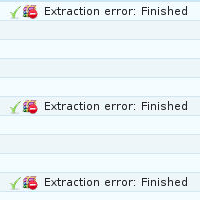
I'm unable to get extraction working on this docker. Not sure what I'm doing wrong. Extraction is enabled in the settings and there is plenty of space on the drive. I'm able to extract the rar files manually but jdownloader refuses to extract anything.
-
I'm currently locked out of the BMC and I need to change the IP address and DHCP. Is this possible? or do I need to reset BMC and start fresh?
-
Thank you, @Bungy Can you also include the following modules? py2-requests-oauthlib py2-markdown py2-decorator These are for Subliminal.
-
NZBGet 20 is out. https://nzbget.net/history-latest
-
I'll change that. Though my question is that Sonarr and Radarr have /downloads as the default container path like: /downloads /mnt/cache/appdata/media/ So can I change /downloads container path to /data without any issues? Just so that all the docker and their paths are consistent.
-
@binhex I tend to use the /media mapping so in terms of sonarr and radarr, is it really as simple as changing the default /download mapping to /media? Or is there other stuff that needs to be updated once I switch from the default /download mapping? I'm sorry I'm not well versed in either sonarr and radarr. On a side note, is there any difference to using /mnt/cache/appdata/Downloads/ as oppose to /mnt/user/appdata/Downloads/?
-
Depends on which docker container you use. For Plex docker from LinuxServer.io, you can simply add -v /tmp:/transcode under Extra Parameters. You will need to toggle the Basic View to Advance View to get to Extra Parameters.
-
Thank you @Bungy for the update. I updated the docker and restored the default shebang (#!/usr/bin/env python) but that only made all the scripts throw errors. So I'm back to using the shebang you suggested (#!/usr/sbin/python2) and now all the scripts are working with the exception of one. The script in question is Subliminal. It does state on their GitHub repo that they support Python 2.6 and it was working fine when I was using LinuxServer's NZBGet docker. I did reset permissions after I switched over to your docker just to be safe. Here's the error Subliminal throws with the default shebang (#!/usr/bin/env python): ERROR Mon Oct 30 2017 04:43:41 Post-process-script Subliminal/Subliminal.py for c80122f7a8dc35d02d918f0b7aaaa0fe failed (terminated with unknown status) INFO Mon Oct 30 2017 04:43:41 Subliminal: SyntaxError: invalid syntax INFO Mon Oct 30 2017 04:43:41 Subliminal: ^ INFO Mon Oct 30 2017 04:43:41 Subliminal: except ConfigException, e: INFO Mon Oct 30 2017 04:43:41 Subliminal: File "/media/scripts/Subliminal/Subliminal.py", line 2435 INFO Mon Oct 30 2017 04:43:41 Executing post-process-script Subliminal/Subliminal.py for c80122f7a8dc35d02d918f0b7aaaa0fe I'm using Subliminal 1.0.0 though I've also tried Subliminal 0.10.0 without any success.
-
Thank you @Bungy once again. I did change the shebang in all the scripts to #!/usr/sbin/python2 from #!/usr/bin/env python With the exception of one script, I got all the scripts working. Oddly enough, when I check the documentation for the failed script it does say that the script will work with Python 2.6 and above so I'm not entirely sure what is going on.
-
Thank you @Bungy, I'll generate a certificate. I also had all my scripts terminate with unknown status. Is this an issue with the Python folder? Any suggestions how to fix this? ERROR Tue Oct 24 2017 22:31:12 Post-process-script Others/ResetDateTime.py for Ubuntu-16.04.1-server-I386 failed (terminated with unknown status) INFO Tue Oct 24 2017 22:31:12 ResetDateTime: /usr/bin/env: ‘python’: No such file or directory INFO Tue Oct 24 2017 22:31:12 Executing post-process-script Others/ResetDateTime.py for Ubuntu-16.04.1-server-I386 ERROR Tue Oct 24 2017 22:31:12 Post-process-script Others/DeleteSamples.py for Ubuntu-16.04.1-server-I386 failed (terminated with unknown status) INFO Tue Oct 24 2017 22:31:12 DeleteSamples: /usr/bin/env: ‘python’: No such file or directory INFO Tue Oct 24 2017 22:31:12 Executing post-process-script Others/DeleteSamples.py for Ubuntu-16.04.1-server-I386
-
In NZBGet, I enabled CertCheck under Security and now I'm getting a bunch of errors: ERROR Tue Oct 24 2017 15:20:46 Could not set certificate store location: error:0B084002:x509 certificate routines:X509_load_cert_crl_file:system lib ERROR Tue Oct 24 2017 15:20:46 Could not set certificate store location: error:2006D080:BIO routines:BIO_new_file:no such file ERROR Tue Oct 24 2017 15:20:46 Could not set certificate store location: error:02001002:system library:fopen:No such file or directory Does the NZBGet docker container already have the cacert.pem?
-
I sure am now. Though I still can't access Flood webui. Do I need to download Flood separately somewhere? I did notice something odd. After I've removed rTorrentVPN container and the image, docker doesn't pull everything for a new installation. For a bunch of stuff it says, "Already exists". I checked if there were orphaned images in the UI and through SSH but couldn't find any. I also deleted all the files in the appdata directory before the pull. IMAGE ID [latest]: Pulling from binhex/arch-rtorrentvpn. IMAGE ID [7368fdad902f]: Already exists. IMAGE ID [63103ef8f895]: Already exists. IMAGE ID [886bc19fa75a]: Already exists. IMAGE ID [5ebe09dc3070]: Already exists. IMAGE ID [eda8514a153b]: Already exists. IMAGE ID [32f9f48aa48d]: Already exists. IMAGE ID [c95dcf8376ee]: Already exists. IMAGE ID [ac8f0f660af6]: Already exists. IMAGE ID [8a4b14f9a6c3]: Already exists. IMAGE ID [993283da8e1e]: Already exists. IMAGE ID [87106dcd4d9f]: Already exists. IMAGE ID [98f82b52e736]: Already exists. IMAGE ID [ef5a49354e56]: Already exists. IMAGE ID [4f735333349d]: Already exists. IMAGE ID [85a5678a4d9d]: Already exists. IMAGE ID [88049a5340b6]: Pulling fs layer. Download complete. Extracting. Pull complete. IMAGE ID [9b7735f4d0de]: Pulling fs layer. Download complete. Extracting. Pull complete. IMAGE ID [7dd04ee3c1ac]: Pulling fs layer. Downloading 100% of 2 KB. Download complete. Extracting. Pull complete. IMAGE ID [0386d78bf9fc]: Pulling fs layer. Downloading 100% of 4 KB. Download complete. Extracting. Pull complete. IMAGE ID [51847e98f26f]: Pulling fs layer. Downloading 100% of 5 KB. Download complete. Extracting. Pull complete. IMAGE ID [582bbac0db72]: Pulling fs layer. Downloading 100% of 86 MB. Verifying Checksum. Download complete. Extracting. Pull complete. Status: Downloaded newer image for binhex/arch-rtorrentvpn:latest TOTAL DATA PULLED: 86 MB
-
2017-04-22 14:44:40.427040 [info] Starting Supervisor... 2017-04-22 14:44:40,801 CRIT Set uid to user 0 2017-04-22 14:44:40,801 INFO Included extra file "/etc/supervisor/conf.d/rtorrent.conf" during parsing 2017-04-22 14:44:40,805 INFO supervisord started with pid 7 2017-04-22 14:44:41,808 INFO spawned: 'flood-script' with pid 121 2017-04-22 14:44:41,809 INFO spawned: 'start-script' with pid 122 2017-04-22 14:44:41,811 INFO spawned: 'rtorrent-script' with pid 123 2017-04-22 14:44:41,813 INFO spawned: 'rutorrent-script' with pid 124 2017-04-22 14:44:41,814 INFO spawned: 'privoxy-script' with pid 125 2017-04-22 14:44:41,823 DEBG 'rtorrent-script' stdout output: [info] rTorrent config file doesnt exist, copying default to /config/rtorrent/config/... 2017-04-22 14:44:41,824 INFO success: flood-script entered RUNNING state, process has stayed up for > than 0 seconds (startsecs) 2017-04-22 14:44:41,824 INFO success: start-script entered RUNNING state, process has stayed up for > than 0 seconds (startsecs) 2017-04-22 14:44:41,824 INFO success: rtorrent-script entered RUNNING state, process has stayed up for > than 0 seconds (startsecs) 2017-04-22 14:44:41,824 INFO success: rutorrent-script entered RUNNING state, process has stayed up for > than 0 seconds (startsecs) 2017-04-22 14:44:41,824 INFO success: privoxy-script entered RUNNING state, process has stayed up for > than 0 seconds (startsecs) 2017-04-22 14:44:41,826 DEBG 'start-script' stdout output: [info] VPN is enabled, beginning configuration of VPN 2017-04-22 14:44:41,827 DEBG 'flood-script' stdout output: [info] Flood enabled, waiting for rTorrent to start... 2017-04-22 14:44:41,829 DEBG 'privoxy-script' stdout output: [info] Privoxy set to disabled 2017-04-22 14:44:41,829 DEBG fd 31 closed, stopped monitoring <POutputDispatcher at 47824559559168 for <Subprocess at 47824560591648 with name privoxy-script in state RUNNING> (stderr)> 2017-04-22 14:44:41,829 DEBG fd 27 closed, stopped monitoring <POutputDispatcher at 47824559559744 for <Subprocess at 47824560591648 with name privoxy-script in state RUNNING> (stdout)> 2017-04-22 14:44:41,830 INFO exited: privoxy-script (exit status 0; expected) 2017-04-22 14:44:41,830 DEBG received SIGCLD indicating a child quit 2017-04-22 14:44:41,831 DEBG 'rutorrent-script' stdout output: [info] Flood enabled, preventing ruTorrent Web UI from starting... 2017-04-22 14:44:41,831 DEBG fd 26 closed, stopped monitoring <POutputDispatcher at 47824559562336 for <Subprocess at 47824559561328 with name rutorrent-script in state RUNNING> (stderr)> 2017-04-22 14:44:41,831 DEBG fd 22 closed, stopped monitoring <POutputDispatcher at 47824560399712 for <Subprocess at 47824559561328 with name rutorrent-script in state RUNNING> (stdout)> 2017-04-22 14:44:41,831 INFO exited: rutorrent-script (exit status 0; expected) 2017-04-22 14:44:41,831 DEBG received SIGCLD indicating a child quit 2017-04-22 14:44:41,833 DEBG 'rtorrent-script' stdout output: [info] VPN is enabled, checking VPN tunnel local ip is valid 2017-04-22 14:44:41,837 DEBG 'start-script' stdout output: [info] VPN default certs defined, copying to /config/openvpn/... 2017-04-22 14:44:41,841 DEBG 'start-script' stdout output: [info] VPN config file (ovpn extension) is located at /config/openvpn/openvpn.ovpn 2017-04-22 14:44:41,843 DEBG 'start-script' stderr output: dos2unix: 2017-04-22 14:44:41,843 DEBG 'start-script' stderr output: converting file /config/openvpn/openvpn.ovpn to Unix format... 2017-04-22 14:44:41,925 DEBG 'start-script' stdout output: [info] Default route for container is 172.17.0.1 2017-04-22 14:44:41,930 DEBG 'start-script' stdout output: [info] Adding 8.8.8.8 to /etc/resolv.conf 2017-04-22 14:44:41,934 DEBG 'start-script' stdout output: [info] Adding 37.235.1.174 to /etc/resolv.conf 2017-04-22 14:44:41,941 DEBG 'start-script' stdout output: [info] Adding 8.8.4.4 to /etc/resolv.conf 2017-04-22 14:44:41,947 DEBG 'start-script' stdout output: [info] Adding 37.235.1.177 to /etc/resolv.conf 2017-04-22 14:44:41,957 DEBG 'start-script' stdout output: [info] Adding 172.31.0.0/24 as route via docker eth0 2017-04-22 14:44:41,958 DEBG 'start-script' stdout output: [info] ip route defined as follows... -------------------- 2017-04-22 14:44:41,959 DEBG 'start-script' stdout output: default via 172.17.0.1 dev eth0 172.17.0.0/16 dev eth0 proto kernel scope link src 172.17.0.6 172.31.0.0/24 via 172.17.0.1 dev eth0 2017-04-22 14:44:41,959 DEBG 'start-script' stdout output: -------------------- 2017-04-22 14:44:41,968 DEBG 'start-script' stdout output: [info] iptable_mangle support detected, adding fwmark for tables 2017-04-22 14:44:42,003 DEBG 'start-script' stdout output: [info] Docker network defined as 172.17.0.0/16 2017-04-22 14:44:42,075 DEBG 'start-script' stdout output: [info] iptables defined as follows... -------------------- 2017-04-22 14:44:42,076 DEBG 'start-script' stdout output: -P INPUT DROP -P FORWARD ACCEPT -P OUTPUT DROP -A INPUT -i tun0 -j ACCEPT -A INPUT -s 172.17.0.0/16 -d 172.17.0.0/16 -j ACCEPT -A INPUT -i eth0 -p udp -m udp --sport 1198 -j ACCEPT -A INPUT -i eth0 -p tcp -m tcp --dport 9080 -j ACCEPT -A INPUT -i eth0 -p tcp -m tcp --sport 9080 -j ACCEPT -A INPUT -i eth0 -p tcp -m tcp --dport 9443 -j ACCEPT -A INPUT -i eth0 -p tcp -m tcp --sport 9443 -j ACCEPT -A INPUT -i eth0 -p tcp -m tcp --dport 3000 -j ACCEPT -A INPUT -i eth0 -p tcp -m tcp --sport 3000 -j ACCEPT -A INPUT -s 172.31.0.0/24 -i eth0 -p tcp -m tcp --dport 5000 -j ACCEPT -A INPUT -p udp -m udp --sport 53 -j ACCEPT -A INPUT -p icmp -m icmp --icmp-type 0 -j ACCEPT -A INPUT -i lo -j ACCEPT -A OUTPUT -o tun0 -j ACCEPT -A OUTPUT -s 172.17.0.0/16 -d 172.17.0.0/16 -j ACCEPT -A OUTPUT -o eth0 -p udp -m udp --dport 1198 -j ACCEPT -A OUTPUT -o eth0 -p tcp -m tcp --dport 9080 -j ACCEPT -A OUTPUT -o eth0 -p tcp -m tcp --sport 9080 -j ACCEPT -A OUTPUT -o eth0 -p tcp -m tcp --dport 9443 -j ACCEPT -A OUTPUT -o eth0 -p tcp -m tcp --sport 9443 -j ACCEPT -A OUTPUT -o eth0 -p tcp -m tcp --dport 3000 -j ACCEPT -A OUTPUT -o eth0 -p tcp -m tcp --sport 3000 -j ACCEPT -A OUTPUT -d 172.31.0.0/24 -o eth0 -p tcp -m tcp --sport 5000 -j ACCEPT -A OUTPUT -p udp -m udp --dport 53 -j ACCEPT -A OUTPUT -p icmp -m icmp --icmp-type 8 -j ACCEPT -A OUTPUT -o lo -j ACCEPT 2017-04-22 14:44:42,077 DEBG 'start-script' stdout output: -------------------- 2017-04-22 14:44:42,077 DEBG 'start-script' stdout output: [info] Starting OpenVPN... 2017-04-22 14:44:42,097 DEBG 'start-script' stdout output: [info] OpenVPN started I enabled Flood in the setting and added the VPN username/password along with LAN network (172.31.0.0/24) but I still can't access the Flood webui. Any ideas what's going on?


