





gxs
Members
-
Joined
-
Last visited
Everything posted by gxs
-
Problem solved. It's a bit different in the new version. I had to wait for the balance to run its course and then I could format and fix the drives.
-
So I've been having problems with cache bein full and I had decided to split my cache pool into two caches. The problems I'm facing now is that I can't format my second cache drive and that my cache is flooding me with emails about missing BTRFS devices. How do I fix it?

-
Sorry if this has been covered but how do you enable GPU (Nvidia 1060) support? I have tried everything and the player crashes if transcoding is enabled. I have: NVIDIA_VISIBLE_DEVICES= all NVIDIA_DRIVER_CAPABILITIES=all Extra Parameters: I have tried: -e NVIDIA_DRIVER_CAPABILITIES=all -e NVIDIA_VISIBLE_DEVICES=all --gpus all --gpus all --runtime=nvidia --runtime=nvidia --gpus all I'm running out of ideas. I have tried all three images. Currently running the official image. Found the problem... It turns out that this particular model does not support HEVC. Another card worked.
-
Tailscale. Together with my Headscale docker the setup for some of our offsite users is way better than the old Forti VPN we used to use.
-
Damn! 10 years now. My first install was Unraid 6 just when it first released. People were still migrating from 5. My first setup was my own server to store media like photos and videos and then became sooo much more. Since then I had set up multiple servers for companies and everyone loves it. It just works.
-
Sorry guys. It's fixed now. The problem was with the constantly changing config file on the latest version. I have hardcoded the version now so that the changes don't constantly break things.
-
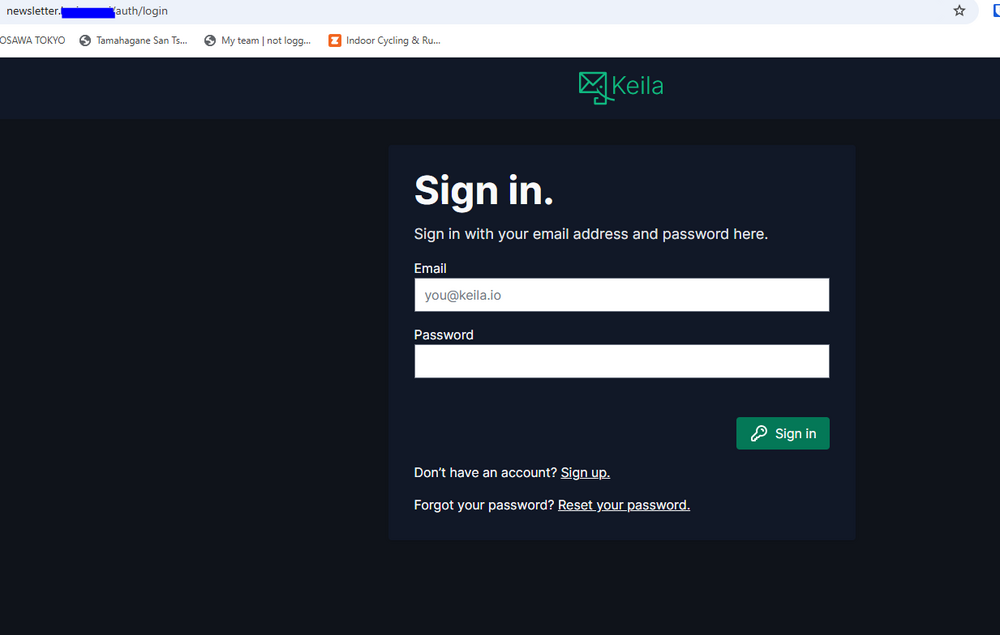
I'm using Keila in a production environment and it works. This server is using postgres 15. I didn't try 17. You should paste the error log here so that we can see what is wrong with postgres. Domain of your keila instance is the url on which your keila instance will server the webpage. Maybe you don't need tracking or a web portal but it's also needed for the unsubscribe function as well.
-
Summary: Support Thread for Headscale-admin Docker Application: Headscale-admin DockerHub: https://hub.docker.com/r/goodieshq/headscale-admin This template has been tested on a production machine. Please read the notes to get the login info. If you find any errors with the template please post here so that I can fix them. If you need some support or guidance also write here. If you find errors in the app itself then please contact the developer through their issues page: https://github.com/GoodiesHQ/headscale-admin/issues Also do note that it's recommended to run this container under the same DNS as the headscale docker.
-
Summary: Support Thread for Headscale Docker Application: Headscale DockerHub: https://hub.docker.com/r/headscale/headscale This template has been tested on a production machine using NPM as a proxy and only opening the port for connection. If you find any errors with the template please post here so that I can fix them. If you need some support or guidance also write here. If you find errors in the app itself then please contact the developer through their issues page: https://github.com/juanfont/headscale/issues The proper steps for running this container is written under Overview. If you can't get it to work then double and triple check the config file which is usually the cause of the problems.
-
He means this if you've installed the plugin.

-
No no. I'm not editing anything. A client wants a list of all the shares and users for their record. This was the simplest method I have found to list permissions. I was looking for a simple GUI page with share and rights output. But seeing that there isn't one yet this is the next best thing. The editing part was meant that I will edit out irrelevant info which I had to do as there was additional stuff that the client doesn't need. They just needed a share name and users with read and write permissions.
-
Found it! It was under /etc/samba/
-
Hey Is there an easy way to get a list of my shares and which users have which rights to them? I can edit the output however it is but I would like to avoid doing everything manually.
-
Summary: Support Thread for Keila Docker Application: Keila DockerHub: https://hub.docker.com/r/pentacent/keila This template has been tested on a production machine but not extensively. If you find any errors with the template please post here so that I can fix them. If you need some support or guidance also write here. If you find errors in the app itself then please contact the developer through their issues page: https://github.com/pentacent/keila/issues The password is auto generated on first boot and can be found in the log. You can change it afterwards.
-
Ok I've fixed the first problem with DNS. It was the bloody tailscale plugin. Advanced option "Use Tailscale DNS settings" was enabled. The only other question is the br0 not writing ports and set IP address. Did something change here? docker network inspect br0 also displays data. It just doesn't show it on the dashboard.
-
Hey I have found out that if I put my docker in br0 mode that it doesn't get an IP and that it has no internet connection. Adding --dns=192.168.0.1 fixes the problem. VMs and server work just fine. What could be the problem? I've also attached a screenshot of the docker. I'm fairly sure that it used to list the set IP address and now it's not. Can anyone help what is going on? I have already toggled bridging to see if it would fix itself. tower-diagnostics-20240530-1430.zip

-
Problem solved. It seems that my internet provider is doing something with my modem. Restarting my Unifi USG solved the problem.
-
I have developed a strange error today... My dockers lost web connection and can't connect to the internet any mode. My server can ping and is connected to the internet but all of my dockers suddenly can't. Nothing was installed or done to this to happen. I have already restarted my server and set DNS manually but it doesn't help. Everything on my network works just fine except for the dockers on the server. I can also connect to my dockers locally. LXC and VMs also don't have any connection to internet. Can anyone help me? Cheers tower-diagnostics-20240515-1807.zip
-
Hey I have a question. I did everything like it was needed and I can see my stuff in the MinIO console. The PDF and preview of the CV are there. But I get the broken image link in reactive resume and an error when downloading the PDF. Could anyone point me to the broken link that has to be somewhere in resume docker? Because I can download from minio just not from resume.
-
It was my old version. I've just installed PostgreSQL 15 and it works now. Thanks for the docker.
-
Probably it then as I've just checked and I'm running Postgresql 12.5. Thanks
-
Ok I need some help. But first let me just say that I hate postgres. I can't get this to work (database connection problems). I have tried: postgresql://rootuser:rootpassword@serverip:5432 And it still doesn't work even though I have created the database. I have even created a database and a proper user and granted privileges but I can't connect. I get this error: Error: P1013: The provided database string is invalid. invalid port number in database URL. And yes I have triple checked the ports. Either I'm doing something wrong or I'm missing something here. Please help. Edit: Creating a separate user gives me this: 2023-08-27 10:48:15,390 PM info [database::migrations] ensuring database exists, if not creating database - may error if no permissions 2023-08-27 10:48:15,571 PM error [database::migrations] failed to push schema 2023-08-27 10:48:15,572 PM error [database::migrations] Failed to migrate database... exiting... 2023-08-27 10:48:15,575 PM error [database::migrations] Error: db error: ERROR: function gen_random_uuid() does not exist
-
Well if there's any other way to hide shares to which other users have no access then no. If not then yes. 😁
-
I didn't get a reply notification so sorry for the late answer. I also forgot to mention that this happens on all OS. I have tested it on two computers and one VM machine on Unraid and as soon as you set the parameter "access based share enum = yes" the folders are not shown. Since I'm using a Windows 11 and an older Windows 10 VM it has to be the update as the old version worked fine and nothing changed in the meantime. I basically want to hide folders from users that don't have access to them and this issue is holding me back from upgrading two company servers that use this parameter.
-
Attached tower-diagnostics-20221008-1423.zip




