





Bjonness406
Community Developer
-
Joined
-
Last visited
Everything posted by Bjonness406
-
Aptalca has a docker with Let's Encrypt build in. Take a look here for Nextcloud setup with Nginx: https://lime-technology.com/forum/index.php?topic=51466.0
-
Post what fixed your issue then? Could be helpfull to other people
-
Well, I think I did it once or twice...
-
haha I prefer the features on edgerouter over having the green menu items, and the integration. But the UniFi router has been a lot better since I bought my edgerouter, but still not as good as the edgerouter.
-
I am running Binhex delugeVPN (which this one is based on) with an edgerouter. I did use the wizard to set it up initially, and I have not needed to port forward anything for that docker, or doing something spesial. Does this require upnp to work btw? There is an issue with 1.9.0 with that on the edgerouter. I am running full Ubiquiti setup home, and are very happy with it. 2 Unifi AP AC Pro, 1 Edgerouter Lite and 1 Edgeswitch 16 Poe.
-
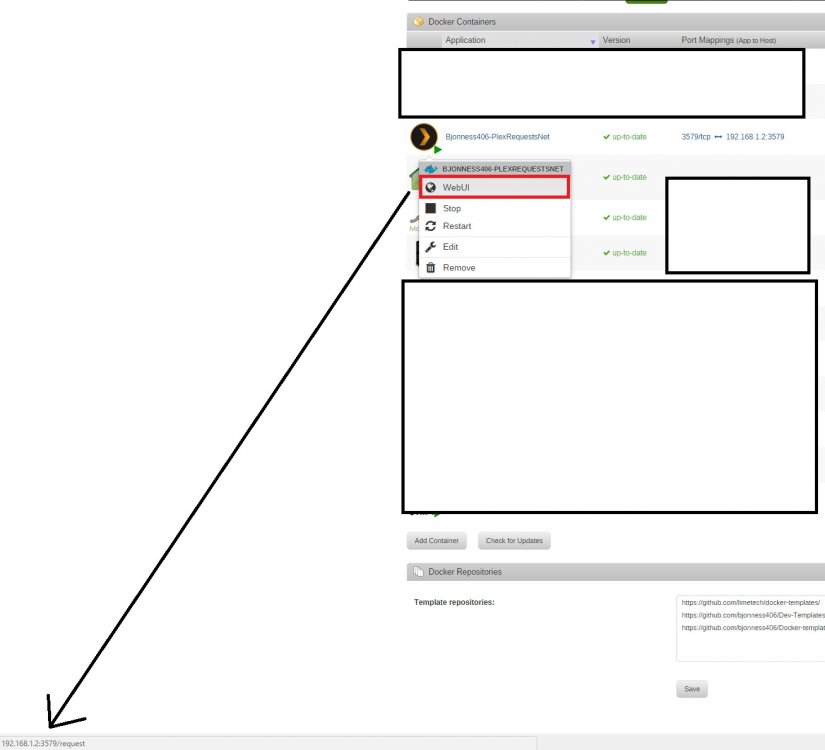
Just to be sure, you have clicked the apply button? You can try to remove the docker and add it again. Working fine here. What is showing in the left corner for you?
-
Finally got it working, thanks for the help guys! https://lime-technology.com/forum/index.php?topic=51466.msg500877#msg500877
-
+1
-
And now unifi finally support auto backup
-
Do you know if the android app detects the installation if you use a "normal" address, like mydomain.net instead of a dyndns address? I use my bought domain name. It like mydomain.de. When I use the the normal Nextcloud container on the 443 Port, the Adress works correctly. So it is not that fault i guess.. Or do think it is? Then I don't think the dynsdns domain is the problem, I thought you had something like "xxx.dyndns.org". I am having some troubles with reverse proxy on the android app too, without reverse proxy it works perfectly fine. I have posted in the nextcloud forum, hope someone could help me there. https://help.nextcloud.com/t/reverse-proxy-with-android-client-does-not-work/3346 If someone is using nextcloud behind reverse proxy (prefer Nginx), does the android client work? If so, can you share your config? Well, I think you might see me up there in previous posts. I eventually did get this one to work with my nginx/letsencrypt reverse proxy as well. So its do-able. Apparently its good to note that Nextcloud recommends that you setup your domain to be "nextcloud.example.com" as opposed to "example.com/nextcloud" Once I found that out, I learned how to add a new server_name to nginx. So my nginx site-confs default file has this appended to the end: server { listen 443 ssl; server_name cloud.example.com; ssl_certificate /config/keys/fullchain.pem; ssl_certificate_key /config/keys/privkey.pem; ssl_dhparam /config/nginx/dhparams.pem; ssl_ciphers 'xxxxxxxxxxxxxxxxxxxxxxxx'; ssl_prefer_server_ciphers on; client_max_body_size 0; location / { proxy_pass https://192.168.1.5:8443; } } And the nextcloud config looks like: $CONFIG = array ( 'memcache.local' => '\\OC\\Memcache\\APCu', 'datadirectory' => '/data', 'instanceid' => 'ocbkgz4h8t5f', 'passwordsalt' => 'xxxxxxxxxxxxxxxxxxxxxxxxxxxxxxxx', 'secret' => 'xxxxxxxxxxxxxxxxxxxxxxxxxxxxxxxxxxxx', 'trusted_domains' => array ( 0 => '192.168.1.5:8443', 1 => 'example.com:8443', 2 => 'example.com:443', 3 => '192.168.1.5:443', ), 'trusted_proxies' => array ( 0 => '192.168.1.5', 1 => 'example.com', ), 'overwrite.cli.url' => 'https://example.com/nextcloud', 'dbtype' => 'mysql', 'version' => '9.0.53.0', 'dbname' => 'NextCloud', 'dbhost' => '1921.168.1.5:3306', 'dbtableprefix' => 'oc_', 'dbuser' => 'nextcloud', 'dbpassword' => 'xxxxxxxxxxxx', 'logtimezone' => 'UTC', 'installed' => true, 'maintenance' => false, 'appstore.experimental.enabled' => true, ); After all of this, I'm able to get access on the Nextcloud android app with my server set to "https://cloud.example.com" Thanks for sharing the config, but I want to have "mydomain.com/nextcloud" since I am not able to get "cloud.domain.com" (I am using a free address from No-IP). Hmm.. Do you use domain.com/nextcloud or nextcloud.domain.com?
-
I tried it without any success. Here is my default network config: My router is setup to always assign the same ip address to my unRAID server Thanks again for the help! Set Obtain dns server address automatically to "no", and dns server 1 to "8.8.8.8" and dns server 2 to "8.8.4.4" and try again to update your plugins and plex
-
You could try to change your dns server to 8.8.8.8 and 8.8.4.4
-
The check for updates button does not work in 6.1.x, you need to click advanced view and then force update. The check for updates button works on 6.2. Thanks but it doesn't seems to do anything. Here is what I obtain Did I missed something? Does not look like it, no idea then. Hopefully someone other can take a look
-
Do you know if the android app detects the installation if you use a "normal" address, like mydomain.net instead of a dyndns address? I use my bought domain name. It like mydomain.de. When I use the the normal Nextcloud container on the 443 Port, the Adress works correctly. So it is not that fault i guess.. Or do think it is? Then I don't think the dynsdns domain is the problem, I thought you had something like "xxx.dyndns.org". I am having some troubles with reverse proxy on the android app too, without reverse proxy it works perfectly fine. I have posted in the nextcloud forum, hope someone could help me there. https://help.nextcloud.com/t/reverse-proxy-with-android-client-does-not-work/3346 If someone is using nextcloud behind reverse proxy (prefer Nginx), does the android client work? If so, can you share your config?
-
The check for updates button does not work in 6.1.x, you need to click advanced view and then force update. The check for updates button works on 6.2.
-
Do you know if the android app detects the installation if you use a "normal" address, like mydomain.net instead of a dyndns address?
-
You can do this on 6.2 What I suggest you do: Update to 6.2 when you can Then delete docker.img and recreate it. Then add all of your previous app via CA "previous apps" tab. OK, pre-clear finished, and 6.2 installed! So far, so good. Do I uninstall the dockers first, or just blow away the docker.img file? Also, I went with the default 10GB .img file, but it seems that 15-20GB is recommended. Can I create the new .img in a larger size & still get everything to install properly? It seems that I should be able to, but I just want to double check. Also - just noticed that there's an update to CA (9/17/2016) should I update that before reinstalling, or leave it on the current version (9/15/2016) for the fix, then update it? Does this mean that I should delete "docker.img" from disk, or does it mean I should go into Settings | Docker, disable docker, save it, then reenable it? http://lime-technology.com/forum/index.php?topic=42148.msg498419.msg#498419 Just make your docker image 15-20GB
-
I'm away for a week from tomorrow so you're on your own... Who is gonna help the poor people in your/LSIO support threads then? Have a great trip or whatever you are going to do
-
Okey.. I think I am getting to tired for this now... Will take a look at this tomorrow instead. I will set all of this up again tomorrow on my dev server instead, and then see if this works. Will only try with Nginx-letsencrypt that time, and not apache. Hopefully it goes better this time....
-
I think you misunderstand. My server address is "myserver.ddns.net", then I want to have nextcloud at "myserver.ddns.net/nextcloud". The reason I don't have "myserver.net" is because this is a free dns name I got from no-ip, and then is adds the "ddns.net" part after my server name. If there is anything I have missed, please tell me
-
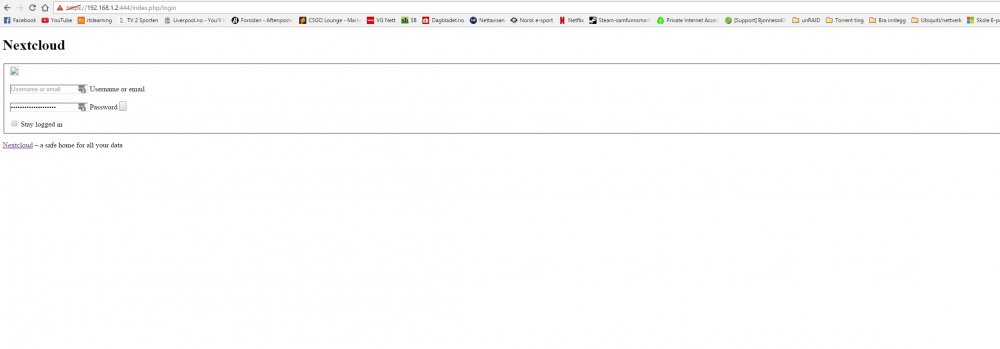
Sorry! <?php $CONFIG = array ( 'memcache.local' => '\\OC\\Memcache\\APCu', 'datadirectory' => '/data', 'instanceid' => 'xxxxxxxx', 'passwordsalt' => 'xxxxxxxxxxxxxxxxxxxxx', 'secret' => 'xxxxxxxxxxxxxxxxxxxxxxxxxx', 'trusted_domains' => array ( 0 => '192.168.1.2:444', 1 => 'server.ddns.net', 2 => '192.168.1.2:443', ), 'overwrite.cli.url' => 'https://server.ddns.net', 'overwritehost ' => 'server.ddns.net', 'overwriteprotocol' => 'https', 'overwritewebroot' => '/nextcloud', 'dbtype' => 'mysql', 'version' => '9.1.0.16', 'dbname' => 'NextCloud', 'dbhost' => '192.168.1.2:3306', 'dbtableprefix' => 'oc_', 'dbuser' => 'oc_Bjonness4062', 'dbpassword' => 'xxxxxxxxxxxxxxxx', 'logtimezone' => 'UTC', 'installed' => true, 'maintenance' => false, 'loglevel' => 2, ); The server.ddns.net is a free dns name from no-ip. Can you access the webui from https://192.168.1.2:444/index.php/login And can you clarify which "version" of the reverse proxy you're using? Getting somewhere longer, but not loading entirely. Accessing it from the reverse proxy is working fine. Apache from LSIO
-
Sorry! <?php $CONFIG = array ( 'memcache.local' => '\\OC\\Memcache\\APCu', 'datadirectory' => '/data', 'instanceid' => 'xxxxxxxx', 'passwordsalt' => 'xxxxxxxxxxxxxxxxxxxxx', 'secret' => 'xxxxxxxxxxxxxxxxxxxxxxxxxx', 'trusted_domains' => array ( 0 => '192.168.1.2:444', 1 => 'server.ddns.net', 2 => '192.168.1.2:443', ), 'overwrite.cli.url' => 'https://server.ddns.net', 'overwritehost ' => 'server.ddns.net', 'overwriteprotocol' => 'https', 'overwritewebroot' => '/nextcloud', 'dbtype' => 'mysql', 'version' => '9.1.0.16', 'dbname' => 'NextCloud', 'dbhost' => '192.168.1.2:3306', 'dbtableprefix' => 'oc_', 'dbuser' => 'oc_Bjonness4062', 'dbpassword' => 'xxxxxxxxxxxxxxxx', 'logtimezone' => 'UTC', 'installed' => true, 'maintenance' => false, 'loglevel' => 2, ); The server.ddns.net is a free dns name from no-ip.
-
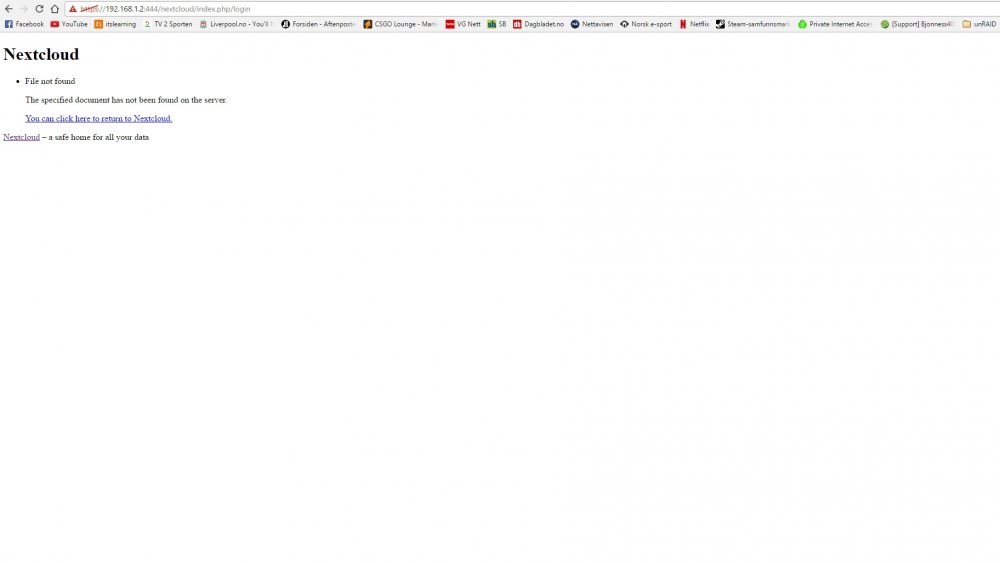
Need some help here, I followed CHBMB guide on how to setup reverse proxy here: https://www.linuxserver.io/index.php/2016/07/28/installing-nextcloud-on-unraid/ The reverse proxy itself works, but I can't connect to the local ip now. This is how it looks like.
-
I apologize for the additional questions here, but it has been some time since I've had to do much with the server. That is sort of the beauty of it. I just leave it and perform routine updates every once in awhile and it just works. So I feel compelled to ask just so I don't do something stupid. So I access my cache disk and literally delete my 30 gig docker.img file. Do I then need to reboot the server for some reason? Will the 30 gig docker.img file be automatically rebuilt? How do I refill the dockers? Do I just go to APPS in unraid and will they still be listed under INSTALLED APPS? Thanks for any guidance. Go to settings -> docker -> disable docker -> check the "delete docker.img" checkbox and hit apply -> enable docker Then your have recreated your docker image, now to redownload your dockers again. Go to the apps tab/CA -> click the "previous apps" -> then reinstall the dockers you want.
-
You can do this on 6.2 What I suggest you do: Update to 6.2 when you can Then delete docker.img and recreate it. Then add all of your previous app via CA "previous apps" tab.


