vizi0n
Members
-
Joined
-
Last visited
Everything posted by vizi0n
-
@whisp did you ever find a solution to your issue ? I'm facing a somewhat similar one with binhex-qbittorrentvpn that crashes and reloads very often. If I try to force recheck a torrent for example, qbit will restart and I will have to reload the page because the one I'm looking at will be frozen. I also had to limit the ram to 4gb because it would hog all memory and make the system unusable
-
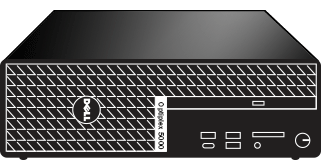
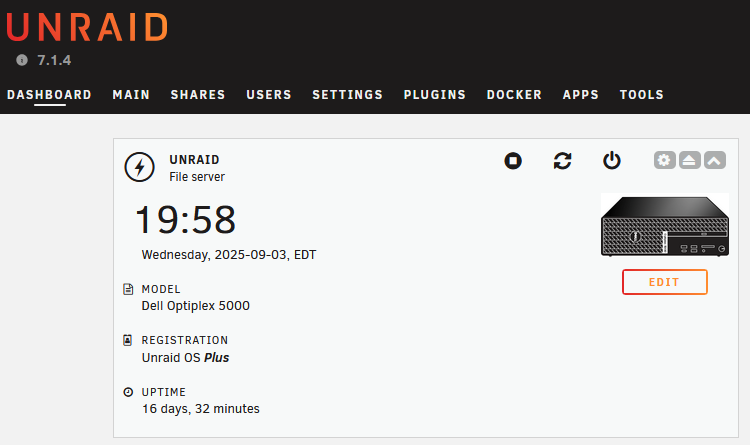
I don't know if anyone requested it, but mine is now running on an Optiplex 5000 SFF and here's the icon I made
-
thats great, so they don't require a specific card. Except maybe if I want to upgrade the firmware or something related to management I guess ?
-
Hello Unraiders, I am seeking some help here with something that I am not very familiar with. I am in the process of changing server. My old one (Dell R720) had internal 3.5 SAS drive bays which worked great, but my new one only has 2.5 SFF bays so I need to find out a way to reuse my old drives. The new server (Cisco C220 M4) comes with a 9300-8e card, which from what I have been told uses 2 SFF-8466 connector/cable that can connect to an external hard drive shelf. Now, I am wondering, can I use this with enterprise grade stuff (HP D2600, D3600, Dell MD1200 or others) ? Or do these enclosures require a matching HP / Dell machine/card? I am a bit lost as I cannot find much information online regarding compatibility and it seems like everyone posting about the D3600 has a Proliant or other HP machine, and if they have a MD1200 they have a Dell machine. I would only need 6 drives, so an enclosure of 8 or 12 drives max. The huge 24+ bays enclosures are out of the equation. Thanks for your input
-
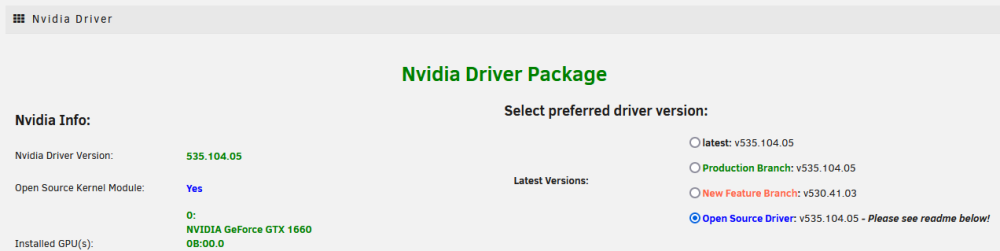
Now on 6.12.4 and it even upgraded to a more recent OpenSource version. Great ! Thanks
-
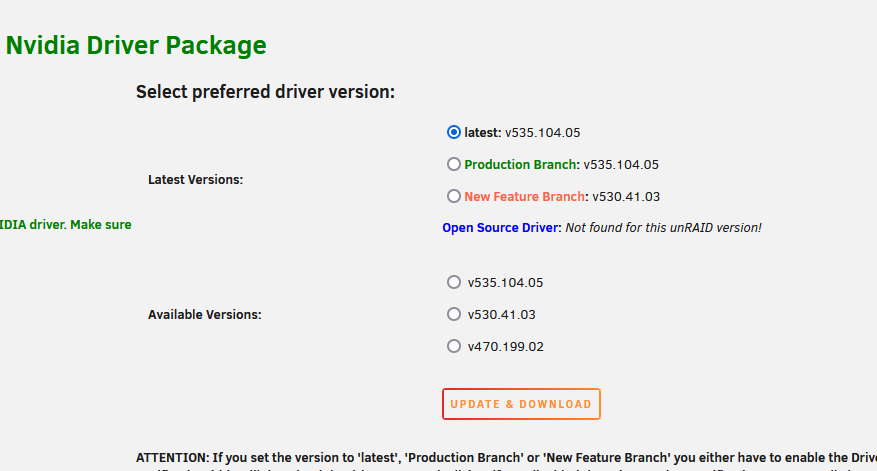
I had reverted back to 6.12.3 in order to install them again. I don't have a choice because I'm running a 1660 and the regular drivers will prevent Unraid from booting, so Open Source driver is the only option for me. Thanks, I will upgrade again tomorrow and look again.
-
Is it possible that the Open Source drivers cannot be installed on 6.12.4 ? I have a message saying that these drivers cannot be found for this version of Unraid instead of a radio button next to Open Source in the choices (Latest, New features, Production)
-
@jbartlett thanks for the hint. Here is the output of the debug log from the dot Most likely that my controller does not support TRIM SSD Run Slot: 1 19:30:31 Performing random seek tests 19:30:41 Performing sequential seek tests 19:30:53 Performing drive latency tests Random Seek: 49697 SequentialSeek: 5018 DriveLatency: 1633261 Lucee 5.3.10.120 Error (application) Message Error invoking external process Detail fstrim: /mnt/UNRAID/cache: FITRIM ioctl failed: Remote I/O error Stacktrace The Error Occurred in /var/www/BenchmarkDriveController.cfm: line 234 232: 233: <CFFILE action="write" file="#OutDir#/trim.sh" mode="766" output="fstrim #MountPoint#" addnewline="NO"> 234: <CFEXECUTE name="#OutDir#/trim.sh" timeout="3060" /> 235: <CFSET WriteSpeedList=""> 236: <CFSET TotalTestFiles=0>
-
Hi ! My cache SSD is stuck at 0% Trimming when I try to bench it using this tool. Anything special I can try ?
-
Interesting. Is there a bug that I can follow to keep updated on this ? I was under the impression that file transfers were using RAM first to speed things up. Seems like I was wrong
-
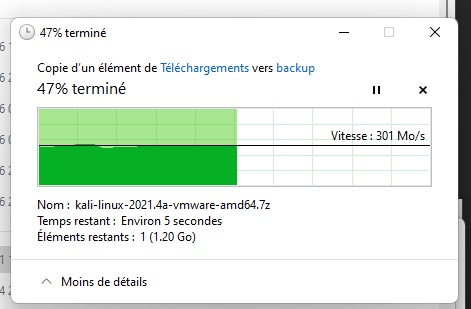
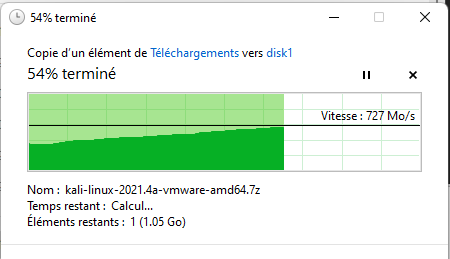
Thanks for the suggestion. I just did, and it more than doubled the speed. This is to a user share This is to a disk share: Why is it so different? What can I do to improve user share writes/read? I've tried enabling Direct I/O but it didn't help, still around 300 MB/s for the same operation to a user share
-
Hello people of the internets, I'm trying to fix a "slow" file transfer issue between my PC and my Unraid server. I have installed 10 GBps NICs in my computer and server (HP NC552SFP in Unraid, Intel X520-DA2 in PC), but I can barely reach 300 MB/s when writing to the Unraid server and between 200 and 400 when reading from the server. Isn't the server supposed to write to RAM then cache to make it fast ? The PC has a WD Black NVME SSD, and the server is a R520 with dual Xeon 2430L, 32 GB ECC 1333mhz, HP 500GB SATA SSD connected to the PERC H710p Mini (converted to IT mode / LSI 2308-2 controller). I did run Iperf3 tests between the PC and the server, and I'm getting ±9.2/9.4 Gbps of throughput so the network doesn't seem to be the issue. This was tested using the following command : iperf3 -c <machine> -P 5 -t 10 -b 10G From Unraid to Windows [SUM] 0.00-10.00 sec 10.7 GBytes 9.22 Gbits/sec 0 sender [SUM] 0.00-10.00 sec 10.7 GBytes 9.21 Gbits/sec receiver From Windows to Unraid [SUM] 0.00-10.00 sec 11.0 GBytes 9.42 Gbits/sec sender [SUM] 0.00-10.04 sec 11.0 GBytes 9.38 Gbits/sec receiver I am taker for any advice/suggestion !
-
I have simply downloaded "Adaptec Storage Manager v7.31.18856 for 64-bit Linux" from here https://storage.microsemi.com/en-us/speed/raid/storage_manager/asm_linux_x64_v7_31_18856_tgz.php Inside you'll find arcconf, just chmod +x and you're ready to go
-
Good idea, because here I am today, looking again for how to do this because I want to upgrade my cache disk! lol ** These steps are for my Adaptec 51245 controller ** Step 1: arcconf getconfig 1 This prints a list of all drives connected to controller #1 Step 2: find your new drive in the list, it will most likely be the only one that doesn't say "JBOD" next to its state. Note the "Reported Channel,Device(T:L)" (example : 0,11 this is channel 0, device 11) Step 3 : create a JBOD drive out of the new drive : arcconf CREATE 1 JBOD 0 11 (still using the example from above). This create a JBOD drive, on controller 1, channel 0, drive 11) Step 4 : you should now see the new drive in your MAIN section of Unraid. If you dont, stop the array and it should be in the list. ============ Here's my controller configuration if that can help. You can find that with "arcconf getconfig 1 ad" Controllers found: 1 ---------------------------------------------------------------------- Controller information ---------------------------------------------------------------------- Controller Status : Optimal Channel description : SAS/SATA Controller Model : Adaptec 51245 Controller Serial Number : 1D4211CB859 Temperature : 82 C/ 179 F (Normal) Installed memory : 512 MB Copyback : Disabled Background consistency check : Disabled Automatic Failover : Disabled Global task priority : High Performance Mode : Default/Dynamic Stayawake period : Disabled Spinup limit internal drives : 0 Spinup limit external drives : 0 Defunct disk drive count : 0 Logical devices/Failed/Degraded : 0/0/0 SSDs assigned to MaxCache pool : 0 Maximum SSDs allowed in MaxCache pool : 8 MaxCache Read Cache Pool Size : 0.000 GB MaxCache flush and fetch rate : 0 MaxCache Read, Write Balance Factor : 3,1 NCQ status : Enabled Statistics data collection mode : Enabled -------------------------------------------------------- Controller Version Information -------------------------------------------------------- BIOS : 5.2-0 (18948) Firmware : 5.2-0 (18948) Driver : 1.2-1 (50983) Boot Flash : 5.2-0 (18948) -------------------------------------------------------- Controller Battery Information -------------------------------------------------------- Status : Not Installed Also interesting information: if you want to be able to view the SMART data from the Unraid devices pages, you need to set the "SMART Controller Type" to "SAT" with nothing in the 2 fields on the same row as SAT.
-
I am using the drives as JBOD. You need to tell the controller that the disks are JBOD using the controller's software at boot time, or through arcconf. It works very well still. Currently upsizing a drive as we speak I keep the drives always spinning, less stop and start means less possible failure. The chassis is well cooled so heat is no issue
-
The settings were done in the GUI, and have stayed over the updates. It's just that when the docker is restarted they are not applied until I login to the GUI. I can I assign channels to my torrents in the config? This seems like a strange way to set this
-
I think my post slipped and was not read, but again this morning I woke up to a non-functionnal internet connectivity because my torrents were completely filling up my upload. As soon as I opened rtorrent evereything went back to normal as the upload slowly slowed down to the channel's limit. Is there some kind of workaround for this?
-
Hi, Is it possible that the channels (manual speed limits) are applied only after a GUI login? My auto updates are set to daily at 4am and every morning that there was an update, the current upload speed on my seeds is not respecting the channel's limit and is actually filling up my entire internet connection upload. After logging into the GUI, the upload speed slowly drops to the maximum that is set for the channel.
-
I confirm that the latest version fixes the issues. Thank you!
-
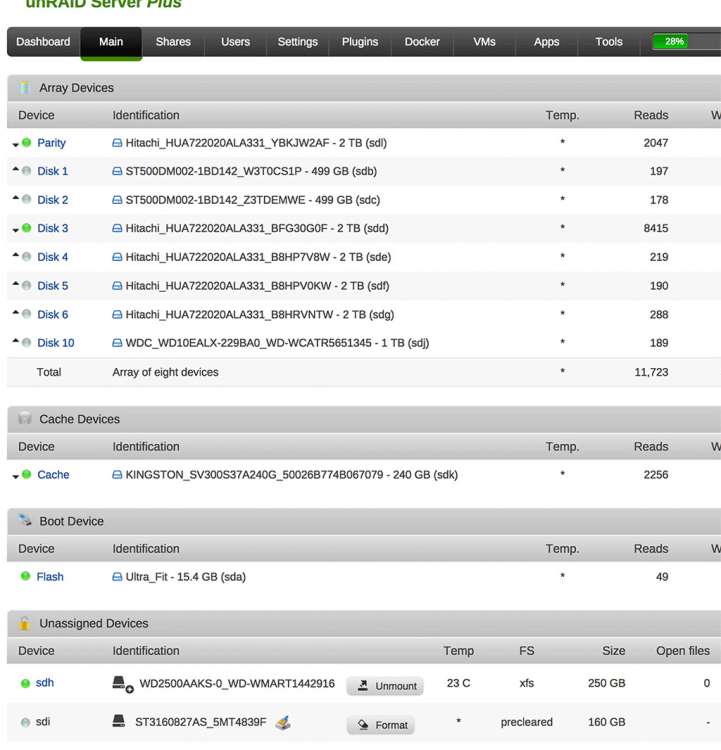
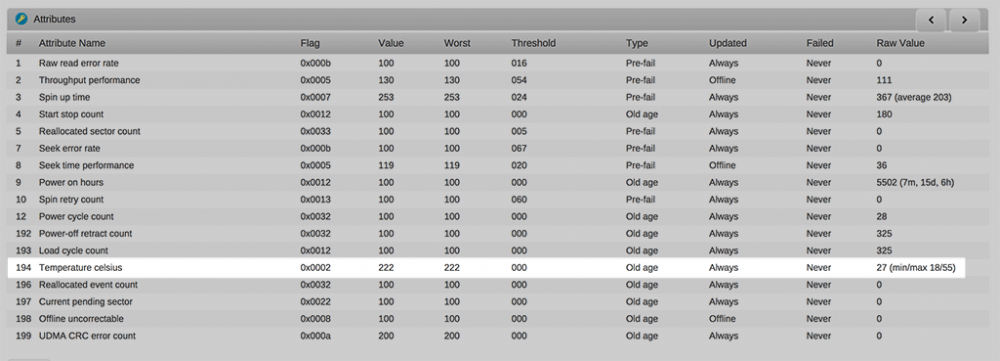
But the strange thing is that the smart reports of all drives on that controller are showing the temperature. As you can see the screenshot. So unRAID should be able to read it, I guess. Is it possible to manually run the script/process to update that data? I would love playing around with it
-
Bump? I still haven't found how the disks.ini file is generated. I would love to see the actual temperature of my drives. And since smartctl can report it, why doesn't it show ?
-
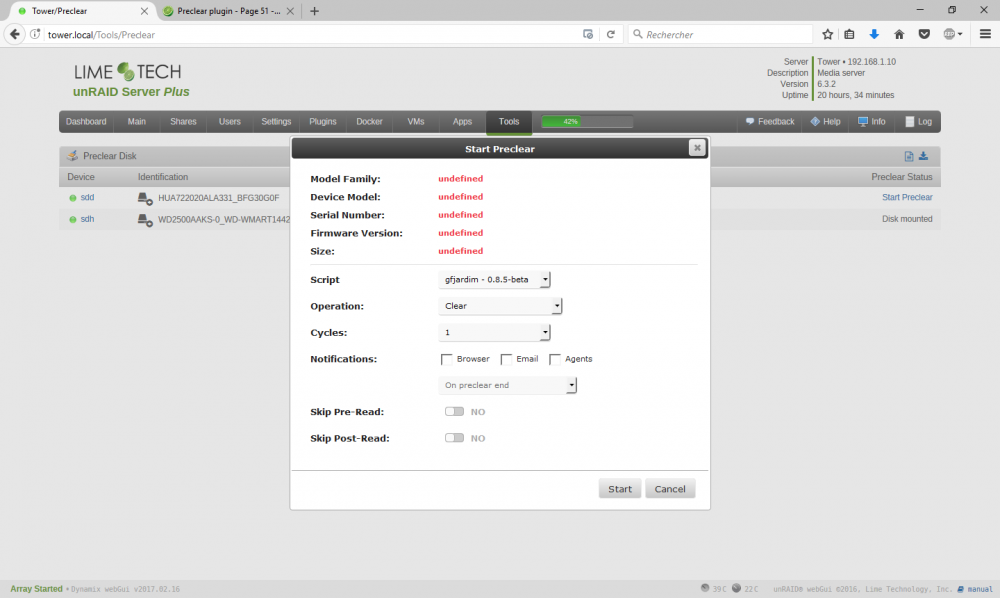
I am having the exact same issue, and the log is 0 bytes, nothing inside! Nothing shows up in the log when I try to start the preclear. I have attached 2 screenshots. The main preclear window, and the popup that opens and closes right away.
-
I have finally managed to hotadd a new drive today using Adaptec's "arcconf" command line tool. Finally!
-
This was already done at the very beginning of my build, and eveytime I add a new drive because they are not recognized at all under unRAID if I dont initialize+JBOD them all. The drives are currently fully working. Only the GUI doesn't show the temperature is the devices list. I kind of looked at the code of the unassigned devices plugin and found that it grabs the info using this command: smartctl -A -d sat,12 $dev 2>/dev/null| /bin/grep -m 1 -i Temperature_Celsius | /bin/awk '{print $10}'" Now for the Dynamix part, it seems like it grabs the info about the drives from /var/local/emhttp/disks.ini How is that file generated? This file has the * in it at the temperature line
-
Hi, I am kind of wondering what is happening. My hard drives do report SMART data, including temperature (194). None of the drive show the temperature in the GUI (see screenshots) even though they are spun up, except for the one that is mounted with the "Unassigned devices" plugin. Before adding that plugin, the drives would not report temperature at all, any of them. Is there any tweak I can do?