





Tucubanito07
Members
-
Joined
-
Last visited
Everything posted by Tucubanito07
-
Right now my intel quick sync does not get recognize and I am not able to pass it through any container. @JorgeB said on 7.3.0 it would be supported with the newer Intel 7 265K CPU's. The support was supposed to be on kerne 6.18 LTS. Here is the thread I am talking about. https://forums.unraid.net/topic/197664-intel-7-265k-igpu-not-in-devdvi/
-
Is available now.
-
Does this kernel release support intel quick sync out of the box?
-
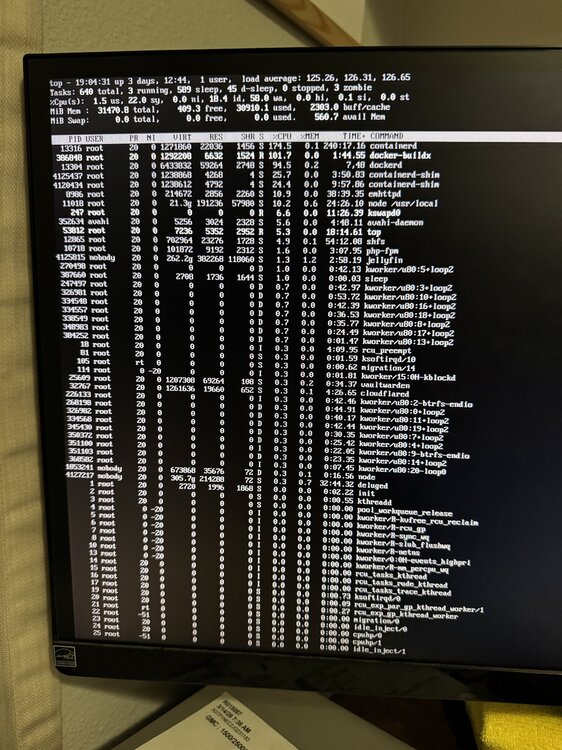
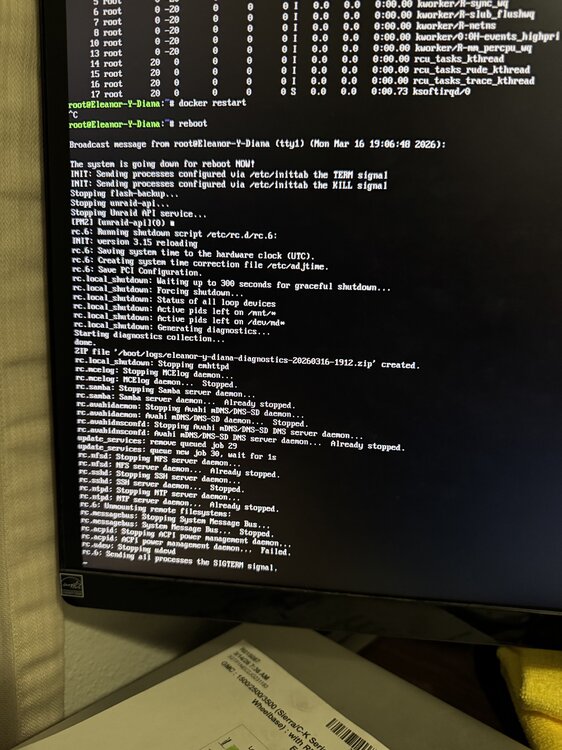
So after 3 days and 19 hours, it crashed. Today I enabled all dockers except nextcloud docker containers and it crashed. I can at least rule out is not nextcloud or mariadb or redis as they were all off. I am going to start again on turning on the four containers that were on and not crashes and then turn one on at a time to see which one crashes. So annoying. I did get some pictures using the command top. I added a support file in case you see something. This time it was able to finish exporting the logs. eleanor-y-diana-diagnostics-20260316-1912.zip I was logged into the server and these logs are the one it finished exporting after I told it to reboot in the CLI. I do see some docker information but don't know what to make of it. Is called "eleanor-y-diana-20260316-1912.zip". eleanor-y-diana-diagnostics-20260316-1912.zip eleanor-y-diana-diagnostics-20260316-1937.zip
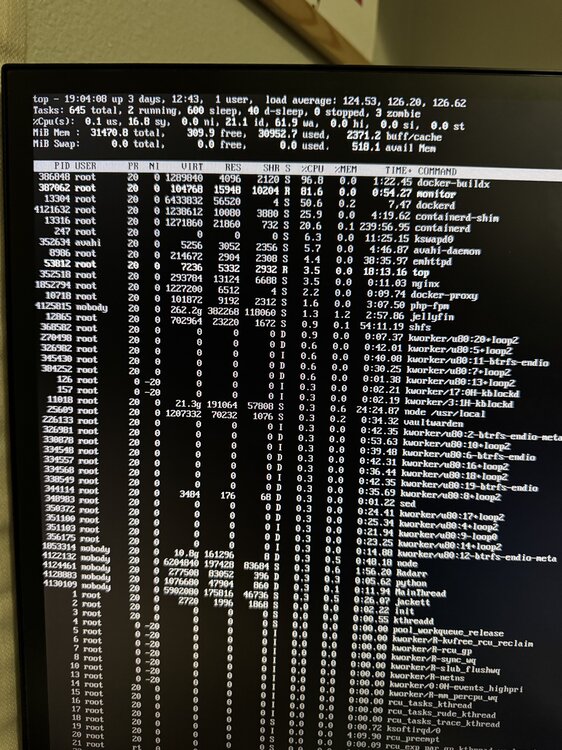
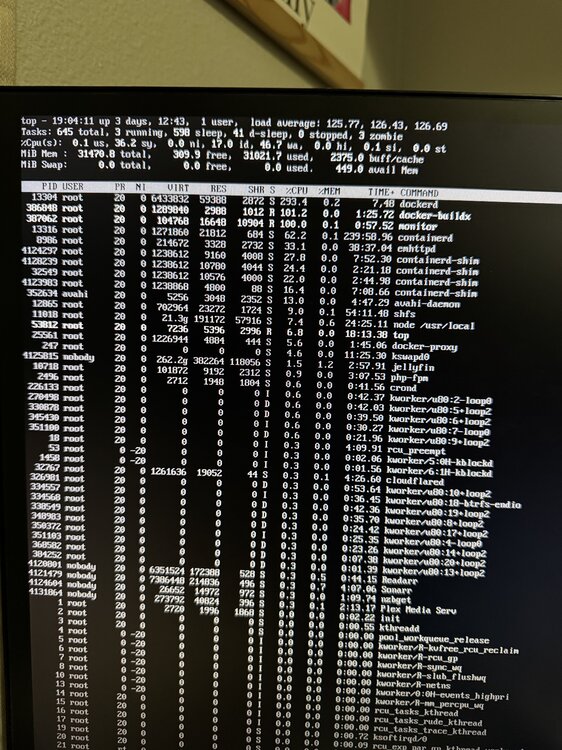
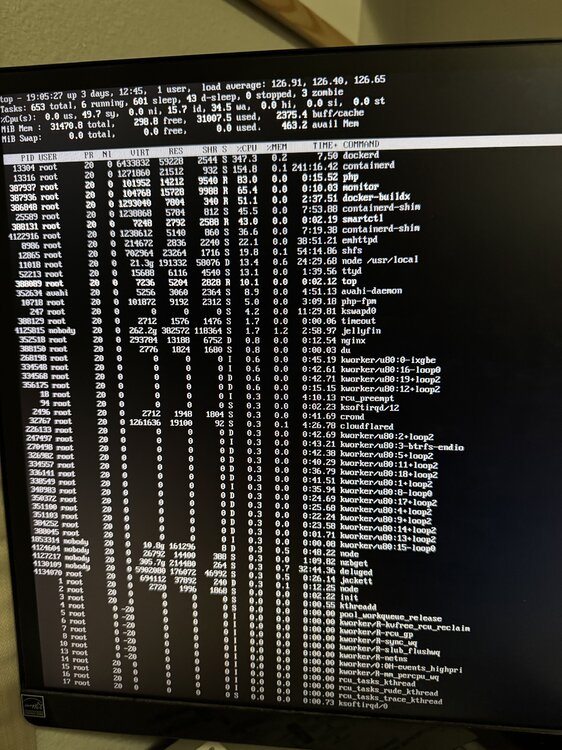
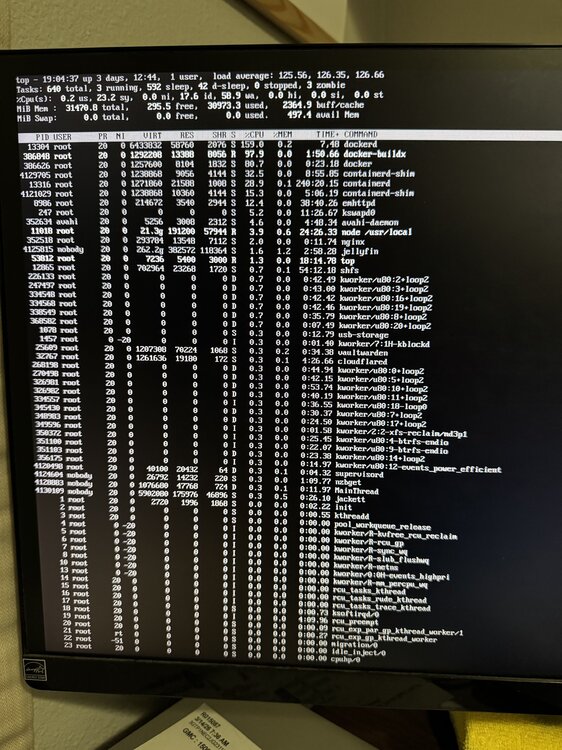
-
No, there were some that auto started but I now removed that toggle and stopped all container for now except 3 that are essential for my setup. If it crashes again, I am going to reboot and with no containers running and the dicker service running by itself for a couple of days and see if it freezes. If it does not freeze, I will then start turning on one by one and seeing where it freezes. I still don’t know what could the problem be. This is insane. It is insane, never had a problem and not it worn go away. Thank you for your continued help and contribution. You’re awesome.
-
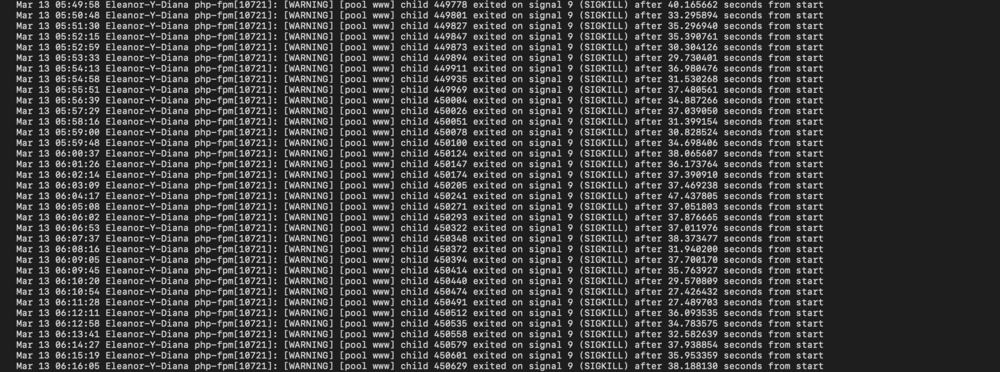
I rebooted it again. I login with the keyboard and did a TOP to see if it freezes maybe it will show me the last process before it froze and only have three containers running now. If it crashes again, I am going to turn off all containers and leaving the service run by itself again and see if it crashes, las time I left it for 2 days and no crashes. However, I see a lot of this still. Archive.zip
-
@trurl Here you go.
-
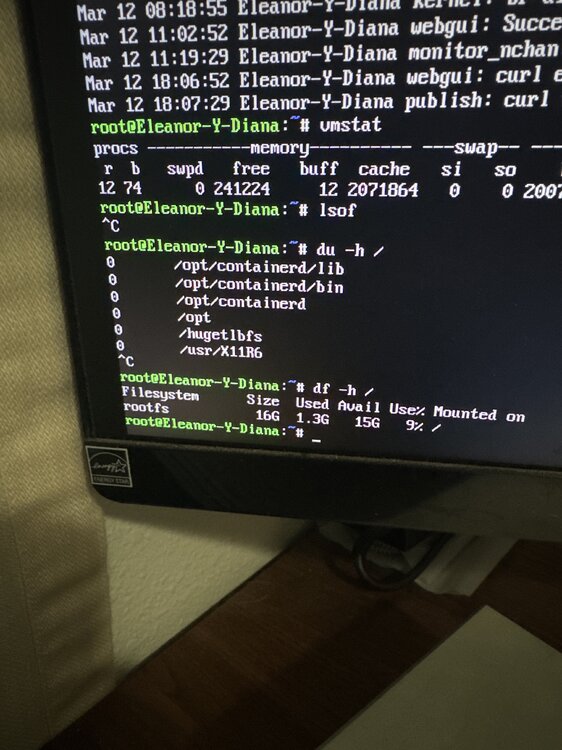
@JorgeB or @trurl So the server crashed again and I only had like 5 containers online. However, I did login on the server before it crashed and I am able to still run commands. All containers are down and also the web gui is down. Is there any command you guys would like me to run while it is up and running and kind of frozen? Trying to run HTOP but nothing commands up. I also ran docker stats and nothing shows up. But if I do Lls -la /mnt/ it gives me the files and folders on that directory. So it kind of works.
-
It was me but not able to SSH as it was not creating the connection and asking for the password. I am going to disable all the dockers and only run one and see if it does not freeze.
-
@JorgeB unfortunately it crashed again. Here are the latest logs and also the syslog. eleanor-y-diana-diagnostics-20260312-0541.zip
-
Ohh I doubt it as well and I figured it was to have less entries to the logs to maybe catch something.
-
Mover finished successfully and it has not froze. Fingers crossed that was it.
-
I disabled Mover logging. Running it now to see if it freezes the server.
-
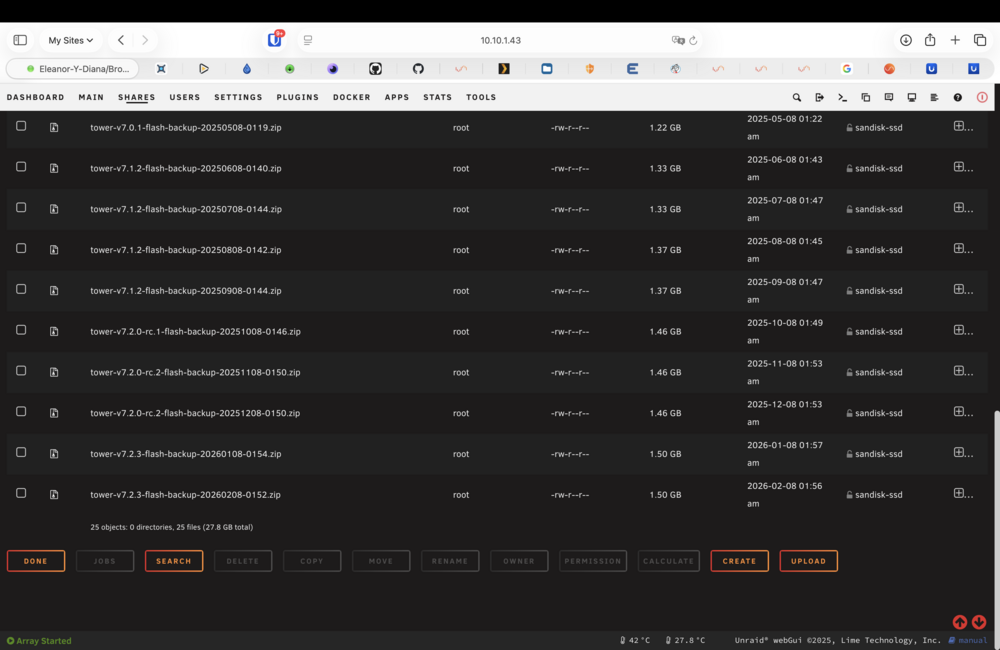
I had added a drive that had error before and see if I was able to use it. However, the error kept on coming back on that drive, so I removed it. I had taken out the drive and I saw that it was still saying emulating the drive. I had copied stuff from the emulating drive to another drive before I did a new config. Once in the new config. I did a parity sync and it fixed a lot of errors. I then ran a second sync and no more errors. At that time I did a new config and added all the drives in the same order and kept everything the same. on the screenshot below you can see a have a lots of usb flash drive backups.
-
If I disable docker, after a day or two it does not freeze.I then move to enabling docker service with all the containers offline, it stays up and running for more than a day as well. I limited the ram on each container. Also, the Unraid has 2 performance cores pinned to it so it does not freeze and it still does. How would I fix the corrupt flash drive and where do you see is corrupted?
-
I probably have some backup of the flash drive but cant say is current.
-
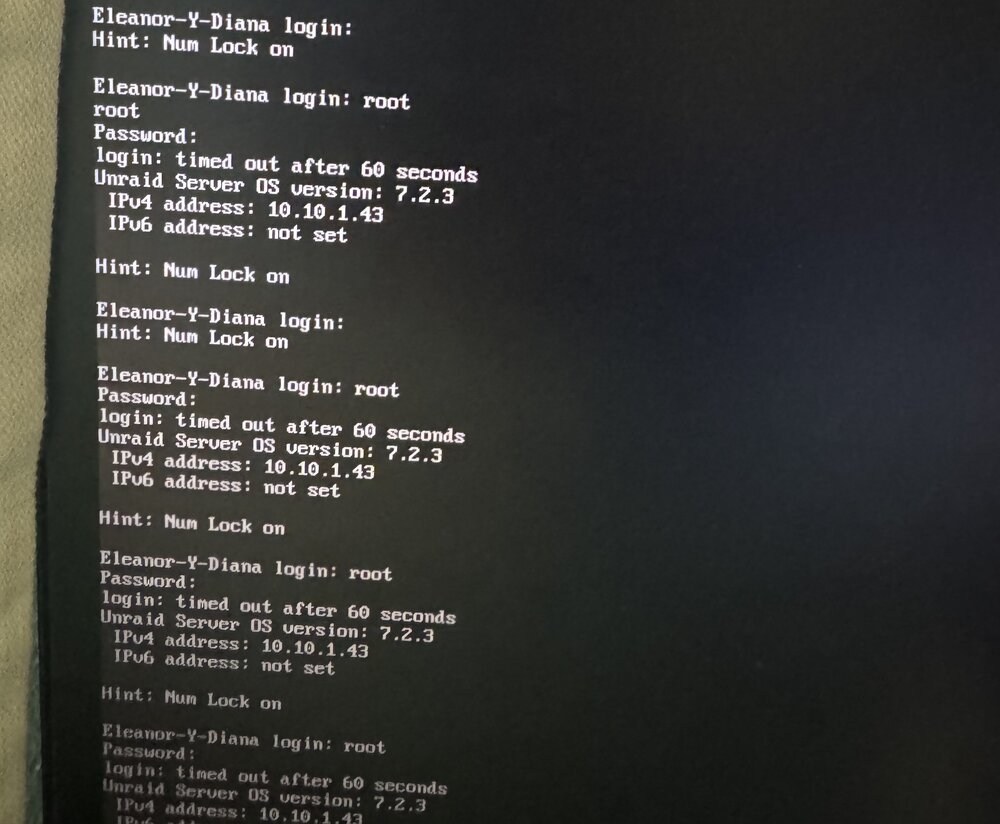
I do but when I placed the root and password it just says timeout. Here is a screenshot.
-
@JorgeB It just crashed again. Every time I try to place the root password on the screen so I can maybe run command to see what is going on and I keep getting login: timed out after 60 seconds. Uploading the support file and the logs when it comes back up. I am still able to ping the server but the dashboard and the containers are all down. I also tried to SSH to the server but is not working. Syslogs-and-Supporfile.zip
-
Correct. I wonder why it is not using it when I have it setup the way some guides in here said to make it work. Very strange.
-
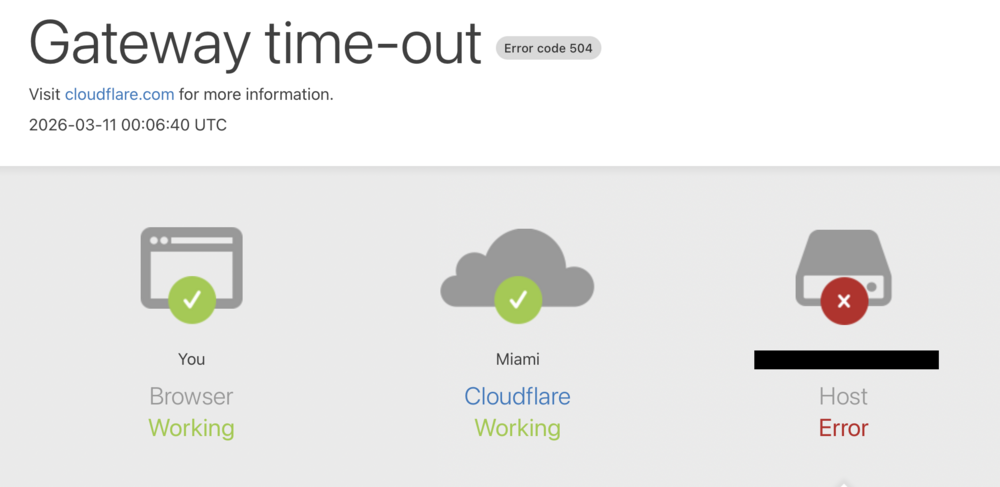
I updated to the latest version of Nextcloud and I have an issue that I can't figure out how to fix. It will start and work like normal, but when I am on the iPhone app, I go to the Media tab and some photos load but then it gets to a section where it does not load and it freezes the whole container. Has anyone else experienced this? I will restart the container and it will start working again.
-
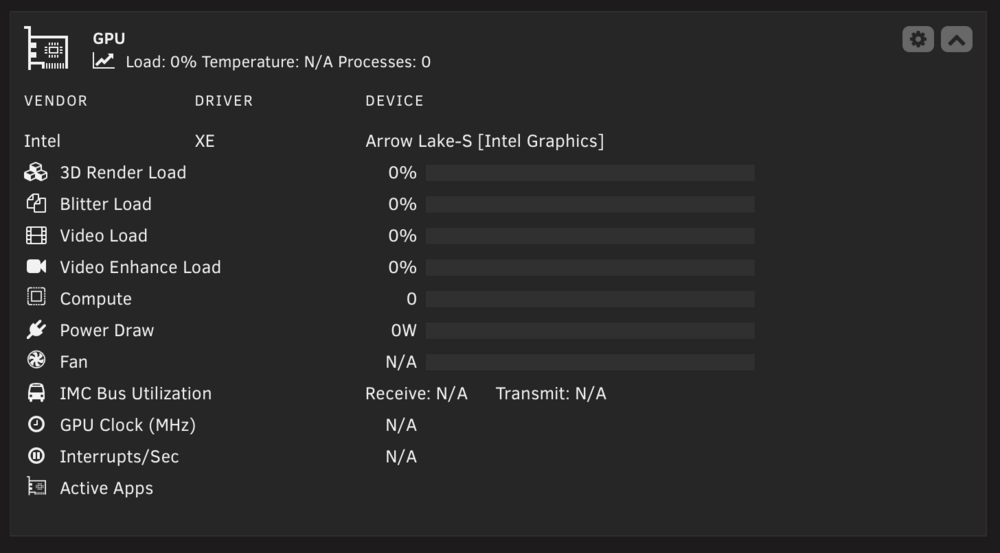
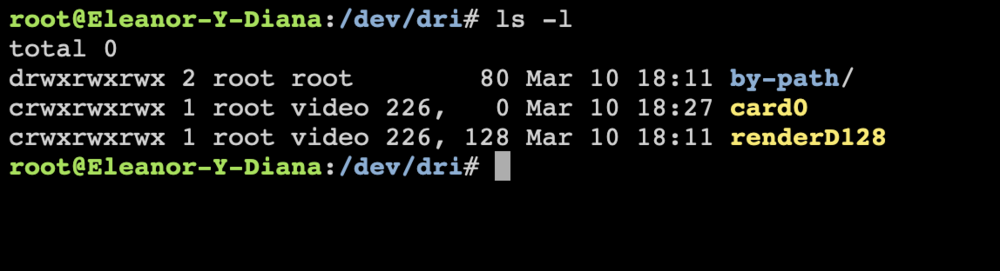
So I did what you mentioned and I see the GPU statistics in the dashboard. However, when I try to use the transcode in plex, it says transcoding but in the GPU statistics shows nothing.



-
Okay so I rebooted and did everything you said to do. The Global Setting to the max. The Fast user as well. Also, on each container on the extra parameters I did this command --memory=1g depending on the application I added or removed the allocated Ram. So plex I gave it --memory=4g but for deluge I gave it --memory=256m for example. I did see that they all said this when I hit apply "WARNING: Your kernel does not support swap limit capabilities or the cgroup is not mounted. Memory limited without swap." Hopefully by limiting the ram and also doing some CPU pinning on each container helps with the freezing. I will let you know if it freezes again. Also, I did do a second Sync and it finished without any error, so that's a good thing. I appreciate all your help on this matter. @JorgeB
-
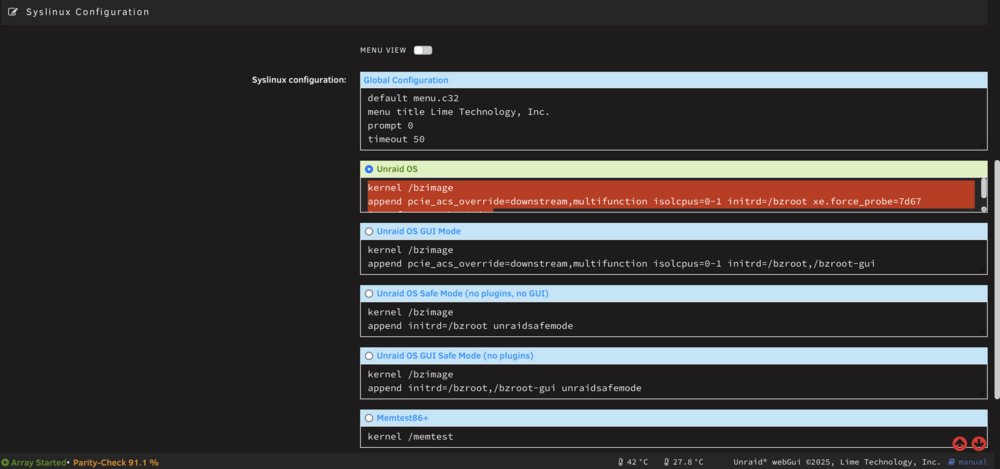
The end result should be something like this correct. Also, once 7.3.0 beta comes out, should I take out what I just added since the new kernel should work then? kernel /bzimage append pcie_acs_override=downstream,multifunction isolcpus=0-1 initrd=/bzroot xe.force_probe=7d67 i915.force_probe=!7d67
-
Where do I add this Kernel boot options? What file do I need to modify on the USB Flash Drive?
-
Should I still have this on my GO file. I no longer have a AMD. #!/bin/bash # Start the Management Utility /usr/local/sbin/zenstates --c6-disable /usr/local/sbin/emhttp




