





Tucubanito07
Members
-
Joined
-
Last visited
Everything posted by Tucubanito07
-
Hello Unraid, Since updating to 7.1.0 RC1 I have gotten multiple times the Docker Service Failed to start. I don't have any custom dockers or anything like that. I also check the logs and it says Docker Daemon Failed to Start. So, I ran the command to start it but it did not. I have supplied the logs and maybe someone can point me to the right direction. I added more space to the docker volume to see if that fixes the issue but I don't believe it will as I have lots of space on the docker volume. Any help is greatly appreciated it. Thank you all. tower-diagnostics-20250415-0733.zip tower-diagnostics-20250414-2228.zip
-
Hello All, Updated to 7.1.0RC1 and Mover is not moving files from cache to the array. I don't know if this was happening before the update or not. Can someone help figure out why it is not working? I had turn off VM and Docker and ran Mover and it did not move all the files. Also, if I am not wrong, mover will move from the cache to the array once mover is working correctly. However, I have read that the VM and Docker needs to be off or nothing needs to be writing in order for Mover to work correctly. I don't believe that is correct, but wanted to know if Mover works regardless of Docker or VM is running and also if it does not matter if stuff is being written to the array or cache. I have uploaded the support file. Any help is greatly appreciated it. Thank you. tower-diagnostics-20250413-1429.zip
-
Hello All, I recently updated to 7.0.1 because I saw that there was a dhcp issues and thought to give it a try and see if it fixes my issue but it does not. I have a VM that before the version 7 did not encounter any issues. Now, when I change the network adapter on the VM template to BR2 it gets an IP Address but then in the morning, it does not have any internet what so ever. I am using a Unifi UDM Pro. There has not been any changes network wise. I keep seeing that it is grabbing 169.254. I reboot the VM and nothing. I reboot the whole server and then I can see activity on the switch and it has internet access. However, after a while the VM loses connection to the internet. I have deleted the network config file and started as default but the VM keeps disconnecting from the internet. I have gather the support logs to see if someone knows why. It seems like the VM loses the ability to use the NIC card I have. This has been working for the longest time till now. Any input is greatly appreciated it. Thank you all. eleanor-diagnostics-20250226-1431.zip
-
Okay thank you so much for your help.
-
I followed the instructions on the rebuilding a drive onto itself. It will take at least 4 days. Geez luis that is a long time.
-
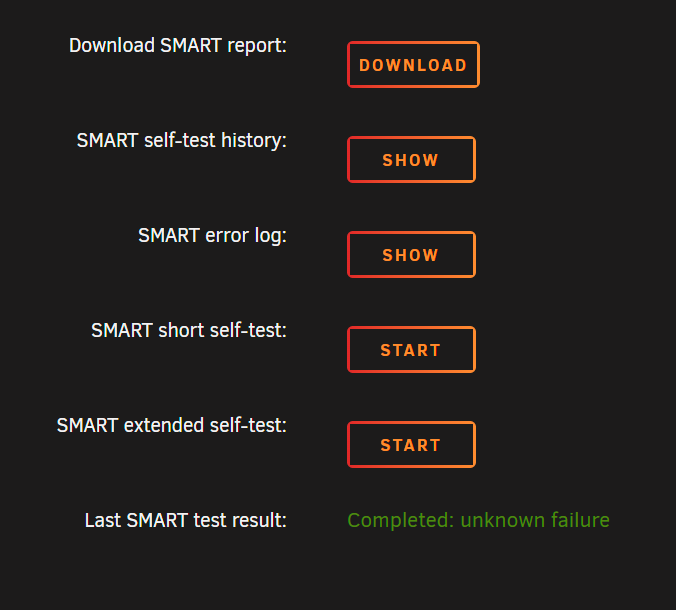
@JorgeB here you go. This took a very long time. It also says Completed: Unknown Failure. So, did it finish or it didn't? ST12000VN0007-2GS116_ZJV0FC90-20250208-1318.txt
-
Running an extended test. Will post once is done. Thank you @JorgeB
-
Good morning all, How can you tell if the disk is bad on the SMART Test? I have attached mine to see if anyone know if the disk is bad or it is just something that failed on the backbone of my NAS. All other disk are fine. Any help is greatly appreciated. I don't know how to read hard drives failures. ST12000VN0007-2GS116_ZJV0FC90-20250206-0758.txt
-
Congratulation @SpaceInvaderOne. I have been watching your content for years and is always very detail and easy to follow. Keep up the good work.
-
Hello All, When the VM is offline I can take a snapshot without any issues. However, when I try with the virtual machine online it gives me this error: Requested operation is not valid: cannot migrate domain: 0000:12:00.0: VFIO migration is not supported in kernel; 0000:12:00.1: VFIO migration is not supported in kernel; 0000:02:00.0: VFIO migration is not supported in kernel Does anyone know if there is a way to take a snapshot while the VM is running, I am doing some testing and want to make sure is not a configuration or a setting on the VM template. Any help is greatly appreciated. Thank you.
-
I keep getting a 504 gateway when it goes to https://nextcloud.com/settings/ajax/checksetup. I have to look into it. Dude for real, thanks. I believe is my firewall blocking it. I have my network lockdown so most likely that.
-
I did check the logs and there are no errors or warning. Thats why I said they were no errors other than the one i posted. Also, I have used both commands occ maintenance:data-fingerprint and occ files:scan --all. After running those commands, it looks good and how it used to be. I am going to try these occ maintenance:mode and occ maintenance:repair tomorrow and see if I can get that error to go away. I really appreciate your help. Because of you i was able to get it back up and running. You rock man. Thanks.
-
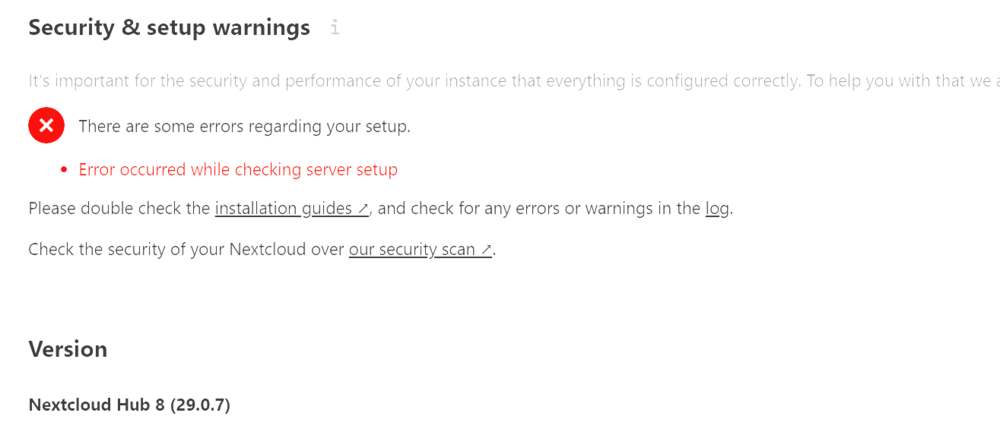
Thanks you for all your help. I dont see any errors. All I see is this on the setup warning page. I am currently running the occ files:scan --all.
-
Dude thanks so much for the help. I got one of my docker containers to work. Now, what do you mean by run a database fingerprint command? I have never ran this so do you know the command?
-
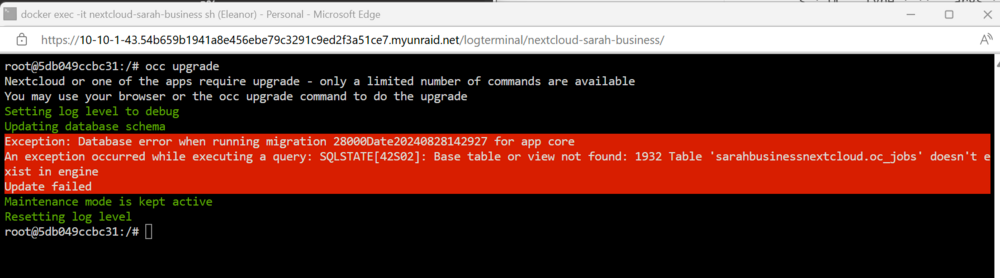
So, I have a backup and from the 9/8/2024 but for whatever reason Backup/Restore Appdata is giving me this error. So, I was able to get the tar.zst file and get the OC_JOBS and place it on the current docker mariah database and the issue still persists. I change the permissions and the user for the file to be like if it was never changed, but didnt work. The error says that the table does not exist in engine. Would that be the Nextcloud container instead mariadb database? I also did the OCC Upgrade like you said and get the same error. Also, I tried to go to the same version 29.0.5.1 instead of latest and it does not work. I would think since I don't want to update it will work but it does not. I don't remember the error code though.
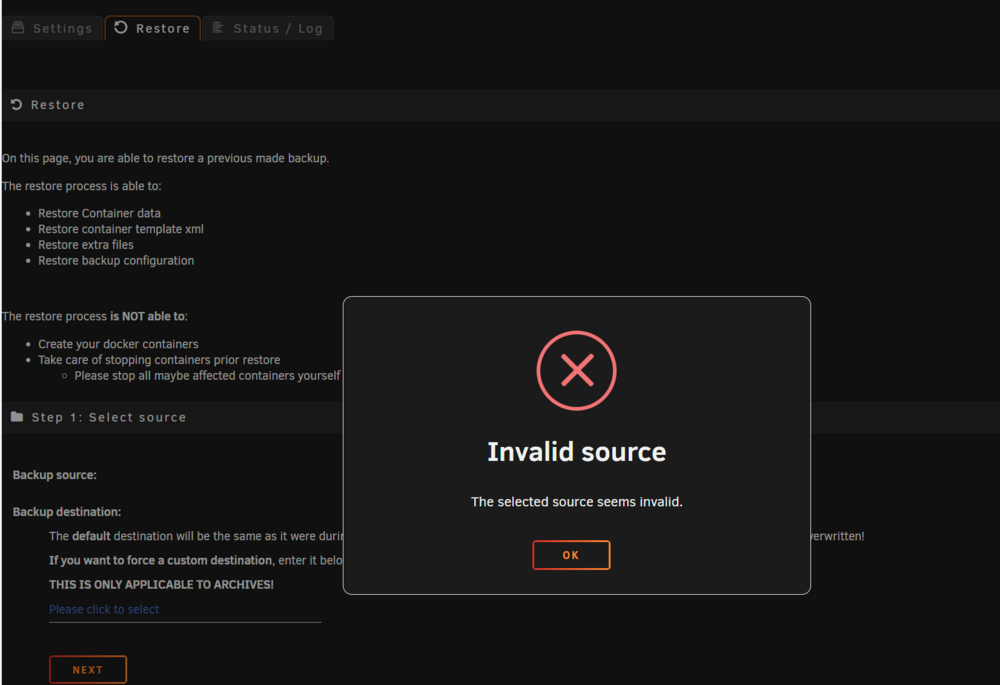
-
I just did what you recommended and still got the same error.
-
Ohh okay. I am runnign the repair in the console of the container and keeps giving me this.
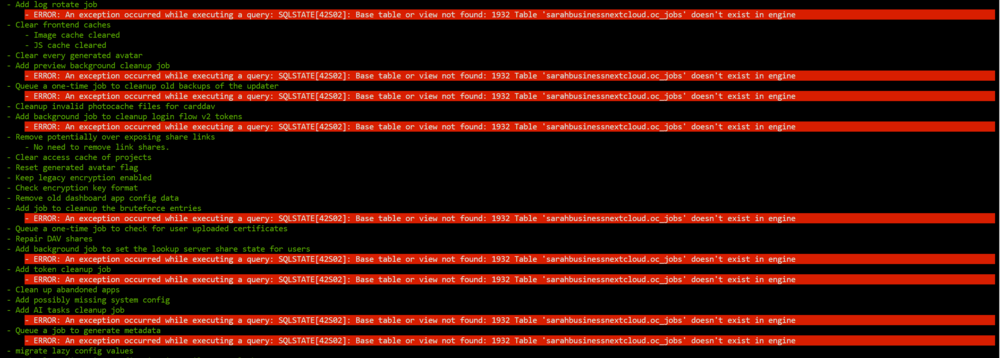
-
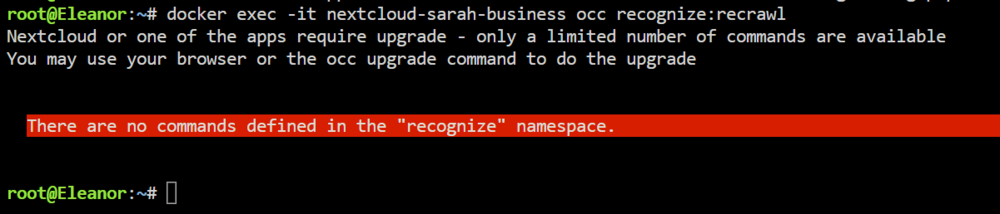
When I try that command it says "There are no commands defined in the "recognize" namespace. Would you happen to know what other command needs to be done with recognize?
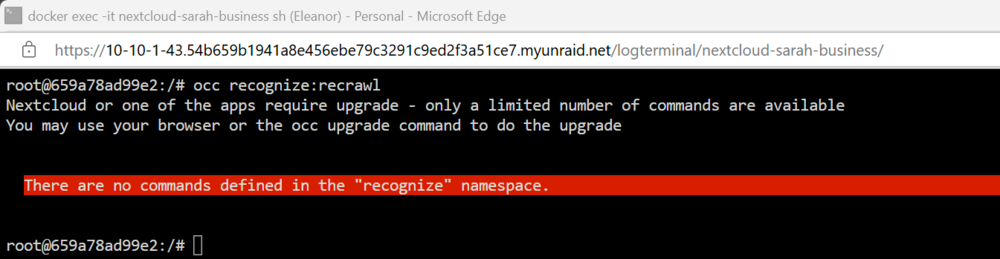
-
Can someone please look in there database and see if what you guys have under oc_jobs please? I don't know how to fix this issue and would like to see if someone can see what keys they have under the oc_jobs please. Any help would be greatly appreciated.

-
Hey guys, I just updated to the latest and encountering this issue. Does anyone know how to fix this please? Updating database schema Exception: Database error when running migration 28000Date20240828142927 for app core An exception occurred while executing a query: SQLSTATE[42S02]: Base table or view not found: 1932 Table 'sarahbusinessnextcloud.oc_jobs' doesn't exist in engine Update failed Maintenance mode is kept active
-
Hey did you ever get this resolved?
-
Welcome aboard.
-
Welcome Nick.
-
Has anyone gotten this error message? Any help is greatly appreciated. Updating <dav> ... Exception: Database error when running migration 1025Date20240308063933 for app dav An exception occurred while executing a query: SQLSTATE[HY000]: General error: 1813 Tablespace for table 'nextcloud/#sql-ib179' exists. Please DISCARD the tablespace before IMPORT Update failed
-
Does anyone know if is possible to stop a running backup for a container? I accidentally thought that the check mark was to select what you wanted backup but I see it says disable.



