Sinister
Members
-
Joined
-
Last visited
-
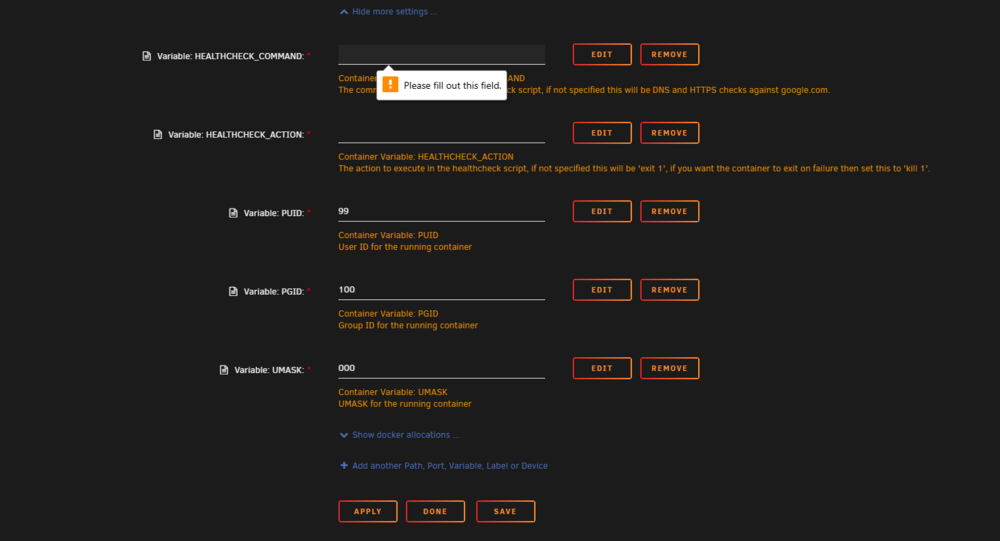
It does not allow me to apply and start the container without something being there
-
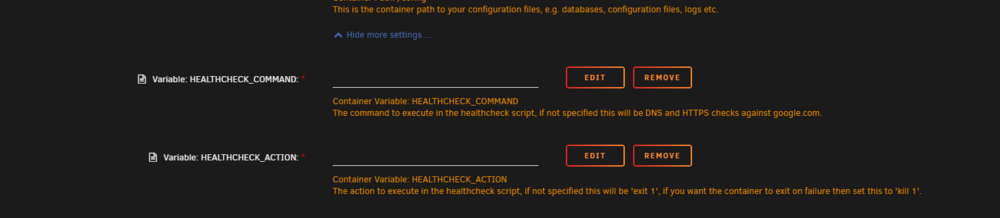
Im very sorry if this is obvious but im trying to setup this container and i just simply dont understand the 2 blank variable spaces and what is suppose to go there.
-
Did you ever get this figured out ? i am having this issue right now .
-
did you get it back up and running ? im in the same boat right now
-
Lets see if i can help you from going crazy like i did, does your deluge container have a slot for vpn input ports and output ports ? if not those are pretty important, i ended up uninstalling and re-downloading the template pointing it at my existing deluge appdata folder and all was well. in the input and output ports you need to put in the ports of the containers you want to passthrough 8989.7878 seperated by comma for more than one containers. When adding the port to deluge if you add 8989 as a container port like the guide says you need to make the host port something like 9000, also you wont be able to launch the UI by clicking on the container you weill need to go to the containers ip address and enter the host port you entered into deluge. So for sonar instead of 192,168.1.114:8989 it would be 192.168.1.114:9000
-
Good afternoon binhex and thank you for taking the time to respond. I managed to work out most of my issues except one, now but what was not obvious to me in Faq is exactly what the torznab feed should look like when making this change, i think if there was an example i would have been able to understand much better. I also wasnt aware and correct me if im wrong that inside of jacket server settings you need to enable proxy type to HTTP, change your proxy type to "http://localhost" and your proxy port 8118 otherwise jackett does not talk to indexers, at least not for me. I dont know if i have any of this correct but its mostly what i want and it works, all my containers are routed through delugevpn, the final issue is that i use usenet and now that sonarr is inside of a vpn its not pulling results from them anymore, I am not sure what changes if any i can make to get it working or with this configuration there is a way around the vpn just for the usenet indexer
-
Can you share what the torznab feed should look like ? i cant find anything in the documentation that describes what this should look like.
-
Did you ever find this ? i am currently trying to do the same and the instructions found at Q25 of documentation are not clear to me.
-
Good Afternoon I am trying to route my Jackett through delugevpn whith sonarr and radarr im aware you need to change the ip address from 192 to instead localhost. I am a bit confused as to what you would enter to in the URL to get jackett to communicate with sonarr and radarr.
-
Good afternoon, I recently just noticed this warning from FCP which is very unnerving for me. Can anyone shine some light on this ?. i am hoping its nothing more than a local device trying to connect. tower-diagnostics-20231014-1541.zip

-
Was this while pulling down the docker for the first time or after you had set everything up ?
-
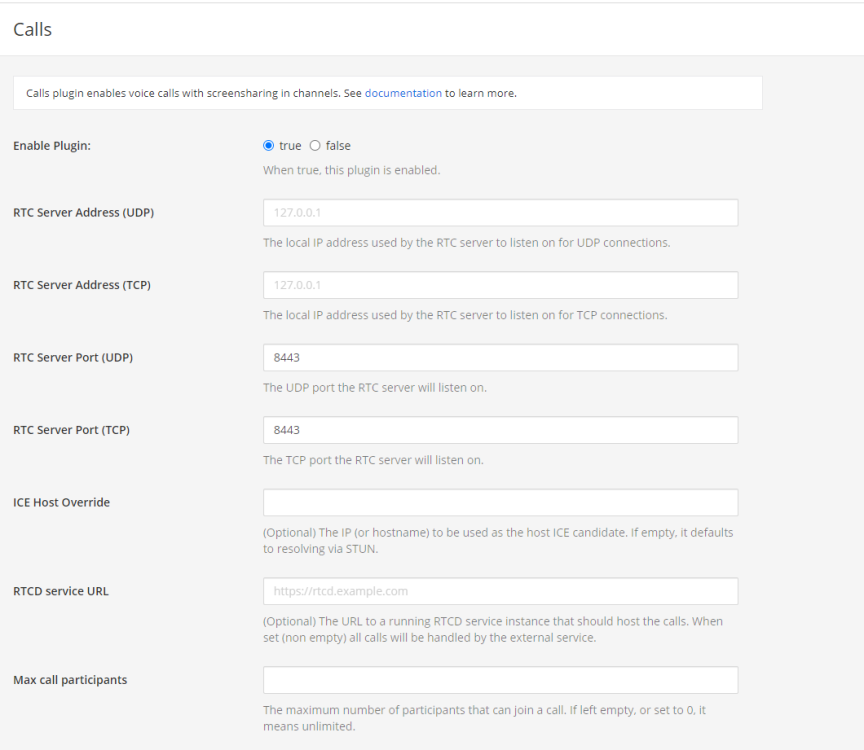
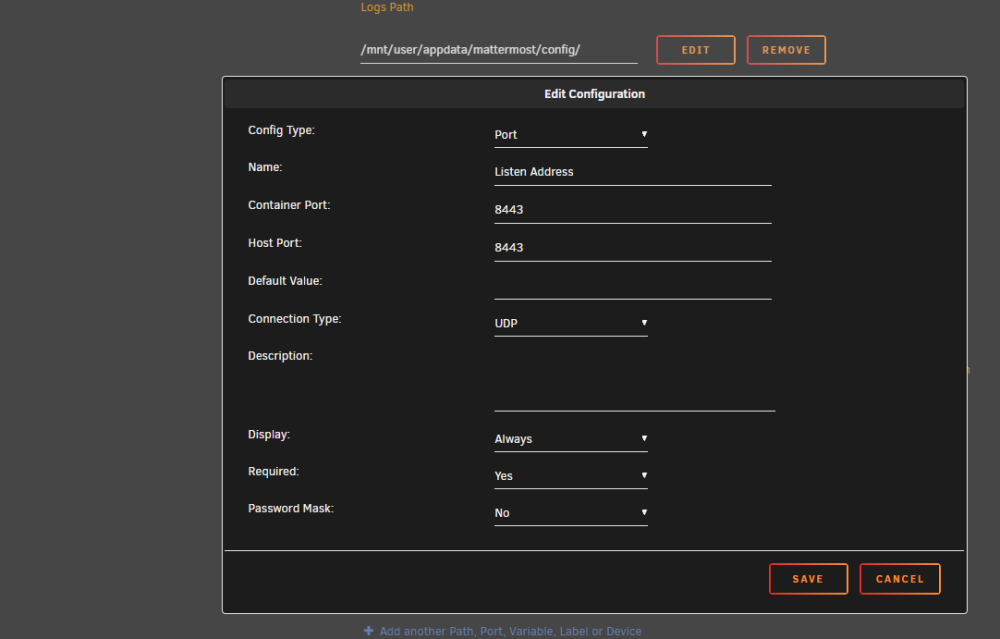
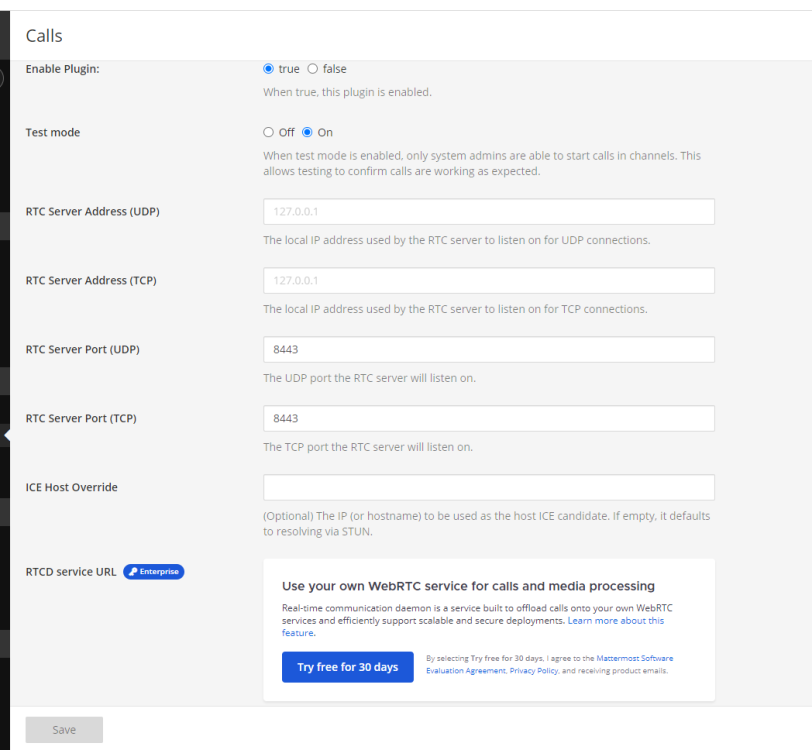
So i had that idea before posting here, in the screenshots provided below is there anything else i should change in either the container or the call app config page ?.
-
Would you be able to tell me what path i am suppose to put in the screenshot specifically ?

-
Has anyone successfully gotten Authentik to work with swag ?. I have it properly reverse proxied and can access authentik via my external URL the issue is when trying to put an application like sonarr behind it all i get is error 500 internal server error. I have gone over many authentik guides trying to figure out whats not working but i just cant seem to figure out what seems to me like the last part server { listen 443 ssl; listen [::]:443 ssl; server_name myservername.*; include /config/nginx/ssl.conf; client_max_body_size 0; # enable for ldap auth, fill in ldap details in ldap.conf #include /config/nginx/ldap.conf; # enable for Authentik include /config/nginx/authentik-server.conf; location / { # enable the next two lines for http auth #auth_basic "Restricted"; #auth_basic_user_file /config/nginx/.htpasswd; # enable the next two lines for ldap auth #auth_request /auth; #error_page 401 =200 /login; # enable for Authentik include /config/nginx/authentik-location.conf; include /config/nginx/proxy.conf; resolver 127.0.0.11 valid=30s; set $upstream_sonarr binhex-sonarr; proxy_pass http://$upstream_sonarr:8989; } location ~ (/sonarr)?/api { include /config/nginx/proxy.conf; resolver 127.0.0.11 valid=30s; set $upstream_sonarr binhex-sonarr; proxy_pass http://$upstream_sonarr:8989; } }
-
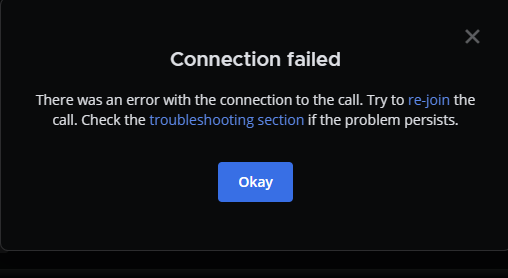
Has anyone ever gotten calls within mattermost to work ? i keep getting an error even though i have ports 8443 and 8065 forwarded, i also have it properly reverse proxied with swag. I am hoping its something simple, please tell me what im doing wrong