





comet424
Members
-
Joined
-
Last visited
Everything posted by comet424
-
here is the diagnostic i didnt do any reboots i just did the change to the un_device and had the ssd out and shoved it in it do a screen video capture just i got slow internet so it take a while to upload mitchsserver-diagnostics-20240218-1012.zip
-
no didnt work when i slide the SSD in it mounts but never un mounts... but the log shows from the echos that it succcessfully unmounted yet it never unmounted least that 1 ssd but if i click the lightening bolt... then it pops up the script it shows running where the mount is .. and then it actually unmounts the ssd that is having the issue... but it wont unmount if you mount it by slide it in it or if you boot it up with the os with automount or with automount on and click mount it runs the script but it doesnt actually show "Running" it just shows mounted and the log file says it succesfull unmounted... yet never does..... only time it actually shows "Running" when you click the lightening bolt to exectuet the script and thats when it actually unmounts... but it wont actually unmount any other time
-
i ran smart tests short and extended no errors figured maybe something there but no errors and there are 4 slots on the server and i tried them all and it does the same for all for just hangs when it should unmount but says it unmounted in my log but if i force teh script to run then it will run but the shoving it the computer it wont unmount for this ssd i dont know why it hates it
-
ya i think i solved the issue for the DEV problem i built a new Hotswap backplain 3d printed parts i designed and solved that issue... so here is diagnostic.... so i booted up her server... without the SSD in there.. i put it in it says it mounted but it never un mounts yet the log file says it unmounts... but i know when you force the script to run it will run that part of the code.... but when i use the other ssd . with the same script file.. as tehy both use the same file... it works fine... so for whatever reason it doesnt like it mitchsserver-diagnostics-20240217-2151.zip
-
and it used to work in the previous unraid before i upgraded.... but in the previous this ssd with loose the mount and unmount and show DEV instead... it was a pain when my unraid wouldnt do it... couldnt figure it out why her unraid does that but my doesnt yet i formated the ssd etc
-
so if i unmount the drive . and click the lighting bolt it runs the script and unmounts the drive fine if i unmount the drive pull the drive out let it disappear and then shove it it.. it mounts it runs the script but never unmounts.. the logs says it unmounted but it never unmounts... if i do i clean reboot.. and shove it in... it sticks at unmount yet says it unmount.... but if i use the other ssd with the same name it has no issues mounting runnning then unmounting and i tried formating the drive and trying again but doesnt matter it hangs but if you force the script it works fine with the lightning bolt
-
here is the script file maybe you see mistake in it... transport data.txt
-
so with the latest update of unraid the 6.12.8 the unmount $device isnt working anymore well it works on one drive but not another.. in my script.. that used to work previous unraid... where i have 2 SSDs labled transport data in my sisters server and when she swaps them out it auto mounts transfers data to it and unmounts so she can pull it out... it will do it on one... on the other it wont... and in the logs it has ```Feb 17 19:51:51 mitchsserver unassigned.devices: Error: device script failed: '1'``` mitchsserver-diagnostics-20240217-1958.zip
-
hi i as talking to someone on github thats interested in adding one of his apps to the unraid community repositories but nore does he nore i know how you go about doing that... can someone let me know how i can i do that or a link so i can send it to him or someone for him to contact?
-
so i noticed no replies on my VNC and it got moved to vm engine... but i seen this error so wanted to know maybe its causing the vnc disconnects i get Jan 9 09:50:05 Tardis kernel: igb 0000:08:00.0: The NVM Checksum Is Not Valid Jan 9 09:50:05 Tardis kernel: igb: probe of 0000:08:00.0 failed with error -5 could that be causing the vnc disconnects? what is it really and how do i fix it i tried googling but it didnt 100% help me i also find network connection failing now too browser and copying over network somewhat,,,, tardis-diagnostics-20240109-1031.zip
-
so all my vnc connections disconnect after like 20 seconds of connections dunno what the spice server is? this is on all VMs i have doesnt matter what OS it is they all disconnect 2024-01-09 14:53:09.540+0000: starting up libvirt version: 8.7.0, qemu version: 7.2.0, kernel: 6.1.64-Unraid, hostname: Tardis LC_ALL=C \ PATH=/bin:/sbin:/usr/bin:/usr/sbin \ HOME='/var/lib/libvirt/qemu/domain-3-3. Webserver' \ XDG_DATA_HOME='/var/lib/libvirt/qemu/domain-3-3. Webserver/.local/share' \ XDG_CACHE_HOME='/var/lib/libvirt/qemu/domain-3-3. Webserver/.cache' \ XDG_CONFIG_HOME='/var/lib/libvirt/qemu/domain-3-3. Webserver/.config' \ /usr/local/sbin/qemu \ -name 'guest=3. Webserver,debug-threads=on' \ -S \ -object '{"qom-type":"secret","id":"masterKey0","format":"raw","file":"/var/lib/libvirt/qemu/domain-3-3. Webserver/master-key.aes"}' \ -machine pc-i440fx-6.2,usb=off,dump-guest-core=off,mem-merge=off,memory-backend=pc.ram \ -accel kvm \ -cpu host,migratable=on,topoext=on,hv-time=on,hv-relaxed=on,hv-vapic=on,hv-spinlocks=0x1fff,hv-vendor-id=none,host-cache-info=on,l3-cache=off \ -m 4096 \ -object '{"qom-type":"memory-backend-ram","id":"pc.ram","size":4294967296}' \ -overcommit mem-lock=off \ -smp 2,sockets=1,dies=1,cores=1,threads=2 \ -uuid 44355959-e936-4ba0-2d79-534f607abf7e \ -no-user-config \ -nodefaults \ -chardev socket,id=charmonitor,fd=42,server=on,wait=off \ -mon chardev=charmonitor,id=monitor,mode=control \ -rtc base=localtime \ -no-hpet \ -no-shutdown \ -boot strict=on \ -device '{"driver":"ich9-usb-ehci1","id":"usb","bus":"pci.0","addr":"0x7.0x7"}' \ -device '{"driver":"ich9-usb-uhci1","masterbus":"usb.0","firstport":0,"bus":"pci.0","multifunction":true,"addr":"0x7"}' \ -device '{"driver":"ich9-usb-uhci2","masterbus":"usb.0","firstport":2,"bus":"pci.0","addr":"0x7.0x1"}' \ -device '{"driver":"ich9-usb-uhci3","masterbus":"usb.0","firstport":4,"bus":"pci.0","addr":"0x7.0x2"}' \ -device '{"driver":"ahci","id":"sata0","bus":"pci.0","addr":"0x4"}' \ -device '{"driver":"virtio-serial-pci","id":"virtio-serial0","bus":"pci.0","addr":"0x5"}' \ -blockdev '{"driver":"file","filename":"/mnt/user/isos/virtio-win-0.1.190-1.iso","node-name":"libvirt-2-storage","auto-read-only":true,"discard":"unmap"}' \ -blockdev '{"node-name":"libvirt-2-format","read-only":true,"driver":"raw","file":"libvirt-2-storage"}' \ -device '{"driver":"ide-cd","bus":"sata0.1","drive":"libvirt-2-format","id":"sata0-0-1"}' \ -blockdev '{"driver":"file","filename":"/mnt/user/vms/3. Webserver/vdisk1.img","node-name":"libvirt-1-storage","cache":{"direct":false,"no-flush":false},"auto-read-only":true,"discard":"unmap"}' \ -blockdev '{"node-name":"libvirt-1-format","read-only":false,"cache":{"direct":false,"no-flush":false},"driver":"raw","file":"libvirt-1-storage"}' \ -device '{"driver":"ide-hd","bus":"sata0.2","drive":"libvirt-1-format","id":"sata0-0-2","bootindex":1,"write-cache":"on"}' \ -netdev tap,fd=43,id=hostnet0 \ -device '{"driver":"virtio-net","netdev":"hostnet0","id":"net0","mac":"52:54:00:35:ab:ea","bus":"pci.0","addr":"0x3"}' \ -chardev pty,id=charserial0 \ -device '{"driver":"isa-serial","chardev":"charserial0","id":"serial0","index":0}' \ -chardev socket,id=charchannel0,fd=40,server=on,wait=off \ -device '{"driver":"virtserialport","bus":"virtio-serial0.0","nr":1,"chardev":"charchannel0","id":"channel0","name":"org.qemu.guest_agent.0"}' \ -device '{"driver":"usb-tablet","id":"input0","bus":"usb.0","port":"1"}' \ -audiodev '{"id":"audio1","driver":"none"}' \ -vnc 0.0.0.0:2,websocket=5702,audiodev=audio1 \ -k en-us \ -device '{"driver":"qxl-vga","id":"video0","max_outputs":1,"ram_size":67108864,"vram_size":67108864,"vram64_size_mb":0,"vgamem_mb":16,"bus":"pci.0","addr":"0x2"}' \ -device '{"driver":"virtio-balloon-pci","id":"balloon0","bus":"pci.0","addr":"0x6"}' \ -sandbox on,obsolete=deny,elevateprivileges=deny,spawn=deny,resourcecontrol=deny \ -msg timestamp=on char device redirected to /dev/pts/2 (label charserial0) qxl_send_events: spice-server bug: guest stopped, ignoring tardis-diagnostics-20240109-1031.zip
-
hi i get this warning for about cpu but i dunno how to fix it there is not fix for unraid Speculative Return Stack Overflow: WARNING: See https://kernel.org/doc/html/latest/admin-guide/hw-vuln/srso.html for mitigation options. tardis-diagnostics-20231215-1152.zip
-
so i have a mini itx motherboard... cpu and 1 noctura fan fan speed says 3000 fan 1 on main page for CPU i guess yet if you goto the fan speed page Fan Speed 1... thats the chassis Fan Speed and Fan 2 is the cpu... but i cant get it to work right.... is there a specific driver i need to load for these boards or the intel cpu? its a Asus Prime board LGA 1700 socket
-
i cant seem to get shares to work i get these errors Dec 13 06:40:21 Rambo smbd[1223]: tdb(/var/lib/samba/private/secrets.tdb): tdb_transaction_recover: failed to read recovery record Dec 13 06:40:21 Rambo smbd[1223]: Failed to open /var/lib/samba/private/secrets.tdb Dec 13 06:40:21 Rambo smbd[1224]: tdb(/var/lib/samba/private/secrets.tdb): tdb_transaction_recover: failed to read recovery record Dec 13 06:40:21 Rambo smbd[1224]: Failed to open /var/lib/samba/private/secrets.tdb Dec 13 06:40:21 Rambo smbd[1224]: exit_daemon: daemon failed to start: smbd can not open secrets.tdb, error code 13 Dec 13 06:40:21 Rambo winbindd[1237]: tdb(/var/lib/samba/private/secrets.tdb): tdb_transaction_recover: failed to read recovery record Dec 13 06:40:21 Rambo winbindd[1237]: Failed to open /var/lib/samba/private/secrets.tdb Dec 13 06:40:21 Rambo mcelog: failed to prefill DIMM database from DMI data i deleted teh secrests.tdb and rebooted does nothing this error is there even when the smb is disabled... i dunno what to do i found a way to delete the that error... but unable to get Samba shares to share.. i found that the secrets.tdb file was on the flash drive so what i did was i deleted it on the flash drive then hit the reset button on the unraid box... and that fixed that error.. but i still unable to access the unraid box to access the shares even when its enabled to share so what be wrong? i think i fix it... the shares all were set to no for some reason when they used to be yes... did the secrets.tdb do that? what does the secrets actual do? rambo-diagnostics-20231213-1149.zip
-
so i trying to setup a ftp server on my unraid box at home for my son to log into the server with filezilla to go through Pfsense router... now i read through google.. that unraid is unsecure and you need a vpn and such but i just wanting to open 1 port on pfsense and it just forwards to the ftp server so it shouldnt have an issue right? so i did install sftpgo but there is issue when i try logging in i get error ``` Response: 227 Entering Passive Mode (10,0,0,10,195,122) Command: MLSD Response: 425 accept tcp [::]:50042: i/o timeout Error: Failed to retrieve directory listing Status: Connection closed by server ``` yet using the web client works to log in... but i want to make it work with filezilla so he can transfer his videos he uploads to youtube.. and what not... not sure how to make sftpgo to work.. and if not what other ones work?
-
so ive tried support over a year with not reply from spaceinvader or anything and i re tried again,, no one replies in the support page i follow his video but when you run it and and when you login in as super user i get the Maria DB error that its not running and it gives you a link run commands install it but it doesnt work .... i hoping someone that knows could help me... as i like to get my Reolink cameras up and recording
-
ill have to do it next time my sister does it... i rebooted her system and she pulled out her ssd... ya i leave her Unraid open on my Desktop so i have on my desktop i have a window of my unraid her unraid my backup unraid always running... is that causing hers running out of memory? is that what it said?
-
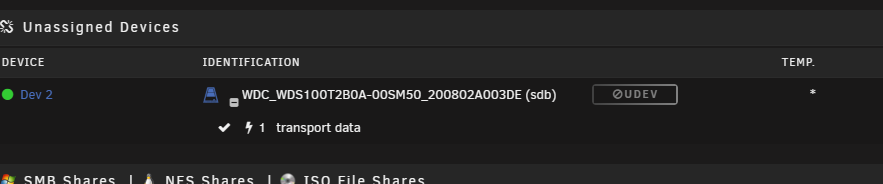
what does it mean with this non mount i get this on my sisters unraid box and i seeen she getting some messed up warnings i not sure whats going on with her box and with the UD mitchsserver-diagnostics-20231108-2206.zip
-
@xxbigfootxx ya me neither i have the Asus X570 Tuf Gaming board and i found i replaced a few of them due to memory slot issues i thought i had issues as i couldnt run in XMP but i could run fine in auto mode which ran at 2333mhz i think and not at the 3200mhz ya so far so good i hoping tooo
-
@xxbigfootxx any luck? what motherboard you got? what i tried was i shoved the ram in the other 2 slots and it seemed to work no issues... ran it for 2 days... currently shoved back in the proper 2 banks and currently running ok didnt give me the constantly lock up on boot... but not sure what causes it
-
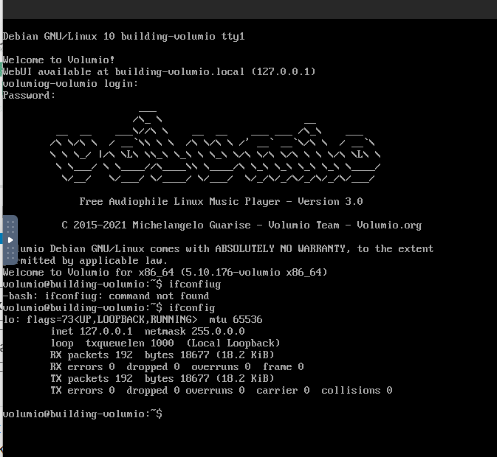
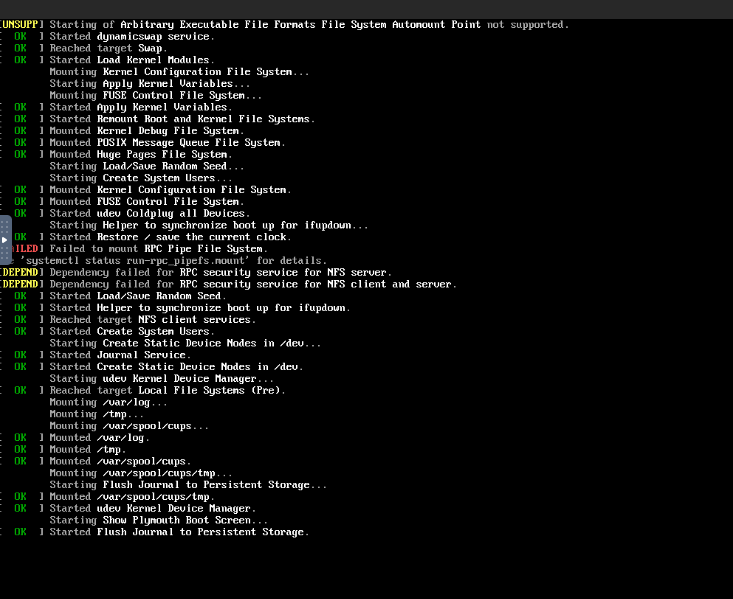
so i googled for help couldnt find help.. i asked for help in the Volumio Forums on there website and they deleted my post told me VMs are not supported told me im on my own.... maybe you guys can tell me how to fix it to get it back up and working here is what i got hopefully you guys can help logs show text error warn system array login -device '{"driver":"ich9-usb-uhci1","masterbus":"usb.0","firstport":0,"bus":"pci.0","multifunction":true,"addr":"0x7"}' \ -device '{"driver":"ich9-usb-uhci2","masterbus":"usb.0","firstport":2,"bus":"pci.0","addr":"0x7.0x1"}' \ -device '{"driver":"ich9-usb-uhci3","masterbus":"usb.0","firstport":4,"bus":"pci.0","addr":"0x7.0x2"}' \ -device '{"driver":"ahci","id":"sata0","bus":"pci.0","addr":"0x4"}' \ -device '{"driver":"virtio-serial-pci","id":"virtio-serial0","bus":"pci.0","addr":"0x5"}' \ -blockdev '{"driver":"file","filename":"/mnt/user/isos/virtio-win-0.1.190-1.iso","node-name":"libvirt-2-storage","auto-read-only":true,"discard":"unmap"}' \ -blockdev '{"node-name":"libvirt-2-format","read-only":true,"driver":"raw","file":"libvirt-2-storage"}' \ -device '{"driver":"ide-cd","bus":"sata0.1","drive":"libvirt-2-format","id":"sata0-0-1"}' \ -blockdev '{"driver":"file","filename":"/mnt/user/vms/2. Volumio/vdisk1.img","node-name":"libvirt-1-storage","cache":{"direct":false,"no-flush":false},"auto-read-only":true,"discard":"unmap"}' \ -blockdev '{"node-name":"libvirt-1-format","read-only":false,"cache":{"direct":false,"no-flush":false},"driver":"raw","file":"libvirt-1-storage"}' \ -device '{"driver":"ide-hd","bus":"sata0.2","drive":"libvirt-1-format","id":"sata0-0-2","bootindex":1,"write-cache":"on"}' \ -netdev tap,fd=52,id=hostnet0 \ -device '{"driver":"vmxnet3","netdev":"hostnet0","id":"net0","mac":"52:54:00:fe:f4:52","bus":"pci.0","addr":"0x3"}' \ -chardev pty,id=charserial0 \ -device '{"driver":"isa-serial","chardev":"charserial0","id":"serial0","index":0}' \ -chardev socket,id=charchannel0,fd=45,server=on,wait=off \ -device '{"driver":"virtserialport","bus":"virtio-serial0.0","nr":1,"chardev":"charchannel0","id":"channel0","name":"org.qemu.guest_agent.0"}' \ -device '{"driver":"usb-tablet","id":"input0","bus":"usb.0","port":"1"}' \ -audiodev '{"id":"audio1","driver":"none"}' \ -vnc 0.0.0.0:2,websocket=5702,audiodev=audio1 \ -k en-us \ -device '{"driver":"qxl-vga","id":"video0","max_outputs":1,"ram_size":67108864,"vram_size":67108864,"vram64_size_mb":0,"vgamem_mb":16,"bus":"pci.0","addr":"0x2"}' \ -device '{"driver":"usb-host","hostdevice":"/dev/bus/usb/001/002","id":"hostdev0","bus":"usb.0","port":"2"}' \ -device '{"driver":"virtio-balloon-pci","id":"balloon0","bus":"pci.0","addr":"0x6"}' \ -sandbox on,obsolete=deny,elevateprivileges=deny,spawn=deny,resourcecontrol=deny \ -msg timestamp=on char device redirected to /dev/pts/2 (label charserial0) qxl_send_events: spice-server bug: guest stopped, ignoring 2023-11-05T14:15:37.120122Z qemu-system-x86_64: terminating on signal 15 from pid 20017 (/usr/sbin/libvirtd) 2023-11-05 14:15:37.747+0000: shutting down, reason=shutdown 2023-11-05 14:15:41.652+0000: starting up libvirt version: 8.7.0, qemu version: 7.1.0, kernel: 6.1.49-Unraid, hostname: Tardis LC_ALL=C \ PATH=/bin:/sbin:/usr/bin:/usr/sbin \ HOME='/var/lib/libvirt/qemu/domain-11-2. Volumio' \ XDG_DATA_HOME='/var/lib/libvirt/qemu/domain-11-2. Volumio/.local/share' \ XDG_CACHE_HOME='/var/lib/libvirt/qemu/domain-11-2. Volumio/.cache' \ XDG_CONFIG_HOME='/var/lib/libvirt/qemu/domain-11-2. Volumio/.config' \ /usr/local/sbin/qemu \ -name 'guest=2. Volumio,debug-threads=on' \ -S \ -object '{"qom-type":"secret","id":"masterKey0","format":"raw","file":"/var/lib/libvirt/qemu/domain-11-2. Volumio/master-key.aes"}' \ -blockdev '{"driver":"file","filename":"/usr/share/qemu/ovmf-x64/OVMF_CODE-pure-efi.fd","node-name":"libvirt-pflash0-storage","auto-read-only":true,"discard":"unmap"}' \ -blockdev '{"node-name":"libvirt-pflash0-format","read-only":true,"driver":"raw","file":"libvirt-pflash0-storage"}' \ -blockdev '{"driver":"file","filename":"/etc/libvirt/qemu/nvram/ee4ac1ae-c427-23e8-7c5c-f2f30c01861e_VARS-pure-efi.fd","node-name":"libvirt-pflash1-storage","auto-read-only":true,"discard":"unmap"}' \ -blockdev '{"node-name":"libvirt-pflash1-format","read-only":false,"driver":"raw","file":"libvirt-pflash1-storage"}' \ -machine pc-i440fx-6.2,usb=off,dump-guest-core=off,mem-merge=off,memory-backend=pc.ram,pflash0=libvirt-pflash0-format,pflash1=libvirt-pflash1-format \ -accel kvm \ -cpu host,migratable=on,topoext=on,hv-time=on,hv-relaxed=on,hv-vapic=on,hv-spinlocks=0x1fff,hv-vendor-id=none,host-cache-info=on,l3-cache=off \ -m 2048 \ -object '{"qom-type":"memory-backend-ram","id":"pc.ram","size":2147483648}' \ -overcommit mem-lock=off \ -smp 2,sockets=1,dies=1,cores=1,threads=2 \ -uuid ee4ac1ae-c427-23e8-7c5c-f2f30c01861e \ -no-user-config \ -nodefaults \ -chardev socket,id=charmonitor,fd=50,server=on,wait=off \ -mon chardev=charmonitor,id=monitor,mode=control \ -rtc base=localtime \ -no-hpet \ -no-shutdown \ -boot strict=on \ -device '{"driver":"ich9-usb-ehci1","id":"usb","bus":"pci.0","addr":"0x7.0x7"}' \ -device '{"driver":"ich9-usb-uhci1","masterbus":"usb.0","firstport":0,"bus":"pci.0","multifunction":true,"addr":"0x7"}' \ -device '{"driver":"ich9-usb-uhci2","masterbus":"usb.0","firstport":2,"bus":"pci.0","addr":"0x7.0x1"}' \ -device '{"driver":"ich9-usb-uhci3","masterbus":"usb.0","firstport":4,"bus":"pci.0","addr":"0x7.0x2"}' \ -device '{"driver":"ahci","id":"sata0","bus":"pci.0","addr":"0x4"}' \ -device '{"driver":"virtio-serial-pci","id":"virtio-serial0","bus":"pci.0","addr":"0x5"}' \ -blockdev '{"driver":"file","filename":"/mnt/user/isos/virtio-win-0.1.190-1.iso","node-name":"libvirt-2-storage","auto-read-only":true,"discard":"unmap"}' \ -blockdev '{"node-name":"libvirt-2-format","read-only":true,"driver":"raw","file":"libvirt-2-storage"}' \ -device '{"driver":"ide-cd","bus":"sata0.1","drive":"libvirt-2-format","id":"sata0-0-1"}' \ -blockdev '{"driver":"file","filename":"/mnt/user/vms/2. Volumio/vdisk1.img","node-name":"libvirt-1-storage","cache":{"direct":false,"no-flush":false},"auto-read-only":true,"discard":"unmap"}' \ -blockdev '{"node-name":"libvirt-1-format","read-only":false,"cache":{"direct":false,"no-flush":false},"driver":"raw","file":"libvirt-1-storage"}' \ -device '{"driver":"ide-hd","bus":"sata0.2","drive":"libvirt-1-format","id":"sata0-0-2","bootindex":1,"write-cache":"on"}' \ -netdev tap,fd=52,id=hostnet0 \ -device '{"driver":"vmxnet3","netdev":"hostnet0","id":"net0","mac":"52:54:00:fe:f4:52","bus":"pci.0","addr":"0x3"}' \ -chardev pty,id=charserial0 \ -device '{"driver":"isa-serial","chardev":"charserial0","id":"serial0","index":0}' \ -chardev socket,id=charchannel0,fd=45,server=on,wait=off \ -device '{"driver":"virtserialport","bus":"virtio-serial0.0","nr":1,"chardev":"charchannel0","id":"channel0","name":"org.qemu.guest_agent.0"}' \ -device '{"driver":"usb-tablet","id":"input0","bus":"usb.0","port":"1"}' \ -audiodev '{"id":"audio1","driver":"none"}' \ -vnc 0.0.0.0:2,websocket=5702,audiodev=audio1 \ -k en-us \ -device '{"driver":"qxl-vga","id":"video0","max_outputs":1,"ram_size":67108864,"vram_size":67108864,"vram64_size_mb":0,"vgamem_mb":16,"bus":"pci.0","addr":"0x2"}' \ -device '{"driver":"usb-host","hostdevice":"/dev/bus/usb/001/002","id":"hostdev0","bus":"usb.0","port":"2"}' \ -device '{"driver":"virtio-balloon-pci","id":"balloon0","bus":"pci.0","addr":"0x6"}' \ -sandbox on,obsolete=deny,elevateprivileges=deny,spawn=deny,resourcecontrol=deny \ -msg timestamp=on char device redirected to /dev/pts/2 (label charserial0) qxl_send_events: spice-server bug: guest stopped, ignoring
-
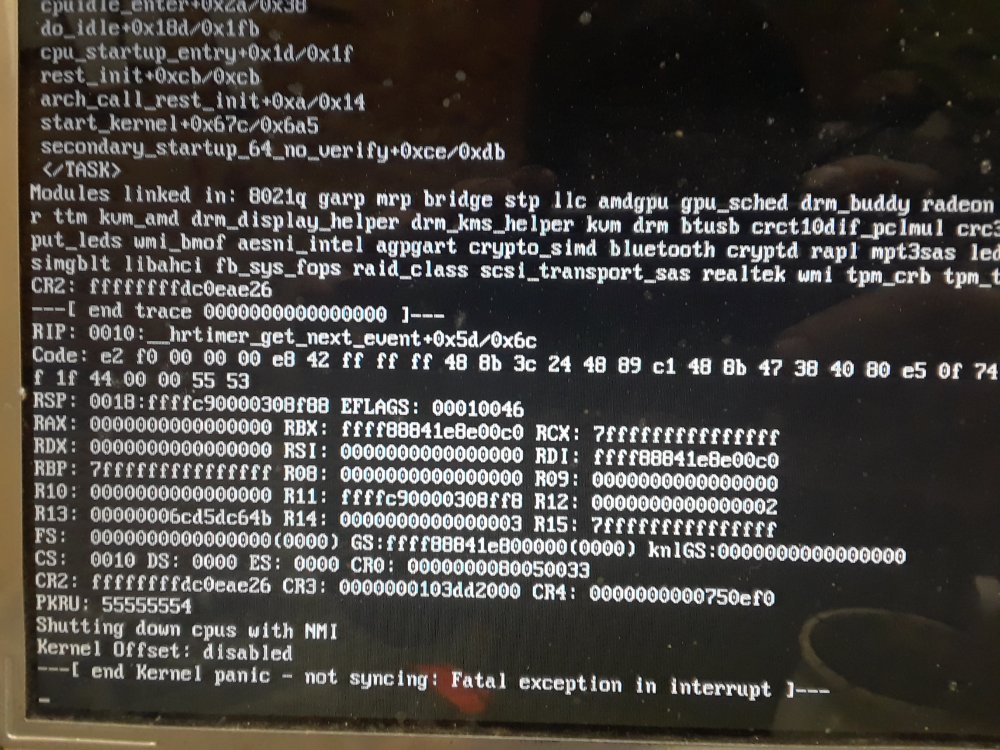
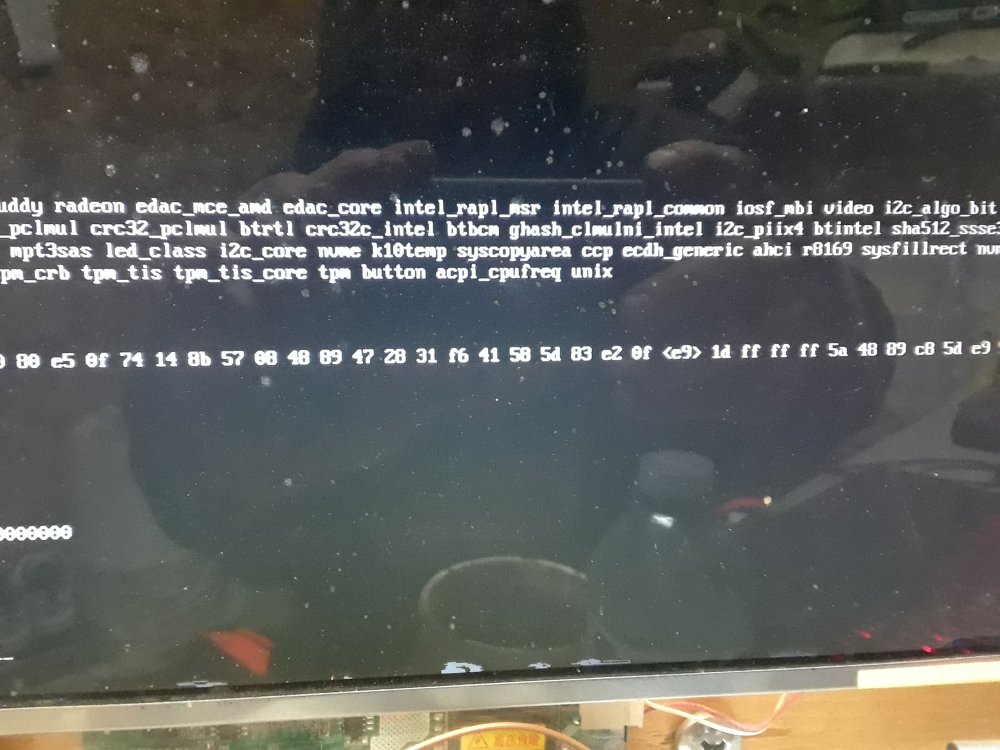
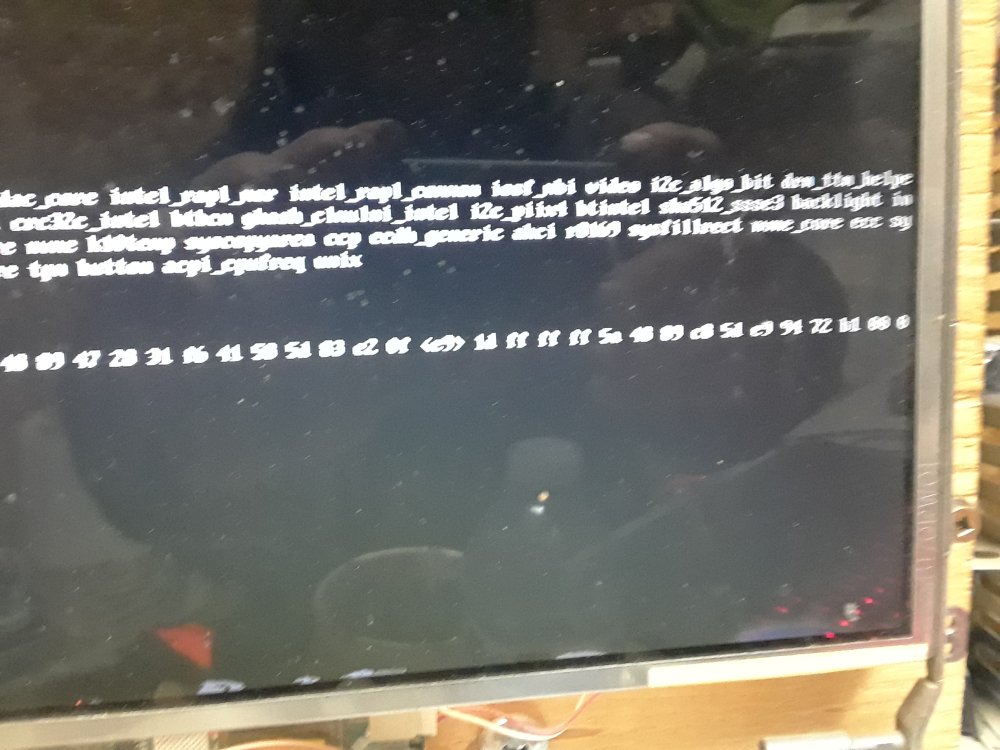
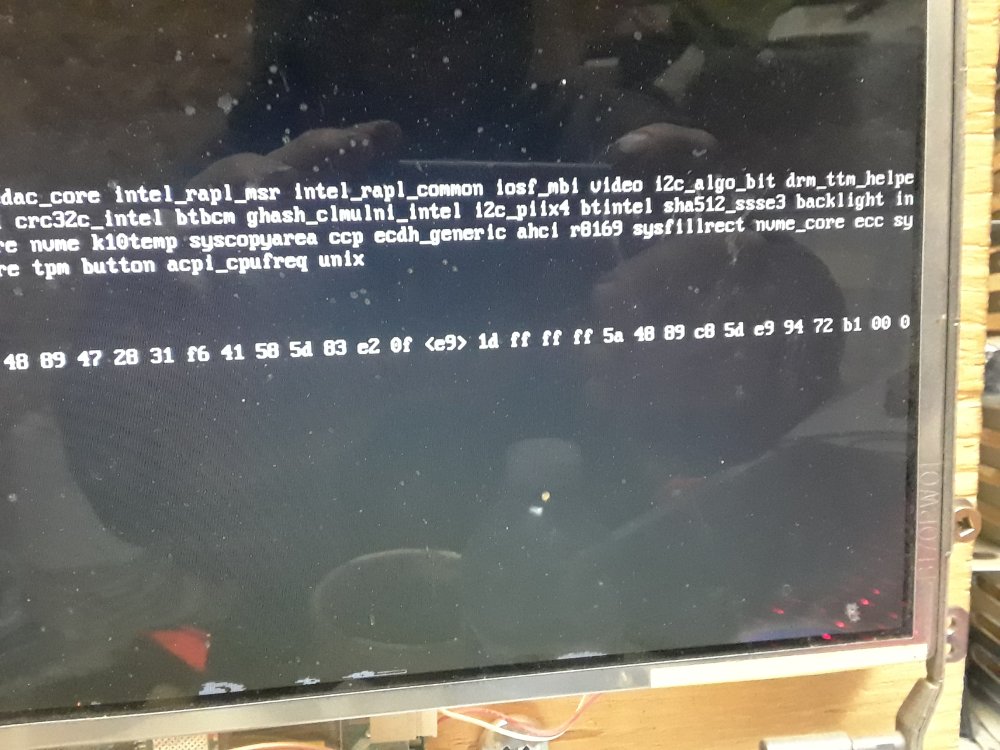
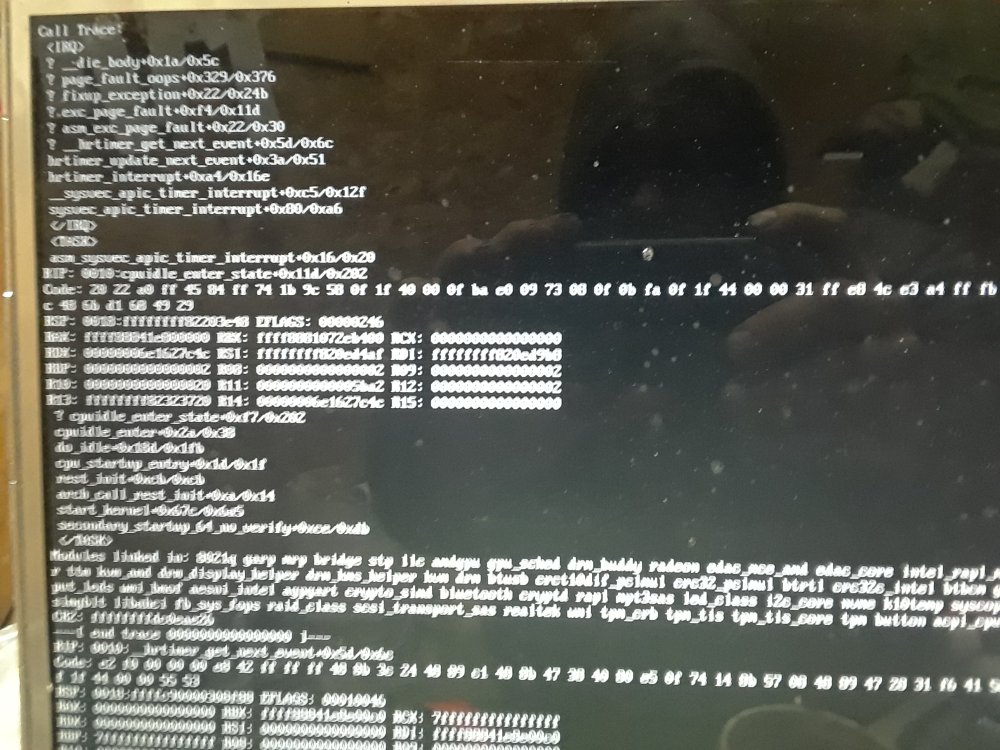
hi my one unraid box isnt booting up anymore well it boots up kinda but then locks up and last times are kernel panic - not syncing fatal exception in interrupt shutting down cputs with NMI what does it all mean here some pics i took with the phone.. is it my cpu failing? i ran metest86 it passed i then upgraded the BIOS firmware and still.. had the issue... i re installed the Flash Drive and copied over the config... so is it a motherboard or cpu failure?
-
@SpaceInvaderOne how do you install your version of shinobi... so far for a year.. it will no longer install from your video... i get the database error issue from a new install and the logs from a new install... doesnt matter how much i delete the appdata folder and reinstall your version and then login i can not get this installed... the maria db error and then telling you to run these commands doesnt help... can you try on a clean system... whats going on
-
any update on the shinobi pro? as it cant be installed... i install it like the video .. you do the video but then you gotta do the ``` Database is not running or unreachable Please ensure it is started then restart Shinobi. By default Shinobi uses MariaDB, an SQL server, as the database engine. If you need to install the database files again you may follow this article. ``` i try to do that but that doesnt help... any update to fix it properly so we dont need to do that? or what needs to be changed? and the error log after i run those extra commands is text error warn system array login select * from `Logs` where `ke` = '$' order by `time` desc limit 30 knexError----------------------------------- END knexError----------------------------------- START Error: ER_BAD_DB_ERROR: Unknown database 'ccio' at Handshake.Sequence._packetToError (/opt/shinobi/node_modules/mysql/lib/protocol/sequences/Sequence.js:47:14) at Handshake.ErrorPacket (/opt/shinobi/node_modules/mysql/lib/protocol/sequences/Handshake.js:123:18) at Protocol._parsePacket (/opt/shinobi/node_modules/mysql/lib/protocol/Protocol.js:291:23) at Parser._parsePacket (/opt/shinobi/node_modules/mysql/lib/protocol/Parser.js:433:10) at Parser.write (/opt/shinobi/node_modules/mysql/lib/protocol/Parser.js:43:10) at Protocol.write (/opt/shinobi/node_modules/mysql/lib/protocol/Protocol.js:38:16) at Socket.<anonymous> (/opt/shinobi/node_modules/mysql/lib/Connection.js:88:28) at Socket.<anonymous> (/opt/shinobi/node_modules/mysql/lib/Connection.js:526:10) at Socket.emit (events.js:223:5) at addChunk (_stream_readable.js:309:12) at readableAddChunk (_stream_readable.js:290:11) at Socket.Readable.push (_stream_readable.js:224:10) at TCP.onStreamRead (internal/stream_base_commons.js:181:23) -------------------- at Protocol._enqueue (/opt/shinobi/node_modules/mysql/lib/protocol/Protocol.js:144:48) at Protocol.handshake (/opt/shinobi/node_modules/mysql/lib/protocol/Protocol.js:51:23) at Connection.connect (/opt/shinobi/node_modules/mysql/lib/Connection.js:116:18) at /opt/shinobi/node_modules/knex/lib/dialects/mysql/index.js:68:18 at new Promise (<anonymous>) at Client_MySQL.acquireRawConnection (/opt/shinobi/node_modules/knex/lib/dialects/mysql/index.js:63:12) at create (/opt/shinobi/node_modules/knex/lib/client.js:290:39) at runMicrotasks (<anonymous>) at processTicksAndRejections (internal/process/task_queues.js:94:5) { code: 'ER_BAD_DB_ERROR', errno: 1049, sqlMessage: "Unknown database 'ccio'", sqlState: '42000', fatal: true } insert into `Logs` (`info`, `ke`, `mid`) values ('{\"type\":\"Websocket Connected\",\"msg\":{\"for\":\"Superuser\",\"id\":\"admin\",\"ip\":\"::ffff:192.168.0.227\"}}', '$', '$USER') knexError----------------------------------- END Error: ER_BAD_DB_ERROR: Unknown database 'ccio' at Handshake.Sequence._packetToError (/opt/shinobi/node_modules/mysql/lib/protocol/sequences/Sequence.js:47:14) at Handshake.ErrorPacket (/opt/shinobi/node_modules/mysql/lib/protocol/sequences/Handshake.js:123:18) at Protocol._parsePacket (/opt/shinobi/node_modules/mysql/lib/protocol/Protocol.js:291:23) at Parser._parsePacket (/opt/shinobi/node_modules/mysql/lib/protocol/Parser.js:433:10) at Parser.write (/opt/shinobi/node_modules/mysql/lib/protocol/Parser.js:43:10) at Protocol.write (/opt/shinobi/node_modules/mysql/lib/protocol/Protocol.js:38:16) at Socket.<anonymous> (/opt/shinobi/node_modules/mysql/lib/Connection.js:88:28) at Socket.<anonymous> (/opt/shinobi/node_modules/mysql/lib/Connection.js:526:10) at Socket.emit (events.js:223:5) at addChunk (_stream_readable.js:309:12) -------------------- at Protocol._enqueue (/opt/shinobi/node_modules/mysql/lib/protocol/Protocol.js:144:48) at Protocol.handshake (/opt/shinobi/node_modules/mysql/lib/protocol/Protocol.js:51:23) at Connection.connect (/opt/shinobi/node_modules/mysql/lib/Connection.js:116:18) at /opt/shinobi/node_modules/knex/lib/dialects/mysql/index.js:68:18 at new Promise (<anonymous>) at Client_MySQL.acquireRawConnection (/opt/shinobi/node_modules/knex/lib/dialects/mysql/index.js:63:12) at create (/opt/shinobi/node_modules/knex/lib/client.js:290:39) at runMicrotasks (<anonymous>) at processTicksAndRejections (internal/process/task_queues.js:94:5) { code: 'ER_BAD_DB_ERROR', errno: 1049, sqlMessage: "Unknown database 'ccio'", sqlState: '42000', fatal: true } s.sqlQuery QUERY ERRORED SELECT ke,uid,details,mail FROM Users WHERE details NOT LIKE '%"sub"%' s.sqlQuery ERROR Error: ER_BAD_DB_ERROR: Unknown database 'ccio' at Handshake.Sequence._packetToError (/opt/shinobi/node_modules/mysql/lib/protocol/sequences/Sequence.js:47:14) at Handshake.ErrorPacket (/opt/shinobi/node_modules/mysql/lib/protocol/sequences/Handshake.js:123:18) at Protocol._parsePacket (/opt/shinobi/node_modules/mysql/lib/protocol/Protocol.js:291:23) at Parser._parsePacket (/opt/shinobi/node_modules/mysql/lib/protocol/Parser.js:433:10) at Parser.write (/opt/shinobi/node_modules/mysql/lib/protocol/Parser.js:43:10) at Protocol.write (/opt/shinobi/node_modules/mysql/lib/protocol/Protocol.js:38:16) at Socket.<anonymous> (/opt/shinobi/node_modules/mysql/lib/Connection.js:88:28) at Socket.<anonymous> (/opt/shinobi/node_modules/mysql/lib/Connection.js:526:10) at Socket.emit (events.js:223:5) at addChunk (_stream_readable.js:309:12) -------------------- at Protocol._enqueue (/opt/shinobi/node_modules/mysql/lib/protocol/Protocol.js:144:48) at Protocol.handshake (/opt/shinobi/node_modules/mysql/lib/protocol/Protocol.js:51:23) at Connection.connect (/opt/shinobi/node_modules/mysql/lib/Connection.js:116:18) at /opt/shinobi/node_modules/knex/lib/dialects/mysql/index.js:68:18 at new Promise (<anonymous>) at Client_MySQL.acquireRawConnection (/opt/shinobi/node_modules/knex/lib/dialects/mysql/index.js:63:12) at create (/opt/shinobi/node_modules/knex/lib/client.js:290:39) at runMicrotasks (<anonymous>) at processTicksAndRejections (internal/process/task_queues.js:94:5) { code: 'ER_BAD_DB_ERROR', errno: 1049, sqlMessage: "Unknown database 'ccio'", sqlState: '42000', fatal: true }
-
@dlandon ya that works i was just giving the idea of something to enable and disable the script that works there in the middle or at the above the script name so enable script device script but the device script enable script works too i figured if you put enable script above it its easier to read.. to see its enabled.. and disabled but thats my preference enable script device script and so on... but thats only my preference but looks good. and as always i really enjoy your work.. since your products really are helpful to make unraid great


