





comet424
Members
-
Joined
-
Last visited
Everything posted by comet424
-
@dlandon if there is any other tests you need me to do ill wait till first round of preclear is done im 35 hours in step 2 is on 66% so i dont wanna take chance if any tests you need me to do going to restart back to 0 and so far no log file from the syslog server
-
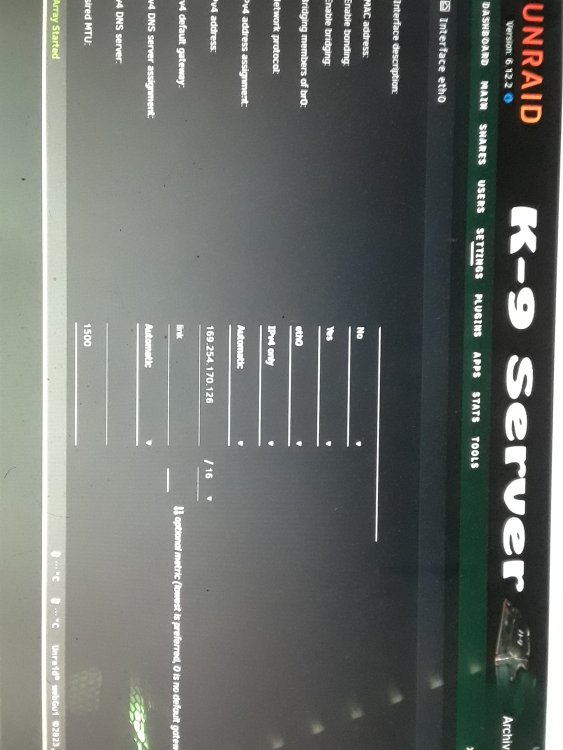
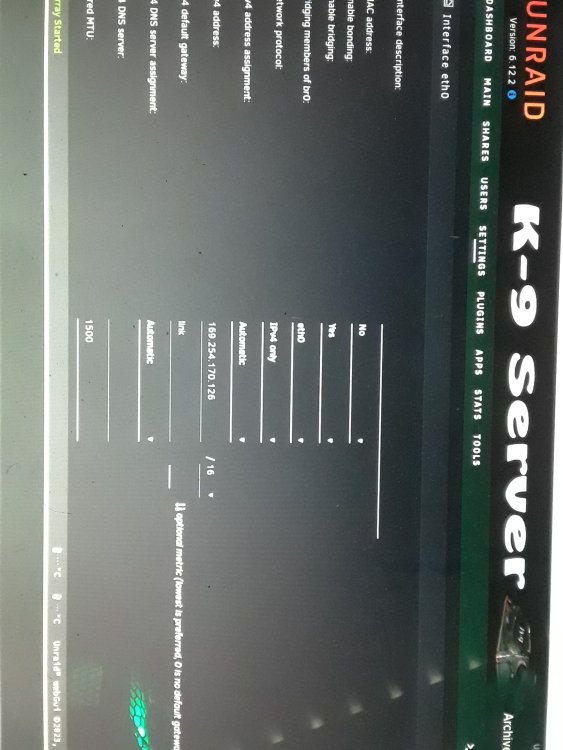
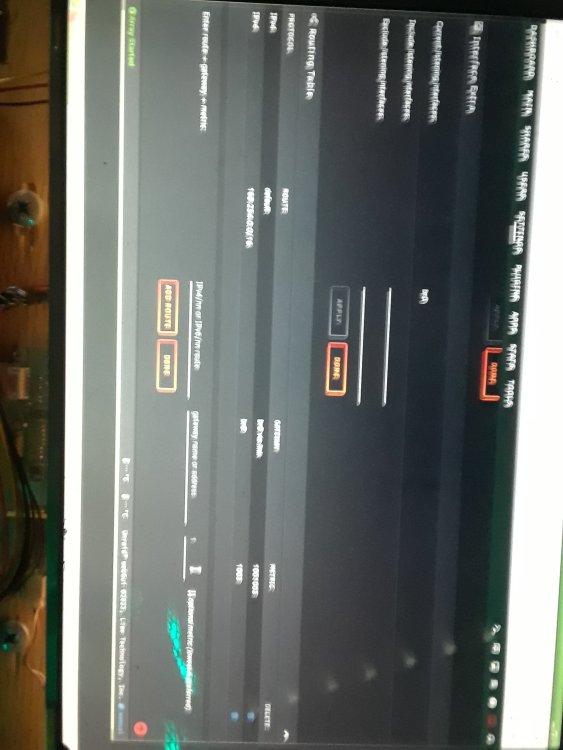
ill reboot and check if the network card is there i re read what you wrote.. damn disylexia... ill check if the network card is there update: sorry about that i miss read so i went and did what you said and went to settings.. i guess the network card is gone dont know why these photos side ways
-
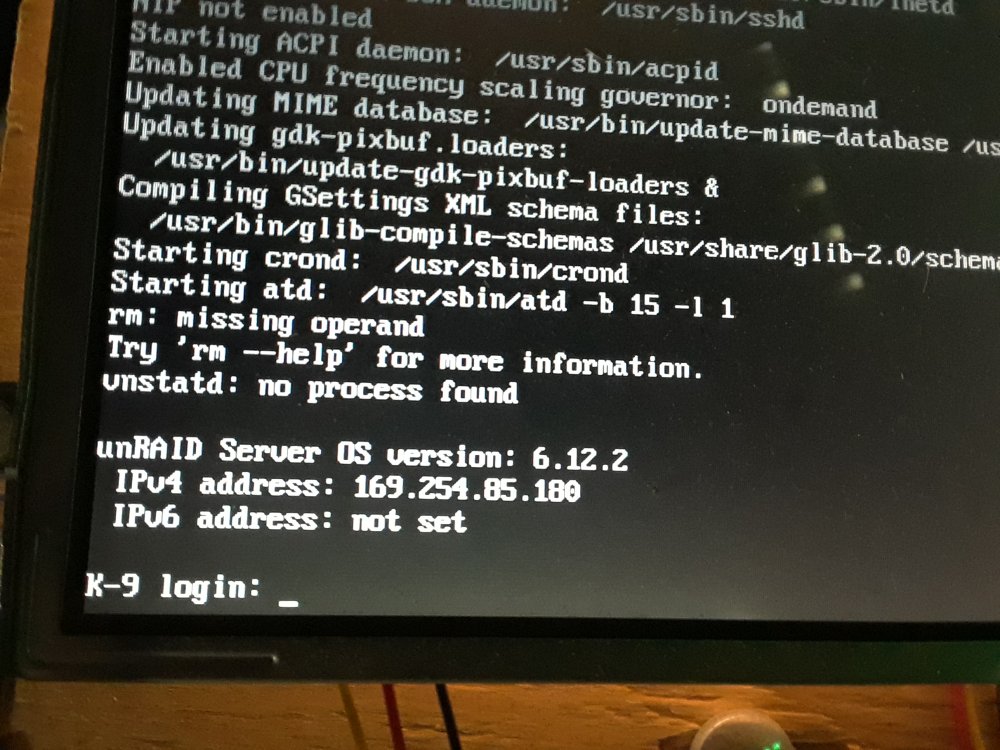
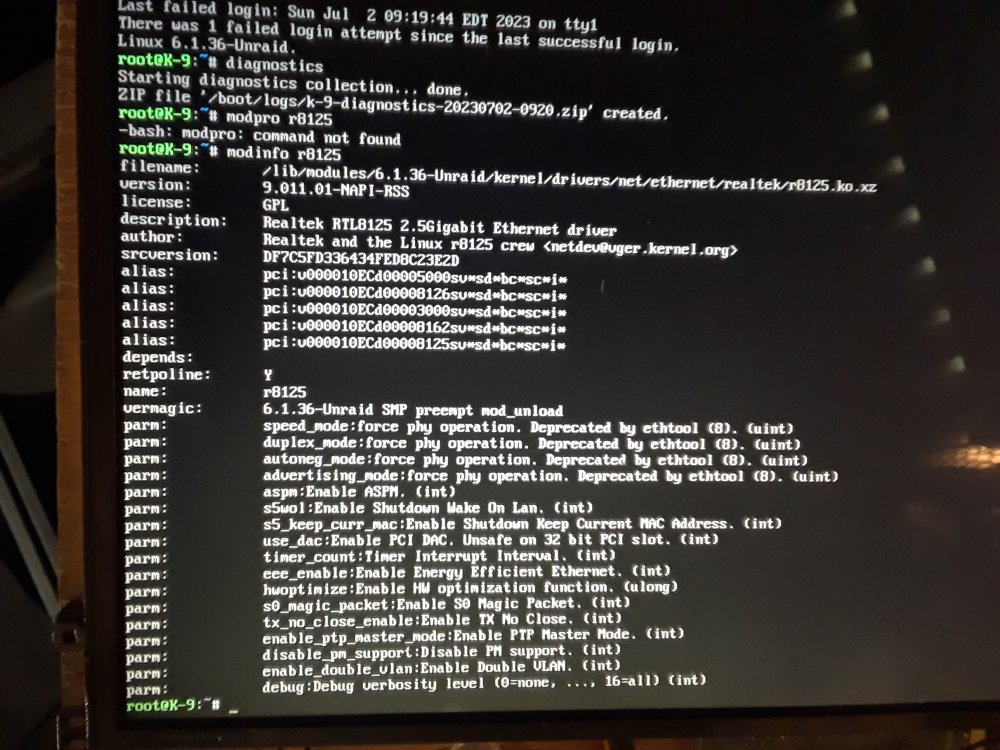
@jinlife i dosed off waiting for my main server to finish lol but i uninstalled driver of my main server just incase this bricking temporary my main server so i removed vid card from main server shoved a card in my k-9 server booted up... i forgot to plug in keyboard so i didnt do the gui but i did log in did a diganostics and i did a couple screen shots... and the network card did work before as i never upluged it and the lights are flickering once power comes on but here i did cell phone capture of the screen hope its good enough and on this sever it hangs on the "RM" command whatever it does but it booted up ok.. if you need me to go back into the gui mode one i will.. i just didnt when i did all these tests just the orginal boot and i dont have the vid card back in main server to test.. but i do know it hangs at the "MV" command and "udev" command sits like 5 min it seems and i not sure if those releated to the network card? i dunno if that shows those errors in the diganostics i only seen it on the screen but hope these screen shots help if you need me to go into the gui i can k-9-diagnostics-20230702-0920.zip
-
@jinlife once i get a video card out of my other server i can try those they busy at the moment so i cant and ill give them a try i did check pfsense for arp table and my k-9 host name not there so its not picking up but ya once i get a card in there i can run those tests
-
i tried deleting the driver in the plugins folder on the flash drive in my desktop pc and then plug back in to boot it up but still cant get an ip.. i have to wait a day or 2 for the one preclear to finish first round and take the vid card out of it... as i dont wanna start over
-
@ljm42 so are these drivers when everyone says dont use realtek you want intel drivers as linux doesnt support realtek.. all 3 servers have onboard realtek then and tardis has the 4 port card added on too.. and why is it like pfsens too its not supported realtek drivers.. yet these onboard nics have them so i installed drivers on tardis but i cant reboot yet.. its doing a btfs scrub... and backup server is doing a preclear.. and i finding that 6.12.1 .2 versions dont wanna resume the preclear.. so i dont wanna touch it so i tried on the k-9 server... i installed the r8125 you said... i rebooted the server... and no access you cant ping it i guess driver didnt work i dont have a video card in it at the moment so i cant test at the moment.. i did a 2nd reboot and didnt help... so i guess driver didnt work leastthe 8125
-
@ljm42 so the tardis server is my main server.. its the one really slow... its got other warnings now... its also took a long time to make the diagnostic file. the other 2 servers are my other unraids on the network.. they all got similar or different errors now .. but tardis seems to be really slow still here diagnostics of 3 servers backupserver-diagnostics-20230630-2309.zip tardis-diagnostics-20230630-2307.zip k-9-diagnostics-20230630-2308.zip
-
so i did the steps.. there is no log file in the share i set it save in.. but here is a diagnostic starting services takes forever to load i see now too backupserver-diagnostics-20230630-2248.zip
-
so i did a test let the preclear run for 15 min... with 6.12.2 and you cant resume the preclear if you do a reboot or so... so gotta make sure i dont need to reboot the server in the mean time for a week of preclearing
-
i dont know if its a bug or cuz i upgraded... but the preclear didnt resume after a reboot i was running 6.12.1 doing a preclear on 2 drives... i did an upgrade to 6.12.2 and then rebooted.. and thinking i could resume the preclear which i normally can.. i couldnt do it... so i just restarting preclear least only like 5 6 hours into it so not bad.. but not sure if resume will work again if i do a reboot etc
-
anyone know whats causing the slowness now? or how do i get those error out.. google isnt helping... i tried to delete the pid files and yet unraid still slow and errors still come up the udev and the mv mover still hangs
-
@Squid so i just rebooted my backup server.. it boots up faster,, only 1 nic but it has the same errors from my other server in the logs above... are they creating the slowness? they showing up on both servers backupserver-diagnostics-20230628-1551.zip
-
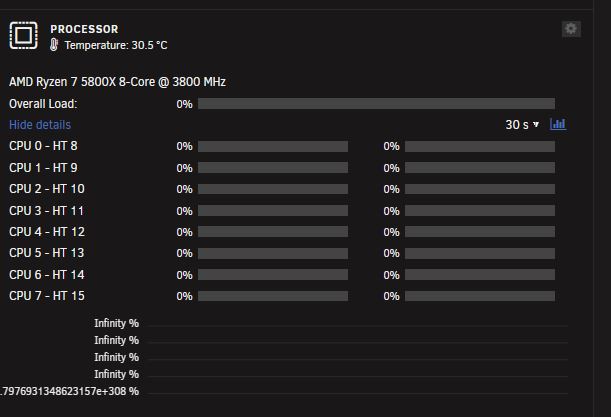
here is diagnostic.. and the other spot it hangs is the "mover" command saying directory not there or so... it sits there and hangs here is a new diagnostic and does the inifninty mean it cant read the cpu? as i know it can read my 3700x as it doesnt have this issue logs have a bunch of red erros. i seen then before i dunno what those are tardis-diagnostics-20230628-1513.zip
-
ya i just changed cpu from a 3700x to a 5800x to try things and i didnt plug in the network cables.. but i find it always slow and it hangs at a udev:/ for like 5 min it seems and i dont know why the cpu utliziation does that infinity stuff.. but i can do a reboot with the network cables in and take another diagnostic
-
so id like to know why unraid is super slow when boots up.. it hangs at a udev part and another part i couldnt take a pic of it also cpu usage is infinity... is there anything in logs showing why its hanging so much and why i get this infinity tardis-diagnostics-20230628-1453.zip
-
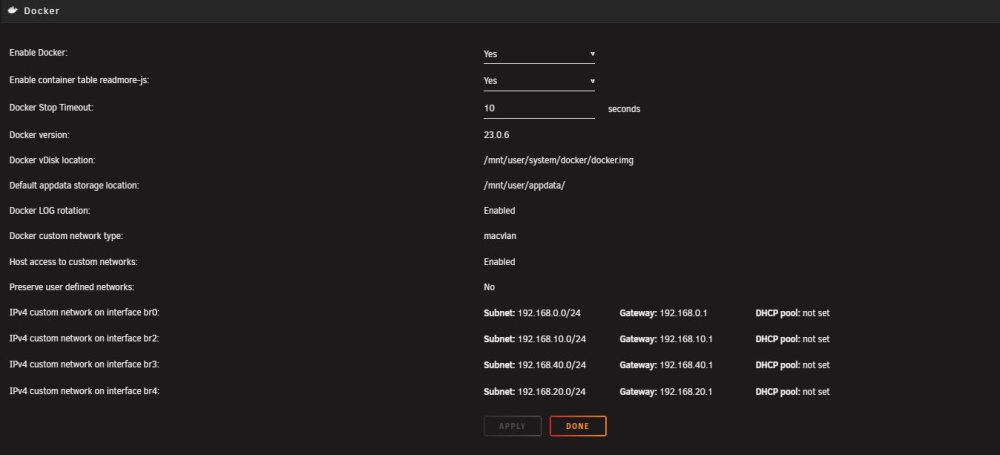
there seems to be something wrong with my unraid i posted an issue no one has replied to about parent br br2 br3 and i trying to reinstall shinbo to try this program out but i find there is only custom br0 not br0 to br5 whats causing this issue? i get this error no one has figured out Jun 24 19:36:42 Tardis root: Error response from daemon: network dm-b6e310e46181 is already using parent interface br2 Jun 24 19:36:42 Tardis root: Error response from daemon: network dm-27db50de59ed is already using parent interface br3 Jun 24 19:36:42 Tardis root: Error response from daemon: network dm-384eab18d937 is already using parent interface br4 so in dockers all i have is none,bridge,host, custom:br0 i dont get my other brs.. i tried deleting the network.cfg to try to fix it but it didnt help what can i do to fix this error and what not and get the customs br's back tardis-diagnostics-20230624-1943.zip
-
i booted up my unraid checked the logs and i got 3 errors what does it mean and how do i fix it that my network has no bandwith limit? i see these warnings tardis-diagnostics-20230622-1743.zip
-
ah ok... so for plex no transcoding needed .. as its all direct play from xbox to plex or PC to plex.. i dont do the phone at home and my internet is too slow less then 500k upload so i just do it at home... plus i think u need to buy the full blown plex to get hardware transcoding so if unraid is not suitable for multiaccess then freenas is better for that? or unraid with the zfs.... so whats good about having multi pools well i know for what i got.. but it seems its a pain if you wanna expand a pool.. so if you have 10tb on one pool but you wanna upgrade it to 20 or 30tb.. its almsot like you gotta create a new pool... as you should have gotten enough hard drives the first time to do say 30tb is that correct? so when you do 256gb of ram when you cache it does it also go straight to the array or does it wait till midnight to offload with the mover? and is that 80 81 setting in the tweaks and tips set for your 256gb... and i might do that strip the data on some hard drives.. whats better when stripping.. more hard drives or like say if you can put it on 2 16s or go to like 6 6tb drives... and would that max the network... id like to get 10gb just so i dont max out my unraid.. i find i loose connection sometimes if i do muiti copies at once if terminaled in and rsync ill find i get connection losses over 1gb connection... but i always learning... learn something everday... as i like to be able to maximise things i appreciate the help so far... cuz it helps me try to better my setups as i working on my archive server i wanna do once a week backup and my backup server to backup each day..
-
hi i just got this samsung s980 pro 2tb nvme and i working on building an archive server so i put in my WD 2tb black nvme in and i did a copy from WD 2tb to Samsung 2TB and i get locked out for a while my rsync crashes and it closes the window the hard drive light keeps going.. and i can ping but i cant ssh or get access to the gui it takes like 5 min before unraid comes back.. so its like 100% cpu is locked up and i locked out.. there is some warnings and errors i not sure what it means can someone tell me if its nvme either WD or Samsung or if its the cpu and i ran the rsync from nvme to nvme twice... so the first time i got some warnings and then i was locked out and terminal window closed.. then it came back... then i retried again and then locked me out and terminal window closed and it came back after.. then i found the duplicated errors cuz i rysynced it so i realize those .. just dont know why i get locked out and it crashes and the red errors etc oh and when i do get it copying it caps off at 1.2gb/s one is reading and one is writting.. but i not getting like 5gb/s i figured id get from copying from nvme to nvme both pcie 4 nvmes but the rsync when it did copy all said sent 194,329,695,866 bytes received 1,981,297 bytes 818,238,640.69 bytes/sec total size is 1,199,304,972,472 speedup is 6.17 so i not sure what is 6.17 is that the gb/s but yet unraid gui said 1.2gb/s so i not sure if i have things miss configured etc k9-diagnostics-20230621-1056.zip
-
i re shut down re removed the nvme and re mounted started back up now the nvme that said xfs that i had formated in btrfs says btrfs now.. thats messed i can mount it now... is there any tests i can do to make sure its trully working ok.. with this strange event?
-
so that didnt work... i shut down re seated booted up i formated in BTFS and it formated it in XFS and then i tried to mount as it was there and it wouldnt mount and gave some errors backupserver-diagnostics-20230616-1549.zip
-
ok ill do a reboot and reseat it
-
thats what i mean ... currently my main server has 2 nvmes ones like 1tb and noother is a 500gb 1tb is for VMs and the 500 is for appdata what i wanna do is change it to 2 2TB mirror as a pool so vms and appdata are on the same drive mirrored but in the mean time since Balance Plugin doesnt do pools to transfer files i shoved the 2TB drive in my backup server.. then i wanted to transfer the VMS over the network from the main server and then the appdata... and then add then change it out on the Main server.. and then when i got the 2nd 2TB drive i was going ti mirror so i have redundancy... but currently i cant mount the drive and i got those 2 warnings
-
ah ok.. for your videos .. how long does it take when you load a video you said you dont use plex.. like for me its pretty quick if its just vlc player on my windows machine... i just find it slow going through plex... its buffering or its just spinning at first.. so i figured well maybe strip it.. to get fastest speed over a 1GB network.. dont have 10g .. and i play through my Xbox Plex... as for the cctv ya i cant get it to work right on shinobi what program you use? i find when i do add a camera on the screen it doesnt stream smoothly its like a video shot ever 5 seconds or 10 and nothing moves smoothly.. but i did change motherboard and ram.. but havent re tested yet.. but it was a headache so i shelved it for a bit ya i never had synology.. i cam from using Windows Home Server 2003 and Home Server 2011 and since windows stopped making it.. i found Unraid which i really like.. i tried freenas but you cant just add hard drives easilly as you go.. you need to buy all the hds you need at first and set up... so i went the unraid and so far i got 5 licenses i use between myself and i bought for my sister.. so your motherboard is a server motherboard then.. if you got 8 32gib ram sticks... and does it do everything you need? i just bought another x570 motherboard making a archive server so it will only come on once a week and just backup files either off my main server or off the backup server... so i just have extra backups of my pictures and home videos and docs etc... so then my 1gb and single spinners should be ok.. if you were to have like 2-4 people watching off plex.. would the 1gb or single spinner still be ok? and is this setup for home use for multiaccess.. thats why i was wondering if i had 2-4 people using plex maybe i needed to strip a pool raid 0 and put the videos on there just to expand the speed. i dunno always looking to improve things 🙂
-
hi i added a 2TB nvme to my backup server... and i formated to btfs as i plan to add a 2nd in mirror but wanted it setup and files put on it first... but i cant mount it... the mount word is grayed out and there is 2 warrnings in the logs i tried formating then in xfs but still un mountable backupserver-diagnostics-20230616-1444.zip


