





nekromantik
Members
-
Joined
-
Last visited
Everything posted by nekromantik
-
[AutoRun] enabled=false program= [Preferences] Connection\PortRangeMin=6881 Connection\UPnP=false General\Locale=en General\UseRandomPort=false WebUI\Address=* WebUI\CSRFProtection=false WebUI\LocalHostAuth=false WebUI\Port=8080 WebUI\ServerDomains=* WebUI\UseUPnP=false
-
tried and same issue
-
Correct username and password does not work. I can enable debug and post log if you want to see it.
-
@binhex any clue?
-
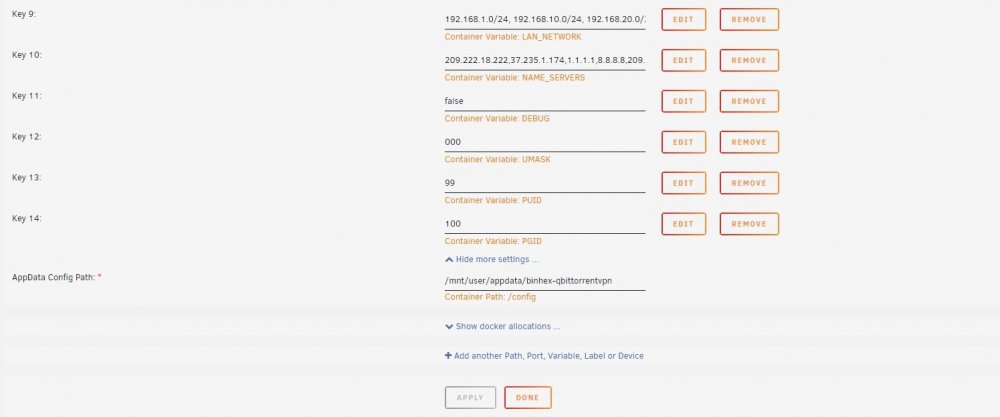
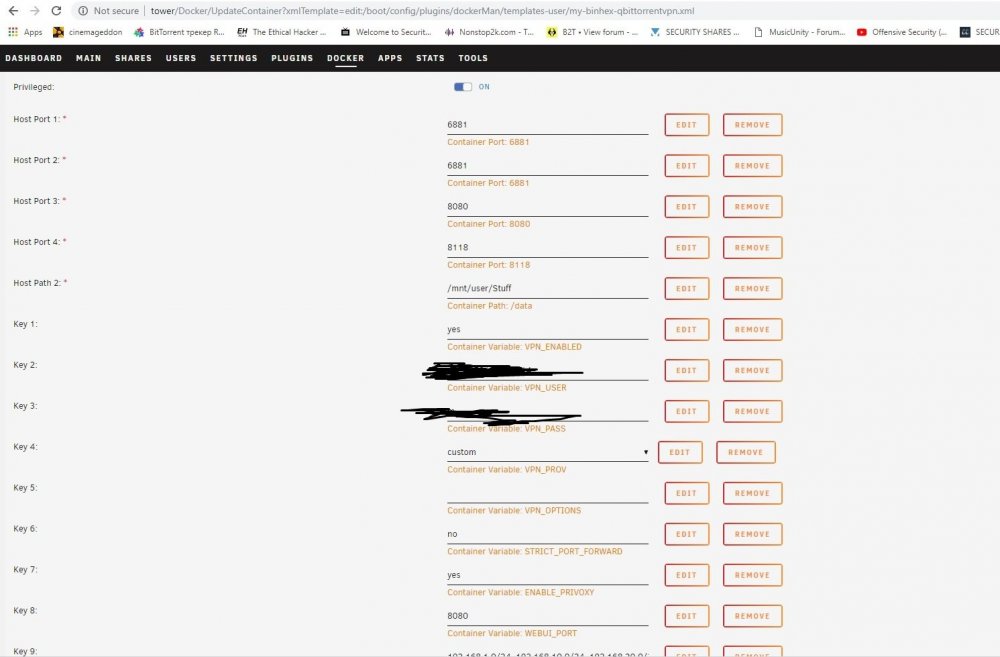
Attached @binhex
-
@binhexdid you get chance to look at log output I posted?
-
here is log, privledge mode is on
-
im also not been able to login using admin and adminadmin i cant test further as I need to head to bed so turned it off and went back to deluge. Any hints?
-
People who used both this and DelugeVPN, which torrent client do you prefer? RTorrent or Deluge?
-
yeah i think if new version of plugin needs 6.7.0 then plugin should not be released until new version of Unraid is out.
-
Anyone else get issue of some torrents never connecting to peers or seeds? Several times a torrent just stops doing anything even though the same torrent on my local torrent client connects to peers right away.
-
You need to forward port 443 or whatever you choose on your router to your letsencrypt container IP and port. Then set up nginx on the container to use the ssl cert and forward to nextcloud container. there is a example nextcloud config you can use and edit on the letsencrypt container. you just need to copy it to correct location ie /config/nginx/site-confs.
-
I know its probably not going to happen but would there be any chance to create a version of this container with naxsi module built in?
-
hi all i downloaded this container and went through initial set up wizard but it hangs after the remote access allow screen. then all access I get forbidden on when trying to access web ui via container IP and port 8096.
-
thanks
-
would it be possible to specify routes to add to the container? for example my network has 2 different LAN network CIDRs. I added a big enough range for LAN_NETWORK but it does not add a route to the container. it adds a 192.168.1.0/24 route but I would need 192.168.20.0/24 also. doing it manually is not good as it gets removed next time container is re created.
-
ignore
-
yes I am using same VPN as container on laptop, to be 100% accurate I switched to same country as the container. Laptop connects fine in all scenarios. Its a public tracker not private. Incoming port test in deluge passes with a green dot as I have set the same port in client as well as VPN provider.
-
@binhex no ideas why some torrent trackers are timing out on this container and not on my laptop? Ruled out firewall as all devices inc unraid go through same LAN and rules.
-
This is a public tracker.
-
Having a odd issue. Deluge times out on some tracker URLs when connecting to them. However if I use the same torrent file on my laptop then it connects fine. So something is blocking its connection to the tracker. Its not happening on all torrents only those with certain trackers. Any hints?
-
Hi all Since updating to 6.6.1 from 6.5.4 my docker page on UnRaid always shows updates available for all containers. Pressing update all does not remove the message. Attached is my diagnotics. Thanks tower-diagnostics-20181005-0924.zip
-
Glad to report this works with Mullvad VPN
-
I think you set up a folderwatch on jdownloader and it watches for a file in there. So I suppose you can mount the same folder in both containers.
-
Quick question, I got flexget on a different container, can flexget connect to jdownloader on this container? Or does both have to be on same container?

