





Abigel
Members
-
Joined
-
Last visited
Everything posted by Abigel
-
@knex666 that means we don't need this extra parameter and post argument ?
-
I am also interested
-
Hi, is it possible to import my default and proxy config from my letsencrypt-docker?
-
Okay I have tried that as well Extra Parameter: --user 99:100 --sysctl net.ipv4.ip_unprivileged_port_start=0 -p '9083:80' Post Arguments: && docker exec -u 0 Nextcloud /bin/sh -c 'echo "umask 000" >> /etc/apache2/envvars' But it still don't work. Is there something else wrong?
-
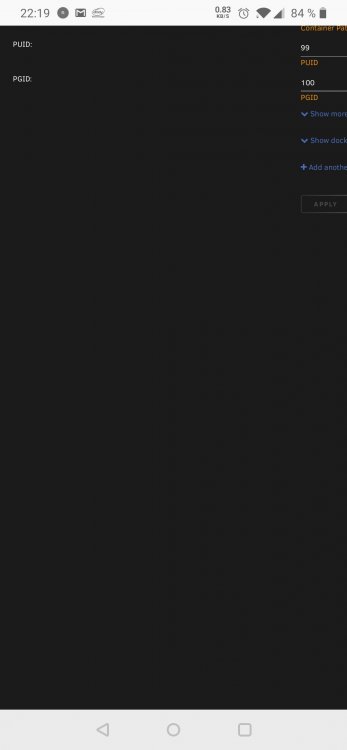
Hi, yes I think so. Read write is set and the following is for guid and uid, like OOmatrixOO
-
Now I have the problem that users can't edit, delete or create files in a share. [index] Error: OCP\App\AppPathNotFoundException: Could not find path for guests at <<closure>> 0. /var/www/html/core/Controller/SvgController.php line 100 OC\App\AppManager->getAppPath("guests") 1. /var/www/html/lib/private/AppFramework/Http/Dispatcher.php line 170 OC\Core\Controller\SvgController->getSvgFromApp("guests", "app", "000") 2. /var/www/html/lib/private/AppFramework/Http/Dispatcher.php line 99 OC\AppFramework\Http\Dispatcher->executeController(OC\Core\Controller\SvgController {}, "getSvgFromApp") 3. /var/www/html/lib/private/AppFramework/App.php line 125 OC\AppFramework\Http\Dispatcher->dispatch(OC\Core\Controller\SvgController {}, "getSvgFromApp") 4. /var/www/html/lib/private/AppFramework/Routing/RouteActionHandler.php line 47 OC\AppFramework\App::main("OC\\Core\\Controller\\SvgController", "getSvgFromApp", OC\AppFramework\ ... {}, {app: "guests",f ... "}) 5. <<closure>> OC\AppFramework\Routing\RouteActionHandler->__invoke({app: "guests",f ... "}) 6. /var/www/html/lib/private/Route/Router.php line 299 call_user_func(OC\AppFramework\ ... {}, {app: "guests",f ... "}) 7. /var/www/html/lib/base.php line 1008 OC\Route\Router->match("/svg/guests/app") 8. /var/www/html/index.php line 38 OC::handleRequest() GET /svg/guests/app?color=000&v=1 from 98.130.27.142 at 2020-05-26T13:59:24+00:00 and [index] Error: OCP\App\AppPathNotFoundException: Could not find path for circles at <<closure>> 0. /var/www/html/core/Controller/SvgController.php line 100 OC\App\AppManager->getAppPath("circles") 1. /var/www/html/lib/private/AppFramework/Http/Dispatcher.php line 170 OC\Core\Controller\SvgController->getSvgFromApp("circles", "circles", "000") 2. /var/www/html/lib/private/AppFramework/Http/Dispatcher.php line 99 OC\AppFramework\Http\Dispatcher->executeController(OC\Core\Controller\SvgController {}, "getSvgFromApp") 3. /var/www/html/lib/private/AppFramework/App.php line 125 OC\AppFramework\Http\Dispatcher->dispatch(OC\Core\Controller\SvgController {}, "getSvgFromApp") 4. /var/www/html/lib/private/AppFramework/Routing/RouteActionHandler.php line 47 OC\AppFramework\App::main("OC\\Core\\Controller\\SvgController", "getSvgFromApp", OC\AppFramework\ ... {}, {app: "circles", ... "}) 5. <<closure>> OC\AppFramework\Routing\RouteActionHandler->__invoke({app: "circles", ... "}) 6. /var/www/html/lib/private/Route/Router.php line 299 call_user_func(OC\AppFramework\ ... {}, {app: "circles", ... "}) 7. /var/www/html/lib/base.php line 1008 OC\Route\Router->match("/svg/circles/circles") 8. /var/www/html/index.php line 38 OC::handleRequest() GET /svg/circles/circles?color=000&v=3 from 98.130.27.142 at 2020-05-26T13:59:24+00:00 and [index] Error: OCP\Files\NotPermittedException: at <<closure>> 0. /var/www/html/custom_apps/onlyoffice/controller/editorcontroller.php line 240 OC\Files\Node\File->putContent(null) 1. /var/www/html/lib/private/AppFramework/Http/Dispatcher.php line 170 OCA\Onlyoffice\Controller\EditorController->create("Test.docx", "/Share&Shares1", null) 2. /var/www/html/lib/private/AppFramework/Http/Dispatcher.php line 99 OC\AppFramework\Http\Dispatcher->executeController(OCA\Onlyoffice\C ... {}, "create") 3. /var/www/html/lib/private/AppFramework/App.php line 125 OC\AppFramework\Http\Dispatcher->dispatch(OCA\Onlyoffice\C ... {}, "create") 4. /var/www/html/lib/private/AppFramework/Routing/RouteActionHandler.php line 47 OC\AppFramework\App::main("OCA\\Onlyoffice ... r", "create", OC\AppFramework\ ... {}, {_route: "onlyoffice.editor.create"}) 5. <<closure>> OC\AppFramework\Routing\RouteActionHandler->__invoke({_route: "onlyoffice.editor.create"}) 6. /var/www/html/lib/private/Route/Router.php line 299 call_user_func(OC\AppFramework\ ... {}, {_route: "onlyoffice.editor.create"}) 7. /var/www/html/lib/base.php line 1008 OC\Route\Router->match("/apps/onlyoffice/ajax/new") 8. /var/www/html/index.php line 38 OC::handleRequest() POST /apps/onlyoffice/ajax/new from 98.130.27.142 by Tobi at 2020-05-26T13:57:59+00:00
-
Okay thank you I found the access to the console
-
I know that I don't need it but i have a proxy and want to use it instead to start other portforwarding than 443 Other question: How can I use server commands to show for example the connected players?
-
Hi, is there a letsencrypt sample config for the Terraria-TShock Server? I can not connect to the server, it shows only "server found" but nothing happend
-
I have found this one: https://github.com/printfuck/stardew-multiplayer-docker
-
Hi, is there is Stardew Valley Container for Unraid?
-
So before I insert the log here, I create an empty .ocdata file in the file directory and in the config folder and start a filescan. After these steps it works.
-
I have a problem with .ocdata "Your data directory is invalid Make sure that a file ".ocdata" exists in the root of the data directory." I have a .ocdata in the files folder
-
Hi, is it possible to start a backup if a specific external hdd is connected to the server ? So if i connect my external backup disk to the server, than the duplicati starts a backup?
-
I have made a big mistake... i moved files in dry mode and than format this disk... Can i rebuild my Disk with parity ? If yes, what is the best way?
-
Do we need to do this or is this optional?
-
Hi! What can be the reason that cron is not execute ?
-
I have a general question about Radarr. I've read more often that it is often used for illegal content. How do I make sure I don't accidentally do something illegal with it?
-
I had the same proxy settings on the other container and the message did not come up. I have now increased all possible values in nginx and nextcloud but it still does not work. I can upload files that are larger than 5GB but i can't set a background image that is 5MB
-
I can't find the file I have searched it manually and with find -iname no results
-
Where can I find the php.ini ? I want to edit the upload_max_filesize for the background image.
-
Of course, i have delete it, sry And now i have the solution for the rewrite problem After debugging with firefox when i push the button for confirmation, it says that something is blocked from the request. I have add " 'overwriteprotocol' => 'https'," into the config.php and now the client can connect! Thanks for your patience and help! Now I sit down at the OnlyOffice problem @knex666 can you please show your config.php from nextcloud?
-
Thank you very much for your Config! I don't know if it is important but maybe you should delete or falsify your shiffre code ? I had letsencrypt running with my above mentioned config and the old nextcloud container, so it should work with this container, I only change the IP address, so can the problem be somewhere else ? I can access the Nextcloud via Web but not via the clients Can you please also show all your nextcloud config.php? I get to the point where I want to connect to the windows client, I type in the URL, click on continue, browser opens for verification, I press allow access and then nothing happens, the wheel turns and nothing more. At the client the message comes then: "Error accessing the 'token' endpoint: Error transferring http://mydomain.de:443/login/v2/poll - server replied: Bad Request I really don't know any more
-
Thanks The Only Office topic is secondary for me. First of all nextcloud should run with the clients, don't know how
-
I don't know what to do to solve the problem with the client connection. What should I do to use only office only from outside ? My let's encrypt container nginx config: server { listen 80 default_server; server_name _; return 301 https://$host$request_uri; } upstream backend { server 192.168.5.5:19999; keepalive 64; } #####Nextcloud server { listen 443 ssl; server_name nextcloud.mydomain.com; root /config/www; index index.html index.htm index.php; ###SSL Certificates ssl_certificate /config/keys/letsencrypt/fullchain.pem; ssl_certificate_key /config/keys/letsencrypt/privkey.pem; ###Diffie–Hellman key exchange ### ssl_dhparam /config/nginx/dhparams.pem; ###SSL Ciphers ssl_ciphers 'xxx-RSA-AES128-SHA256:ECDHE-xxx-AES$ ###Extra Settings### ssl_prefer_server_ciphers on; # ssl_session_cache shared:SSL:10m; ### Add HTTP Strict Transport Security ### add_header Strict-Transport-Security "max-age=63072000; includeSubdomains"; ## add_header Front-End-Https on; client_max_body_size 0; ### now nextcloud config location / { proxy_pass http://192.168.5.5:8080/; proxy_max_temp_file_size 2048m; include /config/nginx/proxy.conf; } }

