





TeKo
Members
-
Joined
-
Last visited
-
Missing vhost0 entry in routing table was the problem. Stopped the docker engine, unchecked and rechecked "IPv4 custom network on interface eth0:" then started again. Entry was added to the routing table and everything works again.
-
Hey, I'm not sure if this is a docker or a vm topic, but it was working before the upgrade to 7.0. I have the unraid-cloudflared-tunnel docker running in a custom network (172.20.0.0) and a home-assistant VM (192.168.0.33) before the upgrade I was able to access the VM without a problem. Not sure if the new version changed some network settings or something. I can still access an RPi in my local network from the docker container.
-
Is there a way to use this with an intel iGPU?
-
TeKo changed their profile photo
-
I added both variables to my config and set the permissions. Looks like the error is gone. Thanks a lot.
-
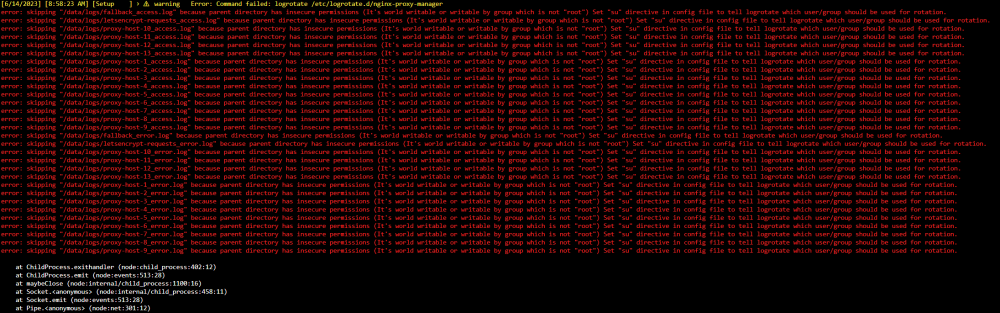
I'm getting this error: Is there something I can do to fix this?
-
Did you change anything else? Im on a 12500, using linuxserver PLEX with extra parameters = --device=/dev/dri:/dev/dri and "i915.force_probe=4690" added to my Syslinux configuration. Not really working with 4k (tonemapping on and off).
-
Is the GoogleMusicManager not working anymore? Im getting "Can't connect to Google Play". I dont think there is a solution for Youtube Music yet, at least I wasnt able to find one.
-
Hmm... looks like the version was the problem. Showed all other containers as offline even tho I was able to ping them. Went back to 1.7 and everything works fine even with a custom network. Edit: After everything was working I updated to latest again and it seems to work now... no clue whats happening here
-
I tried to switch to a custom bridge network, so I can use static ips for my containers. (Had problems with the ips changing and having to remap the containers in the manager) That wasn't working so I tried to go back to the default Bridge but now I cant get it to work. I removed the docker and deleted the appdata folder but its still not working. Im testing with a nzbget container but im only getting "ERR_EMPTY_RESPONSE" when trying to connect using the dyndns domain.
-
Yea I tried that, still not really working, but Im going to ask on github. Just thought maybe someone here got it to work with subfolders.
-
There is a subdomain config (I think that wasn't there when I first tried), so its still not working with subfolder? I tried with another docker before and couldn't get subfolder to work even tho they have a prefix or whatever in their settings.
-
Anyone got this to work with letsencrypt nginx reverse proxy?
-
Thanks, looks like the EOLs were the problem.
-
Is there anything special I have to do to get Start Scripts to work or should a script that works as a UserScript just work? Its says: Executing custom start script But its not running or at least not doing what it should. The script syncs the backup to google drive and works fine when I just start it from user scripts.


