JasonK
Members
-
Joined
-
Last visited
Everything posted by JasonK
-
does it have a way to import a recipe, say, mealmaster recipes? or scrape a url passed to it?"
-
ETA on searching folders? Thanks for the update!
-
So don't do it - you just won't be able to use the app.
-
Still no support for folders that have movies yet. Will continue to chill until then (as I don't use Plex - no need to). Thanks for the update!
-
Create a Windows VM and run from that?
-
When will this be updated to check folder(s) with movies in it and not just plex libraries?
-
SO, doing a bit of a comparison between Tdarr and Unmanic. If I wanted to replicate the video encoding settings that Unmanic uses in Tdarr, what would I use?
-
I did notice that the clone system clones the disks in the same folder path as the source disk - I would have thought that it would create a folder with the name of the clone (since we have the option to enter one before starting) and put the disk clone in there.
-
So, test successful - creating a new VM and having the disk(s) be formatted as qcows2 allowed the docker to clone without issue.
-
So...created a new VM with qcows2 for the disk, tried to clone it, and the clone process has started. Will post once it finishes, I test, etc.
-
Thanks. I'm creating a new test VM using qcows2 disk instead of the default to see if that makes any difference too
-
Dee - thanks for taking the time to help! I really appreciate it
-
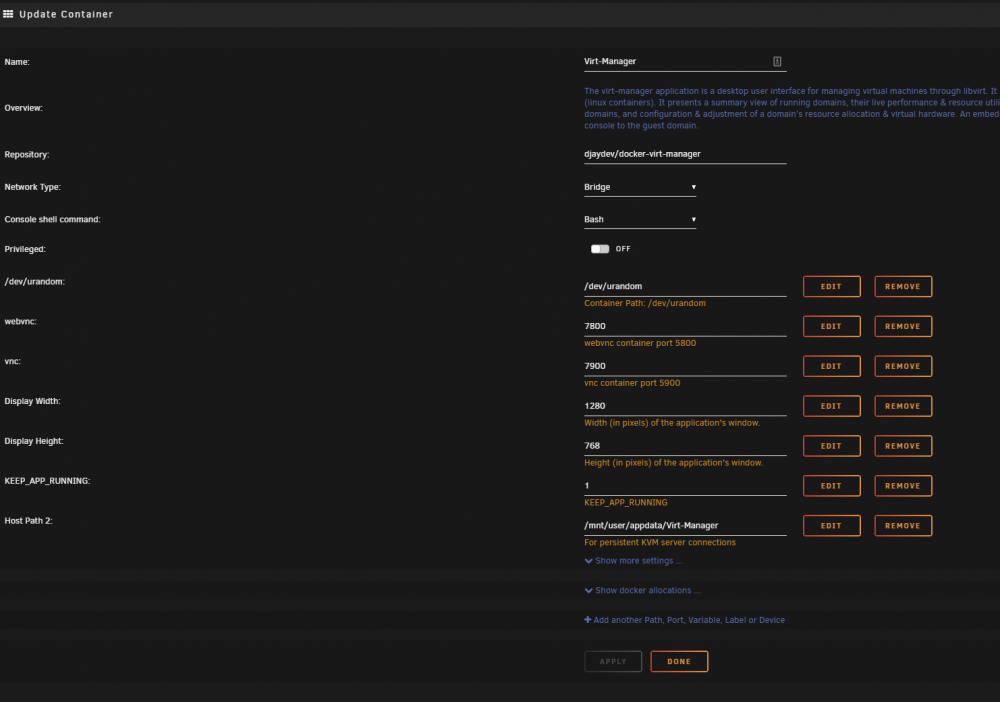
Here's a screencap of the docker config. The docker can see all the VMs I have on the server, start/stop/etc without issue:
-
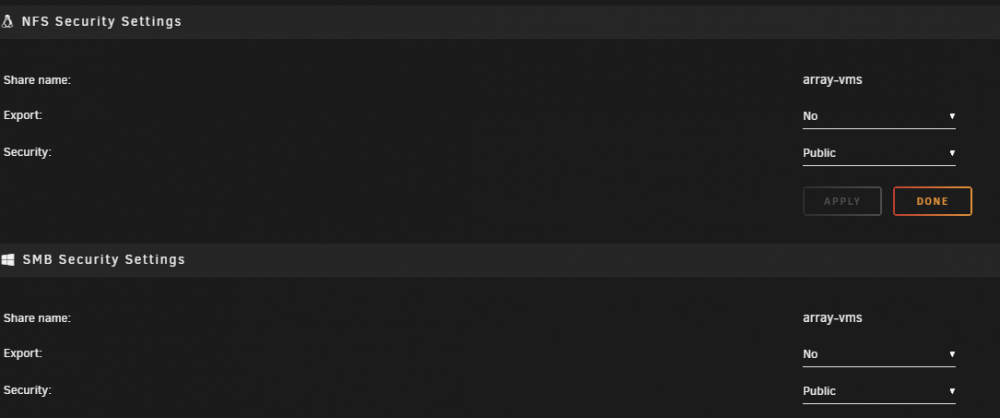
Morning folks. I'm trying to use the virt-manager docker to clone a VM I've created. It's a WIN10 sandbox VM for testing software builds, etc. I have the vm created on the unraid host, it works properly, etc. When I load up virt-manager, click clone and tell it to go, I get the following error: It's a simple VM - 30G disk image and the connection to the virtio ISO, 2 cores, 4gb mem, nothing special about the vm really. 1) yes - the disk location for this particular VM is on the array and not cache (intentionally) - array VMs is a share that is hidden, but is public: 2) I tried the docker with privileged mode both on and off and I get the same error. 3) I'm logged into virt-manager as root Any ideas? I've tried searching google but not having much luck. Thanks!

-
Thanks for unRaid. I came over from Freenas....like ZFS, don't get me wrong, but adding more drives to an existing array, well, yeah. Main reason I switched to unRaid (and with the docker/vm support too!) Thanks again! J
-
Deleting the database and reconfiguring from scratch seems to have fixed the issue Thanks
-
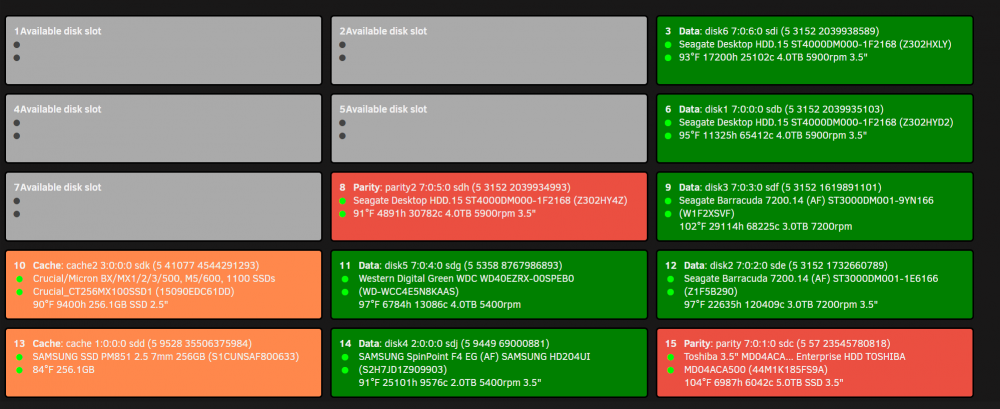
How would I best do that? I've had it rescan the drives. As you see in the image above, the app shows the 2 bright green drives as data drives.
-
Nope - the data drives are all connected to the same sata/sas breakout cables connected to the motherboard. The cache drives are connected to SATA header connections directly on the motherboard. Here's the SCSI list from settings: SCSI Devices [0:0:0:0]disk SanDisk Cruzer Fit 1.00 /dev/sda 15.7GB [1:0:0:0]disk ATA SAMSUNG SSD PM85 7D0Q /dev/sdd 256GB [2:0:0:0]disk ATA SAMSUNG HD204UI 0001 /dev/sdj 2.00TB [3:0:0:0]disk ATA Crucial_CT256MX1 MU01 /dev/sdk 256GB [7:0:0:0]disk ATA ST4000DM000-1F21 CC54 /dev/sdb 4.00TB [7:0:1:0]disk ATA TOSHIBA MD04ACA5 FP1A /dev/sdc 5.00TB [7:0:2:0]disk ATA ST3000DM001-1E61 SC48 /dev/sde 3.00TB [7:0:3:0]disk ATA ST3000DM001-9YN1 CC4B /dev/sdf 3.00TB [7:0:4:0]disk ATA WDC WD40EZRX-00S 0A80 /dev/sdg 4.00TB [7:0:5:0]disk ATA ST4000DM000-1F21 CC54 /dev/sdh 4.00TB [7:0:6:0]disk ATA ST4000DM000-1F21 CC54 /dev/sdi 4.00TB
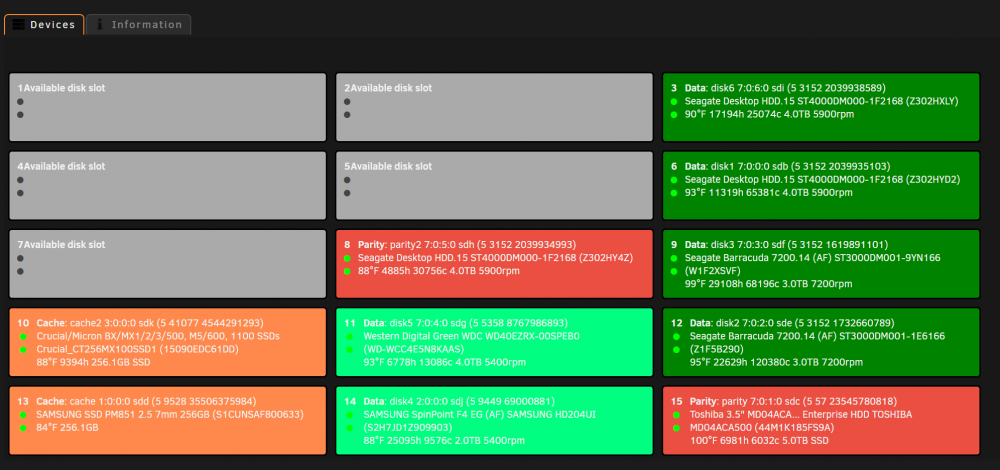
-
I changed the colors in the configuration tab
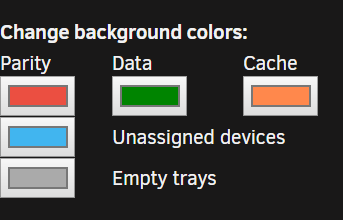
-
I changed the color of the data disks to a darker green (makes it easier to read the white text). However, it only changed the data disks colors as shown. The other 2 in slots 11 and 14 are still the default green.
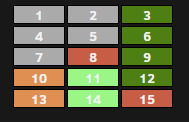
-
Looking forward to the update
-
How do you change the position of the widget? It defaults to 0- which puts it in the left column at the very bottom with dead space between it and the one above. Trying numbers from 1 to 12 just puts it at the top of the left column. I'd love to put it at the bottom of the right column
-
Thanks for trying to help, Squid. I just changed the port to 7902 and 8902 and went about my day. J
-
Update: Reboot didn't help. Hrm.
-
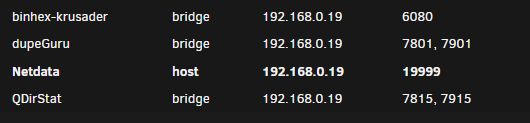
Squid - thanks for the reply. Did as you suggested, and it did give a port conflict on the run line. Which is strange, because when I look at the docker allocations for the 4 dockers I have, there's no conflicts: I'll give a reboot to see if that helps. Stand by