





xlucero1
Members
-
Joined
-
Last visited
Everything posted by xlucero1
-
OMG, this is amazing. I'm going to tip this dude:
-
Do you have NVidia high def audio? Maybe if i remake the VM take it off and re-add it?
-
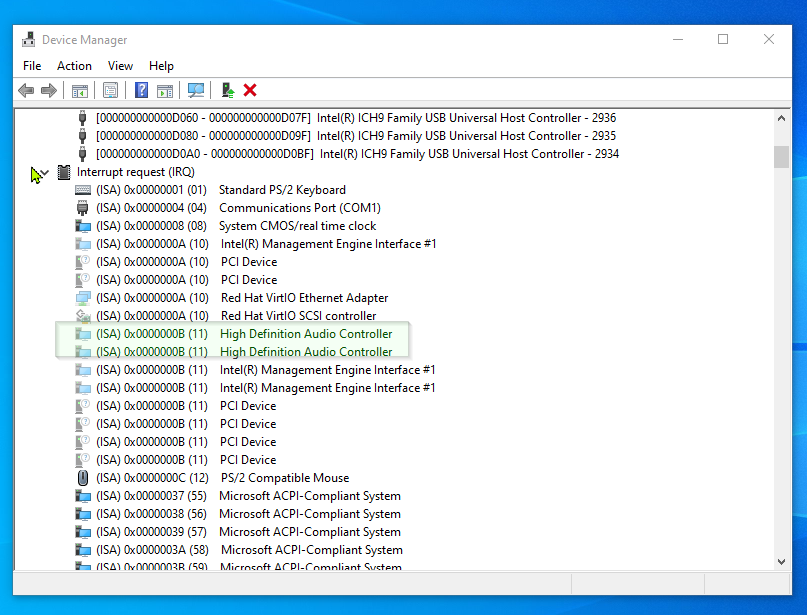
Theres not. Only the one shown in that last pic & these shown here
-
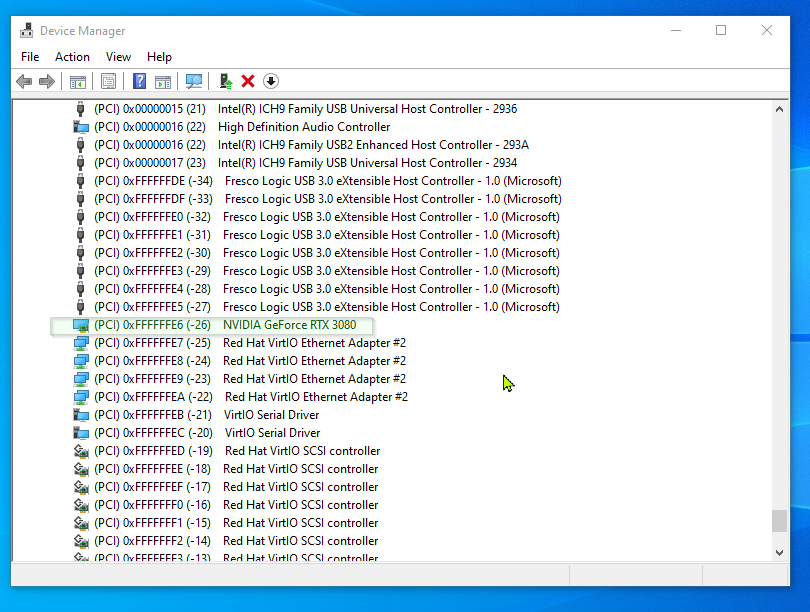
Thank you for clarifying for me. It looks like it is in MSI mode already according to that document : "Devices with negative number for IRQ (like "(PCI) 0xFFFFFFFA (-6) ...") are in Message Signaled-based Interrupts-mode.; the NVIDIA 3080 has a (-26). Is there anything else I can check possibly? Thanks for your help, again.
-
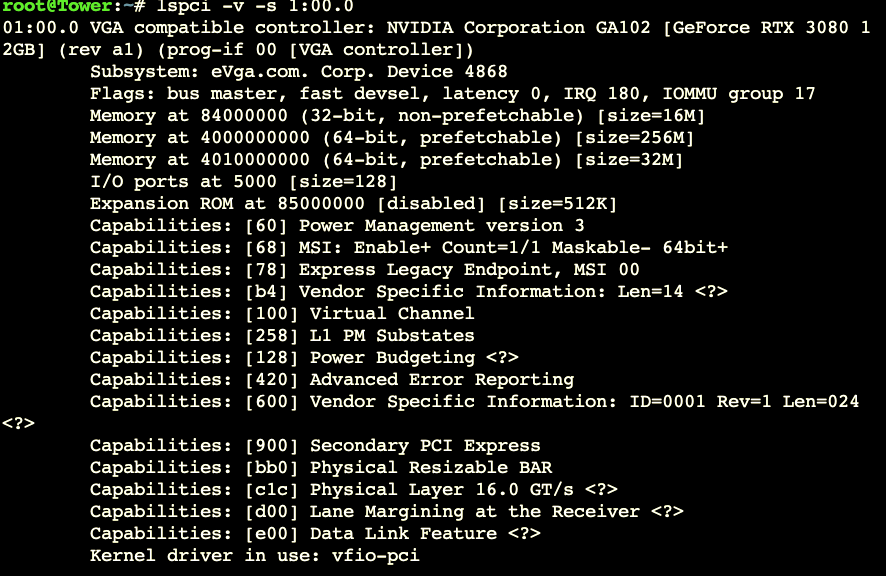
I'm sorry. Could you explain how to do that? I opened cmd in the Win10 VM & rand the lspci -v -s command and it says "lspci is not recognized as an internal external command, operable program or batch file
-
Running that command: MSI is Enabled it looks like. Hey now that I think about it; sometimes when there is High Utilization from the VM the wireless mouse that is passthrough has major lag. The mouse and keyboard on the passthrough USB do not lag; but the SoundBlaster DAC that is connected to the same USB pcie card is choppy with game audio. This Soundblaster DAC never used to be choppy, but worked fine; now after adding a couple other wireless headsets with dongles, and even after removing them as playback devices, the Soundblaster DAC with hardline headset had choppy game audio.
-
I commented in the Unraid Discord> General chat, today under "dntmatter". Feel free to add your input there & monitor the feedback. I cited your post as well.
-
I have this same issue. I will be surprised if anyone replies to this thread I have two posts about sound issues that have been up for a while with no comments or votes. I would also post this in Reddit. If you did, comment back with the link.
-
Hello, I bought both 2 headsets just to verify it's not the headset. There is some type of overloading or something happening that causes consistent intermitent Gaming Audio choppiness - garble - stutter, as heard in this video. - Headsets are both on USB Dongles connected to a USB card I have passed through. [Xbox Headset with Xbox adapter for PC & SteelSeries Nova 7 with dongle). - I have a USB DAC (SoundBlaster G3) with a pair of wired headphones & it works fine. Any & all advice/help/input on this subject would be helpful. Video of the problem. Here is another issue I was having, I doubt they are related but USB card takes about 5 min to passthrough at start of the VM & sometimes disconnects the USB card. tower-diagnostics-20230606-1848.zip
-
I am having a WIRELESS headset issue that gives a lot of choppiness, I will make a separate post on later if I can't find a solution in the forum; but not related to the mouse. Maybe its the mouse? You are connecting it to a USB pcie card that is passed through?
-
Hello, 1) I am getting DirectX crashes on Modern Warfare randomly. The VM also takes about 5min (after fresh Start of the VM/shut down & start), to passthrough the pcie USB card (hears the sound of a new device inserted on Windows); I cannot start the game due to DirectX error for about 5min as well. 2) I also see some errors on the Unraid log that repeats. Mar 13 20:25:55 Tower ntfs-3g[8563]: Failed to read vcn 0x5 from inode 5: Input/output error Mar 13 20:25:55 Tower kernel: buffer_io_error: 13 callbacks suppressed Mar 13 20:25:55 Tower kernel: Buffer I/O error on dev sda2, logical block 15091892, async page read 3) Also errors on the VM log. 2023-03-11 06:00:40.412+0000: Domain id=13 is tainted: custom-ga-command 2023-03-12 15:49:25.201+0000: Domain id=13 is tainted: custom-ga-command 2023-03-13 23:12:20.796+0000: Domain id=13 is tainted: custom-ga-command I am not sure if these are related. I am hoping I can get some help with these. The VM I am referring to Win 1001 in my diagnostics. Thank you all. tower-diagnostics-20230313-1708.zip
-
Has this been updated with any of the newest 6.10+, 6.11+ versions of Unraid? Ty
-
Seems like you pretty much have to have 2 GPUs to use Unmatic then; assuming, most people using Unraid pass through their GPU to VM. Otherwise what you said, makes perfect sense. Thank you for explaining that. I was looking for alternatives to get this going. - Either install a 2nd GPU, - Or Maybe I can host Unraid on another computer (with another GPU) and encode all videos remotely; unless I can use a windows desktop and this? Thank you
-
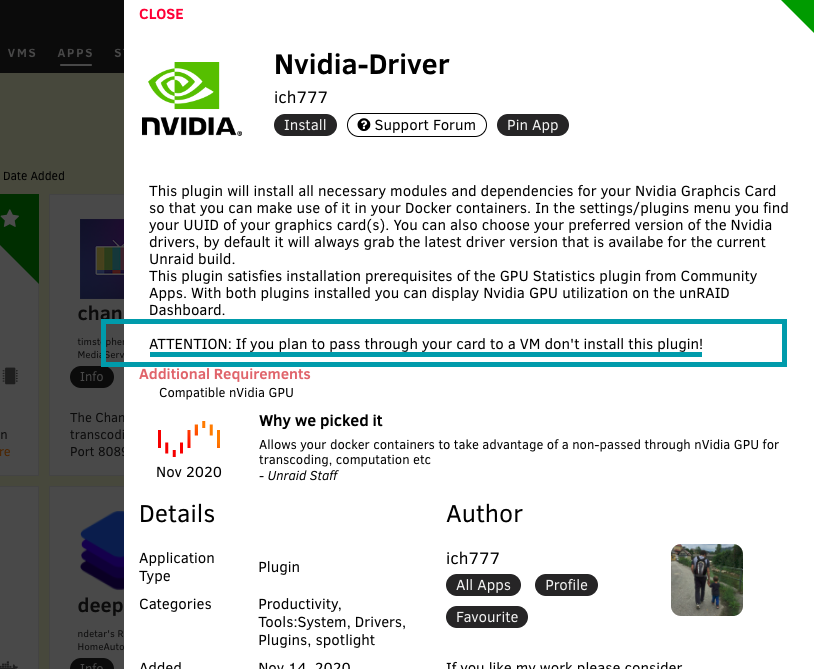
I added you discord support channel. Thank you. To hopefully wrap this up here then; I'm sure everyone has GPU passed thru to their VM. The Nvidia Driver plugin says dont install it if you pass thru GPU to VM. So how do I do it? Download the plugin anyway? VM and Unmatic should still work or no?
-
OMG please update. I spent over 2 hours trying to figure out how people do it with VMs since the NVidia Driver plugin says not to download if you plan to pass through GPU to VM. All the videos I found (including the Cpt Chaz video that you posed in the video guide section) all suggest you need the Nvidia Driver plugin. So to be clear: 1. We do not need the Nvidia Driver plugin and do not insert UUID; only "adding the --runtime=nvidia option"? 2. It IS okay to run Unmanic NVidia encoding while also using a VM all on the same GPU? If NOT, then what do you suggest? - I only have 1 Unraid machine, but I do have other desktops and laptops. Thank you very much, I am pumped to use it! maxed out my 24TBs. You rock
-
This was it, thank you. So simple. Man I seen that as well, but didn't work. Thanks for responding.
-
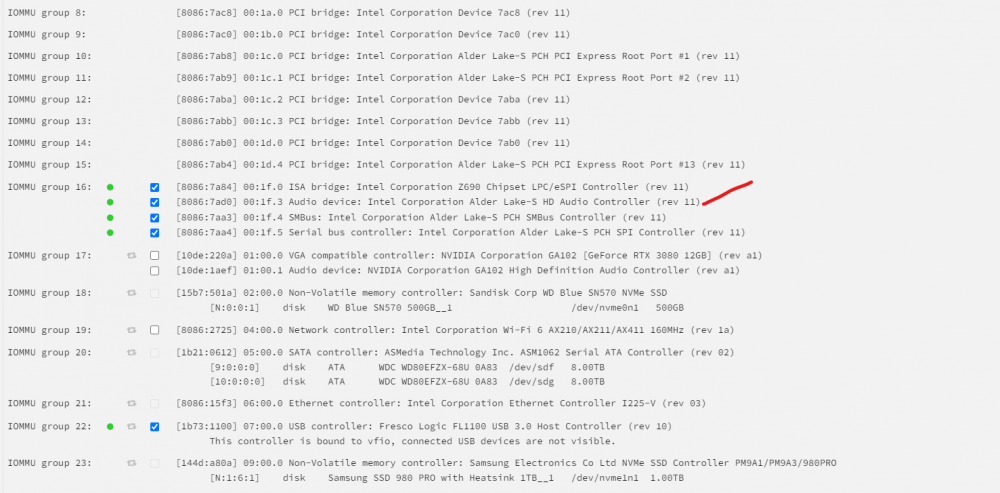
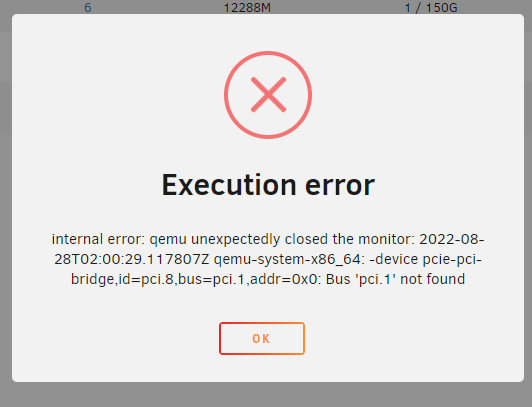
I am trying to passthrough a HeadSet for gaming. USB is not recognizing the headset and I cant passthrough Audio. Anyone have an idea how to passthrough a headset w mic please (it has USB and a 3.5mm on the headset. I have passed through a USB card and it still doesn't seem to work. Thank you all Is this a USB DAC? Would i be able to passthrough a headset with this? Thank you. I have tried editing the Flash append: append modprobe.blacklist=i2c_i801,i2c_smbus initrd=/bzroot but i get error *************************** EDIT: I was able to isolate Audio & Mic using pcie_acs_override-multifunctionvfio_tommu_typel.allow_unsafe_interrupts=1vfio-pci.ids=8086:7284,8086:7ad0,8086:74…modprobe.blacklistsi2c_1801,12c_smbusinitrd=/bzroot but you shouldn’t use that method on 6.9+, although it did work. The mic was very quiet. Maybe it’s just best to get a USB DAC for your gaming headset. I got the SoundBlaster G3 and it rocks.
-
Just an FYI, if anyone has issues with VMs possible IOMMU groups may have changed. May have to rebuild it using the same vdisk
-
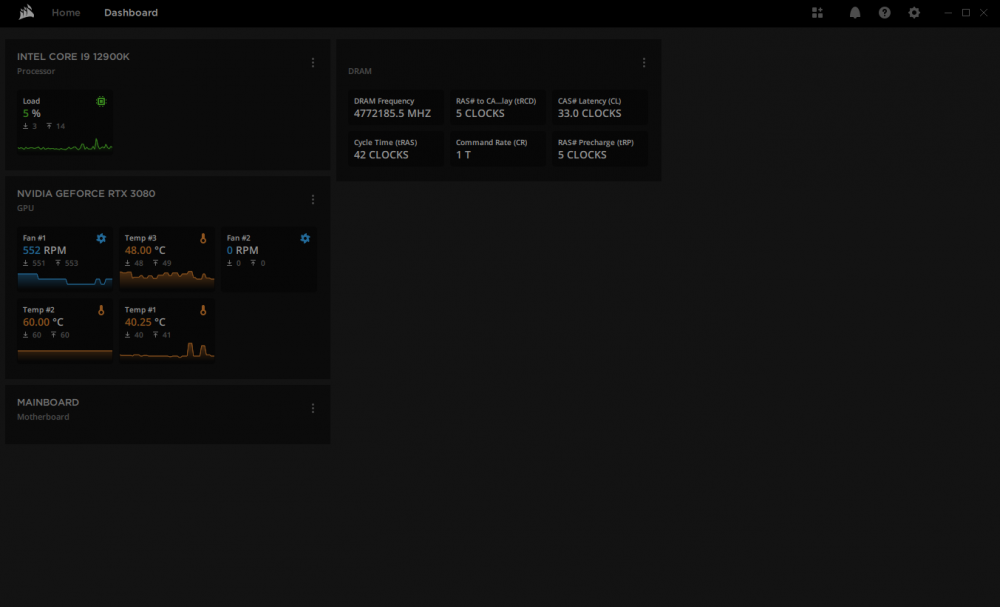
I have this downloaded but pretty much a blank slate. Have you gone through the forums to see if it'll work? I passed through iCUE on my Win10 VM, but it fails to update the firmware, crashes, then all the devices/iCUE itself go missing... Thank you
-
Hope you’re all well. Do I need to/should I pass through/BIND the GPU&audio? I current am not and VM is running fine. I don’t know if it usually should be Binded. Thank you
-
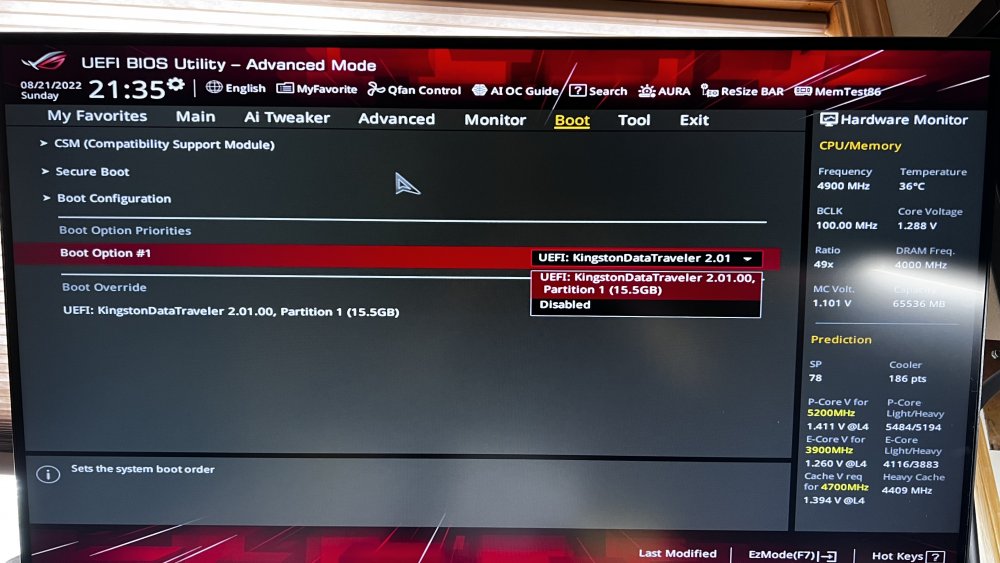
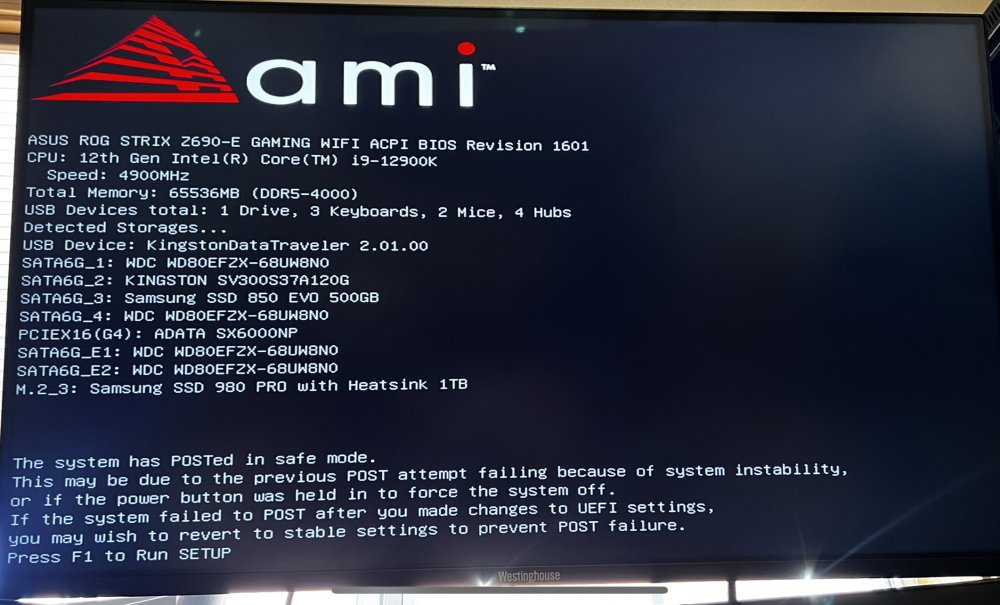
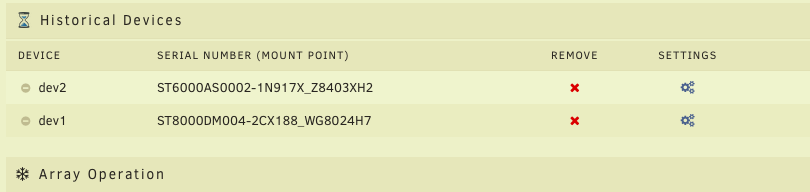
Hello. I am not sure why it takes so long after reboot to show the Bios on the screen (around 2-5min or so). Even though the USB is selected (also the only option), it still does not boot into Unraid startup script. Seems the only way to boot into Unraid is to click the "override boot". Any advice would be helpful. Thank you tower-diagnostics-20220823-2038.zip ps: its possible the problem arose when I plugged in my external drives. They are currently unplugged, so I can test the issue. I don't believe that would cause the issue. pss: I upgraded a cache pool but problem was persistent before that.
-
I had a NIGHTMARE of a time getting my Asus 1060 to work. I was on 6.8.3. I finally build a new rig and threw in EVGA 3080 and much easier (just had to modify a line in my flash). @jonp QUESTION: Should I checkmark/bind my GPU(and its audio) to vfio on boot in System Devices, for my VMs? I passthrough in the VM setting and seems to be working. I only have Win10, but plan to try OS X and Ubuntu. Thank you! As the man said, Asus very tough to figure out. Did you add "allow unsafe interrupts", did you modify text setting to use multifunction? Someone in this thread I linked noticed the motherboard or GPU was separating the IOMMU group... IDK; it was so long ago. You can read through my issue and the thread that followed. I did eventually get it working very stable. Maybe also try other similar gpu bios. I was using 6.8.3 which didn't have vfio passthrough like they had in 6.9, so I don't know if what I am saying is relevant. NVDA just had sales on GPUs, might just be worth picking up a new one, if you haven't figured it out by now.
-
It looks like you’re correct. They didn’t download from my browser but they did go to the flash. Thank you 🙏🏼 I believe this may have been the issue. Thank you for chiming in! Simple restart did the trick 🔌
-
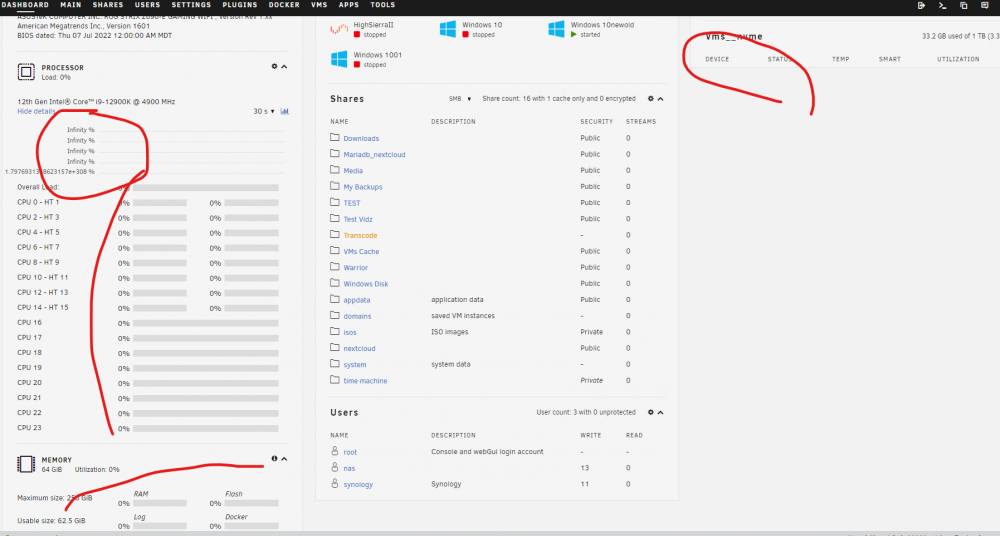
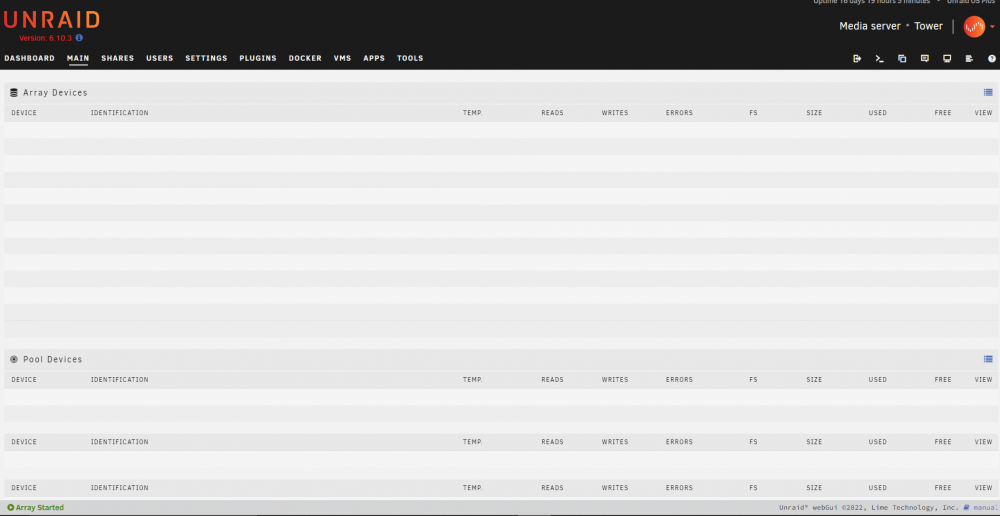
I cannot download diagnostics either. I am running a VM and I think Plex works, but the Main page doesn't display anything. The Dashboard displays infinite/null information.
-
Did you find a resolution to this?



