





blaine07
Members
-
Joined
-
Last visited
Everything posted by blaine07
-
Honestly, just gave up on the Docker Container and moved to a Ubuntu 22 VM.
-
Did you figure this out? I have been messing with getting Passbolt to work for two days. I really want to try it. Seems astounding that his entire thing working/being setup hinges on a Chrome plugin, of all things. Never the less, they keep mentioning health check - I guess I can't figure out correct syntax to run that in unraid. Anyone have any ideas? Okay, figured out health check but NO idea how to navigate all these issues: pbhealth.txt
-
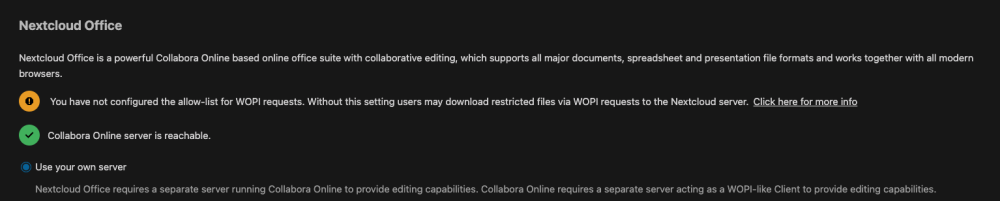
Anyone have experience getting the Allow list for WOPI Requests? Both my Nextcloud and Collabora are behind Reverse Proxy - not sure what to set this as? I found this, but when using a reverse proxy I still don't know what I should be setting it as: https://help.nextcloud.com/t/in-nextcloud-office-i-can-t-make-wopi-allowlist-work/152004/8 Any ideas?
-
There is a manual fix; but find the information about the plugin. The plugin is what you want: EDIT: Found it:
-
How does one recreate docker.raw? My docker tab is horrendously slow to do anything. Similarly, I have a TON of containers.
-
Just proceed with caution; someone mentioned too cert prune needed updating but I think for what you'd need it would still work - id hate to be wrong make sure to back things up please mate 🙂
-
The other day JC21 mentioned he was working on/considering making it a variable. I guess at some point the old certificates pileup and slow it down and it times out. It was discussed that using using very prune helped. Maybe here: https://github.com/NginxProxyManager/nginx-proxy-manager/issues/2713 or here: https://github.com/NginxProxyManager/nginx-proxy-manager/issues/2708 poke around though; I know I just saw others Fussing about same thing recently 😀
-
Good work figuring it out; about the story of my life too — I make a post and wham it hits me lol
-
Yes, I have had to do this the last several updates to. Not quite sure why but it's kind of a nuisance.
-
Thank you for sharing! Not sure if just myself or...once I set ENV Variable in the container settings and rebooted container I did NOT have to go into Vaultwarden admin panel and set Admin_Toke again. On my first of two instances I did that and I ended up having to delete the ENV variable in container settings. On my second instance, i just set the ENV variable in container settings, rebooted container and all picked up fine and didn't fuss about "ADMIN_TOKEN" being set in config file AND with a ENV. Never the less works great, thank you! EDIT: I lied; on second instance I had to do same as far as set in admin panel and delete the ENV in container settings. Kept getting: [2023-03-28 06:26:59.295][vaultwarden::api::admin::_][WARN] Request guard `AdminToken` failed: "Unauthorized". In the logs until I did
-
There was some way jc21 was telling them, on github, to enable a "debug" type mode that provided more logging but not sure if he was kicking it off with a ENV or what.
-
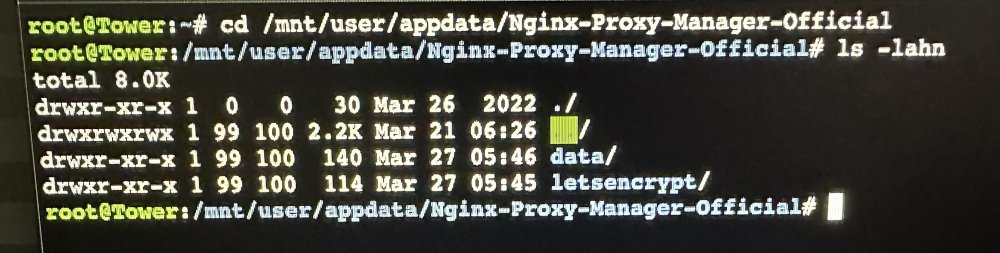
I couldn't confidently tell you it would change anything, but in your last pic my "NPM" fold is owned by "root": EDIT: what you did above with PGID and PUID appears to mimic mine.

-
In shares browsing to that folder in appdata who does it show “owns” it out of curiosity? In a sec I can upload a pic of what I’m talking about…
-
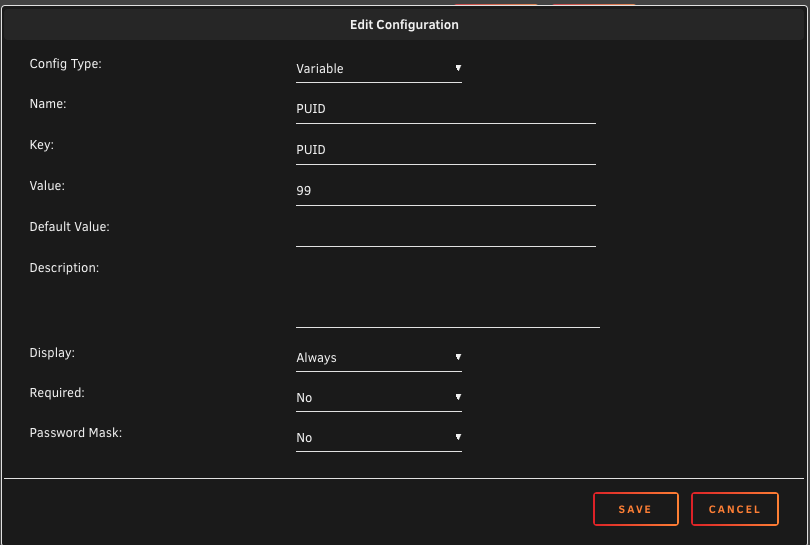
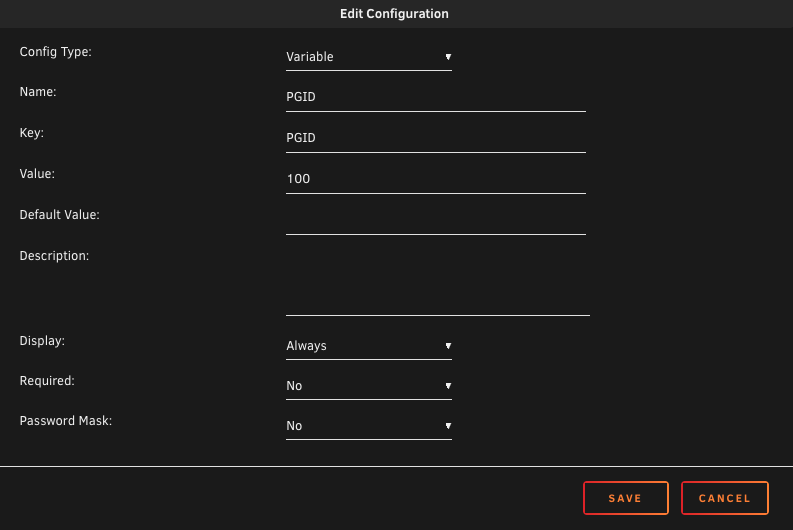
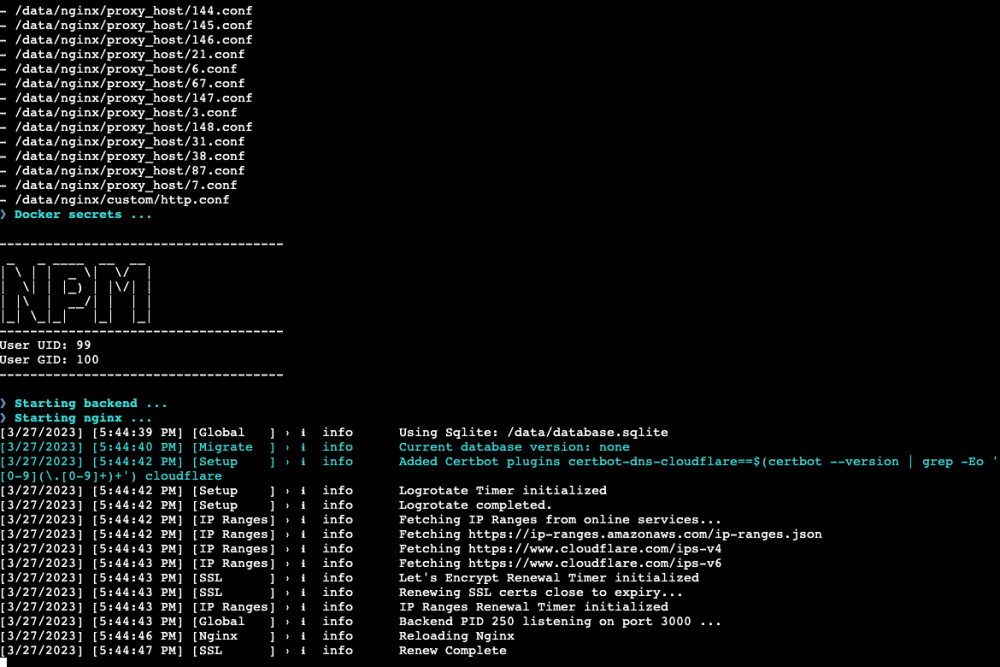
I did this, to see what existing PUID and PGID were: Then I set two ENV up in NPM container, "PUID" and "PGID" and set them to what above discovered that they HAD been and upgraded to 2.10.0. All is working fine/welll following these few steps.
-
What did you set PUID and PGID as?
-
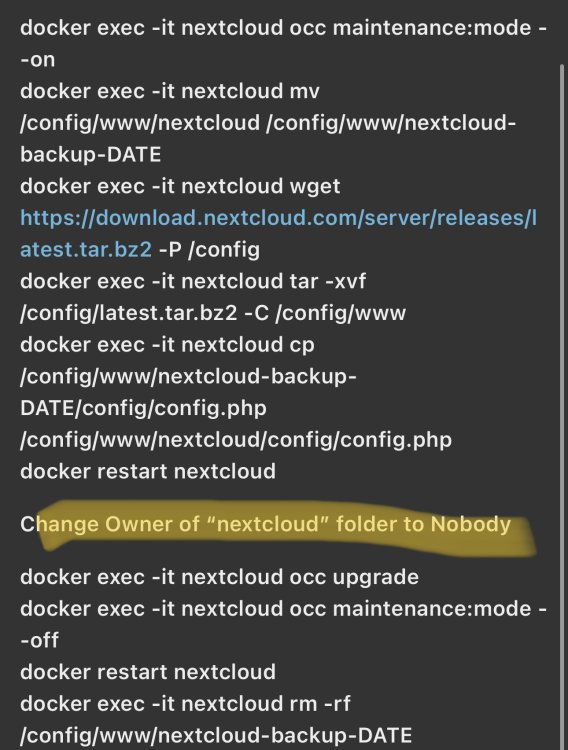
When manually upgrading this is when I’ve had to fix owner and permissions in the process:
-
Look at who owns config folder and who had owned and what rights of the old one. Last few times I’ve upgraded Nextcloud I’ve had to change owner and permissions back to “what they were”. I could look at mine later and tell you if I needed. Never the les same thing. Upgraded would fail because when following manual upgrade instructions new folder permissions and owner weren’t correct.
-
Did you use PUID and PGID and what did you change them to with ENV?
-
@Tweak91
-
Unraid 6.11.4 uses PHP 7.4.33. To upgrade PHP you’ll need to figure out how/if you want to/can upgrade Unraid itself To get a newer PHP.
-
What version of unraid are you on
-
Thank you! Still curious as to if Nextcloud themselves can get it built in/working, too, though. Some more info - looks like it's been in the works for a long time. https://github.com/nextcloud/server/pull/23825
-
What problems might or cause for other sites I have hosted through this domain with Cloudflare? Will these be breaking changes to other services I host since I can't define "per subdomain"?
-
This: # HTTP response headers borrowed from Nextcloud `.htaccess` add_header Referrer-Policy "no-referrer" always; add_header X-Content-Type-Options "nosniff" always; add_header X-Download-Options "noopen" always; add_header X-Frame-Options "SAMEORIGIN" always; add_header X-Permitted-Cross-Domain-Policies "none" always; add_header X-Robots-Tag "none" always; add_header X-XSS-Protection "1; mode=block" always; It looks a update was pushed out by Linuxserver mere hours ago that updates this file again; I wonder what changes were this time. EDIT: changes pushed our hours ago turned the Robots tag stuff back to be correct for NC 26 it appears: https://github.com/linuxserver/docker-nextcloud/commit/c1568bac547f6f660849487ed7e443520417a1b7
-
How do I add it or? Reverse proxy or? all I could find: https://github.com/nextcloud/server/issues/22792




