





blaine07
Members
-
Joined
-
Last visited
Everything posted by blaine07
-
Interesting. The best I can get is a A but “permissions-policy” i’m missing. I wonder if permissions policy was fixed/added in 26 or?
-
Where did you run that test at?
-
Irony! I went through today and Updated the few files on run commands it said I had "out of date" and one of them was this file. When I updated it fussed and MADE ME change it to "NONE" to work; here we are, it already needs to be back on what it had just updated to LOL FARKLE Thank you! How is V26 of Nextcloud in general?
-
Unraid shows I am on version "2023.01.28" is that the latest released version? I feel like a lot of changes discussed above but is there a beta or something I am not privy to or am I in fact on "current" version?
-
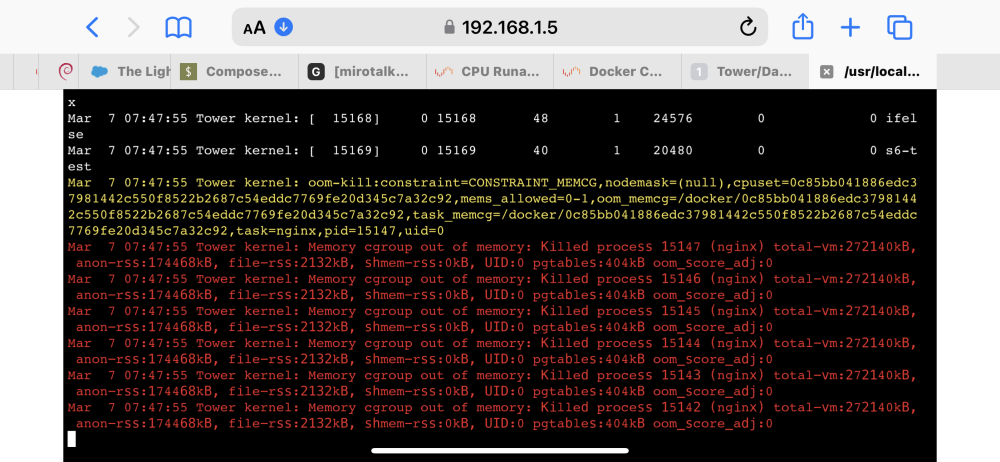
Is this helpful? When I enable containers one by one what *exactly* am I looking for to confirm it’s the culprit? Just by starting container(s) I never see anything wonky?
-
I am so discombobulated...I am flustered. I can't tell if it's coming or going or what it's doing. Every-time I think I discover something I am wrong. What would you encourage my next steps to be?
-
Just a few ago it tried to lock up: Mar 7 06:19:31 Tower kernel: oom-kill:constraint=CONSTRAINT_MEMCG,nodemask=(null),cpuset=0c85bb041886edc37981442c550f8522b2687c54eddc7769fe20d345c7a32c92,mems_allowed=0-1,oom_memcg=/docker/0c85bb041886edc37981442c550f8522b2687c54eddc7769fe20d345c7a32c92,task_memcg=/docker/0c85bb041886edc37981442c550f8522b2687c54eddc7769fe20d345c7a32c92,task=nginx,pid=16299,uid=0 Mar 7 06:19:31 Tower kernel: Memory cgroup out of memory: Killed process 16299 (nginx) total-vm:271632kB, anon-rss:173940kB, file-rss:0kB, shmem-rss:112kB, UID:0 pgtables:424kB oom_score_adj:0
-
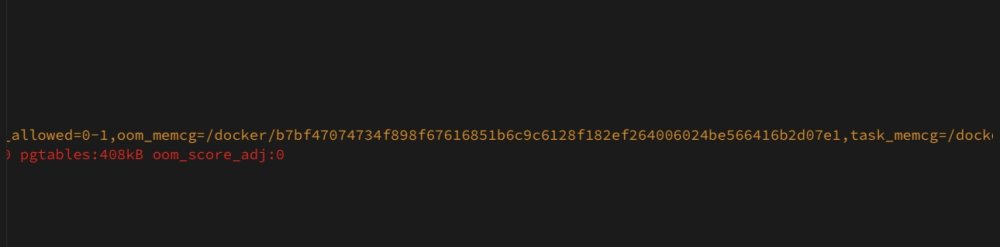
Well It was: Mar 6 21:36:36 Tower kernel: oom-kill:constraint=CONSTRAINT_MEMCG,nodemask=(null),cpuset=b7bf47074734f898f67616851b6c9c6128f182ef264006024be566416b2d07e1,mems_allowed=0-1,oom_memcg=/docker/b7bf47074734f898f67616851b6c9c6128f182ef264006024be566416b2d07e1,task_memcg=/docker/b7bf47074734f898f67616851b6c9c6128f182ef264006024be566416b2d07e1,task=nginx,pid=25095,uid=0 Mar 6 21:36:36 Tower kernel: Memory cgroup out of memory: Killed process 25095 (nginx) total-vm:274036kB, anon-rss:176240kB, file-rss:4kB, shmem-rss:516kB, UID:0 pgtables:412kB oom_score_adj:0 Mar 6 21:36:38 Tower kernel: oom_reaper: reaped process 25095 (nginx), now anon-rss:0kB, file-rss:0kB, shmem-rss:516kB Mar 6 21:44:06 Tower root: Fix Common Problems Version 2023.03.04 Mar 6 21:44:08 Tower root: Fix Common Problems: Warning: unRaids built in FTP server is running ** Ignored Mar 6 21:44:16 Tower root: Fix Common Problems: Error: Out Of Memory errors detected on your server Mar 6 21:44:29 Tower root: Fix Common Problems: Warning: Wrong DNS entry for host ** Ignored
-
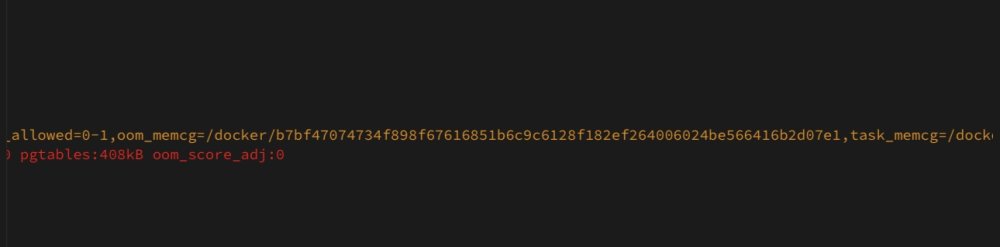
Well the long string right ABOVE your excerpt: I took that and went to "shares" then "appdata" then "system" shares then clicked "docker" then "docker" again then clicked "container" and searched for above long string. Once I did that I went into corresponding folder and downloaded "hostconfig" and was able to determine that that long string was referencing NginxProxyManager. I don't know if that's right or if it's culprit; but thats how I arrived. I did limit CPU for NPM, too though.
-
I found that, and container listed with it(right above it before OOM) is NginxProxyManager - I restricted CPU cores, but it already has "--memory=1G --no-healthcheck" in extra parameters?
-
It appears that string above, it goes to NginxProxy Manager. How much/what should I limit CPU usage too? It's the only time I see OOM though and really wasn't at the time system "crashed"? And it already has "--memory=1G --no-healthcheck" in extra parameters?
-
Pardon my idiocracy: how can I see if OOM killer is invoked? When cpu usage “runs away” memory is climbing to 100% too
-
I see this container name referenced with OOM. How can I turn this string into exactly which container?
-
I only have basically a core of containers running - been playing with most not running at all. When I enable containers one by one what exactly am I looking for to determine it’s the culprit? Are we positive it’s one single container? (Sorry, genuinely want to understand)
-
Looks like last night it did it a few times and recovered each time. tower-diagnostics-20230307-0519.zip
-
This happened again this afternoon. Unfortunately it go to “too locked up” before I caught it to get any logs. Any other ideas?
-
I had had a GRAV server. But when troubleshooting it should’ve been “off”. y Yeah, once cpu would run away though memory would max out utilization as well.
-
Last night re-created docker image(& converted from file to folder) and haven’t had any issue, yet. But we will see. If I see more, and I’d say there’s a good chance, I will run docker stats. if you do get time to look through diagnostics still and see anything helpful Please let me know.
-
Anyone think recreating docker.img might be beneficial?
-
In first post is commands to upgrade Unraid. Those can easily be modified to run any Nextcloud command inside Unraid. 🙂
-
ar 5 08:06:17 Tower kernel: oom-kill:constraint=CONSTRAINT_MEMCG,nodemask=(null),cpuset=8acaeec5cfd427a5dc7efe8f924e23706eefe68bf4115f6bfd00aa4b8354dcb6,mems_allowed=0-1,oom_memcg=/docker/8acaeec5cfd427a5dc7efe8f924e23706eefe68bf4115f6bfd00aa4b8354dcb6,task_memcg=/docker/8acaeec5cfd427a5dc7efe8f924e23706eefe68bf4115f6bfd00aa4b8354dcb6,task=nginx,pid=5455,uid=0 Mar 5 08:06:17 Tower kernel: Memory cgroup out of memory: Killed process 5455 (nginx) total-vm:188444kB, anon-rss:90488kB, file-rss:0kB, shmem-rss:344kB, UID:0 pgtables:240kB oom_score_adj:0 Mar 5 08:11:48 Tower webGUI: Successful login user root from 192.168.1.3 Mar 5 08:12:50 Tower kernel: program smartctl is using a deprecated SCSI ioctl, please convert it to SG_IO Mar 5 08:12:50 Tower kernel: program smartctl is using a deprecated SCSI ioctl, please convert it to SG_IO Mar 5 08:12:50 Tower kernel: program smartctl is using a deprecated SCSI ioctl, please convert it to SG_IO Odd, shortly after my comment above it "ran away again." I have never saw the SCSI ioctl thing above before; could it be related? Another diagnostics as it was running away is attached. tower-diagnostics-20230305-0823.zip
-
~305 - 405 this morning it did it again. Attaching another Diagnostics. Please help; I have no idea what else to look at or do 😞 tower-diagnostics-20230305-0812.zip
-
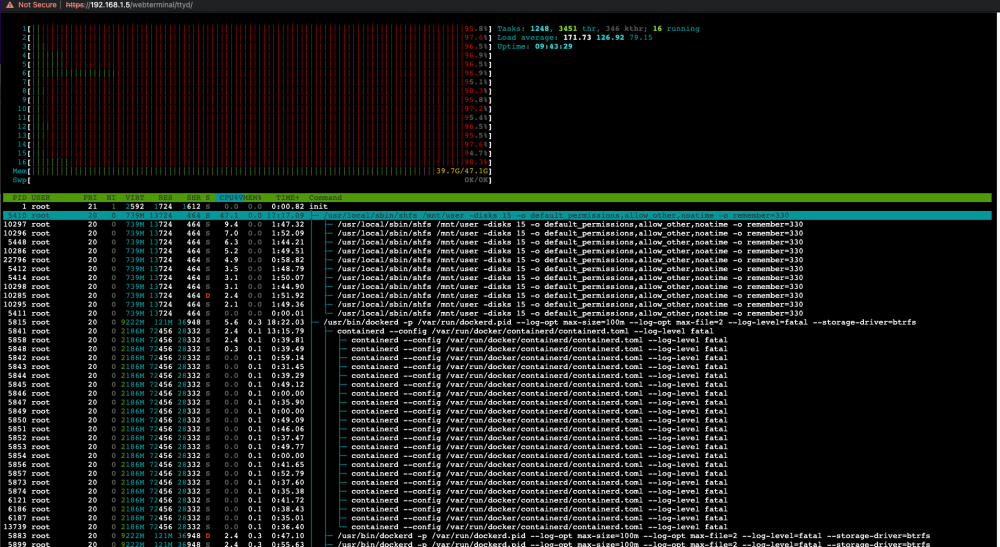
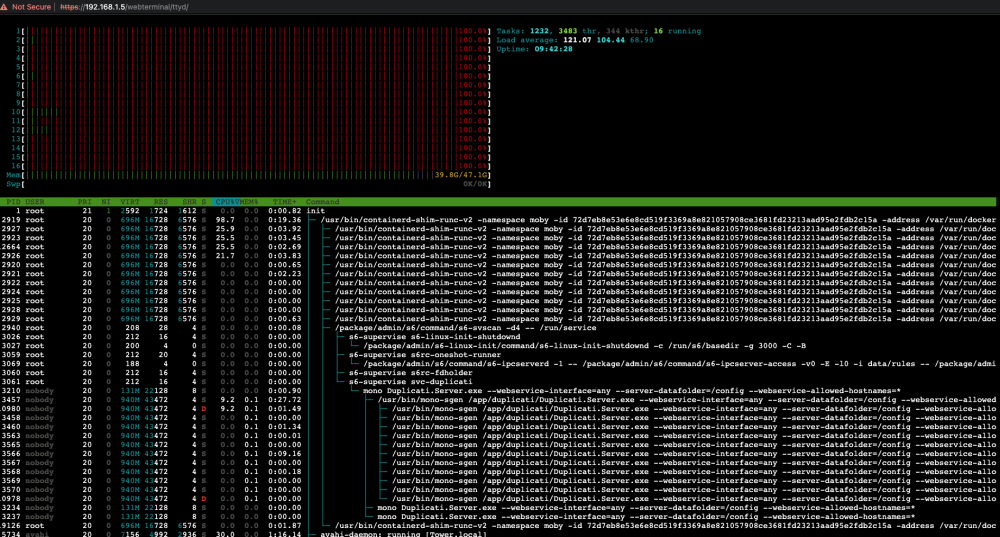
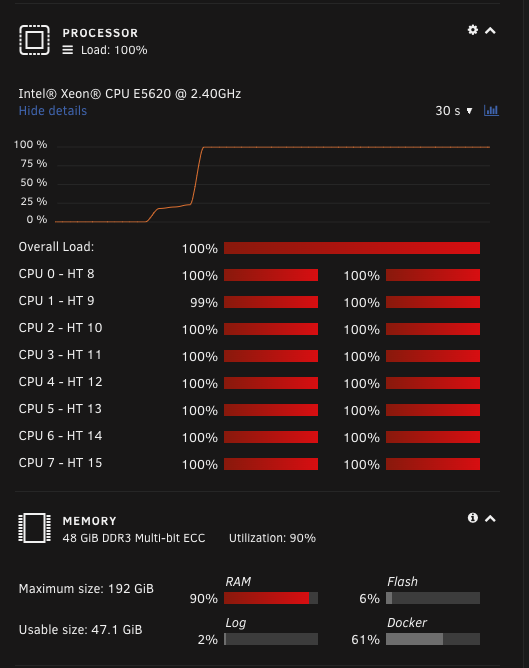
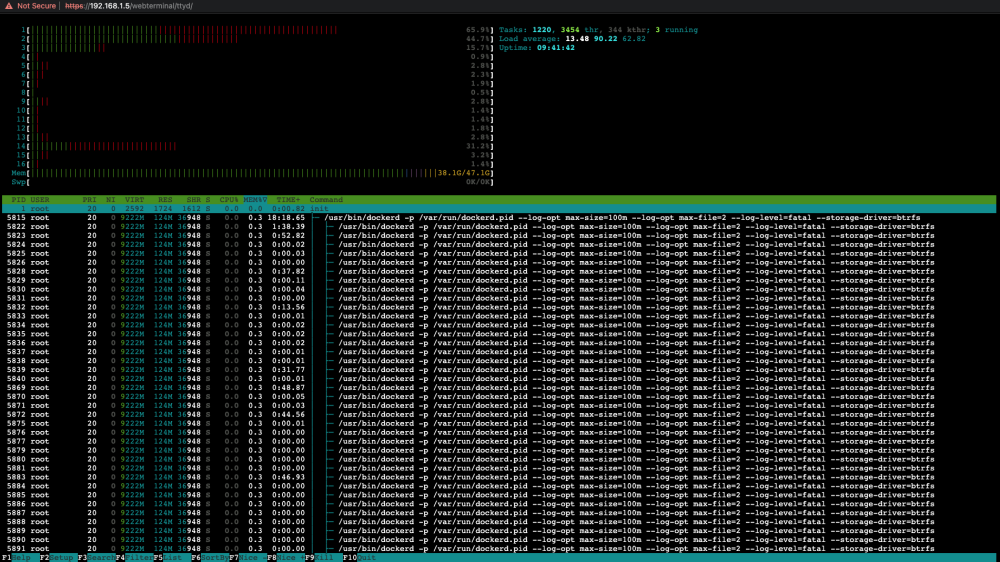
Good Evening, About the same time every day ~2200 CST my Unraid CPU "runs away". I have grabbed diagnostics as event occurred, before it locked up and I couldn't. Also grabbed a few HTOP Screen shots. I don't really understand them but I would very appreciative if anyone could help me pinpoint what exactly is causing everything to hard crash at about the same time every day. It happened last night, and today I had MANY of my containers off thinking it was one of the containers causing the crash. Often it locks up, and never recovers without hard reset. Attached are my Diagnostics as event was happening and some various screenshots that hopefully someone will find useful. In system log I see nothing that "sticks out" but I am far from expert. SOS tower-diagnostics-20230304-2222.zip
-
What version of Unraid are you on? What version of Nextcloud where you trying to upgrade or were you on previous to todays update?
-
Sorry— 🎶it’s me, I’m the problem, it’s me. I was just trying to confirm if this and the “Fix Common Problems” were going to conflict. 🥹


