





noax
Members
-
Joined
-
Last visited
Everything posted by noax
-
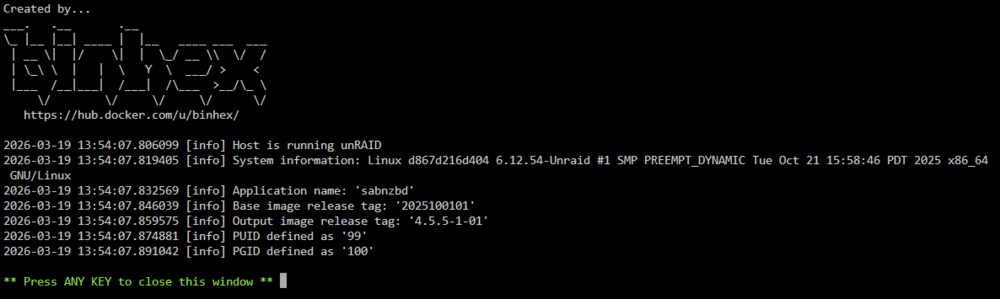
Hello, I am unable to start the binhex-sabnzbd anymore? It just refuse to start at all. There is no log entry, the latest log information was few hours ago when it managed to grab some nzb and now it just refuses to start. This is what I got before shutting down and being unable to start it: Log 2026-03-17 07:35:49,319 WARN received SIGTERM indicating exit request 2026-03-17 07:35:49,319 DEBG killing start-script (pid 80) with signal SIGTERM 2026-03-17 07:35:49,320 INFO waiting for start-script to die 2026-03-17 07:35:49,386 DEBG 'start-script' stdout output: 2026-03-17 07:35:49,386::INFO::[notifier:166] Sending notification: Warning - Signal 15 caught, saving and exiting... (type=warning, job_cat=None) 2026-03-17 07:35:49,386 DEBG 'start-script' stdout output: 2026-03-17 07:35:49,386::WARNING::[__init__:202] Signal 15 caught, saving and exiting... 2026-03-17 07:35:49,390 DEBG fd 11 closed, stopped monitoring <POutputDispatcher at 22588245402768 for <Subprocess at 22588245721504 with name start-script in state STOPPING> (stderr)> 2026-03-17 07:35:49,390 WARN stopped: start-script (exit status 143) 2026-03-17 07:35:49,390 DEBG received SIGCHLD indicating a child quit
-
Hello, All other drives are fine on the DASHBOARD page. Thank for this. Maybe I could also look at Serial Number?
-
Here is the server diagnostics zip file. tower-diagnostics-20260209-0947.zip
-
Hello folks, I woke up to a message saying Array has 1 SMART error in my Array on my Unraid, I did look it up online and not sure what could cause it and how to fix it but I did execute SMART extended self-test and the result for the "Last SMART test result" is Completed: read failure. The error I found in the log is the following: Error log Error 1 [0] occurred at disk power-on lifetime: 58738 hours (2447 days + 10 hours) So from now on, I am not sure what is the next step, because if I actually need to replace the drive, is there a way to know which SATA port is it plugged in? I have 10 HDD conected to my server with a SATA boards and I am not sure how to know which one match the disk 5. I am not really good at reading the logs, so I have attached it to the topic: tower-smart-20260209-0856.zip Anyway, thank you for your help!
-
When I try to access the Web UI for Mylar3, I get Unable to connect error... I changed the port to 8177 since the 8090 is already used by SAB in my case, but I am still unable to open it... It shows as Running, and the port config looks right, there is no errors in the logs, in fact, the only error is it's missing comicVine API but I can't even access the webpage to edit that... Edit: I finally managed to run the web UI, I have completely remove and install it again, now it's up and running, but I can't grab any single comics despite have two indexers properly sets...
-
I've been trying to log with local server IP and nothing... I've been trying to use my unraid server IP address with the port, and nothing... I am in LAN right now, and it just says Failed to connect, in game, I have no more information than that... When I add it to favorite, it only shows IP and port, not the name of the server
-
I am still a newbie in server hosting world, but I am trying to setup Valheim server in unraid docker and so far I've setup the port forwarding on my router to forward it to the docker with the correct ports, and the logs looks like this: Connecting anonymously to Steam Public...OK Waiting for client config...OK Waiting for user info...OK Success! App '896660' already up to date. ---Prepare Server--- ---Server ready--- ---Starting Backup daemon--- ---Update check deprecated!--- ---Start Server--- I have added the server to my favorite by following your recommandation in the template (<server-ip>:<server-port + 1>) and yet I am still unable to connect, am I missing something? When I try to connect there is nothing happening in the logs... looks like it just cannot find the server at all
-
Good morning (well it's AM here), I just want to thank you for your help and everything, it is working fine now have a wonderful day
-
Okay, re-installing it now again with your template Thanks
-
Okay so I removed the docket + image, also removed the folder called enshrouded under /mnt/cache/appdata, should I also remove steamcmd?
-
Okay, I have removed it and restarted it, still the same thing, it keeps looking for the logs...:
-
Sure here is the txt file, I have replaced my steam account name with <removed> mention for privacy concern enshround-server-log.txt
-
I copied your XML file, it seems that server is starting but failed to find logs file and hence put the container in sleep mode automatically...
-
I am noob, what does that mean when I get the message Something went wrong, can't find the executable, putting container into sleep mode! Did I forget something? Edit: Ok now it says No log files found after 20 seconds, putting container into sleep mode!
-
Thank a lot for doing this! is it available now? I can't find it in the Apps...
-
Did you solve your issue? I am having a similar issues as well today...
-
Thanks for you help, I think I found the issue... I do not have cache drive, when I run your command there is an error that is returned, I am not sure how it happened and why it is gone...
-
I get an error with sabnzbd... Here is the traceback call error: Traceback (most recent call last): File "/usr/lib/sabnzbd/sabnzbd/nzbparser.py", line 319, in process_single_nzb nzo = nzbstuff.NzbObject( File "/usr/lib/sabnzbd/sabnzbd/nzbstuff.py", line 778, in __init__ admin_dir = os.path.join(self.download_path, JOB_ADMIN) File "/usr/lib/python3.10/posixpath.py", line 76, in join a = os.fspath(a) TypeError: expected str, bytes or os.PathLike object, not bool ERROR a few seconds ago Failed making (/data/incomplete/House.of.the.Dragon.S01E02.The.Rogue.Prince.1080p.HMAX.WEB-DL.DDP5.1.H.264-NTb) Traceback (most recent call last): File "/usr/lib/sabnzbd/sabnzbd/filesystem.py", line 719, in create_all_dirs os.mkdir(path_part_combined) OSError: [Errno 5] Input/output error: '/data/incomplete/House.of.the.Dragon.S01E02.The.Rogue.Prince.1080p.HMAX.WEB-DL.DDP5.1.H.264-NTb' ERROR a few seconds ago Error while adding House.of.the.Dragon.S01E02.Episode.2.1080p.HMAX.WEB-DL.DDP5.1.Atmos.H.264-SMURF-Scrambled.nzb, removing Traceback (most recent call last): File "/usr/lib/sabnzbd/sabnzbd/nzbparser.py", line 319, in process_single_nzb nzo = nzbstuff.NzbObject( File "/usr/lib/sabnzbd/sabnzbd/nzbstuff.py", line 778, in __init__ admin_dir = os.path.join(self.download_path, JOB_ADMIN) File "/usr/lib/python3.10/posixpath.py", line 76, in join a = os.fspath(a) TypeError: expected str, bytes or os.PathLike object, not bool This error also shows up in the logs... Anyone know what would cause be?
-
Ok status update, now I have a disk shown as Disabled...
-
Hi I have an issue with my UnRaid, I added a new drive today and when I decided to boot it up, I can see the new drive but the Parity disk is gone from the list... I am a bit newbie with drive and such, basically I cannot start Array, it stuck at Array Stopped - stale configuration which I assume it is the correct behaviour to this kind of issue, but I am not sure how to fix it... I have attached my dia gnostic to it. If anyone can help me fixing it that would be nice... tower-diagnostics-20220715-1626.zip
-
Hi everyone, Once again, I am posting, since nobody answered me previously, I have an issue where i can't see logs in Table, I have disabled all adblocks and authorize it and the issues still pertain... here is the logs from text file. I have tried googling it without any luck so far... Thank everyone for your help. sonarr-2020-03-25.txt
-
Hi folks, I had a really rough day, spending my whole day fixing my unraid array, and now everything is somewhat back to normal except few things about Sonarr... First of all, I do not understand why I cannot see the Logs in Table sonarr, it keeps saying "Oh snap! Failed to load logs, your ad blocker might be blocking the api calls.", I have disabled all adblock, I even tried other browser same issues... but at least the logs are still written in files (attached file show this below: Quote 20-3-14 00:29:03.5|Error|NzbDroneErrorPipeline|[GET /api/log] So there is an error in the GET. I have tried many different thing, such as re-installing Sonarr as whole because there is another error about database disk image is malformed... I have even change the /config path to disk1 (I do not have cache drive). Nothing changed, I have restored backup from 3 previous one and nothing changed, (it was working really fine yesterday). This error is always coming back, I am getting really frustrated and tired, it does not seems to prevent my sonarr to function but there is no logs, no activity shown at all... it still fetch information for my sabnzbd but the Table error logs show nothing in Sonarr... I am starting to slowly lose my mind over it, the issues I had before was the cable for my disk1 was defective, I recreate the docker.img file based on the guide posted here and restored apps and so far everything seems to work fine (radarr, sabnzbd and plex), the only issues is about Sonarr... Can someone help me, I feel like I have overlooked something, I have tried restoring, changing the mapping, restarting the docker and yet it still not working. As a standard way that things go there, I have also attached my unraid diagnostics. Sonarr repos: binhex-sonarr Sonarr version: 2.0.0.5338 Thank you all for your help tower-diagnostics-20200314-0042.zip sonarr-2020-3-14.txt
-
Thanks everyone for your help, it seems to be working now I formatted it and it shows as disk 2 (i had disk 1 and parity) so I think it should be good and I just hope that my shares will automatically write on disk 2 when disk1 will be full
-
Thanks a lot for your explanation, now I understand, but if I format, wouldn't I lose everything?!
-
Yeah, I am just following the unraid wiki to be honest, I just want to do it the proper way, but how can I add it without doing that? Because the tutorial go through the Pre-clear method

