





MyKroFt
Members
-
Joined
-
Last visited
Everything posted by MyKroFt
-
thank you much, all fixed Myk
-
getting following after updating to 7.3.1 today, okex will no longer load any ideas?> thanks Myk +============================================================================== | WARNING - WARNING - WARNING - WARNING - WARNING - WARNING - WARNING - WARNING | | Don't close this window with the red 'X' in the top right corner until the 'DONE' button is displayed! | | WARNING - WARNING - WARNING - WARNING - WARNING - WARNING - WARNING - WARNING +============================================================================== ----------------Downloading Nvidia Driver Package v580.159.04----------------- ---------This could take some time, please don't close this window!------------ ---------------Can't download Nvidia Driver Package v580.159.04---------------- Nvidia Info: Nvidia Driver Version: 610.43.02 Open Source Kernel Module: No Installed GPU(s): NVIDIA-SMI has failed because it couldn't communicate with the NVIDIA driver. Make sure that the latest NVIDIA driver is installed and running. GPU Driver Support: 84:00.0: VGA compatible controller [0300]: NVIDIA Corporation GP107GL [Quadro P400] Detected via: lspci Chip codename: GP107GL Architecture: Pascal Kernel module support: proprietary-only Device ID input: 10de:1cb3 Normalized ID: 1cb3 Supported candidates: 580.159.04 Recommended Driver: 580.159.04 (best-available) GPU-based driver filtering is enabled. Deprecated: trim(): Passing null to parameter #1 ($string) of type string is deprecated in/usr/local/emhttp/plugins/dynamix/include/DefaultPageLayout/evalContent.php(34) : eval()'d codeon line326 Deprecated: trim(): Passing null to parameter #1 ($string) of type string is deprecated in/usr/local/emhttp/plugins/dynamix/include/DefaultPageLayout/evalContent.php(34) : eval()'d codeon line326
-
i know this is only a warning, but am concerned about the bad credentials part Finished loading All Warnings:
-
latest version installed, still getting stalled web UI, watching syslog got max children reached, restarted php-frm and web UI came back..... suggestions?
-
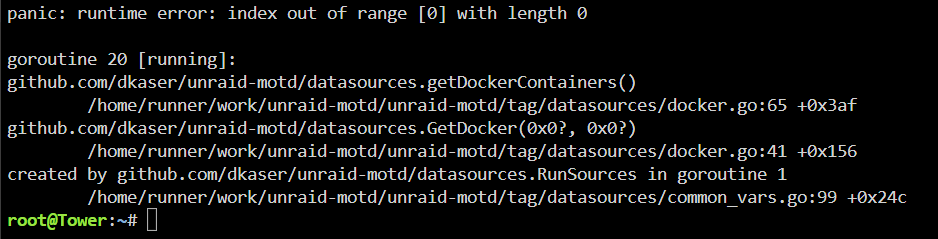
plugin for me works fine, latest release UNTIL i start docker services and then get the following, then if i stop docker services it displays correctly again
-
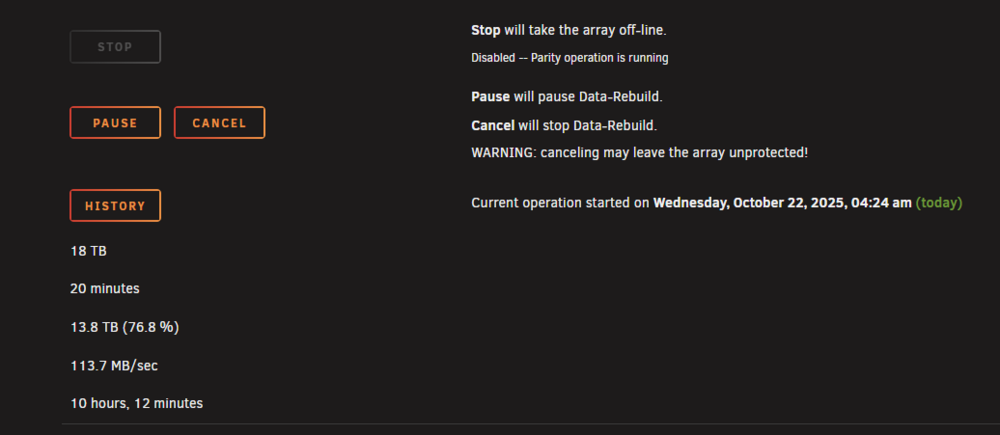
had to rebuild a drive 2 days ago, the start time changed to everytime i reload the page
-
is there a dark mode avail, white background makes it unusable for me? thanks
-
NVM - didn't do enough digging and found what to change QUICK Q I have a NVidia card that i use for plex transcoding when needed, i had to edit plex's template to use, do i have to edit the template somewhere to use the card here, or will it auto use it? extra param has --runtime=nvidia --device /dev/dri:/dev/dri/ already thanks Myk
-
But how do your restore one?
-
What software are you using
-
You will need to copy just your license file over and restart, if you have already formatted, you will be able to download it again and it will work as long as same usb stick
-
Just recreate the flash with the usb tool
-
Very nice plugin..... Can you put on your todo list for sometime to have the admin page follow the ui theme/css settings. White background in nearly impossible for me to read. Am sure others would appreciate it also. Thanks Myk
-
Which one is more current now I see the Beta but I also see a 4. 11BI think it is now in another thread?
-
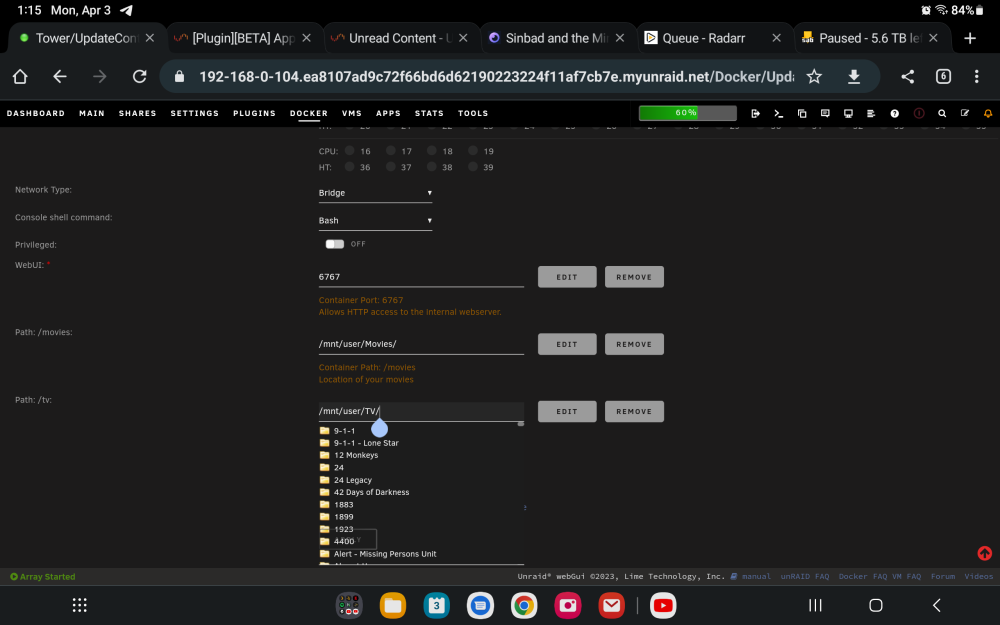
Here is edit in docker with no theme changes. Thanks
-
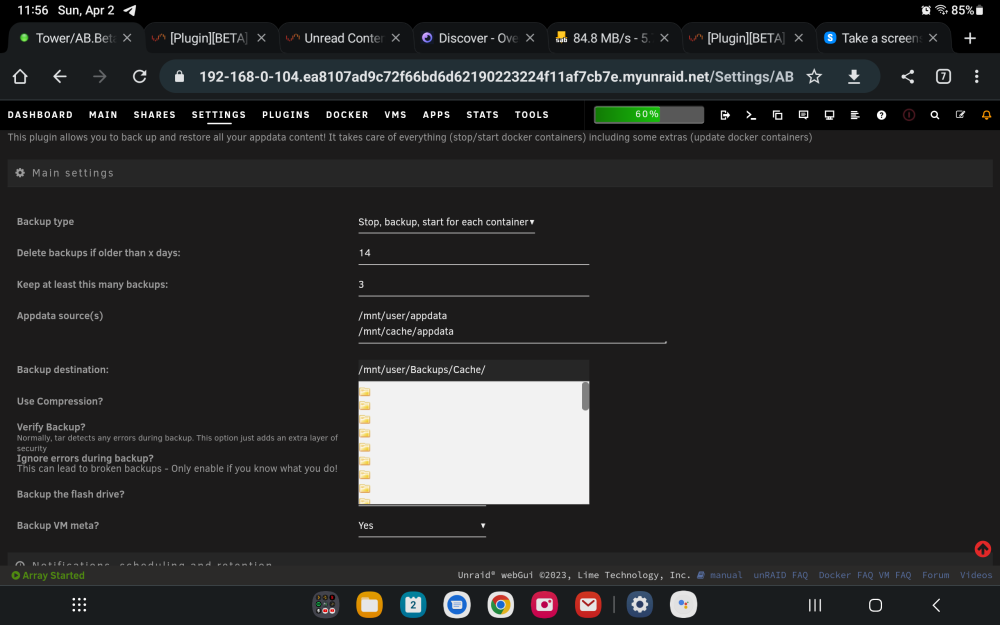
Here is what it's doing
-
Weird I install the old one and they show up just fine
-
Actually the text is there it's yellow on white and can't be seen
-
Are you watching if your server actually shuts down before the UPS runs out of battery power? Pull the plug on your UPS and watch what your server does you should see it shutdown, that's what mine does and then I have the bios set to always start backup when power is restored
-
Also need to do some more checking, but the file listing selector windows no longer show up in this version on my samsung tablet. Keep forgetting to check web browser in desktop. Only thing I see is folder icons
-
There are many options for auth before reaching destinations using cloudflares tunnel option built into it, one option I use is auth keys to email setup for a specific email only, google auth app is another
-
Is there a way to see verbose during backup in the running window?
-
When I set the schedule to weekly on a Monday it asked what day of the week I think it should not be asking that?
-
i just had the same thing happen to me 1st time. shutdown the array did a rc.nginx stop, wait it to shutdown the service and API, did a start and at the moment not getting the error anymore for the time being. i did have the red triangle ! on the myserver, I disabled it, went to work and come home and it was reconnected to the API, restarted it and all seemed well and it did a flash basckup. and yes everything is updated
-
OK I uninstalled this then decided and reinstalled but now it will not save the settings anywhere to look






