





TRusselo
Members
-
Joined
-
Last visited
Everything posted by TRusselo
-
very similar thing happened to me. added a 10gig card, it took over as ETH0, pushing my onboard to ETH1 the server and I got confused. I was unable to "port down" either card, so i took out the 10gig card. was left with no ETH0 this thread sounds like the fix. ill do it later tonight.
-
i would love to know this as well.
-
can you please include BlueZ 5.66 http://www.bluez.org/download/ currently no bluez at all nerdPack has BlueZ 5.50 about to get home assistant running with bluetooth. video: https://www.youtube.com/watch?v=ZXvcdI3mQuA&t=4s has it working with 5.64 and above. did not work with 5.37 unknown about 5.50 TBH, adapter is still in the mail.
-
got help on discord. deleted network config. rebooted. set static IP rebooted. working
-
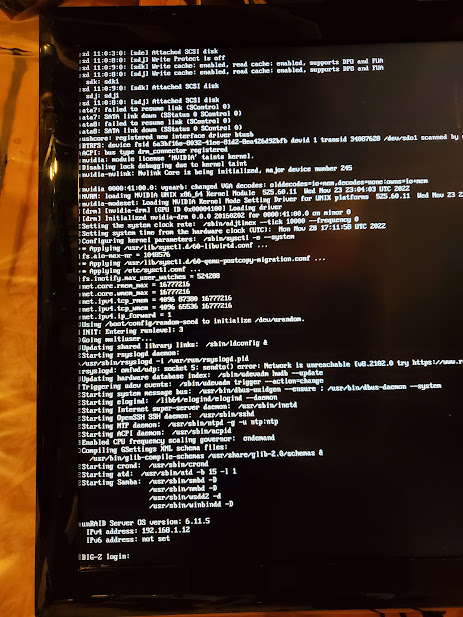
I upgraded from .3 to .5 today. my server has rebooted, but i cannot access GUI from any PC (chrome & firefox) hooking up a monitor booting into non-GUI mode can see the following. correct IP. i could boot into GUI mode, but dont know what i would do. also, some USB on the back of the mother board stopped working. flash is obviously working. computer beeped with no-keyboard error on startup. had to move the keyboard USB to a different USB controller for it to light up with power again. 4 USB with no power.
-
again last night/this morning. Thursday really want help big-z-diagnostics-20221110-1229.zip
-
deluge and jackett reset/changed ip again last night. 4am ish FRIDAY. ca backup has been OFF for weeks, it was set for mondays. i did upgrade to 6.11.1 yesterday. shouldnt matter. big-z-diagnostics-20221007-0732.zip
-
So in UUD 1.6 you added UNRAID API.... That docker has a memory leak confirmed by the dev. 05/31/2022 He has not fixed it as of 10/04/2022 my server's 32 gigs fill up quick and crash my docker system. most of the best parts of UUD dont work without this.
-
so i tried moving Deluge and Jackett over to the proxynet network, so all 4 dockers that need to interact are on the same custom network "proxynet" went into sonarr/radarr and tried chaning the IP address to HOST ip. 192.168.1.12 does not work. also. if i manually shutdown and restart a docker, the 172 address does not change. it only changes when the dockers shuts down at 4am ish on random days and the 3 dockers fail to restart, deluge, jackett. flaresolver. just those 3 fail to restat. when they are manually started the ip changes. every time i manually stop/start them, the IP stays the same.
-
would binhex delugeVPN count? i believe whole setup was supposed to behind reverse proxy. that sounds familiar looking at proxynet as i said. this was setup years ago. AAANNNNDDD my dockers reset /shut down again last night. with CA backup disabled. it was set for mondays every week. today is saturday big-d-diagnostics-20220917-0838.zip
-
yup they're back. thanks. you da man!
-
what did i do?
-
rebooting now. you're 1 of 3 i was hoping to talk to!
-
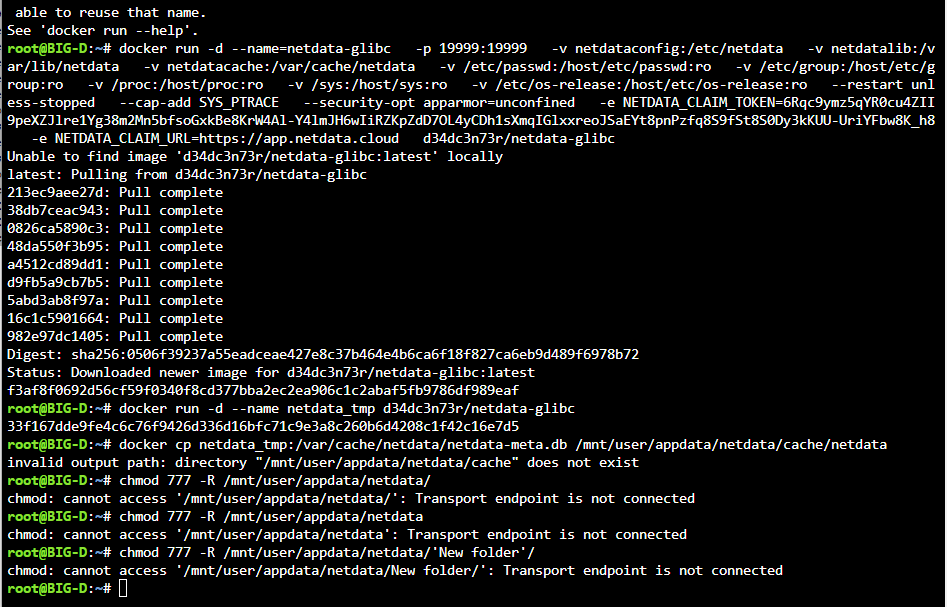
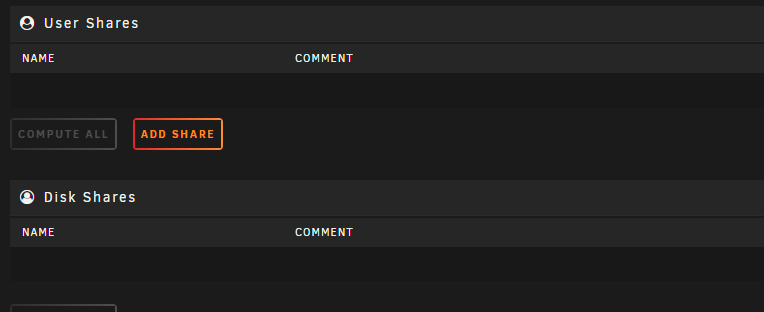
i was trying to change ownership of a folder and all my shares are gone. i did this now i have this i dont know. im shaking. currently sitting in discord / support / unraid-os big-d-diagnostics-20220916-1200.zip
-
proxynet as was setup following SpaceInvaderOne video from YEARS ago
-
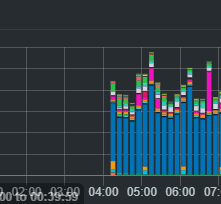
yes 172... Sonarr / Radarr stopped working with the HOST IP of deluge and jackett last year. (from what i experienced and read on the forum) i used to have sonarr/radarr setup referencing deluge and jacket with 192.168.1.## (host IP of the server) for 4 years. it worked great until it didnt. it stopped working last year when sonarr/radarr changed to V3 following instructions on this forum, i had to change the IP address to the internal IP addresses to get sonarr/radarr talking to deluge and jackett again. if you know of a better way, i would love to know.still no time to fix your memory leak? that was may, now its september i cant run this docker for more than 5 minutes without the memory leak locking up my unraid GUI.Instructions for fixing data loss after reboot/update edit docker config with these 3 new paths save the config. stop the container open UNRAID terminal enter the following lines: (it starts a temp docker of netdata, copies the files to the paths created in the last step, then removes the temp docker) cd /mnt/cache/appdata/netdata/ mkdir config mkdir cache mkdir lib docker run -d --name netdata_tmp netdata/netdata docker cp netdata_tmp:/etc/netdata /mnt/user/appdata/netdata/cacheconfig/ docker cp netdata:/var/cache/netdata/netdata-meta.db /mnt/user/appdata/netdata/cache/netdata docker cp netdata:/var/lib/netdata /mnt/user/appdata/netdata/lib docker rm -f netdata_tmp chmod 777 -R /mnt/user/appdata/netdata you can now start your docker.
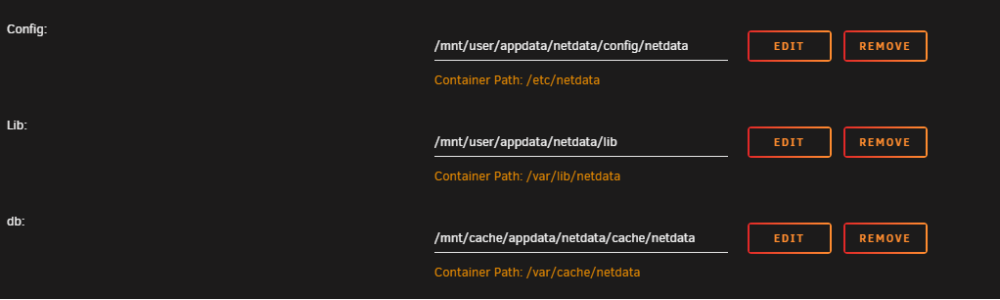 check your netdata docker config read the ORANGE words. dont copy my number 281
 thats a great idea. it would explain, dockers stopping/starting, it IS set to 4am, and Monday. hmm... you're on to something. but sometimes happens other days.... i think.. hmm... ive seen it twice in a week... i think... hmm.. any way to stop my dockers from changing IP addresses? my unraid server has been running for 4 years with same dockers, and CA backup running since day 1. the IP address changing issue/ deluge not starting back up is a recent development. any ideas? ill just disable backup for now. UPDATE: happened again Saturday with CA backup disabled!every few days, sometimes 2 nights in a row something is messing up with my docker containers. if i load up unraid / docker page, the column "version" where it normally says "upto date" or "update ready", it has an error message for all containers. Binhex Deulge VPN will be stopped. sonarr and radarr and jackett will all have changed IP addresses, when i startup Deluge manually, it picks a new IP too. Seems like some reset themselves, deluge fails to reload? they are all set to auto-start. Deluge will say it was stopped X hours ago, seems to happen around 4 am. pihole also shows it restarted just after 4am happened again this morning. diags attached. i dont know where to start. big-d-diagnostics-20220912-0928.zip
 The Arch Linux Wiki suggests the following workaround: pci=nommconf also helpful https://forums.developer.nvidia.com/t/pcie-bus-error-severity-corrected-on-jetson-nano/155780/3Sep 7 22:34:13 BIG-D kernel: pcieport 0000:00:01.1: PCIe Bus Error: severity=Corrected, type=Data Link Layer, (Receiver ID) Sep 7 22:34:13 BIG-D kernel: pcieport 0000:00:01.1: device [1022:1453] error status/mask=00000040/00006000 Sep 7 22:43:33 BIG-D kernel: pcieport 0000:00:01.1: AER: Corrected error received: 0000:00:00.0 Sep 7 22:34:13 BIG-D kernel: pcieport 0000:00:01.1: PCIe Bus Error: severity=Corrected, type=Data Link Layer, (Receiver ID) Sep 7 22:34:13 BIG-D kernel: pcieport 0000:00:01.1: device [1022:1453] error status/mask=00000040/00006000 Sep 7 22:43:33 BIG-D kernel: pcieport 0000:00:01.1: AER: Corrected error received: 0000:00:00.0 Sep 7 22:34:13 BIG-D kernel: pcieport 0000:00:01.1: PCIe Bus Error: severity=Corrected, type=Data Link Layer, (Receiver ID) Sep 7 22:34:13 BIG-D kernel: pcieport 0000:00:01.1: device [1022:1453] error status/mask=00000040/00006000 Sep 7 22:43:33 BIG-D kernel: pcieport 0000:00:01.1: AER: Corrected error received: 0000:00:00.0 linux kernel bug fix in this thread https://bugzilla.redhat.com/show_bug.cgi?id=1616364 users in forum have same hardware as me Threadripper 1950x and ROG zenith extreme mobo big-d-diagnostics-20220909-0729.ziphappened again last night. Also had an "out of memory" error pop up... i need some guidance please! big-d-diagnostics-20220908-0657.zip






