





Blairwin
Members
-
Joined
-
Last visited
Everything posted by Blairwin
-
That's what I was thinking but didn't know for sure. Here's the output log: ---Checking if UID: 99 matches user--- usermod: no changes ---Checking if GID: 100 matches user--- usermod: no changes ---Setting umask to 000--- ---Checking for optional scripts--- ---No optional script found, continuing--- ---Starting...--- ---Update SteamCMD--- Redirecting stderr to '/serverdata/Steam/logs/stderr.txt' [ 0%] Checking for available updates... [----] Verifying installation... Steam Console Client (c) Valve Corporation -- type 'quit' to exit -- Loading Steam API...Warning: failed to init SDL thread priority manager: SDL not found OK. Connecting anonymously to Steam Public...Logged in OK Waiting for user info...OK ---Update Server--- Redirecting stderr to '/serverdata/Steam/logs/stderr.txt' [ 0%] Checking for available updates... [----] Verifying installation... Steam Console Client (c) Valve Corporation -- type 'quit' to exit -- Loading Steam API...Warning: failed to init SDL thread priority manager: SDL not found OK. Connecting anonymously to Steam Public...Logged in OK Waiting for user info...OK Success! App '1006030' already up to date. ---Starting Redis Server--- ---Prepare Server--- ---Searching for grid files...--- ---'ServerGrid.jpg' found!--- ---'ServerGrid.json' found!--- ---'ServerGrid.ServerOnly.json' found!--- ---Configuring Redis--- OK OK Background saving started chmod: cannot access '/serverdata/serverfiles/temp-78.rdb': No such file or directory ---Server ready--- ---Start Server--- ./ShooterGameServer: error while loading shared libraries: libprotobuf.so.10: cannot open shared object file: No such file or directory And then it repeats after this. I believe the missing file temp-78.rdb is a redis file. Looking through the files I do have a redis.rdb file in that file path. Do we just need to make an update to look for redis.rdb isntead of temp-78.rdb?
-
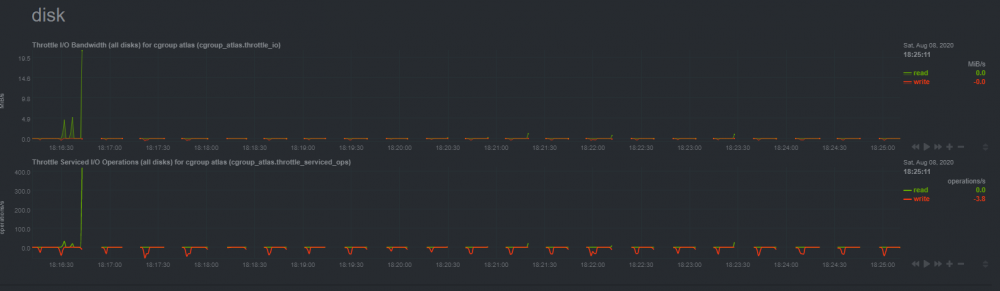
Atlas docker has been doing this for the past hour. Server does not show up in steam server list or in game server list. I've restarted the docker twice and tried doing a clean re install and its just done the same thing. Used all default settings within the container. Any idea on what's going on?
-
I just got this installed today and noticed the exact same thing. ALL Rosetta Mini tasks fail. Not sure why, might need to check out the R@Home forum for help.
-
Improperly detached screen (user error) was causing an issue. Fixed it by following instructions here. https://kb.iu.edu/d/ahrm
-
The server was up and running, people were playing on it. Also I was using the built in terminal in unraid.
-
I'm trying to reconnect to the minecraft session and it's telling me there is no minecraft session to connect to. I believe this to be an issue because my wife disconnected without doing the proper ctrl + a + d. What can I do to get the previous session disconnected and make a new connection?
-
I'm playing around with this to setup a modded server, i'm a minecraft novice so it's tripping me up. A friend created a modpack which has a manifest json, modlist html, and overrides folder within it. Would i just drop the zipped modpack into the "mods" folder? I noticed that on launch the server.properties file was updating which was conflicting with one of the mods that needs a specific setting. Is there a way to prevent the server.properties file from updating on launch? The people I'm setting this up for have no idea how to mod a server so i'm just downloading the individual mod files and dropping them into the /mods folder. Working for me so far.
-
Haha of course. I double checked PIA on my local machine and it works just fine. I tried doing a reinstall before which was me removing the docker and then removing the appdata and T_Media folders. Is there anything else I need to remove?
-
New guy so sorry if I don't give you everything you need. Network Type: Bridge Host Port: 9091 VPN Port: 1198 Local Network: 192.168.0.0/24 Basically everything should be set to whatever the default is in the docker.
-
No webui after switching to Israel either.
-
I already have that turned off due to another config I have setup, had to turn it off to get it working. Yea honestly not sure where to go from here maybe i'll post on their community site for help.
-
I'm using my default google password. From my understanding I don't need an app password since I don't have MFA setup.
-
I changed authentication method from Oauth2 to Password for sending/receiving mail and now it's showing me invalid username/password. Sending mail is SMTP/TLS and Receiving is IMAP/TLS
-
Still nothing after swapping to a different US location and then swapping to a UK location. I've also tried reinstalling docker and no improvement.
-
Just updated to the most recent Transmission-VPN version and it's now broken for me. Loading the WebUI gives me the error: ERR_TOO_MANY_RETRIES Docker Log.
-
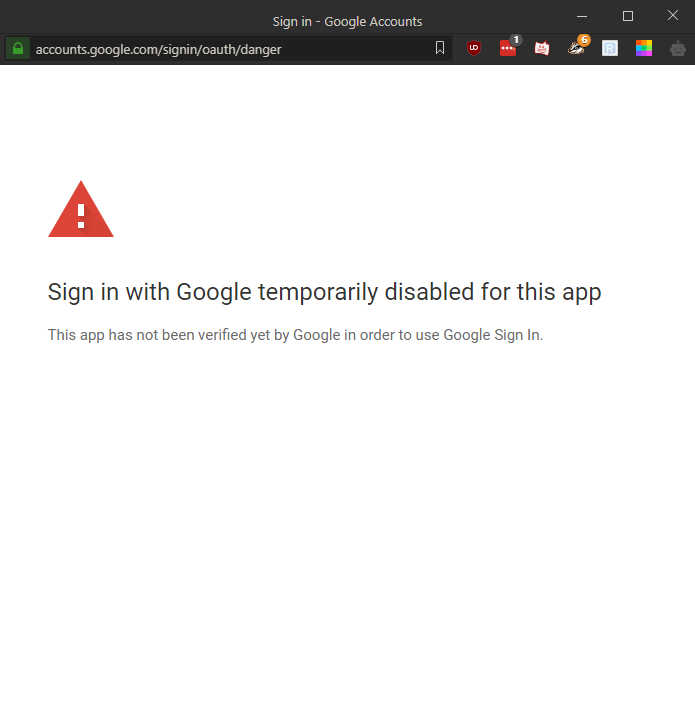
I'm trying to setup Mailpile and I received this error about not being able to sign in to Google because the app isn't verified. As you can see there is no Advanced option that would allow me to go around it. Is there a workaround for this?
-
How does their servers impact the boinc manager connecting to the client?
-
I was able to finally get connected after about 8 minutes of waiting. I'm guessing it's a hardware issue since nobody else is reporting it. I'm running dual e5-2448L with 48GB ECC RDIMM. Wiring in house is all Cat 5e. Guess it's time to do some upgrading.
-
Now it won't even connect it's just stuck on "connecting" in the bottom right. I'm on Unraid Version: 6.8.2

-
Nope no extra parameters or arguments it's all default except port number. It's using default CPU and mem usage. I have just over 13GB mem available.
-
Yea I think I waited about 4-5 minutes for it to connect? I get to the point that I have about 50% of my 32 threads running on boinc with still no connection. I enter the IP address, password, and it takes a minute for it to bring up that window and it just sits there. https://pastebin.com/59waUuxB
-
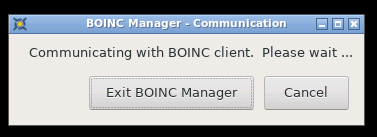
I get this issue when I launch the docker and sign in to the web gui. Everything at default and I see cpu usage so it looks like it's running. Any reason why i just get stuck on this and can't connect?
-
I have 5 other dockers running just fine. I'm not using ubuntu i'm on version 6.8 of unraid. I was trying to run it directly in the container terminal so i guess i found my issue, user error. A couple days ago I started the server to test it out. Now when I try to start the server in the docker terminal its telling me that the server port is already being used [21:11:41] [Server thread/INFO]: Starting Minecraft server on *:***** [21:11:41] [Server thread/INFO]: Using epoll channel type [21:11:41] [Server thread/WARN]: **** FAILED TO BIND TO PORT! [21:11:41] [Server thread/WARN]: The exception was: io.netty.channel.unix.Errors$NativeIoException: bind(..) failed: Address already in use [21:11:41] [Server thread/WARN]: Perhaps a server is already running on that port? When i try to view the console it tells me there is no minecraft session to connect to root@Bernard:~# docker exec -u nobody -t binhex-minecraftserver /usr/bin/minecraftd console There is no minecraft session to connect to. I ran the following line on the unraid terminal and nothing came up on the port I have assigned to the docker. lsof -i -P -n This might be more of a server issue than docker issue though. Maybe someone knows a fix before I can find one. EDIT: Looking at it more. When I startup the docker does the minecraft server automatically start? EDIT2: Pretty sure I finally understand it now. Docker runs and starts everything for the server. I just need to go into the settings and change them before i start the docker and everything should be good. I have the same issue as unraidnh. I can only connect to the console once, and even on the first time I can't issue commands. I'll have to use the workaround they suggested. Is this intended or is it a bug?
-
I tried starting it after reading the github repo, totally forgot about that. Here is what happens when I try to run it: sh-5.0# docker run -d -p 25565:25565 --name=minecraftserver -v /apps/docker/minecraftserver:/config -v /etc/localtime:/etc/localtime:ro -e MAX_BACKUPS=10 -e JAVA_INITIAL_HEAP_SIZE=512M -e JAVA_MAX_HEAP_SIZE=11264M -e JAVA_MAX_THREADS=4 -e UMASK=000 -e PUID=0 -e PGID=0 binhex/arch/minecraftserver sh: docker: command not found Any thoughts?
-
I installed the docker and transferred my old server from my ubuntu machine onto the docker. I opened the docker console and started up the server and closed out of the console window. I had a way on my ubuntu machine to get back in to the command line, but I don't know how to do it on the docker console. How can I get back into the command line for the minecraft server?

