





Geck0
Members
-
Joined
-
Last visited
Everything posted by Geck0
-
If you don't know, then it's likely an auto upgrade. I always set my NC and Maria to labels, to avoid surprises when they auto upgrade ahd break. You shouldn't have to restore a DB backup, just create a new user and assign it to the DB. Update your config.php with the new user account. If you're going to restore; If you've done a recent upgrade of NC, I would recommend rolling back NC and the database together.
-
No worries, happy to help. I've been through similar headaches. 😅👍
-
I've been dealing with you and another member, so I can't remember everything thats been done. You can't lose users doing occ maintenance, or rather, its highly unlikely. Did you upgrade to the latest version today? It may be a cache issue. I've experienced a similar issue with icons disappearing after an upgrade. I had to clear my cache and restart the docker. Try that first. Have you asked any of the users if they have access??
-
If you are using linuxserver.io Nextcloud then its based on nginx, not Apache. If you do have Apache then you would set this in .htaccess (I think, its been a while since I looked at an Apache server). You would normally set these in /mnt/user/appdata/nextcloud/nginx/site-confs/nginx.conf /mnt/user/appdata/nextcloud/nginx/site-confs/default.conf --> Normally in this file My reverse proxy normally handles most of the settings you're asking about, which is also nginx. Here is an excerpt from default.conf in nextcloud, you can see most of the settings there,but I would set these in SWAG. I've actually got them set in both proxy and in Nextcloud, which shouldn't be neccesary. Don't forget to post your resolution, it helps others. # Enable gzip but do not remove ETag headers gzip on; gzip_vary on; gzip_comp_level 4; gzip_min_length 256; gzip_proxied expired no-cache no-store private no_last_modified no_etag auth; gzip_types application/atom+xml application/javascript application/json application/ld+json application/manifest> # HTTP response headers borrowed from Nextcloud `.htaccess` add_header Referrer-Policy "no-referrer" always; add_header X-Content-Type-Options "nosniff" always; add_header X-Download-Options "noopen" always; add_header X-Frame-Options "SAMEORIGIN" always; add_header X-Permitted-Cross-Domain-Policies "none" always; add_header X-Robots-Tag "noindex, nofollow" always; add_header X-XSS-Protection "1; mode=block" always; # Remove X-Powered-By, which is an information leak fastcgi_hide_header X-Powered-By; root /app/www/public;
-
The answers there in yellow. You're getting an access denied message for the database user specified for your nextcloud database. Don't assign them as a local user, which I think is the problem. Create and assign the user like this: CREATE USER nextcloud@'%'; I think you've specified the user as a local account, so the database cannot receive remote access requests from Nextcloud on it. It doesn't make sense though that it just suddenly happened. Are you sure you haven't done some maintenance or recreated the account?? See link below, which should help you out (don't know what your experience is like). MySQL account setup There is also an issue with your nginx setup, with deprecated entries that will need fixing up, but that's not the biggest issue. Hopefully, that's the main issue and you can resolve it this way. I could be wrong, but it seems pretty clear.
-
Does the NC docker run at all? Is the Redis docker running? The information out is only as good as what goes in. Ie. You'll need to elaborate. Have you changed anything recently? Ie. Upgraded, changed config files, nginx or reverse proxy?
-
Yeah, I had a feeling it was a port issue. The other changes you made allowed you to access NC within your network, but they're not the cause. This looks like a reverse proxy error message, telling you that your server config for nextcloud is incorrect. You've specified the port twice in swag. I don't use SWAG, however this won't be difficult to find. I'm guessing you've set the port correctly in one field and where you've specified the upstream client you've specified the server with the port, when only the address is needed. You'll need to find that entry and remove the port from the upstream server. Unless this is an old error message and it relates to the :444 setting you removed in config.php, but I doubt it. You're not clear whether you're looking at nginx.error in Swag or in Nextcloud docker. I'm assuming SWAG because this would be the same error I would expect if I made the same mistake in Opnsense docker for nginx reverse proxy. I would look in both nginx configuration files. In swag and in NC container. But I'm guessing SWAG, based on what you've written. If you haven't touched SWAG, then it's the docker's nginx file.
-
Config file looks good. I note your trustef proxy is just "swag". Was this entry the same before or have you changed it recently? Have you tried using the dedicated ip address of your swag server? You don't need to specify the port 444 in trusted domains. This should be handled by your reverse proxy. Ideally, your should let the proxy handle https between the client and the proxy. Between proxy and server should be http. If you specify 444 as your https port, its likely thst this is the problem. Also depends whats in your local nginx, if thats misconfigured for https, it could be another reason. Could also be the reason why you can't access locally. Change this first and if still issues then: Attach the logs, Nextcloud.log and error.log
-
That's fairly generic as an error. Can you access your Nextcloud locally and are your clients still syncing, or are they showing as greyed out? Can you post your log (not a screenshot), copy and paste it. You'll find it in your data folder. Post your config.php file as well (xxxx out personal / server info). Personally, I find these sorts of errors harder to resolve, as it could be serveral things. I'm happy to have a look, although I'm pretty tied up and may not be able to respond immediately.
-
Remember what I said, read up on what the commands do first. I wouldn't be running maintenance:repair immediately. Maintenance mode is only useful if you want to block processes whilst maintenance is going on. ie. You're doing something "maintany" and somebody is trying to upload huge files. This will stop that from happening. If you still have that error message in admin overview. Try something simple, like clear your cookies first and / or get it to rescan. Sometimes rebooting the docker will clear a message like that. Good luck!
-
Does't mean anything without logs or checking your setup. You need to get used to posting more relevant detail. Use your new found powers to troubleshoot. Teach you to fish Check your logs under admin to see what's being reported. Use the occ command to check your setup (look for the right command), it will tell you what's wrong. Hint: Its one of the first commands in the help list.
-
After an upgrade, ideally run this: Effectively, updates Nextcloud with files that have been synced, etc. Then run this: Effectively tells Nextcloud which files are in the system. Think about it, you restore an older version. Older version doesn't know whats been synced or what files are there. Nextcloud will not show files that you have added recently, because "old Nextcloud" doesn't know they're there. (You can also do this if you add files manually to the data folder and want Nextcloud to discover them. If you add them to a specific user folder ie. username geck0, then you can do it like this for that user: occ files:scan geck0 Otherwise you're updating for all users, which could take a while. These are also likely. You shouldn't / shouldn't need to run them unless you see it as recommended in Admin overview page. You should always check there and your log after an upgrade or restore. NC may be running, but have errors. Don't run any old command to adjust your database willy nilly. You'll break it (possibly) This is also common, make sure you have backups, in case it clears files you may still want. I hardly have to use repair mode. Maintenance mode is useful, particularly if an upgrade is stuck in maintenance mode. You can turn it on / off. You can also set this under your config file directly, if you want. Finally: occ upgrade will seomtimes get you over the line, if you've got a faulty upgrade. Linuxserver.io disabled this in the GUI and you shouldn't need it. You also shouldn't use it for normal upgrading, if Linuxserver.io enabled upgrading when going to new versions. I haven't used it in ages You can upgrade apps using OCC apps command, which is also my preference. Sometimes the GUI doesn't do it properly after an upgrade and gives you an error message of incompatible app version. I will then remove the app and reinstall via command line. Bottom line, get used to NOT running commands inside the docker, when you can run them from CLI, and don't edit files or database unless you absolutely have to. Modifying a DB or main files will leave you struggling to upgrade or get rid of errors in your logs. If you can't edit it in appdata folder, then ask if you really should be? docker exec -it "nextcloud dockername" occ Will bring up the list of available commands and their description. I use this mainly and hardly log into admin anymore. Even then, I hardly need to use a lot of them. If you see a command, then Google it, so you understand it. The NC forum is okay to find stuff, but I can't stand the moderator. He needs to find something else to do that he finds enjoyable! Hope that gives you a headstart. This is one of the better threads on the unRaid forum, I would follow it if I was you. I'm happy to help, again I'm not an expert, but I know how frustrating it can be, learned the hard way.
-
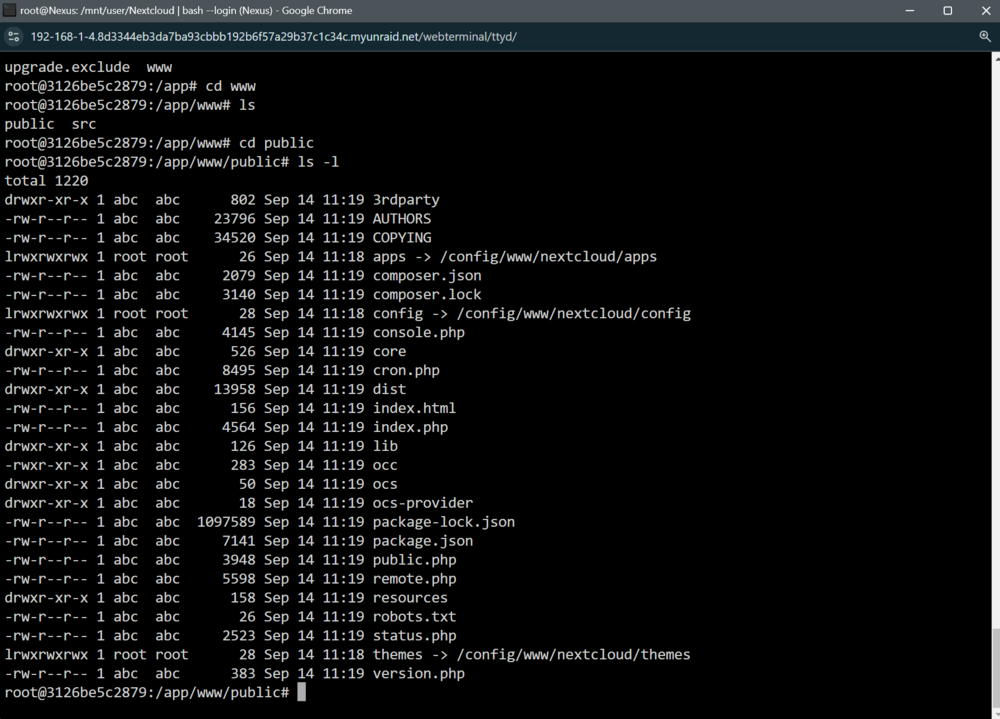
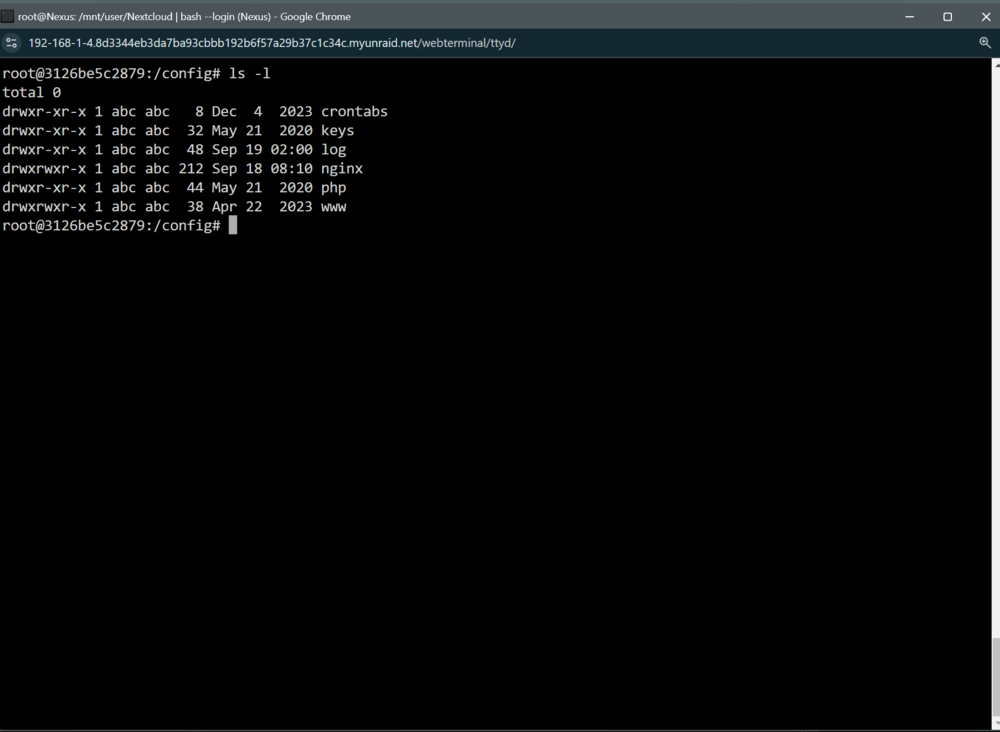
That's not the issue, here's mine. You generally don't have to play around in that folder anyway. Here is the main folder in docker: Personally, I would roll back to the previous stable version you've got and change the data folder permissions, then upgrade correctly. See my previous post to the other chap that is having issues, that should work for you as well. Assuming you have a decent backup of a working Nextcloud version that is recent and you follow all 9 steps. You don't generally have to go into your docker, the important files are already under your appdata folder and in your Nextcloud data folder. Running docker exec -it "nextcloud" occ is generally all you need to do to manage the docker.
-
If you do a restore from backup, in this case I suggest you restore both the database and Nextcloud. PLEASE MAKE SURE YOU HAVE BACKUPS OF ALL YOUR DATA. Its unlikely that you would lose anything doing the below, but better safe than sorry. I'm also going to point out that I'm not an expert, but I've had similar issues in the beginning. I think the issue you have, is that you've tried to upgrade Nextcloud from one major version to the next, which hasn't worked, but the database will have entries that have been partially upgraded. So you need to roll back both of them from a previous backup that was working. Don't use the restore option for appdata unless you want to overwrite all of your appdata folder. You also may want to backup the current appdata, in case you mess up. Stop your Nextcloud and MariaDB dockers first. Plus Redis, Elasticsearch or any other dockers that are related. So, if I have an issue with Nextcloud, I will do the following: Manually extract the chosen backup's MariaDB (I'm assuming its MariaDB) and Nextcloud from the tar backup. Its easier to extract to a separate folder that you can delete later. Delete your appfolder's Nextcloud and MariaDB folders. If you don't, you're amalgamating files. (I normally delete the folders and extract the two folders directly into appdata, but I don't know what your experience level is, I'm keeping it simple). Move the extracted folders into appdata. Change your Nextcloud docker back to the tag that you were on before. If you don't know what I mean by this, then don't go any further and wait for it to install. If you use the wrong version, you're likely going to have a similar problem, as its going to be a mismatch. (could happen, not saying it will, depends on the version). I'm assuming that you didn't upgrade your MariaDB docker, so that can stay as it is. Start MariaDB first and any other containers that are related to Nextcloud. If you use Elasticsearch as a separate docker it should be up and running before Nextcloud. I've had Nextcloud fail to start with Elasticsearch down. Start Nextcloud and look at the docker log whilst its starting, for any errors. If its up and running, check the Admin overview page for any messages of errors and the main log file. Its likely that it will tell you to run an occ command in the overview page. If it does don't do anything yet. At the most, at this stage, run a database fingerprint command and a files:scan --all command. Both should be run after each upgrade, in my opinion. Otherwise you may not be able to see your files. Once its up and running using the previous version, post back with more info. I would do those 9 steps without cutting corners. No. 8 is important to run the occ commands in the Admin overview page, but you may want to post first. A couple of things: What do you mean by this: Is the database called OC_JOBS, or did you copy the database table OC_JOBS?? It sounds like the latter. As a general rule, don't copy parts of the database over to correct a problem. Roll back to the most recent working version of Nextcloud and MariaDB, using your backup and then start again. Its quicker that way. I strongly recommend that you set your Nextcloud version, don't leave it on :latest. If it auto upgrades and its an issue, its a pain later to fix. If you want to use the :latest tag, as a minimum set your dockers to auto upgrade AFTER an appdata backup has run. When new Nextcloud versions are out, I copy the tag from Linuxserver.io and paste it into Nextcloud's config to upgrade manually. I never auto update my MariaDB, I also don't upgrade it unless I have to. I do this for each version and I generally wait until a few people have upgraded, so I can see if its an issue. Your main issue, from what I can see, is not updating frequently and then jumping to another main version. That really works. You don't have to do every release, but you should be doing at least the final version before the next main upgrade, otherwise you're not getting all the corrections and bug fixes.
-
I would stop trying to use recognise:recrawl, that's not going to help you with your problem.
-
I seem to recall you had a failed upgrade by trying to use the "latest label". I take it you can't restore previous versions of your database and nextcloud, which would be easier. What happens when you type "occ upgrade"?
-
You appear to be trying to run the command from within the docker. You need to run it from Unraid CLI as a docker command. Ie. docker exec -it [name of your nextcloud docker] occ Try that, use the exact name of your Nextcloud docker.
-
https://help.nextcloud.com/t/log-fills-with-error-appinfo-app-php-is-deprecated-after-upgrade-to-nc20-0-12/122604 I found this. To be fair, I was on my phone, so a bit difficult to.do.intensive searching. Seems similar to your issue.
-
Have you done an occ files:scan --all? Have you cleared your cookies and browser history? You're not supplying sufficient information for people to respond, what do your logs state? Are you using Elasticsearch as a separate docker? Also, you may wish to look at these commands, run with occ from the command line and consider what details to post on the forum. To run these commands, in CLI run "docker exec -it [exact name of docker] occ" check check dependencies of the server environment completion Dump the shell completion script setupchecks Run setup checks and output the results status show some status information Its possible that occ files:scan-app-data and / or files:cleanup (which cleans up the cache and I'm leaning towards this one, as it sounds like a cache issue) will resolve your issue, but I cannot state this definately, as you haven't given sufficient information. If I was you, I wouldn't run commands without first making proper backups of all data. Nextcloud is pretty good at not touching your information during an upgrade and afterwards, but you never know. Although, you've probably done this already. When I run Nextcloud upgrades: 1. I have a recent backup of all my data. 2. I run a recent appdata backup, it takes way less than dealing with upgrade errors. 3. Disable apps that don't like upgrades, mainly elasticsearch apps tend to fail. I will then enable them after the upgrade manually. 4. Apps that don't like being upgraded manually afterwards (elasticsearch, again, is one of them), I tend to do via occ manually and that always seems to work. You normally get a non-compatible version error message via the gui. To avoid: 5. Editing the database to correct errors can work, but it can unravel when you try and upgrade again. 6. Open user accounts, particularly with Talk, Circles, etc are a pain to get rid of, once the account is closed. You really want to sort those out before closing the account.dd Let me know if this helps, but I can't offer more help without knowing more info. Also, I'm not a Nextcloud expert, but I've made mistakes in the early days that have taught me quite a bit. You're also better posting on here, rather than the Nextcloud community forum. The moderator on there is a d*ck!
-
My suggestion is to restore your database and Nextcloud instance. I've only glanced at your posts, but my suggestion is to roll back to v 27. Disable your apps before upgrading. Don't upgrade to major versions. You need to do the intermediary upgrades as well. Go to the upgrade page and check that there are no database occ commands to be run before jumping to the next version. If you edit the database, you're going to have more problems later that will likely be harder to fix. You could also try using occ commands to repair and/or database maintenance. Remember to run an occ fingerprint after each upgrade.
-
My case is pretty full, however I have a pcie slot free. I've been looking for a quality card with external connectors. I want to use it to create an eGPU. Has anyone used this: Vadatech
-
Corsair HX1500. It'll be overkill for what you need, but 10nuear warranty if I remember correctly. The fan doesn't move unless it's under serious load,personally I can't recall hearing it.
-
It's basically plug and play going from SATA to an LSI. You'll see them show up attached to the LSI on boot.
-
I generally always stay a couple of lables behind the latest. This is an example why. I get to learn of issues before I'm impacting by it.
-
Yeah, I was wondering if you'd taken a hammer to it 😄


