






ChillZwix
Members
-
Joined
-
Last visited
Everything posted by ChillZwix
-
I did try a new flash, but with the same config, never a fresh unraid. That's why I did get the same problem.
-
THANK YOU SO MUCH!! I did delete the files and the webGUI come back after reboot. So easy fix, thank you!!
-
Yes, even tried installing new ram sticks..
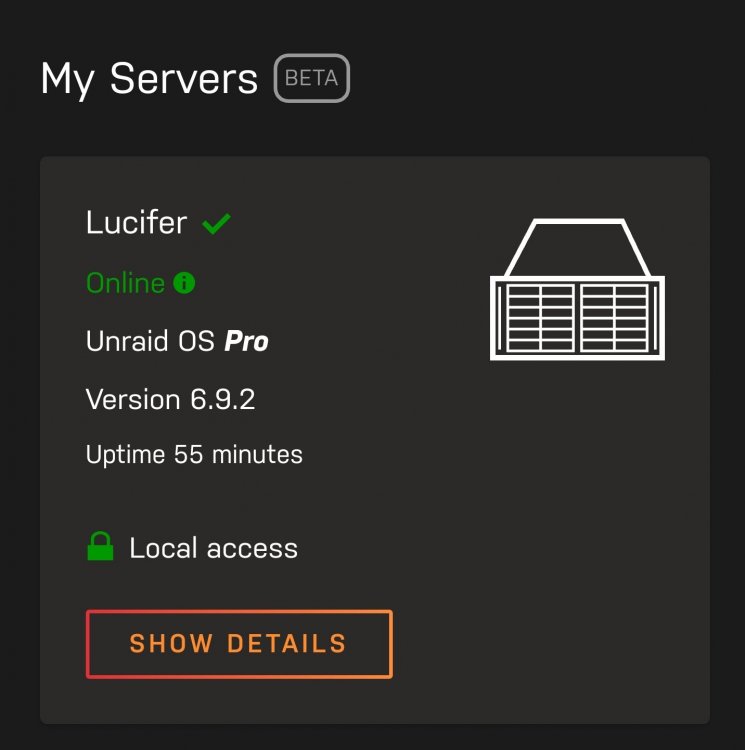
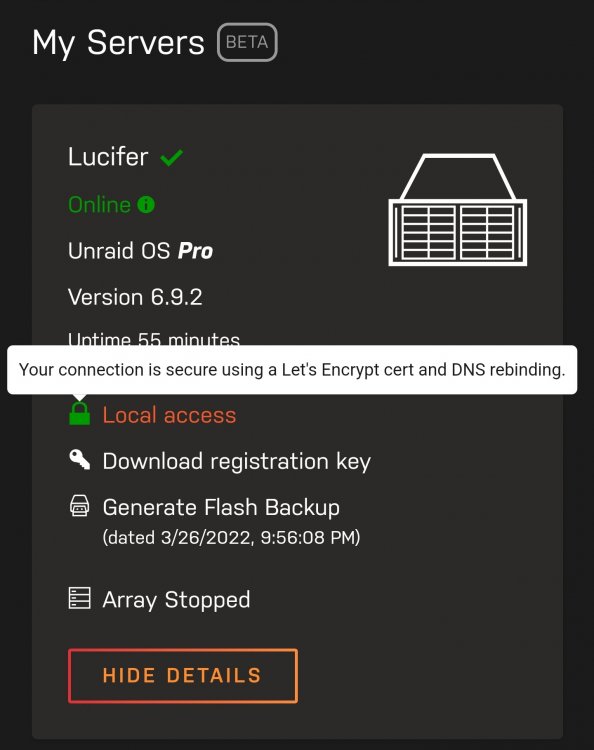
-
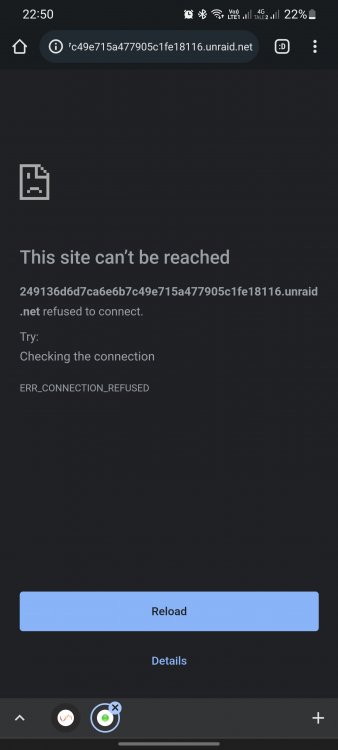
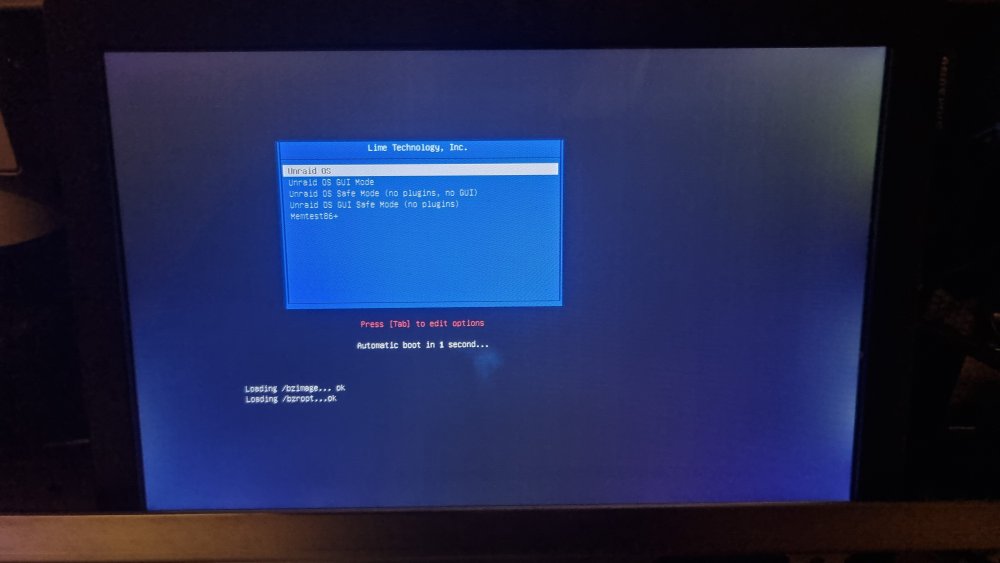
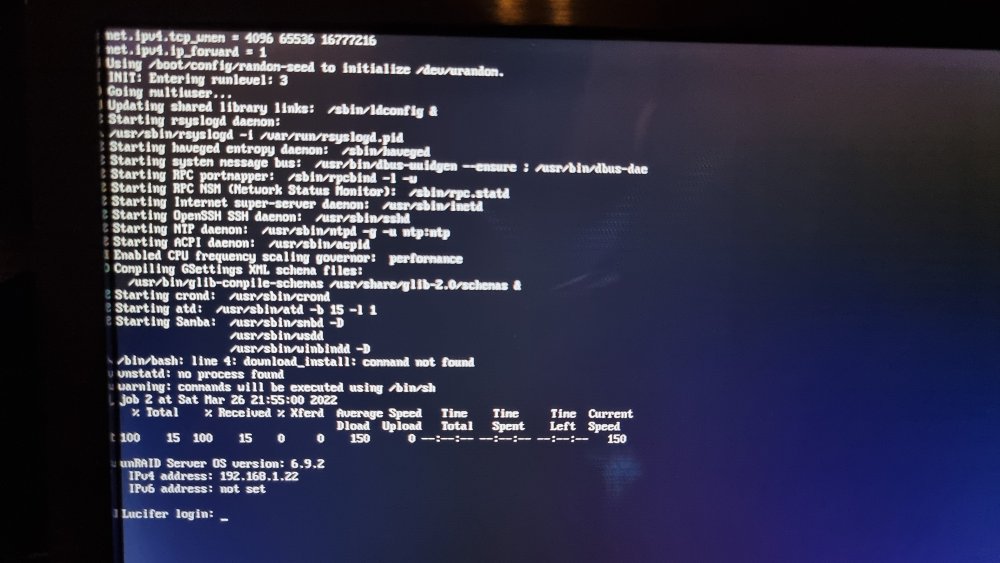
Thanks for helping. Bios is default. The server boot up as normal, I can see that with a screen connected. I can do SSH to the server too. So cant be the hardware. This is what I get:
-
Also have testet that, only. MB, CPU and GPU with the flash drive is connected.. I dont understand..
-
If I try anything else then the normal boot at startup, the boot freeze. New flash drive, old config with ssl diabled. I have a screen connected and I cant do commands, I can even SSH to the server. So anyway to chech with commands? Can you help me if you get access over Teamviewer, with a browser and a putty ssh access?
-
As I did write before your first post: "I have tried download the flash stick backup from myserver, and created a new flashdrive, but do get the same problem.. Please healp anyone, over 2 weeks with the server down and I miss it alot.. EDIT: Even tryied disable SSL, bit still, no webGUI.. Just getting "ERR_CONNECTION_REFUSED"" So I dont know anymore..
-
If I try that, the bbot just freeze.
-
Thanks for helping! I have tried that, still refused connection..
-
BUMP! I have tried download the flash stick backup from myserver, and created a new flashdrive, but do get the same problem.. Please healp anyone, over 2 weeks with the server down and I miss it alot.. EDIT: Even tryied disable SSL, bit still, no webGUI.. Just getting "ERR_CONNECTION_REFUSED"
-
Hello, Two weeks ago I did put in 2 brand new SSD's (Verbatim VI550 S3), I did set them up in RAID 1 as a own Cache Pool in BFRFS. I did then set my Docker (appdata) and System share to use this pool. Did run with problem first days, but did look kinda scatchy with that the temp did just show 40*C, it did not change at all, but it still not a high temp, so I did let it go. After 3 days. the first SSD did just disconnect, so got a lot of errors, but I was not home to see or do anything, just got emails with the failure. After night to day 4, the other SSD did disconnect, so now all my docker's did stop running. Got home and did have the WEBGui active, so I did shut the server down and tried to check if the was the sata or power cable, so did change them all. Tried then boot it up, did got up the WebGUI but no SSDs. So shut it back down. Tried then connect the SSD's to my Windows but Windows did not dicover them, did even open the SSD's to see, and they got a LED light turn on when connected them to Windows, but did not show up. So put in two other SSDs in the server to try to recover from the backup I hope did run 28.02.22. But now I get no WebGUI. I do get a SSH access. I can connect a screen to the server directly and see it boot up and get the log in at the end. Did try boot up with GUI, but that did just freeze the server. So now I asking for help, Im up for anything, so please help me. I will add 4 last diagnose, did make one 2 days ago with SSH access. lucifer-diagnostics-20220312-2103.zip lucifer-diagnostics-20220310-1823.zip lucifer-diagnostics-20220310-1650.zip lucifer-diagnostics-20220319-1911.zip
-
Yes, we can do a session, so you can check it out if you want
-
root@Lucifer:~# lspci | grep VGA 00:02.0 VGA compatible controller: Intel Corporation CoffeeLake-S GT2 [UHD Graphics 630] (rev 02) 01:00.0 VGA compatible controller: NVIDIA Corporation GP106GL [Quadro P2000] (rev a1) Im using iGPU for PLEX HW without problem.
-
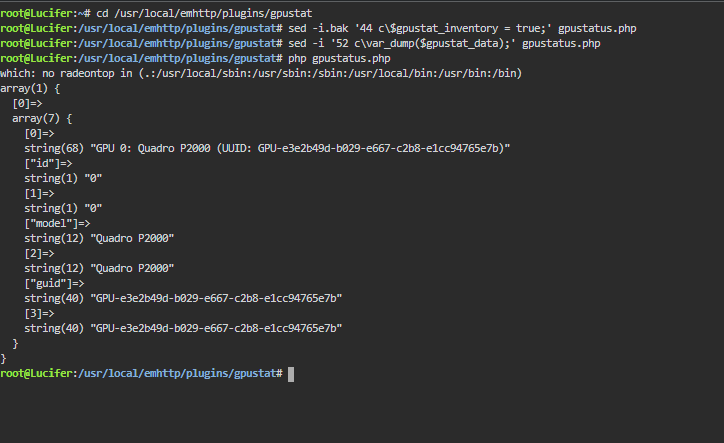
Thank you for helping @b3rs3rk , here it the result:
-
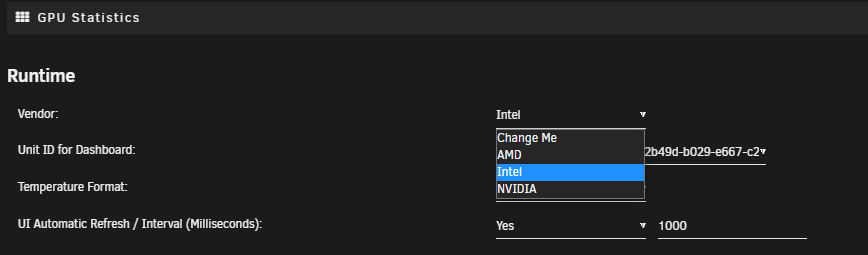
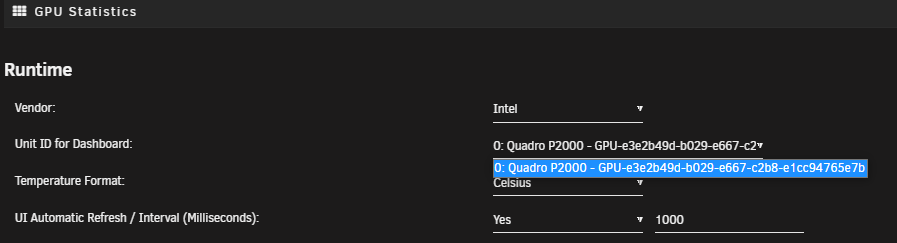
Even when I select Intel at Vendor, can still just see P2000 in the drop down.
-
In the GPU Stat Plugin I have set /dev/dri to Plex this weekend, but it did not even work before that. Not even when I remove it..
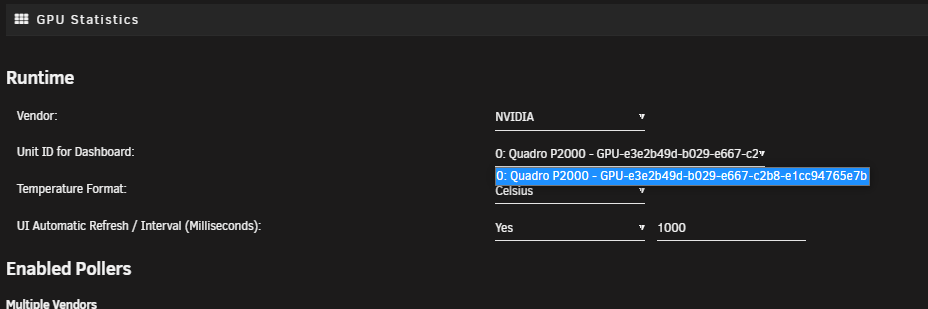
-
I can't understand, I can't get my intel 9900K to show up. Only get to choose my P2000. I got the Intel-GPU-TOP installed. Anyone see why? Thank you! lucifer-diagnostics-20220222-0054.zip
-
@ich777 The Avorion does not download/update the SteamCMD if it missing. I need to start Valheim to get the SteamCMD to download if I have deleted it.
-
Found out how to do this: docker exec -it storagenode-v3 /app/storagenode exit-satellite --config-dir /app/config --identity-dir /app/identity docker exec -it storagenode-v3 /app/storagenode exit-status --config-dir /app/config --identity-dir /app/identity
-
I'm trying to take a Graceful Exit, but cant get it to work. https://support.storj.io/hc/en-us/articles/360039432051-Graceful-Exit-Guide docker exec -it storagenode /app/storagenode exit-satellite --config-dir /app/config --identity-dir /app/identity docker exec -it storagenode /app/storagenode exit-status --config-dir /app/config --identity-dir /app/identity I have come up with this, but just getting error. docker exec -it storagenode-v3 "/mnt/disk16/NetBackup/storj/storagenode/" exit-satellite --config-dir "/mnt/disk1/storj/" --identity-dir "/mnt/disk16/NetBackup/storj/storagenode/" OCI runtime exec failed: exec failed: container_linux.go:367: starting container process caused: exec: "/mnt/disk16/NetBackup/storj/storagenode/": stat /mnt/disk16/NetBackup/storj/storagenode/: no such file or directory: unknown Anyone help?
-
I like your script @Energen but I like to stop the docker before backup and start it back up after backup is done. I use this script, maybe it possible to put it into yours, for like a V4? The only thing that's not working in this script, is the time the script used. But it send a notify in unraid, and a email. And it tells if the backup did sucess or fail. I can't take credit for this script, I found it on the forum a long time ago! #!/bin/bash # variables start_m=`date +%M` start_s=`date +%S` echo "Script start: $start_m:$start_s" now=$(date +"%m_%d_%Y-%H_%M") plex_library_dir="/mnt/SSD/plex/Library" backup_dir="/mnt/user/backup/backup_dockers/plex" num_backups_to_keep=4 # Stop the container docker stop Plex echo "Stopping Plex" # wait 30 seconds sleep 30 # Get the state of the docker plex_running=`docker inspect -f '{{.State.Running}}' Plex` echo "Plex running: $plex_running" # If the container is still running retry 5 times fail_counter=0 while [ "$plex_running" = "true" ]; do fail_counter=$((fail_counter+1)) docker stop Plex echo "Stopping Plex attempt #$fail_counter" sleep 30 plex_running=`docker inspect -f '{{.State.Running}}' Plex` # Exit with an error code if the container won't stop # Restart plex and report a warning to the Unraid GUI if (($fail_counter == 5)); then echo "Plex failed to stop. Restarting container and exiting" docker start Plex /usr/local/emhttp/webGui/scripts/notify -i warning -s "Plex Backup failed. Failed to stop container for backup." exit 1 fi done # Once the container is stopped, backup the Application Support directory and restart the container # The tar command shows progress if [ "$plex_running" = "false" ] then echo "Compressing and backing up Plex" cd $plex_library_dir tar -czf - Application\ Support/ -P | pv -s $(du -sb Application\ Support/ | awk '{print $1}') | gzip > $backup_dir/plex_backup_$now.tar.gz echo "Starting Plex" docker start Plex fi # Get the number of files in the backup directory num_files=`ls $backup_dir/plex_backup_*.tar.gz | wc -l` echo "Number of files in directory: $num_files" # Get the full path of the oldest file in the directory oldest_file=`ls -t $backup_dir/plex_backup_*.tar.gz | tail -1` echo $oldest_file # After the backup, if the number of files is larger than the number of backups we want to keep # remove the oldest backup file if (($num_files > $num_backups_to_keep)); then echo "Removing file: $oldest_file" rm $oldest_file fi end_m=`date +%M` end_s=`date +%S` echo "Script end: $end_m:$end_s" runtime_m=$((end_m-start_m)) runtime_s=$((end_s-start_s)) echo "Script runtime: $runtime_m:$runtime_s" # Push a notification to the Unraid GUI if the backup failed of passed if [[ $? -eq 0 ]]; then /usr/local/emhttp/webGui/scripts/notify -i normal -s "Plex Backup completed in $runtime" else /usr/local/emhttp/webGui/scripts/notify -i warning -s "Plex Backup failed. See log for more details." fi
-
oh, sorry, but thanks! It did fix my problem!
-
yoo, I have problem starting to watch Plex, whn I try to start a episode, it just says loading at the screen, and I get this in the log: Jobs: Exec of /config/Library/Application Support/Plex Media Server/Codecs/EasyAudioEncoder-1165-linux-x86_64/EasyAudioEncoder/EasyAudioEncoder failed. (13) Help?
-
Just for Plex. Got a own Pool with SSDs for appdata, got my docker.img here too, and own cache pool for downloads. But want appdata for Plex on a own pool. EDIT: Did crate a share with the m2 pool a Only, and did put my Plex appdata in. Remapped plex, and working.
-
I have set up a pool with a M2 SSD, how can i use that for appdata for Plex files? Im using now a SSD in unassigned for Plex.


