






ChillZwix
Members
-
Joined
-
Last visited
Everything posted by ChillZwix
-
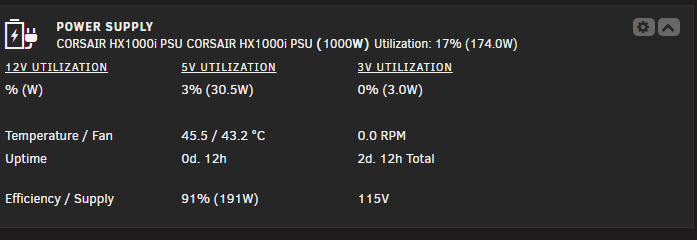
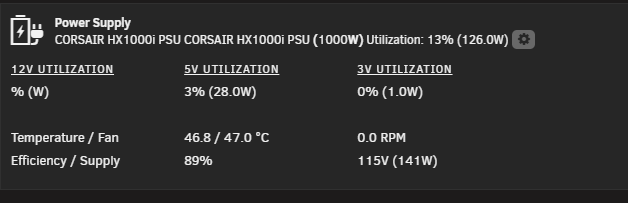
Almost one 1 year later, still missing info. corsairmi name: 'CORSAIR HX1000i PSU' vendor: 'CORSAIR HX1000i PSU' product: 'CORSAIR HX1000i PSU' powered: 26192885 (303d. 3h) uptime: 24833285 (287d. 10h) temp1: 46.8 temp2: 47.0 fan rpm: 0.0 supply volts: 115.0 total watts: 128.0 output0 volts: 11.9 output0 amps: 8.5 output0 watts: 100.0 output1 volts: 5.0 output1 amps: 5.6 output1 watts: 28.0 output2 volts: 3.3 output2 amps: 0.4 output2 watts: 1.0
-
It's just like that. All the time.
-
I have used your plugin for year without problem, but just upgraded my PSU to HX1000i with usb-C. It shows up but missing some info? Its says 115V but I got 230V. 12V does not work? Any idea?
-
Like this plugin, hope it will help me fix my disk place with split level. But I need to "Excluded Disks" from the check, what is the correct way to list up disks? disk1,disk2,disk3 Disk 1, Disk 2, Disk 3 Thanks!
-
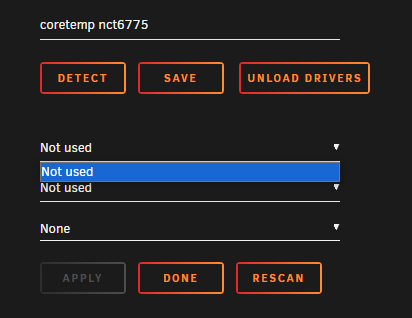
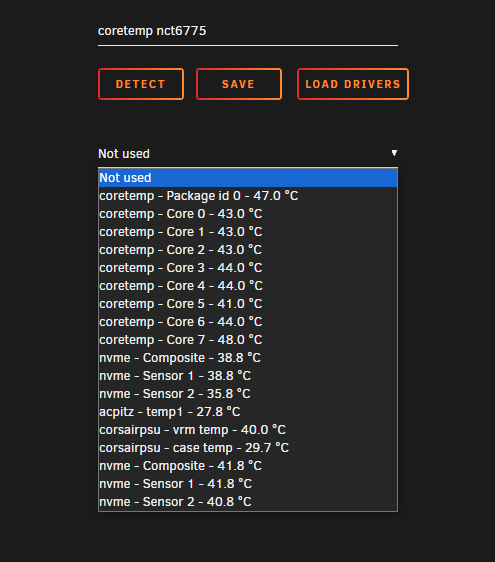
Hello, I still have this problem. No diffrent after update to unraid 7. Can install the plugin, restart unraid, install plugin, can pick sensors, click apply, and then nothing like in my last comment. Miss having temps .. Please help?
-
crap, yes... Did fix it now!! Will now try to check.
-
Problem with cache-mover, it keep making a cache folder with number like my disks. Cache Mover - Cached /mnt/cache4/Movies/Venom - The Last Dance [2024] /mnt/cache4/Movies/Heretic [2024] Mover Tuning - Exluded /mnt/cache4/Movies/Heretic [2024] /mnt/cache4/Movies/Venom - The Last Dance [2024] /mnt/cache9/Series/American Dad!/Season 21 Invalid folder cache1 contained within /mnt Invalid folder cache4 contained within /mnt Invalid folder cache9 contained within /mntIt has been working just fine for many years. But I was so stupid to reinstall it cuz of another problem I tried to find. Now when I click detect, its find the driver, and then I can see the list of sensors, I chose 1 for cpu and 1 for MB, then click apply, then I it just change to Not Used, and the list is no more. I need to reintall and reboot to get the list back, but the same keep happon. Any idea? After clicking APPLY
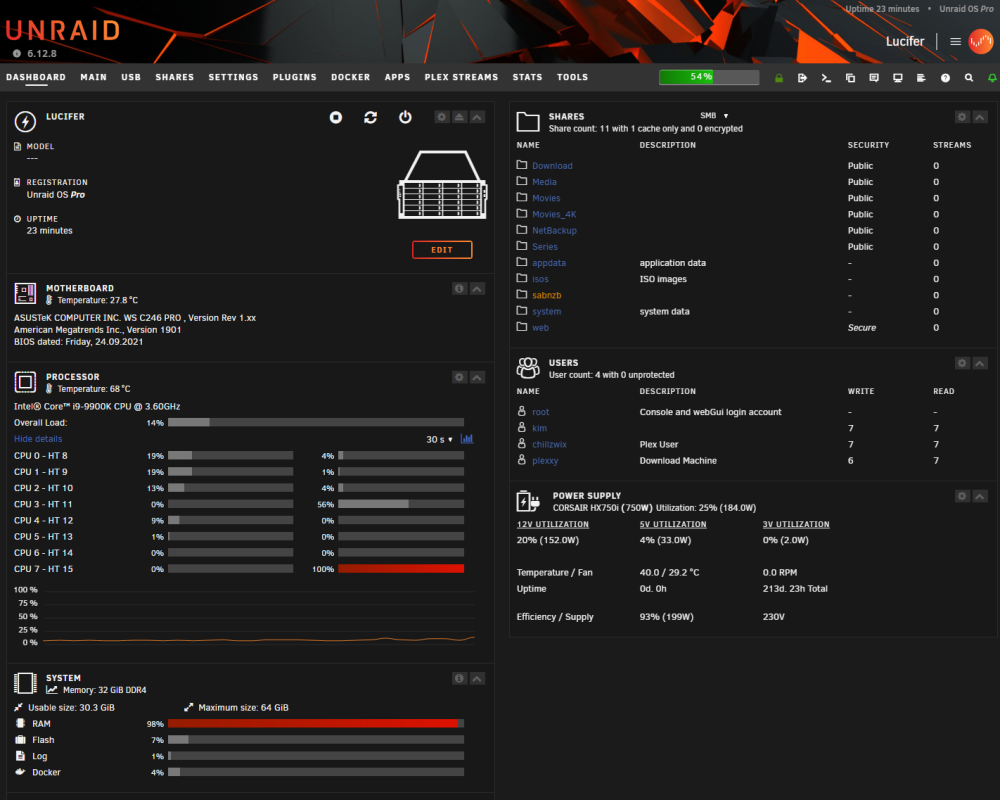
YES!!!!!! I fixed it, I found a post about SMB extra, I cleaned it up and did restart samba. NOw 37min after boot, no problem anymore. This is what I did remove, I think it has something to do with sever mulit channel support , since the log did say "Global parameter server multi channel support found in service section!" Anyway, It did fix it, and im happy now!After I did update to 6.12.9, I started to have a problem, after 20min in after boot, one core does max out and RAM starting to grow until 100% and locks up the system. After many tries, and after safemode test, it happon only with plugins enabled and I dont even need array started or disks plugged in. Thanks to plugin EnchantedSyslog I did get this when the cpu started maxed out after 20min, Did google the code, find a old post that did send me here, anyone seen this before? Mar 31 22:28:23 Lucifer smbd[18713]: [2024/03/31 22:28:23.488637, 0] ../../lib/param/loadparm.c:1959(lpcfg_do_service_parameter) Mar 31 22:28:23 Lucifer smbd[18713]: Global parameter server multi channel support found in service section! Mar 31 22:28:23 Lucifer smbd[18713]: [2024/03/31 22:28:23.488693, 0] ../../lib/param/loadparm.c:1959(lpcfg_do_service_parameter) Mar 31 22:28:23 Lucifer smbd[18713]: Global parameter interfaces found in service section! Mar 31 22:32:28 Lucifer smbd[30672]: [2024/03/31 22:32:28.185601, 0] ../../lib/param/loadparm.c:1959(lpcfg_do_service_parameter) Mar 31 22:32:28 Lucifer smbd[30672]: Global parameter server multi channel support found in service section! Mar 31 22:32:28 Lucifer smbd[30672]: [2024/03/31 22:32:28.185625, 0] ../../lib/param/loadparm.c:1959(lpcfg_do_service_parameter) Mar 31 22:32:28 Lucifer smbd[30672]: Global parameter interfaces found in service section! Mar 31 22:34:27 Lucifer smbd[4476]: [2024/03/31 22:34:27.956301, 0] ../../lib/param/loadparm.c:1959(lpcfg_do_service_parameter) Mar 31 22:34:27 Lucifer smbd[4476]: Global parameter server multi channel support found in service section! Mar 31 22:34:27 Lucifer smbd[4476]: [2024/03/31 22:34:27.956324, 0] ../../lib/param/loadparm.c:1959(lpcfg_do_service_parameter) Mar 31 22:34:27 Lucifer smbd[4476]: Global parameter interfaces found in service section! The old post: https://forums.unraid.net/topic/121797-syslog-being-filled/ My post about the problem: https://forums.unraid.net/topic/160025-ram-problem-after-os-update/ EDIT: Did resolve it! Was something in my SMB Extra. https://forums.unraid.net/topic/160025-ram-problem-after-os-update/?do=findComment&comment=1397328GOT SOMETHING, thanks to the EnchancedSysLog: Mar 31 22:28:23 Lucifer smbd[18713]: [2024/03/31 22:28:23.488637, 0] ../../lib/param/loadparm.c:1959(lpcfg_do_service_parameter) Mar 31 22:28:23 Lucifer smbd[18713]: Global parameter server multi channel support found in service section! Mar 31 22:28:23 Lucifer smbd[18713]: [2024/03/31 22:28:23.488693, 0] ../../lib/param/loadparm.c:1959(lpcfg_do_service_parameter) Mar 31 22:28:23 Lucifer smbd[18713]: Global parameter interfaces found in service section! Mar 31 22:32:28 Lucifer smbd[30672]: [2024/03/31 22:32:28.185601, 0] ../../lib/param/loadparm.c:1959(lpcfg_do_service_parameter) Mar 31 22:32:28 Lucifer smbd[30672]: Global parameter server multi channel support found in service section! Mar 31 22:32:28 Lucifer smbd[30672]: [2024/03/31 22:32:28.185625, 0] ../../lib/param/loadparm.c:1959(lpcfg_do_service_parameter) Mar 31 22:32:28 Lucifer smbd[30672]: Global parameter interfaces found in service section! Mar 31 22:34:27 Lucifer smbd[4476]: [2024/03/31 22:34:27.956301, 0] ../../lib/param/loadparm.c:1959(lpcfg_do_service_parameter) Mar 31 22:34:27 Lucifer smbd[4476]: Global parameter server multi channel support found in service section! Mar 31 22:34:27 Lucifer smbd[4476]: [2024/03/31 22:34:27.956324, 0] ../../lib/param/loadparm.c:1959(lpcfg_do_service_parameter) Mar 31 22:34:27 Lucifer smbd[4476]: Global parameter interfaces found in service section! This started when the CPU did hit 100% and the RAM started to grow!New update: Its runs all fine in safe mode. Did update to 6.12.9 again since it even happon in 6.12.8. Now I did NOT even start the array. plugged all disks out of the server cabinet. Its still the same, after 20min after booting, its locks up a single core, and RAM keep building up intil its full.. Everything works fine before it fills up, but it cant shutdown normal, even I click shutdown. It does not shut down.. Just locks up all when it hit 100% ram.. So it must be a plugin ?? What plugin can have a delay 20min to do something? PLUGINLIST: Added a fresh diag lucifer-diagnostics-20240331-2153.zipOkey, 40 min in and no problem. So must be a plugin that makes the problem then. How to I disable them, or do I need to unintall them all and install them one by one? Is it that you mean by services?Im booting up in safe mode now. Services you meen, plugins right? Strange it locks up a core after 20 min every time. Hate to hear I need to cut power on the disks every time it locks up, Do you know a command that is better then htop to chech ram usage?Did test again, It starts around 20 min after booting, every time. Its locks 100% on a core and ram keep building up. I did this time, stop all dockers, and even stop the docker itself. It did keep using more and more ram. So it must be something else.. HTOP does not show anything that idicate the cpu or ram usage... I cant find anything..Hello, After I did the update to 6.12.9, my system did just stop responing after few min after complete. I needed to shut it down via holding down the power button to power it down. The same did happen the second time, but this time, I did see the RAM did rapitly build up, and hitting 98%, it got not responiding again. The third time I did downgrade to 6,12,8, I did sit and wait , after 24 min, the same did happon, but this time, I tries to power down the system before it did hit the top and I did download diag. Can anyone see something wrong? Everything was fine before upgrading in the first place... lucifer-diagnostics-20240330-1816.zip
 Did change my PSU and now it been 7days stable! Thanks alot. It did not even strife my mind that the PSU can be the problem!And disk problems.... HELP!!! 2 disabled disks. 5 disks with errors... more disks have been dismounted... All was working fine before turbo write did kick in... Cant be that all disks just ...... Added fresh diag, lucifer-diagnostics-20240102-2320.zip lucifer-diagnostics-20240103-0006.zip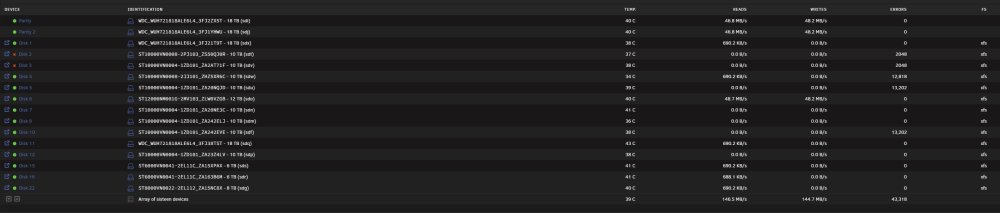
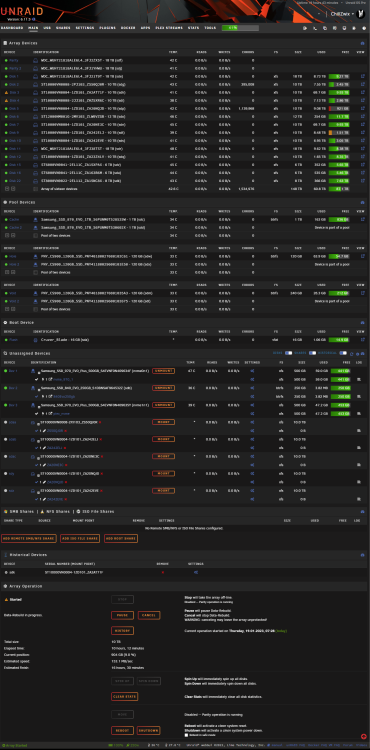
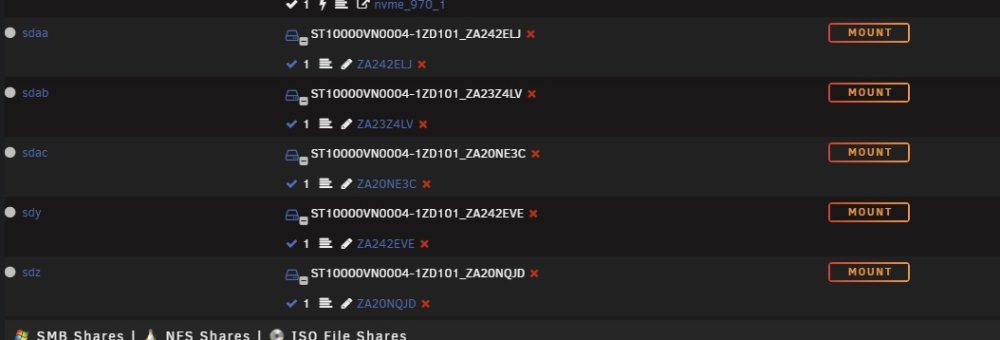 Hello, I have been away from my server, and it has been offline for 11 months, updated to lasted OS, and updated all my dockers, but I cant get sonarr and radarr to start? get error 403. any help? Thanks! lucifer-diagnostics-20240102-2244.zipNeeded to shut the server down, and when I did start it backup. So was disk 3 and 4 deactiveded. So I did to activate them by stopping the array, remove them, start the array in maintence mode, shut it down, and add the disks back in. Then the array wanted to rebuild the array, so let it just do that. But then disks did keep pooping out and moved to unasigned disks, and was unmounted.. So now I did shut it down cleanly and hoping for some help. Did a diag before shuting down.... All my disks cant just be bad. All was good before I did shut it down.. See image of dashbord disks: lucifer-diagnostics-20230119-1729.zip
 Hello, I can't find what is filling up my logs, can someone take a look and point me the right direction? Thanks! lucifer-diagnostics-20220914-1602.zipThank you, I didnt see that. Tried looking before asking. I didnt know that about the FS22 server, that's just a stupid concept..@ich777: Did setup a V rising server, but how to set a password? And will a Farming Simulator 22 server come?I see that now, I'm sorry. But thanks for helping, even I didnt do what I needed to try.






