





cinereus
Members
-
Joined
-
Last visited
Everything posted by cinereus
-
@dmacias hang on I just found a precompiled binary that works: https://github.com/ogham/exa/releases/download/v0.9.0/exa-linux-x86_64-0.9.0.zip
-
Thanks for sorting fping (although it still doesn't seem to be working for me). e.g. fping −g 192.168.0.1 192.168.0.254 −g: Name or service not known Is it possible for me to compile exa to use here?
-
Haven't had any more luck trying to get fping to work today. @dmacias Please can you add exa? It's a rust program.
-
Having a few issues. 1. Every time the docker container restarts, it resets the default directory back to /downloads/incoming which is not a valid path and hence no torrents start 2. Autotools move isn't working. 3. I can't find rtorrent.rc or autotools/conf.php anywhere!

-
I am still having issues trying to install fping I'm afraid: Processing Packages... Downloading fping-2.4b2_to-x86_64-2_slonly.txz package... fping-2.4b2_to-x86_64-2_slonly.txz package download sucessful! Installing fping-2.4b2.to package... Cleaning up packages... All packages processed... But then: root@fs 🖿 ~ ▓▒░ fping ░▒▓ ✔ 6.61 80% 17:03 🕔 zsh: command not found: fping
-
I wish any of the documentation had told me that before! I can't find a way to create an account and be able to fix the unraid wiki...
-
Ah, I had no idea. That's not very clear. I see no reason why you need to zero the drive if you're not using parity so I'm going to try that.
-
Is it possible to suggest a few other programs? essential: exa nice to have: lsd oh-my-zsh + various plugins colorls neofetch bashtop
-
How can I ctrl + c when it's running in a iframe on /Settings/Userscripts? I went through ps aux and killed all the matching process names but it was still running so I killed the dd process too. I hope that's correct. And how can I avoid following incorrect instructions in the future? Are users seriously expected to dig up a 2.5 year old mid-thread comment rather than follow the official wiki instructions? As for my originally question, why is any of this necessary if the disk has no data on it at all and there is no parity?
-
I get this if I try to uninstall other plugins as a test: However rebooting seems to have fixed it so thanks for your help. Unfortunately though when you added lolcat it seems to be missing some dependencies: root@fs 🖿 ~ ▓▒░ lolcat ░▒▓ ✔ 10.01 3% 15:11 🕒 /usr/lib64/ruby/2.2.0/rubygems/dependency.rb:315:in `to_specs': Could not find 'paint' (~> 2.0.0) among 10 total gem(s) (Gem::LoadError) Checked in 'GEM_PATH=/root/.gem/ruby/2.2.0:/usr/lib64/ruby/gems/2.2.0', execute `gem env` for more information from /usr/lib64/ruby/2.2.0/rubygems/specification.rb:1311:in `block in activate_dependencies' from /usr/lib64/ruby/2.2.0/rubygems/specification.rb:1300:in `each' from /usr/lib64/ruby/2.2.0/rubygems/specification.rb:1300:in `activate_dependencies' from /usr/lib64/ruby/2.2.0/rubygems/specification.rb:1282:in `activate' from /usr/lib64/ruby/2.2.0/rubygems/core_ext/kernel_gem.rb:67:in `block in gem' from /usr/lib64/ruby/2.2.0/rubygems/core_ext/kernel_gem.rb:66:in `synchronize' from /usr/lib64/ruby/2.2.0/rubygems/core_ext/kernel_gem.rb:66:in `gem' from /usr/bin/lolcat:22:in `<main>'
-
Could be something going on with your flash. But the only other way to completely remove it, would be to delete the directory on the flash and reboot. Could also just be some aware blocker or anti-virus. No adware or antivirus. All was working perfectly a couple of days ago. How can I tell if there's an issue with the flash? All other read/write behaviour is normal. I can install/uninstall dockers and apps fine. It's a brand new drive. In any case, it seems this is the issue rather than the filename of fping package I'm trying to install.
-
I followed the official unraid wiki: https://wiki.unraid.net/Shrink_array How do I stop it and what are the correct instructions if they aren't on the official wiki?
-
Why exactly is this script necessary if there are no shares on the drive? It's currently running at 3.5 MB/s even with Turbo Write and I can't see any way to interrupt it.
-
What happens if you have a file e.g. user/share/file (stored as /disk1/share/file) and you then create a file at /disk2/share/file?
-
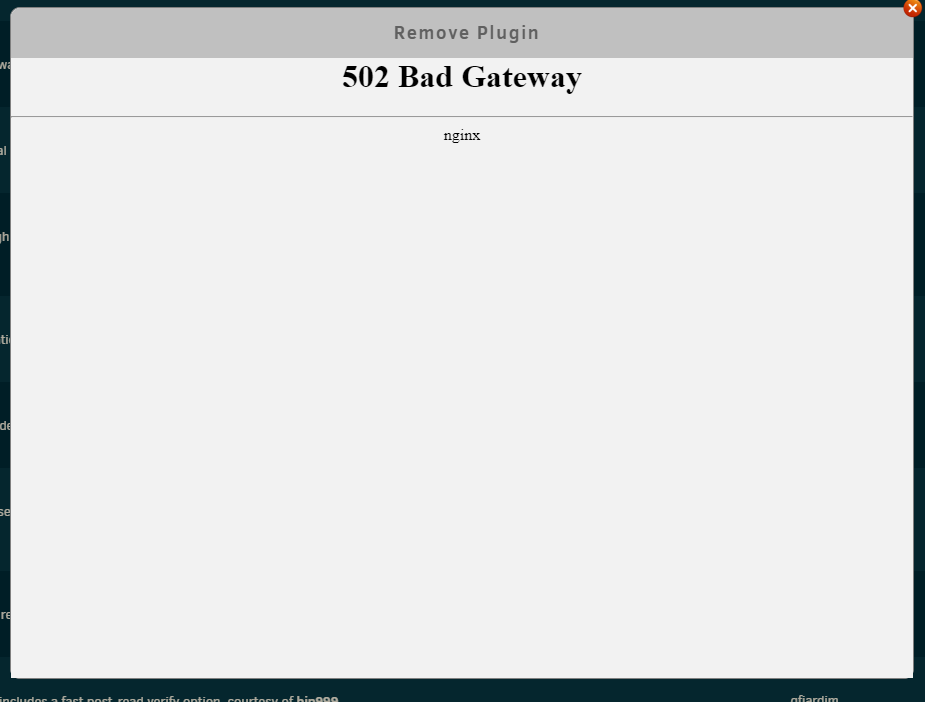
Can't remove the plugin:
-
And, in addition, I have several packages that did not install last time I "applied" and it hangs on a white screen when I try again:
-
Both still missing?
-
I still haven't got any further unfortunately Does Time Machine just not work at all?
-
Okay, thanks for a comprehensive reply. So the includes/excludes seem to only affect disk writes and only when using the /mnt/user/share form not the /mnt/diskx/share form? What's a "dirk share"?
-
Another couple of questions. 1. What happens when there's no free space on the disks enabled for a share and you try to write? Does it automatically include another disk? Does it tell the user there's no space? Does it silently fail and lose the data? 2. What about if you explicitly copy to a disk where that share is no allowed? 3. What happens to files on a disk that is then excluded from that share?
-
Hang on. A "bug" this big doesn't seem to be mentioned often! Is this still an issue in 2020? I have been reading so much about unraid for the last months and have never heard of it. Would I be right in thinking move/copy commands explicitly mentioning the disk numbers would be a workaround?
-
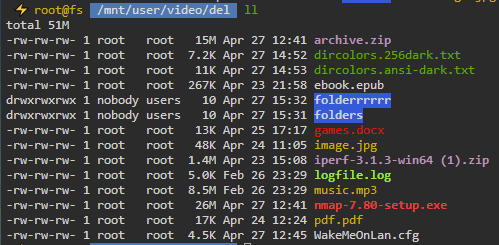
You can change with the environment variable LS_COLORS. The dircolors command allows you to import a new set of colors: eval `dircolors dircolorsfile` e.g.
-
Why isn't it possible to change this? I have installed zsh and oh-my-zsh and then installed a Solarized theme. The only thing that hasn't changed is the fg/bg colours for directories.
-
No, I absolutely understand all that. I just mean what I say: because they have the same serial ID, it causes undesirable behaviour when using the rename function.
-
Sorry not following? I wasn't claiming it helps. That was my point. Is it not possible to not rename them both if we are set on serial ID being the only identifier?
