JhonScript
Members
-
Joined
-
Last visited
Everything posted by JhonScript
-
I did everything and more than that (nvme passthrough, nic passthrough, GPU passthrough) and doesn't even work
-
I did the tests and everything is necessary, coincidentally I have the same NVMe 970 and it is totally necessary to install the driver Thanks.
-
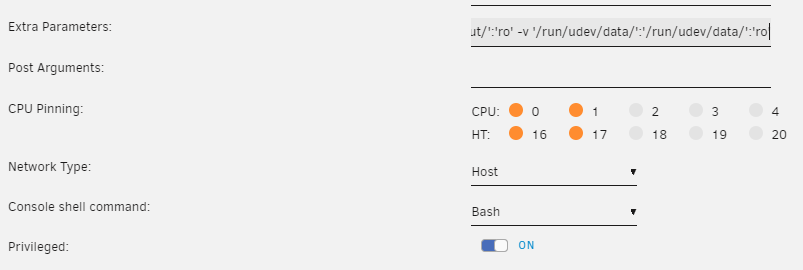
at last!!! In fact the problem lies with Chrome based browsers, I don't know why they can't detect more than one gamepad at a time. The tests I had done with Mozilla had failed because it does not detect any gamepad since Steam-Headless was installed in the docker with flatpak, therefore it does not have access to these devices (xD that's what I understood in my research) To fix this on Mozilla installed with flatpak, you need to run this: "flatpak override --user --filesystem=/run/udev:ro org.mozilla.firefox" Additionally, in docker you must have the following configuration Privileged: ON and Extra Parameters: "--hostname='SteamHeadless' --add-host='SteamHeadless:127.0.0.1' --restart='unless-stopped' --shm-size='2G' --ipc='host' -v '/tmp/.X11-unix/':'/tmp/.X11-unix/':'rw' -v '/tmp/tmp/pulse/':'/tmp/tmp/pulse/':'rw' --ulimit='nofile=1024:524288' --device='/dev/fuse' --device='/dev/uinput' --device-cgroup-rule='c 13:* rmw' --cap-add='NET_ADMIN' --cap-add='SYS_ADMIN' --cap-add='SYS_NICE' --security-opt='seccomp=unconfined' -v '/dev/input/':'/dev/input/':'ro' -v '/run/udev/data/':'/run/udev/data/':'ro'" If these parameters are not added, Mozilla will detect the mouse with an additional gamepad, for my use case this prevents me from being able to play. And that's it, Mozilla will have access to the devices. Both gamepads will work at the same time in the Mozilla browser. In my case, for EmulatorJS it is not recommended to use Mozilla, however I just did a test and I can play... I can play with both gamepads at the same time. Thank you very much for your patience and support (Discord).
-
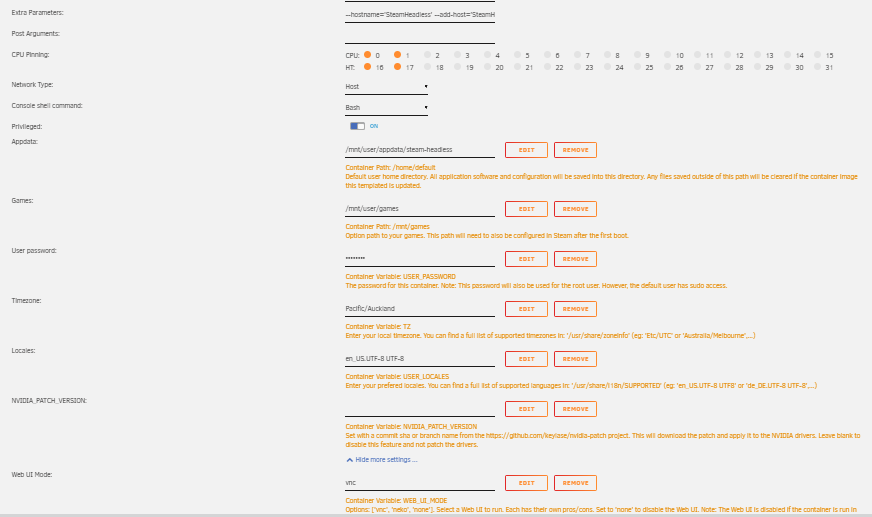
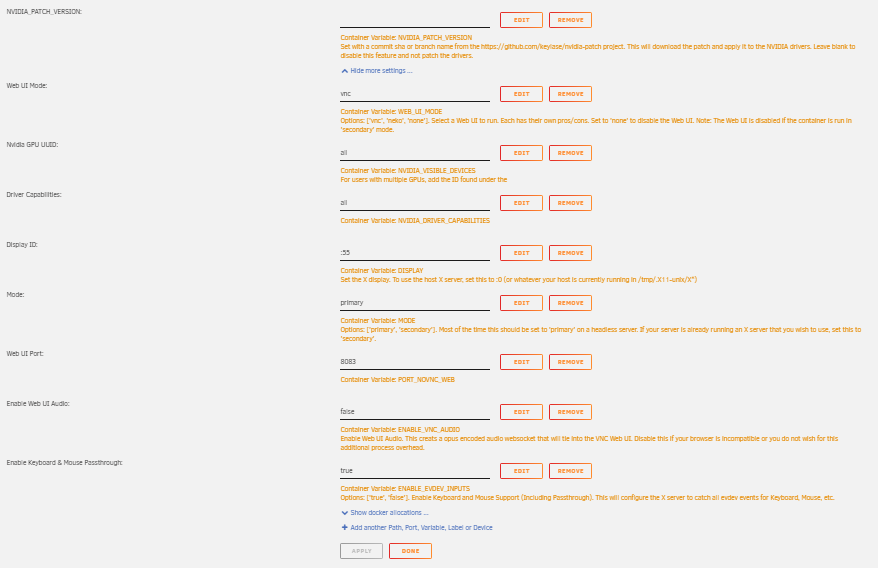
This is crazy, I just installed parsec on Steam-Headless docker and set up a Parsec Host Windows server. On the Windows client I connected with Moonlight to the Steam-Headless Docker, connected the controls to the Windows client, from the Steam-Headless Docker I connected with parsec to the Windows Host and passed the gamepads perfectly. In conclusion, Moonlight/Docker/Sunshine work perfectly with gamepads The problem is not with Steam-Headless Docker, as I conclude that it is directly related to Chromium-based browsers. For some reason they can only detect one gamepad at a time. Other applications like Steam/Parsec detect both gamepads at the same time without any problem.
-
Hello, I am having a small problem with docker in unraid, I want to know if it is a known problem I am testing from the following clients "VM Windows 10" and "Fire TV" I have two gamepads connected to the client, "Dualshock" (I have also tested with a "Dualshock" and a "DualSense", the result is the same) The test is that I connect through "Moonlight" to docker, and I can only use one gamepad, I am verifying this with the page https://hardwaretester.com/gamepad (which I am running in Chrome, because they do not work in Mozilla Gamepads) The problem is that I press the buttons on Gamepad#1 and it reflects fine in the Chrome browser, from docker, but I press the buttons on Gamepad#2, it connects fine, but Gamepad#1 disconnects immediately. I have not been able to play local multiplayer on my emulator "EmulatorJS" which is also hosted as a docker on UnRaid (Which runs on the client in a Chromium-Based Browser) I already tested connecting a gamepad to the Fire TV client and another gamepad to the Windows client but the result is the same. I also ruled out that the problem was the clients, since I used the "Windows VM" as the Host with GeForce Experience and the client the "Fire TV" with the two gamepads, and it works perfectly. (This tells me that the problem is related to SteamHeadless Docker Sunshine) As additional information, my "SteamHeadless" docker does not have any graphics card associated with it since a GPU is not necessary to play the EmulatorJS emulator with a resolution lower than 800*600. The use cases for this are: 1. Make the EmulatorJS run on the server and not use the resources of the "low-end Android", "Fire Tv" client 2. Be able to play EmulatorJS multiplayer from the internet with friends, just by installing Moonlight on the clients
-
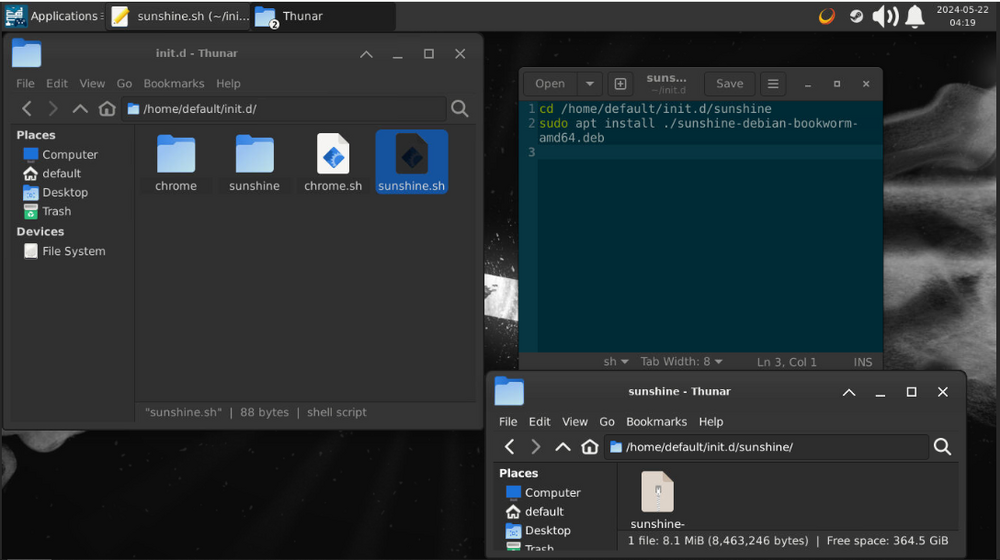
Hello, I can help you with how to update sunshine, It may not be the most optimal way, since it requires manually downloading the latest version, but it worked. 1. create "sunshine" folder in "/home/default/init.d" folder 2. download the file "sunshine-debian-bookworm-amd64.deb " of the page https://github.com/LizardByte/Sunshine/releases and store the file in the folder "/home/default/init.d/sunshine" 3. create "sunshine.sh" file in "/home/default/init.d" folder and in the content of the file it is this: cd /home/default/init.d/sunshine sudo apt install ./sunshine-debian-bookworm-amd64.deb
-
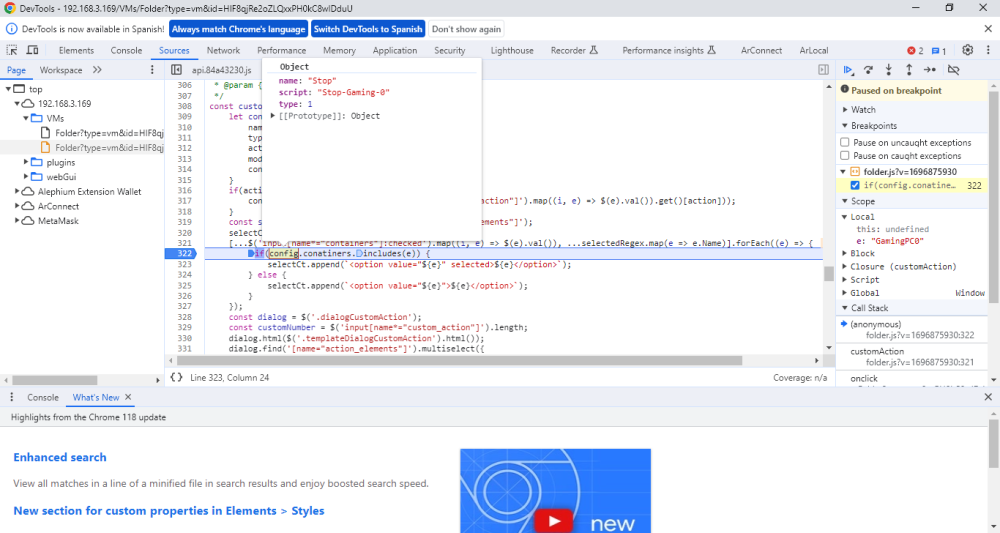
Hello, it seems that the problem is that the custom action does not have the conatiners variable when the custom action is of type "Custom"
-
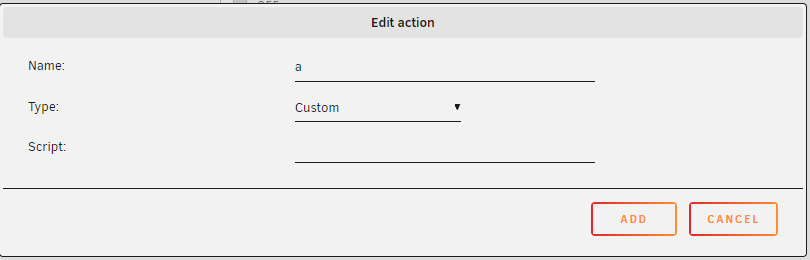
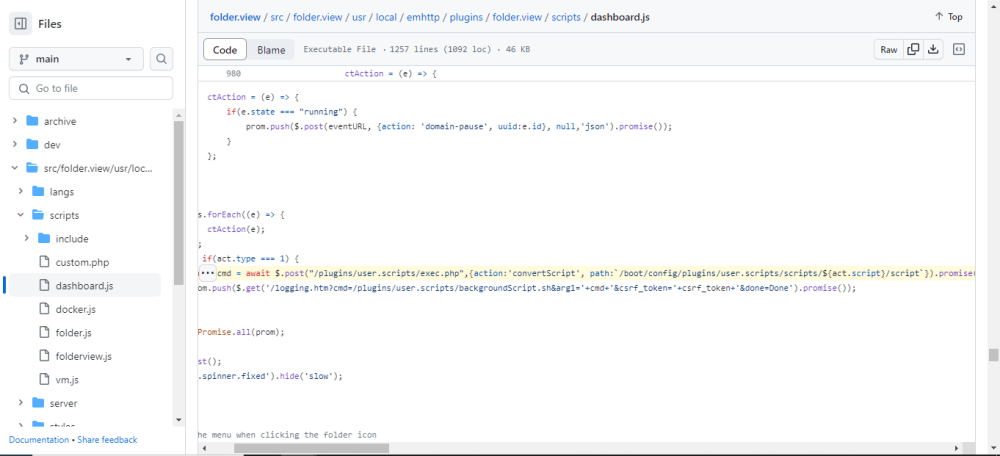
Hello @scolcipitato, thank you very much for the update, regarding the execution of User-Scripts, I had not been able to write, since until today I managed to catch up with the forum posts. I tried to get the user scripts to work, and it didn't work, until I read the Javascript script code at line 1007 of the file "usr/local/emhttp/plugins/folder.view/scripts /dashboard.js", where it indicates that only the script name of the "User Script" plugin should be entered, I like it much better this way. However, when adding the script it is not clear that only the plugin script name "User Script" should be entered. Additionally, I would like to ask you the favor of correcting the edit scripts button, since when you click it, it redirects to the last page before entering to edit the Folder I use Google Chrome My intuition says that the error may be on line 322 of the file usr/local/emhttp/plugins/folder.view/scripts /folder.js "config.conatiners" Additionally I see that by correcting this error it would only work for containers, I don't know what needs to be done to make it work on virtual machines
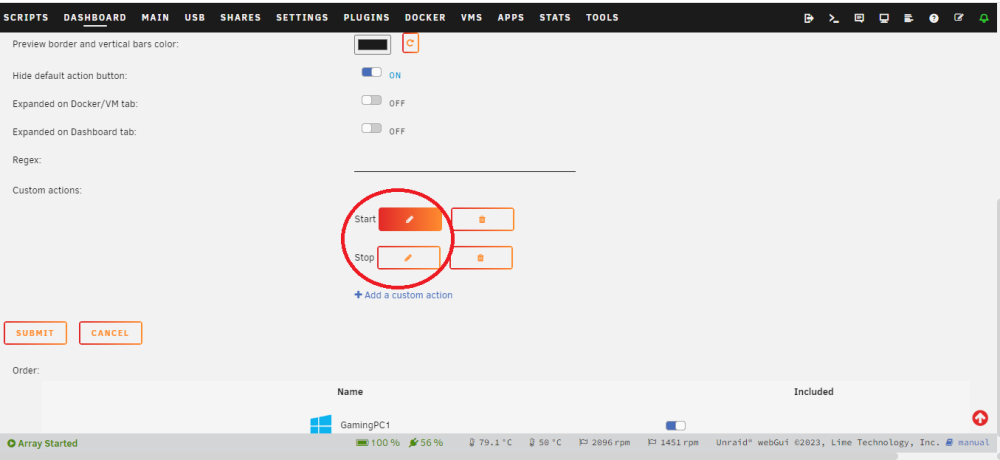
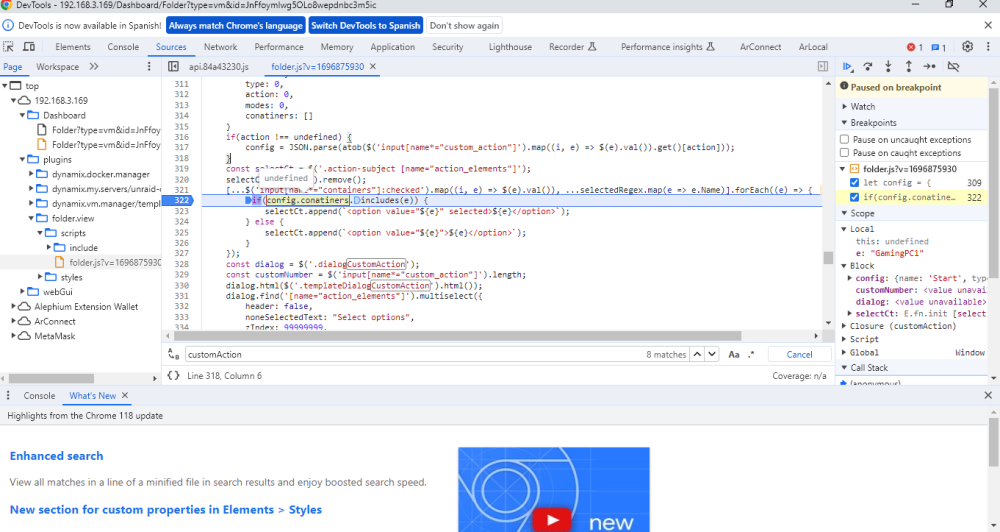
-
Thank you very much, how can I help? Do you have questions about how it worked?
-
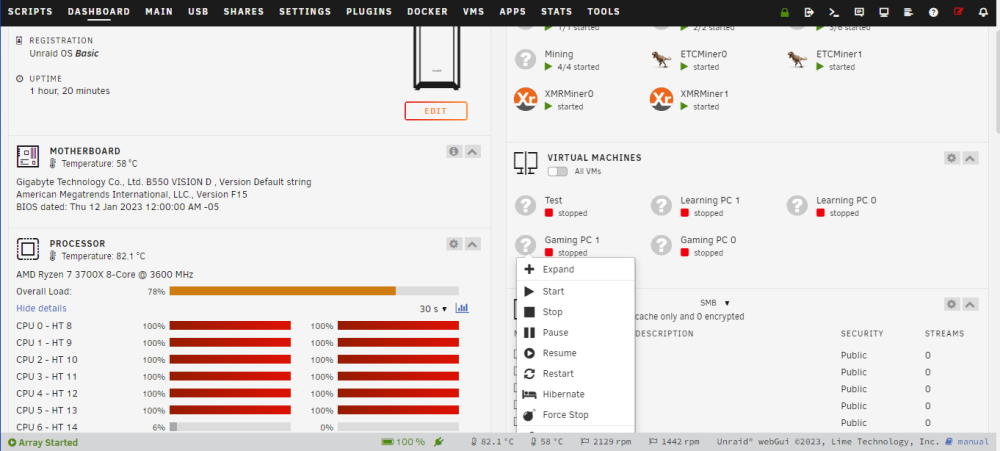
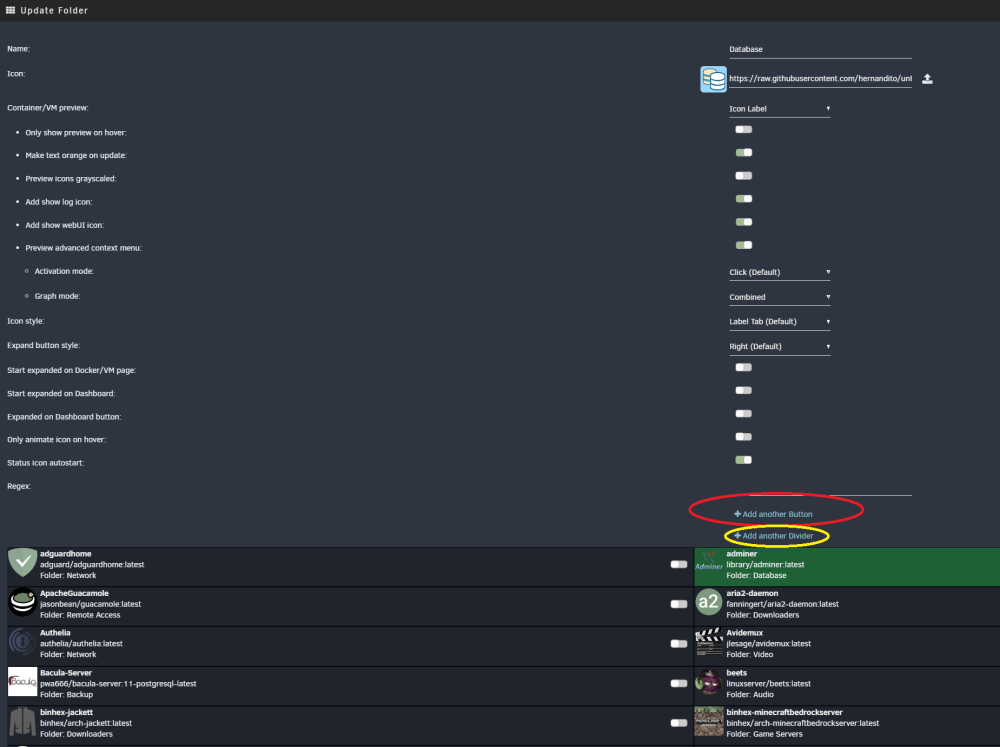
Hello, thank you very much for working on this plugin. This was the reason I didn't want to upgrade from 6.11.5 to 6.12.3. However, I read all 8 pages on this topic and didn't see anyone mention the ability to run scripts (it seems only I used it XD). img from sonic6 My use case is running scripts, as I currently have 4 miners working (2 trex miners, which take up my graphics cards) (2 xmr miners, which take up my processor cores). The thing is that when I want to play with my virtual machine, I have to stop one of the trex miners and one of the xmr miners, so that it frees up resources for my virtual machine, the same thing happens when my nephew wants to play in his virtual machine. likewise when we stop playing we turn off the virtual machines, the miners start automatically... this is a separate topic but I like to mention it so that they have the context. All this is done by scripts from the "User Scripts" plugin. Similarly, with the old plugin you could do all of this, including running mining related scripts. like stop the activation of the 4 miners or start it. therefore, the scripts were executed as buttons in dockers and in the virtual machine. Thanks if you can confirm if you plan to work on this and if I can help you in any way. I leave you the screenshots related to this topic since I am a person who understands through images. Also, I wanted to mention that in the old plugin you could decide which buttons (Start, Stop, Pause, Force) you could activate and which ones you couldn't. For example, I only had the force and stop buttons active, since the start button was executed through the script
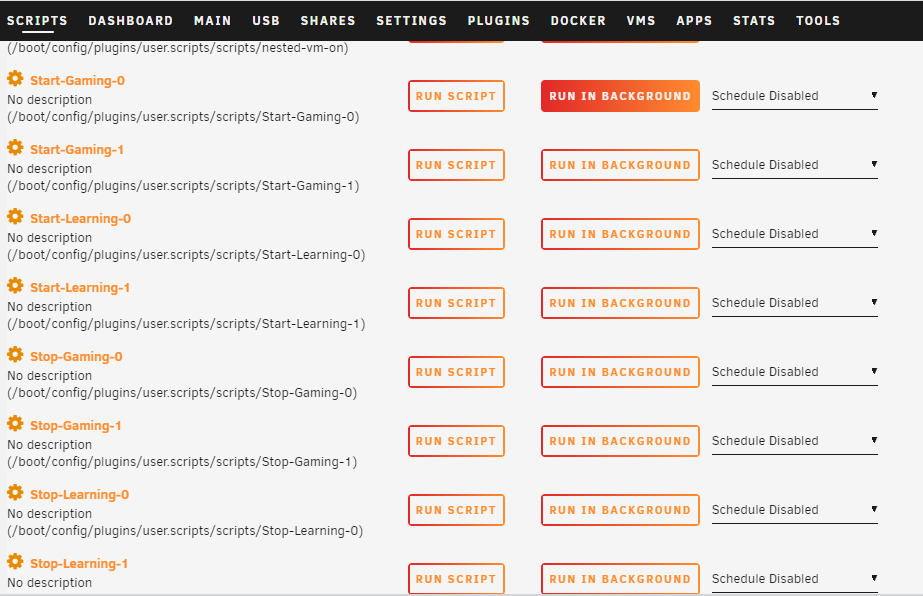
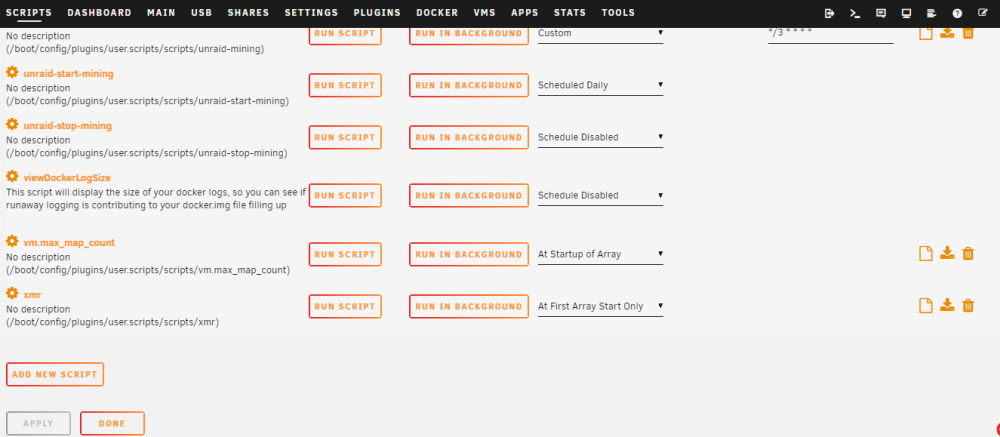
-
This plugin allows me to run scripts on the dashboard to stop the miners using the GPU and start my virtual machines so I can play. I hope you can work on making this new plugin usable with version 6.12.2. I don't know if it's just me with the problem, since the plugin works fine from the Dockers and VMs page, but the most I use it is from the Dashboard page.
-
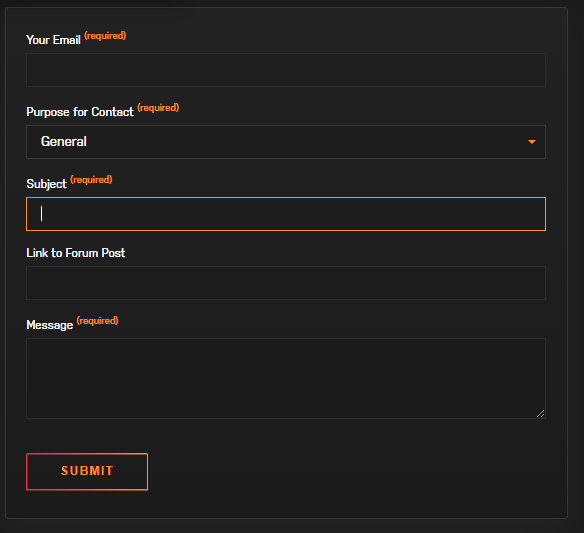
I just found the following form In the following link https://unraid.net/contact
-
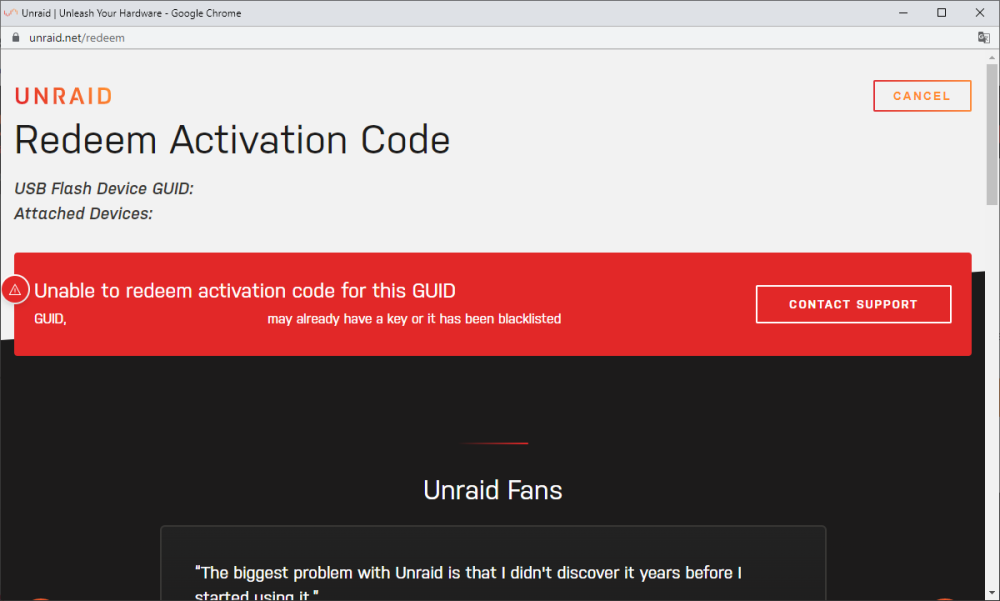
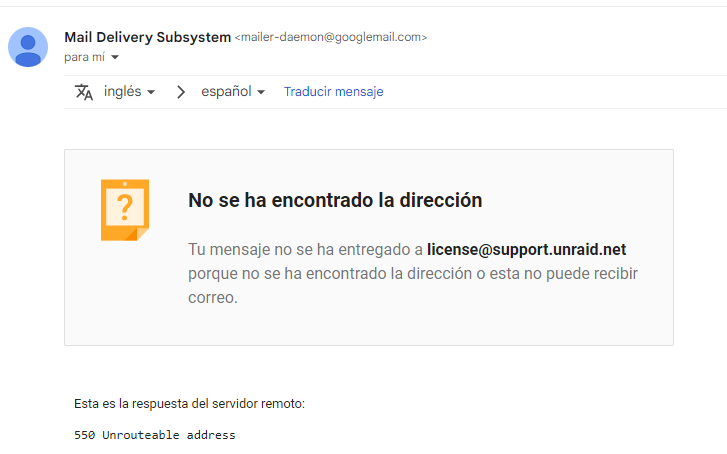
Hello, I made a change in the virtual machine configuration that asked me to reboot, but the operating system did not work again, therefore I had to reinstall unraid, but when I activate my license I get the following error: the image is edited I wrote an email to [email protected] but i received the following mail: What is the correct way to contact support?
-
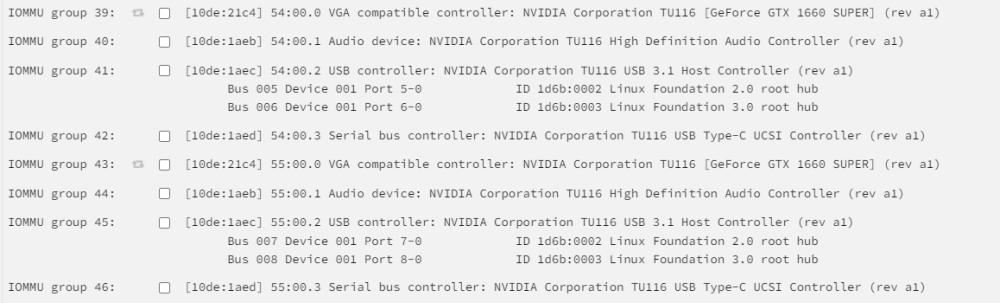
It also changed the PCIe ACS override to "Both" and generated this Can you think of any way that when connecting a usb device, it connects to the GPUs? in order to achieve the passthrough

-
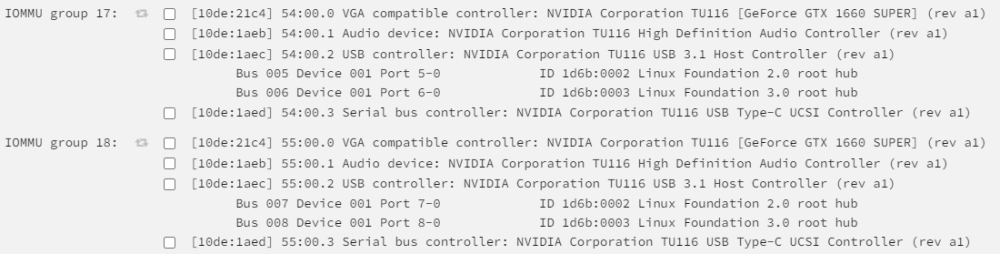
Hi this looks like this

-
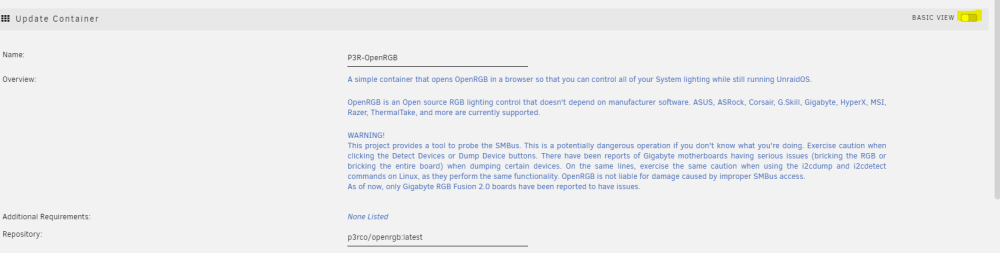
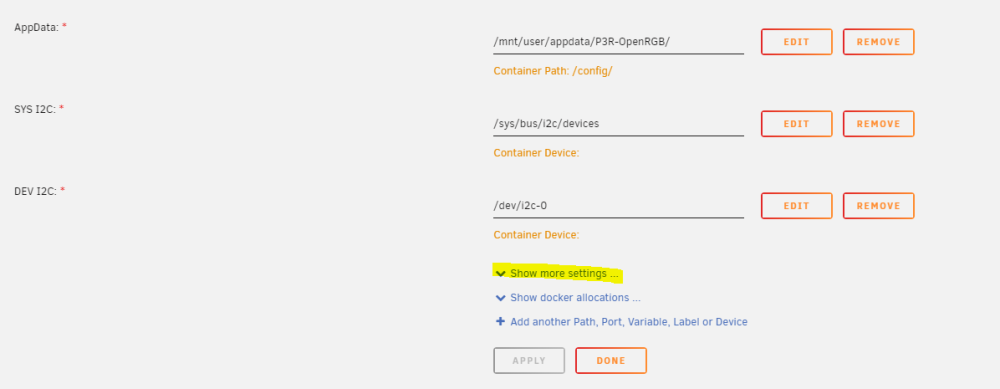
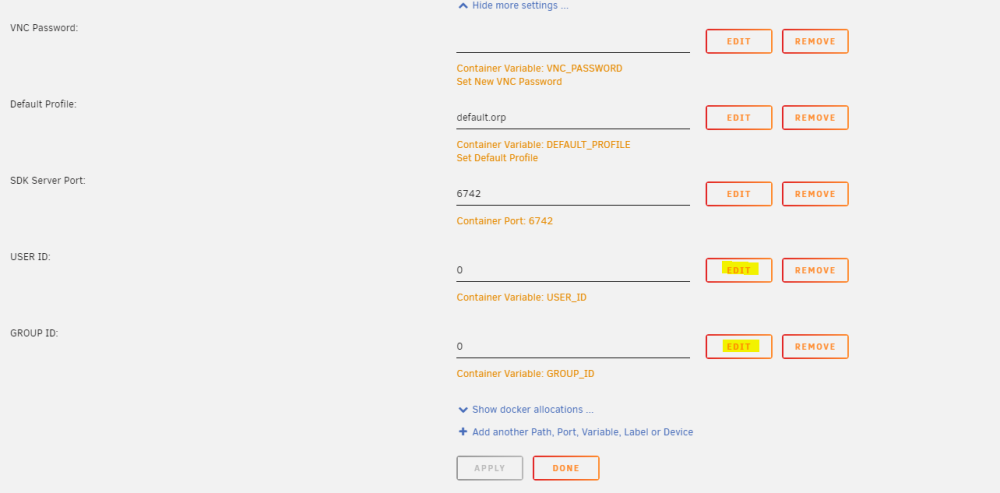
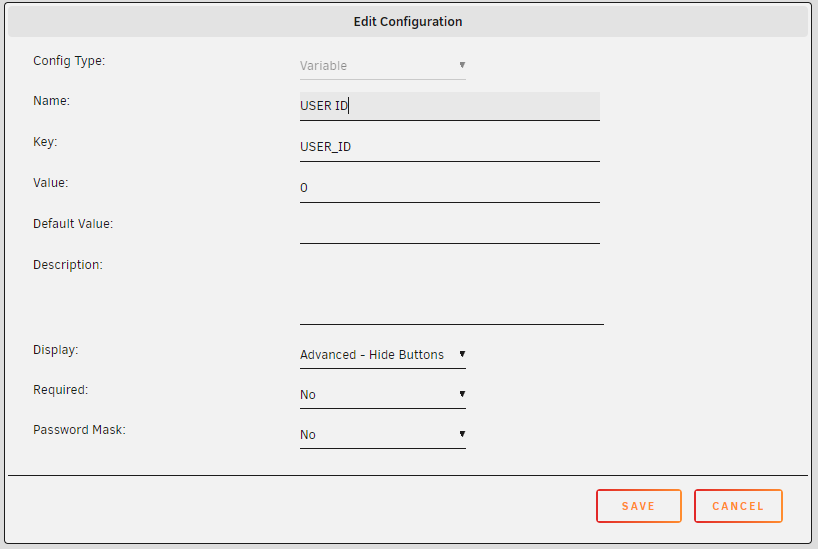
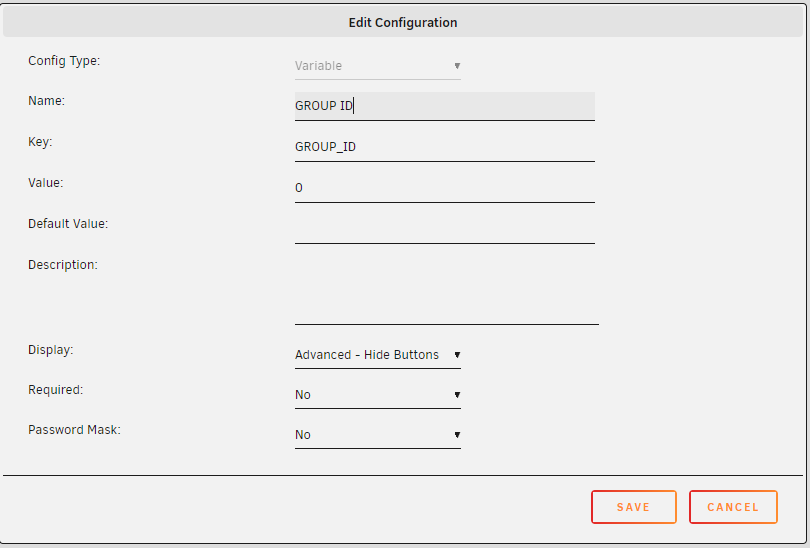
The solution for me was to edit the docker and set it as follows it worked
-
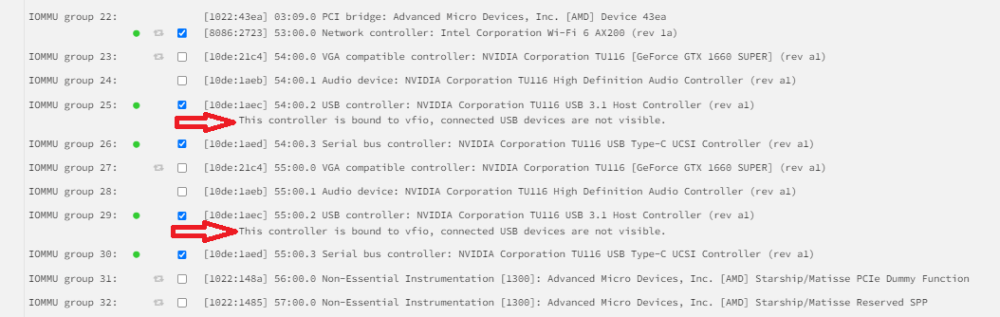
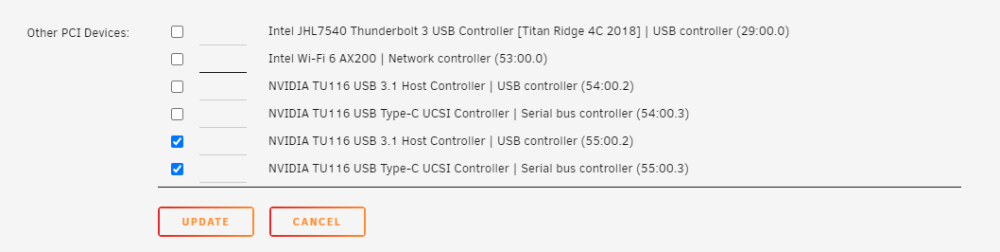
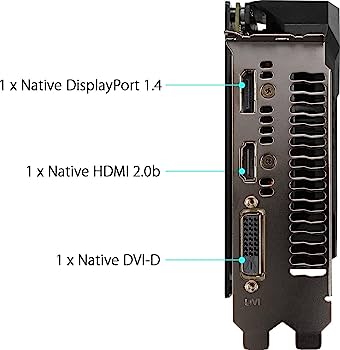
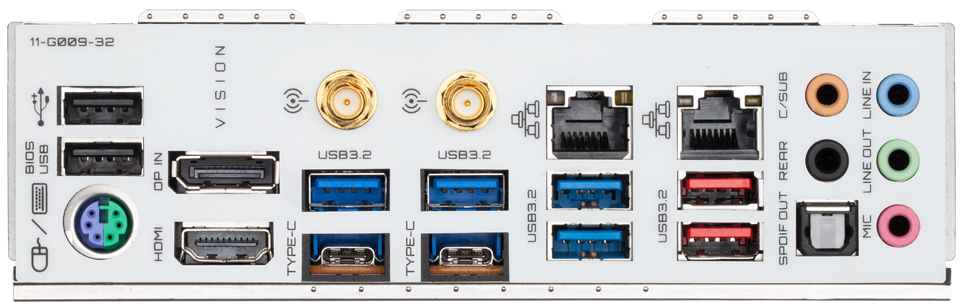
Hello, I would like to understand what this means in other words? I don't know if you can help me with my case. I have two GPUs (TUF-GTX1660S), and in SysDevs this appears, my Motherboard is b550 Vision D My GPU does not have any USB c or USB 3.1 port My Motherboard does have a usb c port and usb 3.1 ports The first question is because this text appears "This controller is linked to vfio, the connected USB devices are not seen", this means that if I managed to connect a usb, and if I have made a passthrough from the GPU to the VM, the usb will it connect directly to the VM and not be seen on the Unraid server? The second question is, because my GPU indicates that it has a USB 3.1 and USB c controller, if it does not have any physical port, is there an adapter to convert HDMI to USB? https://www.amazon.com/Adapter-Converter-Thunderbolt-MacBook-Microsoft/dp/B08VDT3YGK https://www.amazon.com/ELUTENG-Thunderbolt-Compatible-Converter-Connector/dp/B07Z4G911X

-
Hello, I would like to know if anyone has managed to earn money by renting their available disk space. I know there are several DSN (Decentralized Storage Network) solutions. I want to contribute to PermaWEB (https://arweave.medium.com/welcome-to-the-permaweb-ce0e6c73ddfb) and It is part of the ARWeave network (https://arweave.medium.com/what-is-arweave-explain-like-im-five-425362144eb5) https://www.arweave.org/ https://arwiki.wiki/#/en/main This is the documentation to perform the best "Mining" that they have managed to create, in ARWeave it is not a waste of energy to find a random number, since the objective is to store data forever. It is a utopia, and I believe that an impressive network can be formed with the UNRAID community. https://docs.arweave.org/info/mining/mining-guide Also, I found someone who generated a docker for this miner, however it doesn't seem to be maintained and a new version of ARWeave already exists. https://github.com/rafaelzimmermann/arweave-miner/blob/master/Dockerfile https://github.com/ArweaveTeam/arweave/releases
-
Make sure when configuring the virtual machine the BIOS is set like this

-
Did you manage to install OSSIM on an Unraid(KVM) virtual machine?
-
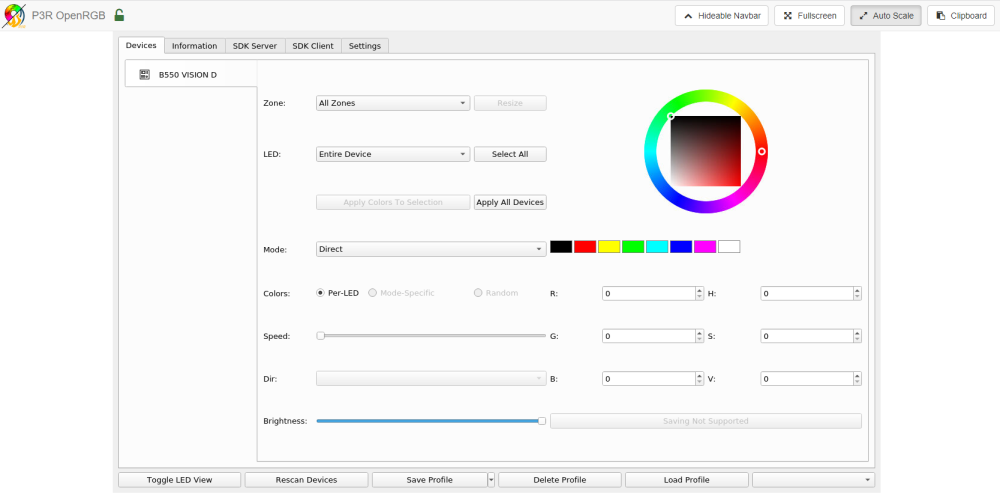
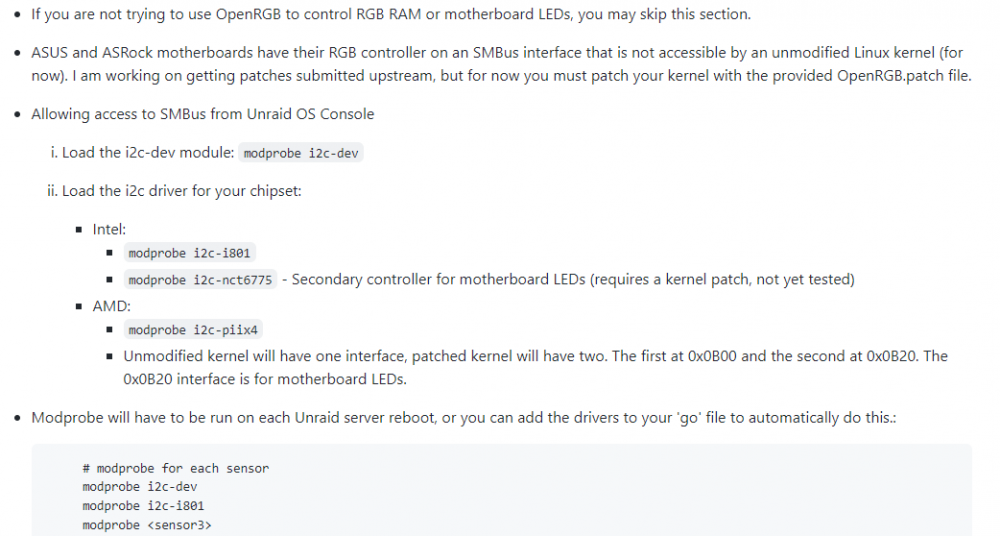
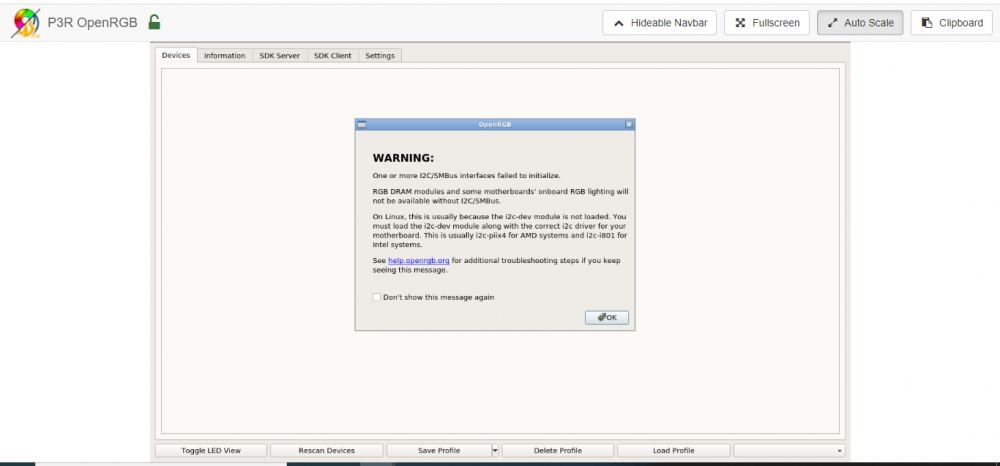
Last night I updated to version 6.10.1 and I have the same problem. I did an installation from scratch since the xmr miner was giving me a problem that it could not find the path /dev/ https://github.com/P3R-CO/openrgb-container/blob/master/README.md
-
-
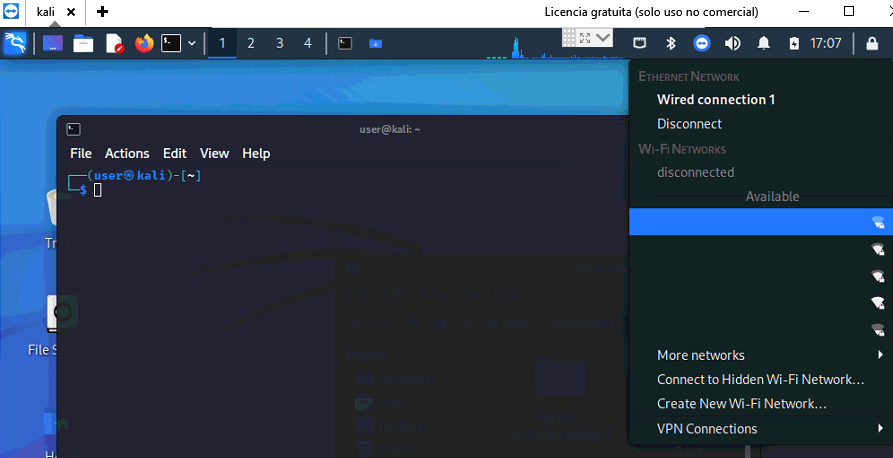
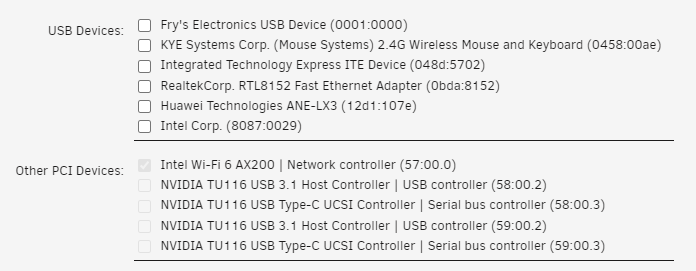
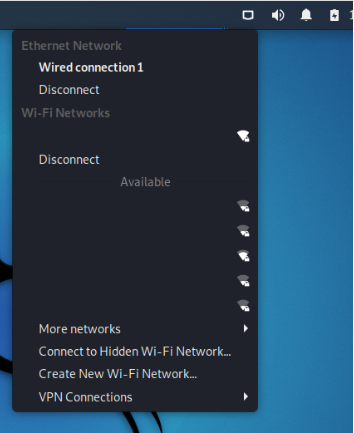
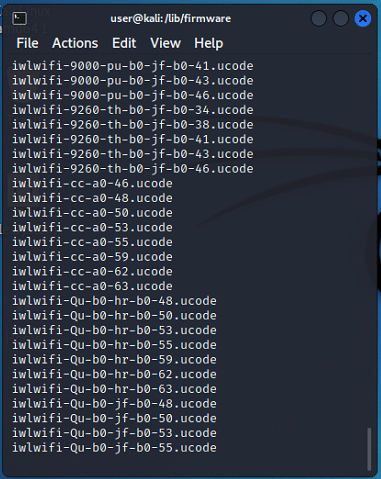
I tell you that during the day I did the following: PCIe ACS override: Multi-function I removed bluetooth.conf file from path /boot/config/modprobe.d/ I created a new virtual machine with O.O Kali Linux and just passed the WiFi device which was marked for VFIO on boot Everything works within Kali. The image is edited $ sudo iwconfig lo no wireless extensions. eth0 no wireless extensions. wlan0 IEEE 802.11 ESSID:"MyESSID" Mode:Managed Frequency:2.437 GHz Access Point: FF:FF:FF:00:00:00 Bit Rate=52 Mb/s Tx-Power=22 dBm Retry short limit:7 RTS thr:off Fragment thr:off Encryption key:off Power Management:on Link Quality=70/70 Signal level=-20 dBm Rx invalid nwid:0 Rx invalid crypt:0 Rx invalid frag:0 Tx excessive retries:0 Invalid misc:7 Missed beacon:0 $ rfkill ID TYPE DEVICE SOFT HARD 0 wlan phy0 unblocked unblocked $ sudo dmesg | grep iwl [ 8.558540] iwlwifi 0000:03:00.0: firmware: failed to load iwlwifi-cc-a0-64.ucode (-2) [ 8.558554] iwlwifi 0000:03:00.0: Direct firmware load for iwlwifi-cc-a0-64.ucode failed with error -2 [ 8.561580] iwlwifi 0000:03:00.0: firmware: direct-loading firmware iwlwifi-cc-a0-63.ucode [ 8.561598] iwlwifi 0000:03:00.0: api flags index 2 larger than supported by driver [ 8.561614] iwlwifi 0000:03:00.0: TLV_FW_FSEQ_VERSION: FSEQ Version: 89.3.35.37 [ 8.561936] iwlwifi 0000:03:00.0: loaded firmware version 63.c04f3485.0 cc-a0-63.ucode op_mode iwlmvm [ 8.561970] iwlwifi 0000:03:00.0: firmware: failed to load iwl-debug-yoyo.bin (-2) [ 8.691723] iwlwifi 0000:03:00.0: Detected Intel(R) Wi-Fi 6 AX200 160MHz, REV=0x340 [ 8.826471] iwlwifi 0000:03:00.0: Detected RF HR B3, rfid=0x10a100 [ 8.894397] iwlwifi 0000:03:00.0: base HW address: 00:00:00:FF:FF:FF $ cd /lib/firmware/ $ ls So far the solution seems to have been: 1. Changed USB port to UNRAID OS Bootable USB 2. have gone through the process of shutting down the physical machine and disconnecting it from power for 2-3 minutes 3. have booted the physical machine and run the Kali Linux virtual machine without running any other virtual machines that make use of the WiFi device I'm guessing you also need to have Fastboot disabled in the BIOS of the physical machine. (In my case it was always disabled) In the next few days I will rule out the need to move the UNRAID OS boot usb to another USB port. I don't know if I missed something we did. but I think that would be the summary until I drop point number 1, God willing .




-
this makes sense, regarding the procedure of turning off and disconnecting the power supply from power. Got it, I'm going to work on that solution today. I will also confirm that the VFIO process is completely necessary. Thank you very much for everything, really.
-
after doing this. i did this again, step by step The image is edited, it is working correctly. $ rfkill ID TYPE DEVICE SOFT HARD 0 bluetooth hci0 unblocked unblocked 1 wlan phy0 unblocked unblocked $ iwconfig lo no wireless extensions. eth0 no wireless extensions. wlan0 IEEE 802.11 ESSID:"EXAMPLE" Mode:Managed Frequency:2.437 GHz Access Point: FF:FF:FF:00:00:00 Bit Rate=26 Mb/s Tx-Power=22 dBm Retry short limit:7 RTS thr:off Fragment thr:off Power Management:on Link Quality=70/70 Signal level=-24 dBm Rx invalid nwid:0 Rx invalid crypt:0 Rx invalid frag:0 Tx excessive retries:0 Invalid misc:7 Missed beacon:0 sudo dmesg | grep iwl [ 3.970022] iwlwifi 0000:04:00.0: firmware: direct-loading firmware iwlwifi-cc-a0-66.ucode [ 3.970035] iwlwifi 0000:04:00.0: Found debug destination: EXTERNAL_DRAM [ 3.970036] iwlwifi 0000:04:00.0: Found debug configuration: 0 [ 3.970174] iwlwifi 0000:04:00.0: loaded firmware version 46.177b3e46.0 cc-a0-66.ucode op_mode iwlmvm [ 5.769813] iwlwifi 0000:04:00.0: Detected Intel(R) Wi-Fi 6 AX200 160MHz, REV=0x340 [ 5.781915] iwlwifi 0000:04:00.0: Applying debug destination EXTERNAL_DRAM [ 5.782199] iwlwifi 0000:04:00.0: Allocated 0x00400000 bytes for firmware monitor. [ 5.871900] iwlwifi 0000:04:00.0: Detected RF HR B3, rfid=0x10a100 [ 5.931647] iwlwifi 0000:04:00.0: base HW address: 8c:c6:81:ef:ba:a5 [ 7.062842] iwlwifi 0000:04:00.0: Applying debug destination EXTERNAL_DRAM [ 7.206552] iwlwifi 0000:04:00.0: FW already configured (0) - re-configuring [ 7.239315] iwlwifi 0000:04:00.0: Applying debug destination EXTERNAL_DRAM [ 7.384031] iwlwifi 0000:04:00.0: FW already configured (0) - re-configuring I don't understand why this happens. There must be a way to force it to look for file 46 directly and not have to do this. but well it works and I'm happy. I thank you very much for the time you spent @ghost82, @SimonF. I hope if someone has come across this. at least this solution will work.