zw3ist3in
Members
-
Joined
-
Last visited
Everything posted by zw3ist3in
-
Ich vermute es liegt an der Cache SSD Kann ich das beheben? Wie komme ich hier weiter?

-
Hallo zusammen, ich habe folgendes Problem: Nachdem mein Passwortmanager (Vaultwarden Docker) nicht mehr ging, startete ich den Server neu. Nach dem Start stelle ich fest: und Docker und VMs, alles weg, Habt ihr irgend eine Idee wo ich ansetzen kann? Danke!! EDIT: Ich bin unsicher ob das schon vor dem Neustart so gewesen ist oder ob Vaultwarden deshalb nicht funktionierte. Vor einigen Stunden funktionierte alles noch normal, da die Home Assistant Szenen noch getriggert haben. speicher-diagnostics-20231125-2107.zip


-
Same here, in unraid connect online it even says that it is deactivated:

-
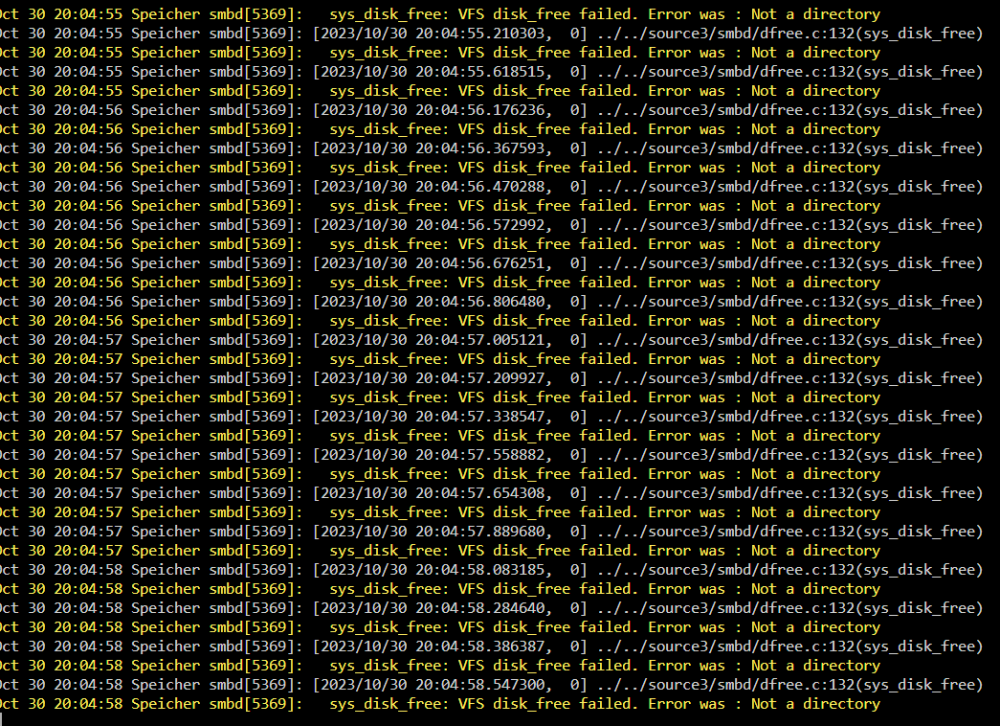
Hi guys, it is the second time that I encounter an error which repeats itself very fast. Can you help me finding the cause? Thanks in advance!
-
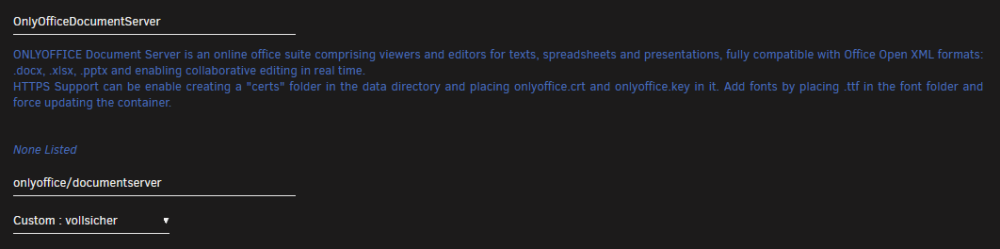
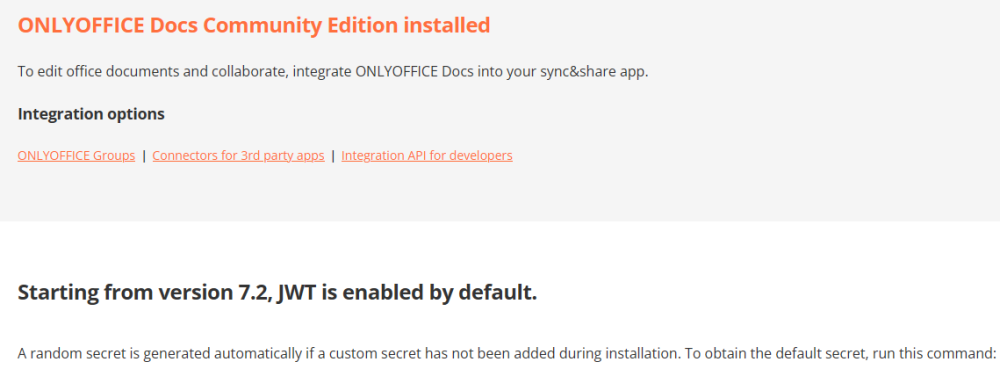
Hallo zusammen, ich versuche seit Tagen mich darin OnlyOffice mit DocumentServer zum Laufen zu bekommen. Ich weiß nicht wo mein Fehler liegt. Ich nutze den Linuxserver Nextcloud container (intern aktualisiert auf 25.0.5) Ich habe Onlyoffice installiert. Als DocuemntServer habe ich folgenden Container, eingebunden in das Dockernetzwerk, das auch der Nextcloud nutzt: Diesem Server habe ich ein secret Key gegeben bei der Installation und einen andere Port, da 8080 schon belegt war. Aus diversen Anleitungen habe ich entnommen, dass ich den DocumentServer exponieren muss, daher habe ich in cloudflare einen neuen C-Name erstellt und per NGINX Proxy Manager die Domain an den Container weitergereicht. Dieser zeigt jetzt (auch von außen, soll das so?) folgendes wenn man die Domain aufruft: In Nextcloud selbst habe ich die Domain und den in der Installation des DocumentServer Containers erstellten secret Key hinterlegt und auf Speichern gedrückt. Es gibt kleinen Fehler, allerdings klappt einfach das erstellen oder öffnen von Dokumenten trotzdem nicht.. In Firefox zeigt sich beim Versuch etwas zu öffnen einfach das Hintergrundbild und es passiert nichts mehr, in Vivaldi (Chromium) komme folgende Fehlermeldung: An welchen Stellen mache ich etwas falsch? Danke schon mal!

-
Es hat funktioniert. Vielen Dank! Der Moover hat funktioniert. Also nach dem Moover habe ich den Docker Service angeschaltet. Nach dem scheduled Parity Check heute Nacht/Vormittag sind alle Platten in den Spindown gegangen. Jetzt muss ich in den nächsten Tagen beobachten ob alle an gehen, wenn eine angeht. So bin ich von etwa 85 Watt auf 55 Watt im Spindown. Das ist schon mal viel Wert bei 52 Cent pro kw/h. Jetzt kann ich mich näher mit deinem (@mgutt) Guide zu powertop beschäftigen. Aber das geht dann in den anderen Threat. Danke!!
-
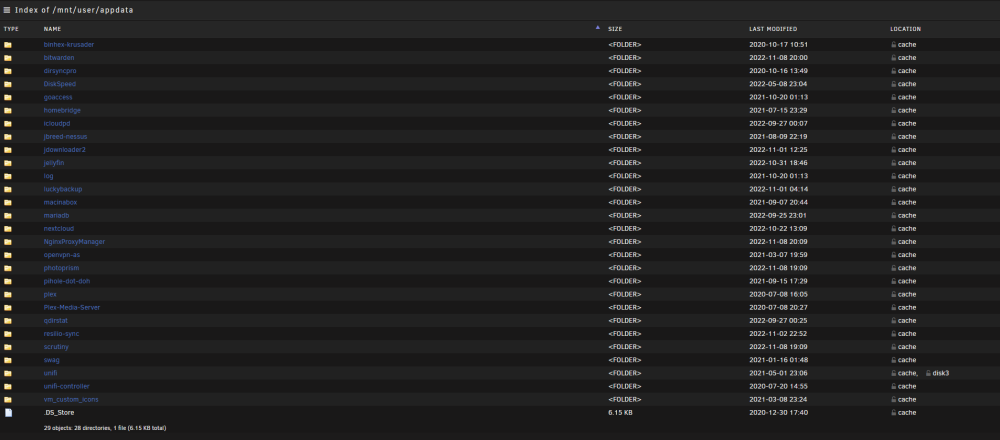
Interessant, es sagt Disk 3 obwohl auf prefer?😕

-
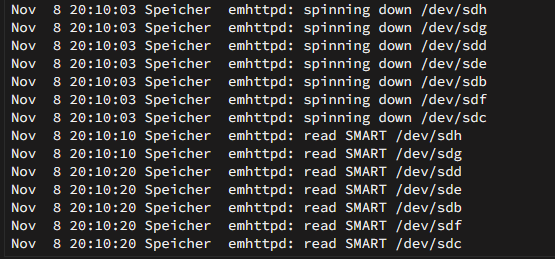
Interessanterweise gehen alle Platten an sobald irgend ein Container gestartet wird. Sei es auch nur Cloudflare DDNS oder Pi-Hole. Ich habe jetzt wo weniger gleichzeitig passiert aber folgendes gesehen scheinbar wird dann direkt SMART gelesen wenn irgend ein Container läuft. Lese ich das richtig? Kann es daran liegen? Gute Tipp danke! Bis auf den alten ungenutzten Container von UniFi sieht das so aus wie es soll?
-
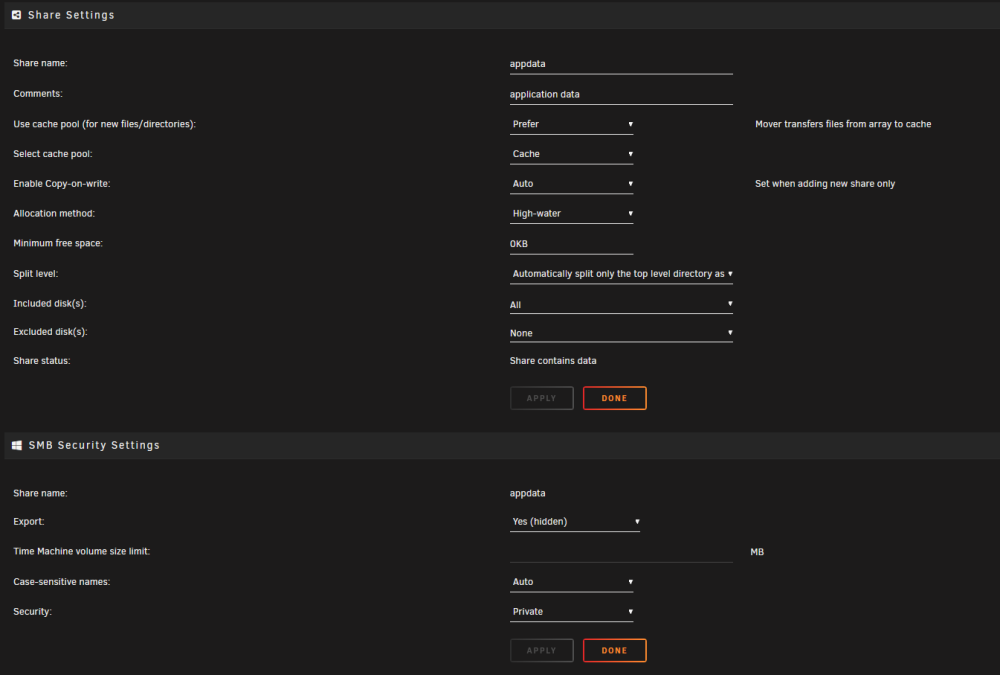
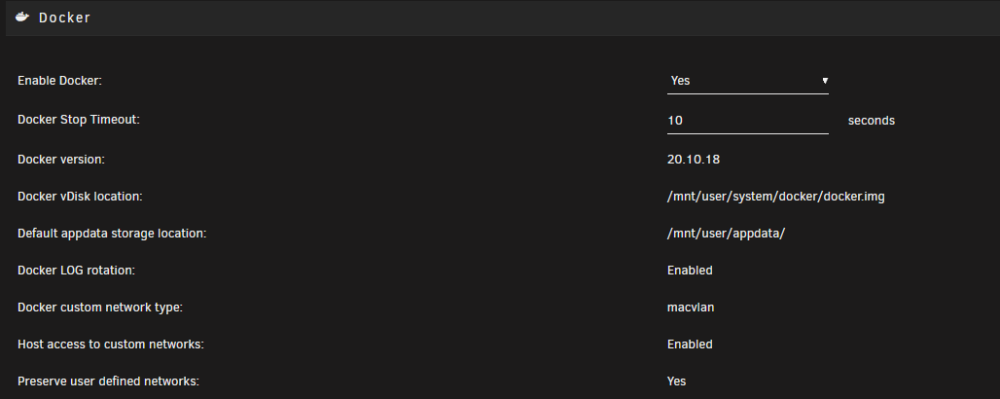
Ich denke so ist das richtig oder? Mit allen Containern aus, scheint der Spindown zu halten bisher. Jetzt heißt es einzelne starten.
-
Das ist ein sehr guter Hinweis. Ich habe den Docker komplett abgeschaltet und siehe da: Alle HDDs gehen in den Spindown! Also bin ich der Sache näher, jetzt ist die Frage ob es an dem Docker service selbst liegt oder ob es an einem/mehreren Containern liegt.. Die Festplatten sind SATA drei hängen am Mainboard, und vier an einer SATA Erweiterungskarte.
-
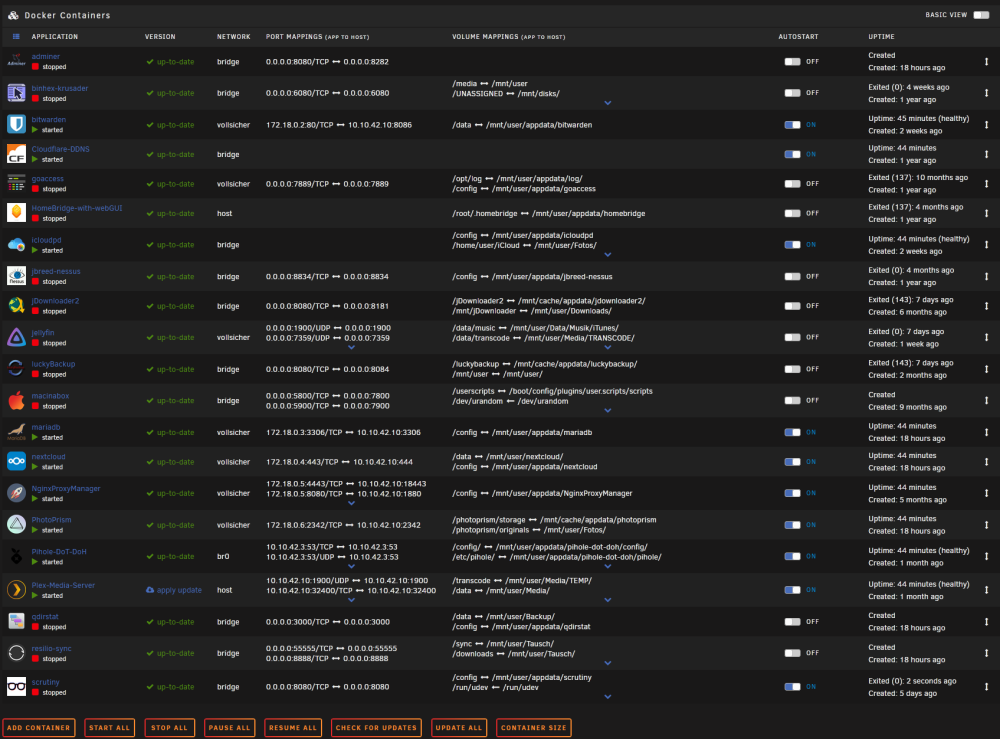
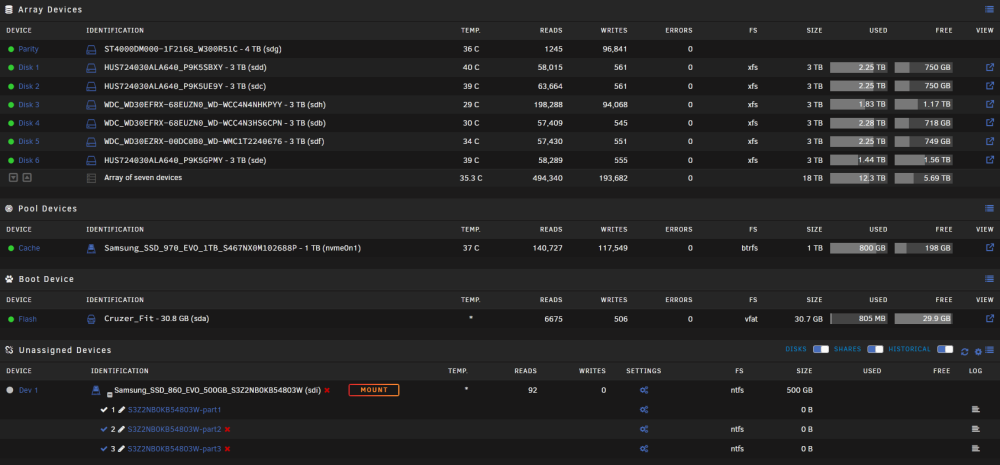
Hallo zusammen, es gibt zwar schon einige Berichte zu dem Thema, allerdings finde ich dennoch keine Lösung bisher. in meinem Server will der Spindown aller sieben rotierenden Platten (eingestellt auf 15 min) nicht greifen. Auch wenn ich manuell auf einen der grünen Pünktchen drücke, erscheint der Punkt sofort wieder grün. Im Systemlog sind keine Spindown events. Außer einer Home Assistant VM laufen folgende Docker: Das habe ich versucht: Mover nur einmal täglich eingestellt Parity Check nur Mittwochnacht, Backup von Appdata und VMs nur Dienstagnacht. SMART monitoring docker "scrutiny" erst auf 1x pro Woche gestellt, dann abgeschaltet (ich hatte gelesen, dass auslesen von SMART der Grund sein kann) Ich habe die Plugins File Activity, Open Files und Dynamix Active Streams installiert und nichts entdeckt was das erklären könnte. Ich habe alle Shares entweder auf "Yes", "prefer" oder gar only, dass erst auf die Cache SSD geschrieben wird wenn was passiert. Vielleicht hat jemand von euch eine Idee, was ich übersehe. Danke schon mal!
-
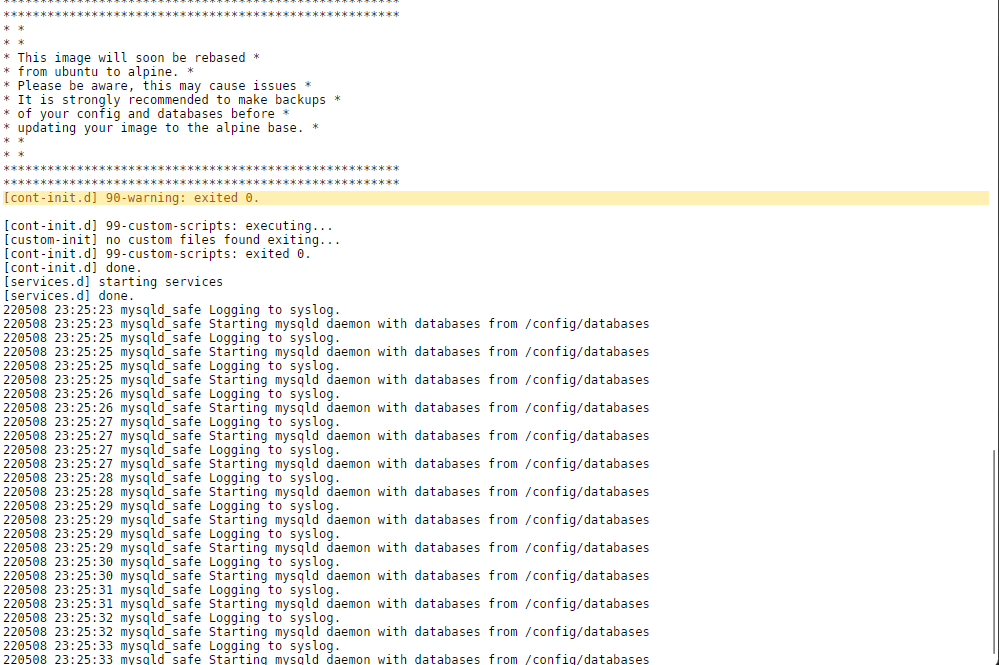
Hi, my mariadb container seems to have a problem which i am not able to locate and solve. I noticed because Nextcloud shows "internal server error" and Photoprism does not launch. Both containers are the only one using mariadb databases. MariaDB Log window sows: I already found and tried to change the repository to linuxserver/mariadb:110.4.21mariabionic-ls31 it diidnt help. i hope you can get me on the right path as it was a lot of work to re setup everything for someone with my knowledge level thanks!
-
Interesting update: I removed the GPU and eventhogh i needed to restore the backup on the Flashdrive to boot, server is up again, without GPU, still get no display output after POST, but it boots. Now running at 85W. Thats a huge difference. I Also switched onboard LAN and onboard 10gbit.
-
thanks for that input! That really helps! First i have to solve a differnt ptoblem: unraid does not power up after reboot.. 😮. But that is a topic for anoither thread possibly.
-
Thanks alot for the answer @mgutt! That is alot to think about. The parts (MB, CPU and RAM) just came out of my prevouis desktop rig because i upgraded it. I thought it was s good upgrade to the server compared to my z270 and i5 6600 before, because of more cores/threads. But after your mentiones, i am not sure if it was the right thing to use it.. To your questions: As a PSU i use a bequiet 600W. The 10G internal card was not reliable when I used it as Desktop sometimes it just completely dropped connection until reboot (macOS and Windows) so i bought an extra card. How do i measure the GPUs power consumption seperately? GPU usecase: I use it to learn and experiment with GPU Passthroug in VMs. No mining or plex encoding so far. Good Idea, i just passed the SATA Card to the neu board without looking if there were enough ports, ill correct that. HDD Spindown: I never spin down the HDDs so far. Should I? Long ago some datacenter guy told me that these NAS/Server drived dont like often spindowns and that it was better for the lifetime of the drives to keep them spinning. Is this incorrect? What would you recommend, better buying/exchanging my CPU/MB with another board? The problem is: The CPU is great its allcore 5 GHz stable (which is nonsense for the unraud server I know). But its delidded and due to liquid metal it looks used . so i dont know if i can sell it though. That was the reason why i decided to give it a second life in the server. Sorry if my english is bumpy, im german though.
-
Hi Everyone, i found this threat because i was wodering if my power consumption is "normal" and if i clould decrease it probably with bios or unraid settings. Specs: i7 8700k on ASROCK Fatality z370 Professional gaming i7 Board 64 GB (4x16) 3200 MHz DDR4 Sapphire 5700 XT 6x 3 TB HDD 1x NVME 2x SATA SSD 5x 120mm fan Asus 10 GBit Ethernet Card SATA Extention PCIE Card USB PCIE Card. It idles (with some dockers running) between 170 and 200 Watts.
-
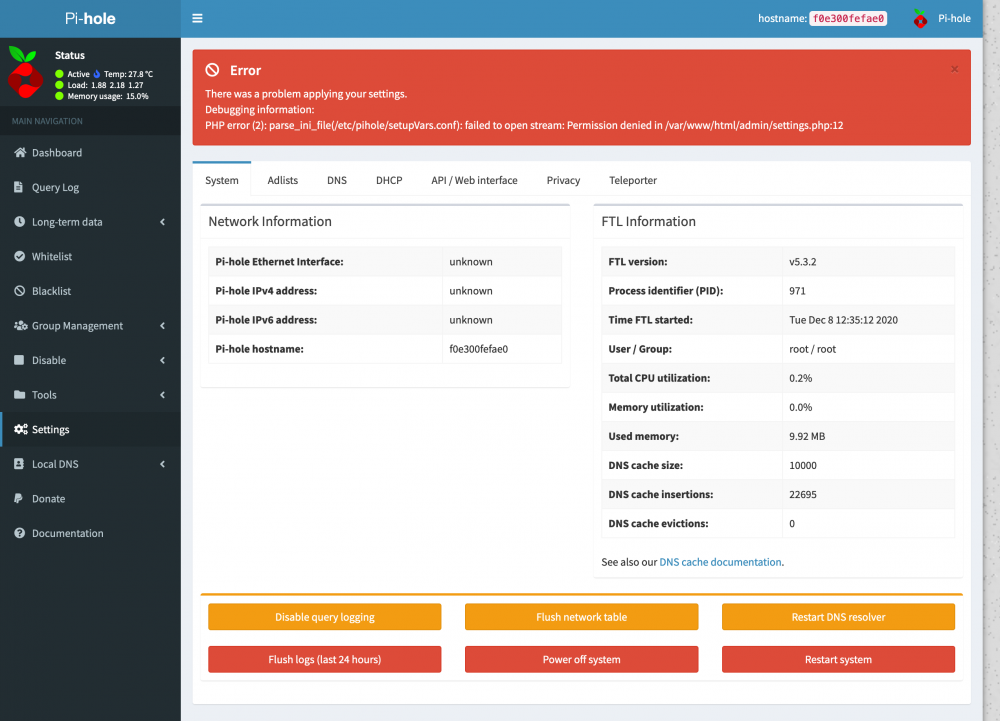
Hi, i dont know if I am right here, i dont know why but my oihole stopped working with this strange message in settings. I dont know what to do. Even reinstalling does not do anything.