





brent3000
Members
-
Joined
-
Last visited
Everything posted by brent3000
-
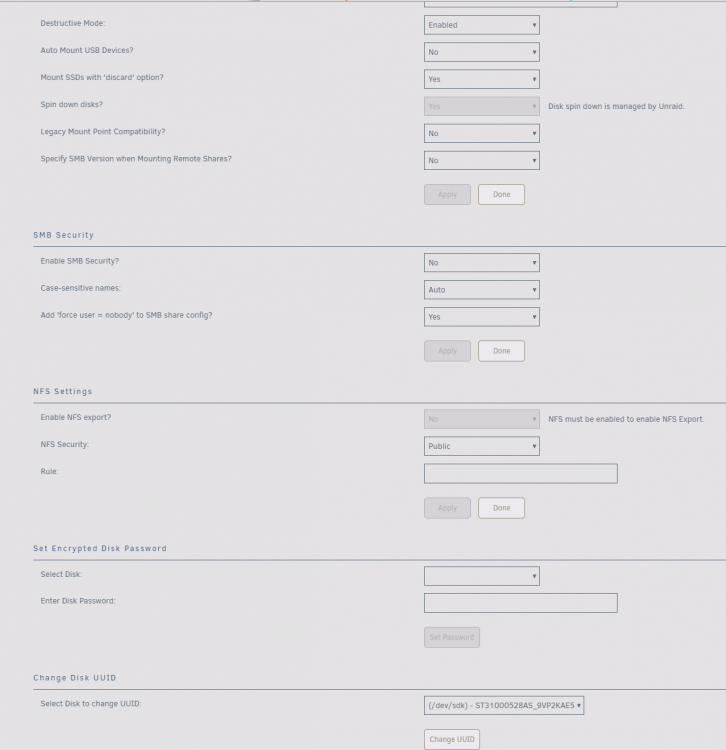
I changed the port and poiwer cycled it seems to show now, i clicked the 'Change UUID' didnt get a prompt at all but it added this to the log Aug 23 22:50:07 GLaDOS kernel: sd 11:0:0:0: [sdk] Attached SCSI disk Aug 23 22:50:07 GLaDOS unassigned.devices: Adding disk '/dev/sdk1'... Aug 23 22:50:07 GLaDOS unassigned.devices: Mount drive command: /sbin/mount -t xfs -o rw,noatime,nodiratime '/dev/sdk1' '/mnt/disks/z1TB' Aug 23 22:50:07 GLaDOS kernel: XFS (sdk1): Filesystem has duplicate UUID e293ea44-a2ff-4b83-acef-4bf675ed547c - can't mount Aug 23 22:50:07 GLaDOS unassigned.devices: Mount of '/dev/sdk1' failed: 'mount: /mnt/disks/z1TB: wrong fs type, bad option, bad superblock on /dev/sdk1, missing codepage or helper program, or other error. ' Aug 23 22:50:07 GLaDOS unassigned.devices: Partition 'z1TB' cannot be mounted. Aug 23 22:50:42 GLaDOS unassigned.devices: Changing disk '/dev/sdk' UUID. Result:
-
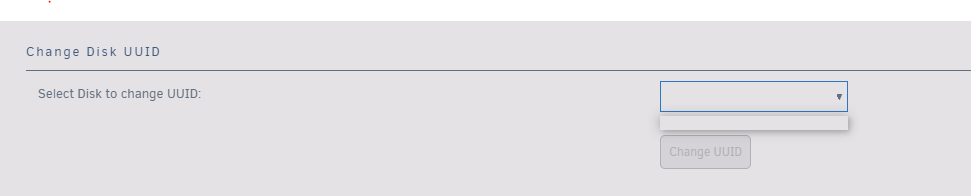
It appears to be blank
-
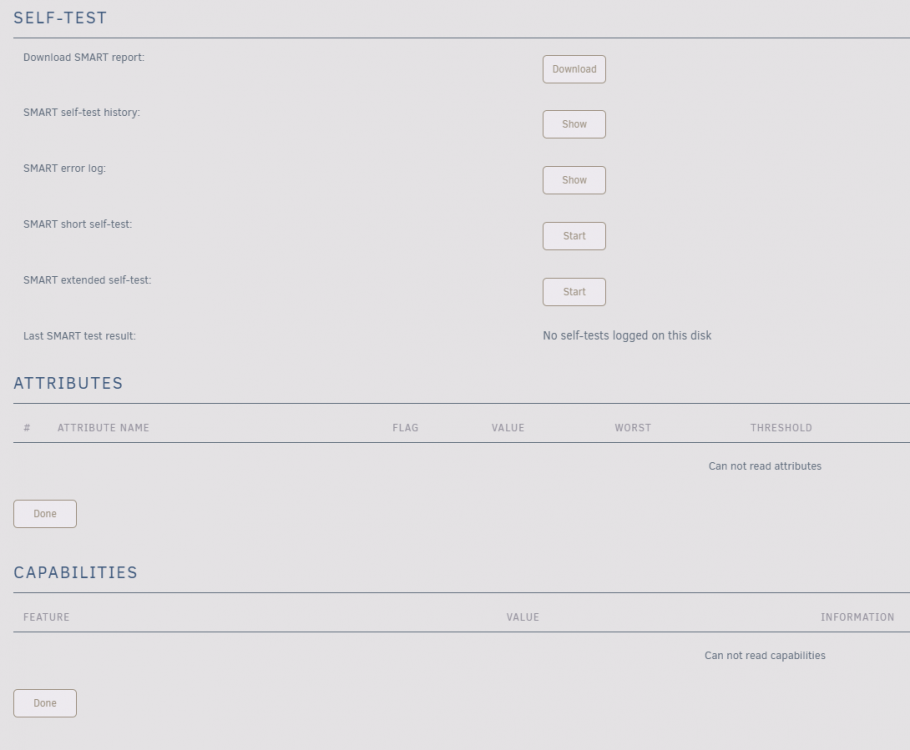
Wondering if anyone has any issues since the lattest patchs? I was having an issue today with one of my devices getting Aug 23 22:15:32 GLaDOS kernel: XFS (sdk1): Filesystem has duplicate UUID e293ea44-a2ff-4b83-acef-4bf675ed547c - can't mount Aug 23 22:15:32 GLaDOS unassigned.devices: Mount of '/dev/sdk1' failed: 'mount: /mnt/disks/z1TB: wrong fs type, bad option, bad superblock on /dev/sdk1, missing codepage or helper program, or other error. ' Aug 23 22:15:32 GLaDOS unassigned.devices: Partition 'z1TB' cannot be mounted. Aug 23 22:15:32 GLaDOS unassigned.devices: Issue spin down timer for device '/dev/sdk'. Aug 23 22:15:39 GLaDOS unassigned.devices: Adding disk '/dev/sdk1'... Aug 23 22:15:39 GLaDOS unassigned.devices: Mount drive command: /sbin/mount -t xfs -o rw,noatime,nodiratime '/dev/sdk1' '/mnt/disks/z1TB' I saw there was an update and it had the 'Spin Down Timer' as a release note, so installed now I get the following error, Aug 23 22:30:56 GLaDOS kernel: XFS (sdk1): Filesystem has duplicate UUID e293ea44-a2ff-4b83-acef-4bf675ed547c - can't mount Aug 23 22:30:56 GLaDOS unassigned.devices: Mount of '/dev/sdk1' failed: 'mount: /mnt/disks/z1TB: wrong fs type, bad option, bad superblock on /dev/sdk1, missing codepage or helper program, or other error. ' Aug 23 22:30:56 GLaDOS unassigned.devices: Partition 'z1TB' cannot be mounted. Not sure if the drive is having issues or something patch related, drve shows 'Error' on smart but no data. Unit was working this morning but then stopped and could not open the share
-
Does anyone know or is it possible to use any of the CML arguments with the docker? I'm trying to use the -C, --site function to have it auto connect to a specific site, when i added it the container just errored out sadly https://wiki.filezilla-project.org/Command-line_arguments_(Client)
-
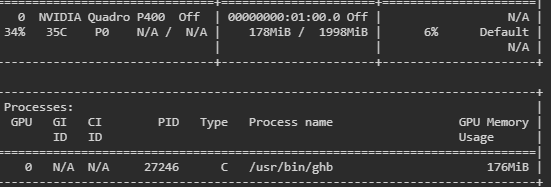
So did a driver update and this is the result, Also with the SMI seems it shows a process running now (Still dosnt show on the nvidia unraid dashboard interestingly Is it still odd that the CPU gets maxxed out when it runs yet its only using 6% if that when encoding?
-
Yeah its just strange that during a session it dosnt show on the smi at all i did see there is a driver version available for the Nvidia system so i may need to do that one weekend and see if that changes anything as i know the new driver is still getting these in this new setup Ill report back when i have updated and rebooted, but yeah maxes the CPU and nothing on the GPU, unless it dosnt show in the nvidia-smi? There was no changed needed to the docker since the nvidia driver changes in the lattest unraid?
-
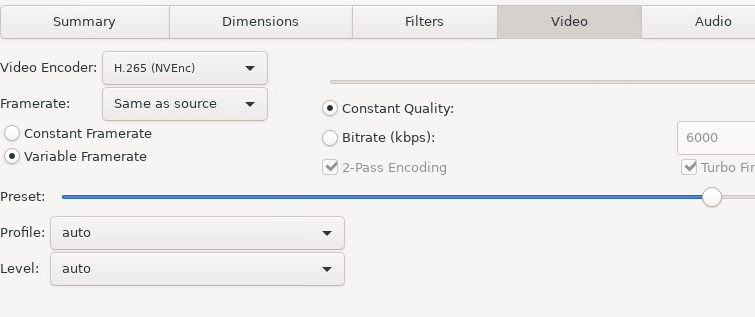
I actually have this all setup correctly and using the correct encoder but it dosnt seem to use the GPU still (checked with nvidia-smi) Keeps maxing the CPU on convert vs using the GPU Any suggestions?
-
FYI just did a force update and the error to the API is gone now it seems,
-
May i ask where you got this log data from? Just interested to see on mine also My router is getting hit alot by port scans etc all landing on the webserver (80 and 443) but its pretty normal sadly just bots scanning IP ranged trying a bunch of things and then moving on unless they get a hit
-
Is there a specific app you are trying to route too? I also followed SI YouTube and it worked a treat, have you checked the log that the domain is clearing correctly or what method are you using (folder or domain level?)
-
This is what I'm after, If i have a VM running a website (which is access via a local IP, what/how do i build a config or setup so SWAG will direct vm1.domain.com to a VM? All the sample ones are container based examples? or do i just put the VM name in its place?
-
Does anyone know if its possible to use SWAG and point it to a VM not to a docker container at all? Looking as the sample configuration, it seems all the info is pointing to a docker container, is it possible to have it point to a VM instead for hosting other non docker applications? Is it even possible or does this only work for containers?
-
Yeah i actually in the JSON text the LastHash default start point, i changes that to the AU cords mentioned and its showing all of AU now, then when a stream starts is zooms in on the region focused where the steam is coming from Deff better default option of lasthash for those not keen on diving into the jason file, map just auto centres, only the starting spot looks a bit funny without the change, @falconexe maybe add that to the suggestion list?
-
Thats what i didnt do, maybe a default (so it not so American ) set the default to 'Last GeoHash' this then will focus the map automatically when it pulls data to the region where the pins are detected. (well it did on mine anyway)
-
Thanks that worked, But i cant get the custom locations to work using Google Maps Australia is -23, 130 Now using -23 works, but when i add the ,130 it errors out, any guess?
-
I had an issue with the map and this worked for me Does anyone know how to set the defult location the map will load on? Its always loading the US first, being in Australia it would be ideal if it centred there first,
-
Not sure if this has been covered at all in this long thread, but does anyone know if there is a password option for the compression or some form of protection of the backups at all?
-
Question, what ports does it actually need normally? Looking at the forum it dosnt use 443? Looks to use 443 just for outbound communication? https://support.teamspeak.com/hc/en-us/articles/360002712257-Which-ports-does-the-TeamSpeak-3-server-use- Looking at this post on the TS forums they seem to have alot more than just 443 in their configs? https://community.teamspeak.com/t/teamspeak-3-reverse-proxy-nginx-wireguardvpn-ifs/3396/2
-
I dont know what the costings look like but if size isnt an issue (looks like a pretty normal type mobo) maybe check ebay or options for a newer 2nd hand board? Also do the drives show up in the BIOS at all with the new card? or is it the same issue that one drive isnt showing but the others are? The card or drive configuration should load on the boot showing all the drives before unraid kicks in,
-
Worst part about tech is the troubleshooting, so many things which could be wrong hahaha Your board does have a funny split but its also super old (being the Sata 3g ports on it and looks to be a split Sata controller too GL on the new card keep us posted
-
Depending on the issue, some drives until it tried to write or use a part of the drive it could be all but normal, that's why something like a preclear is handy, writes to every possible part of the drive to find bad blocks which may not come up till some time later same here I have learnt sooo much about unraid and even linux/docker in the last few months while i play with this system hahah Well if you have three of them and only one is making the sound, good indication something is different If you switch the drive/sata with one of your other units and the sound goes with it, deff not a cable issue. Possible option before you fully rebuild is running all drives just as un-assigned and then transfer to each drive before you formally build the array maybe? you have alot of ports to test it with (only 2 Sata6) but if its a controller issue then only option is a card to replace it, there is a hardware recommendation form might be handy to post in, i know alot of people using a mix but tbh i have only ever used the onboard ones so I'm no help to you there,
-
THings to look at, Are the drives getting enough power? (the scratching is a worry and not normal but maybe if they are on the same power rail split it over two power rails?) Sata port issues, try a sata card vis PCI or a raid card to remove the onboard sata issue If you think its a mobo issue its very rare it would power at all, its likely the sata controller if HDD is not working but all else is fine The fact it makes a scratching sound in one PC vs another is kinda strange, unless a driver issue, but again it does turn on Might be worth getting Seatools and running a check on the drive in a bios setting see if it shows or comes up with any issues,
-
As you dont have a cache drive then yes, the parity drive will always be written too as i mentioned above If your parity drive is the faulty one two things, replace the drive first then let it re-build or (if there is no data on it worth keeping) rebuilt it and use another drive for testing. But end of the day, dead drive needs to go else its going to have issues when being written to, if its the parity drive, in your current setup, its getting hit every time you write anything to the array. Dont worry, new systems even the most tech switched on can let the most simple things slip, and Unraid is anything but how, all a fun learning curve hahah
-
There is a docker container called 'letsencrypt' and then it was replaced by the newer container 'swag' - swag is the new version of the former 'letsencrypt' docker container Thats the context
-
Yes, thats an RMA, its kinda not normal for that sound... I would do that first and prob in the intrum remove it from the array so you can at least use the other systems and just add it back in when its all normal again hahah But yes Sata6G for the parity and maybe look into getting a new Sata card, cuz thats gonna impact your parity checks and writes etc long term (unless your not going for speed) else a cache drive would also be a handy addon for speed hahah


