






bmartino1
Members
-
Joined
-
Last visited
Everything posted by bmartino1
-
sounds like your ISP is using CGnat. meaning you have no forward facing Public IP. https://www.youtube.com/watch?v=eIpR5ZBCF_g
-
zfs send/recieve script for automation (As i do something similar...): Here’s a copy-paste Bash script you can drop on your Unraid box. It supports either syncoid (preferred, if installed) or a pure ZFS send/recv fallback. It’s built for your “hot → cold” workflow, with variables at the top to switch pools/datasets, safe checks, logging, optional e-mail, and an optional auto-export of the cold pool when done. *Requires user script plugin to automate... cold_sync.sh #!/usr/bin/env bash set -euo pipefail # =========================[ CONFIGURE ME ]========================= # Which pool is the COLD replica pool (lives on the MD3060e) COLD_POOL="cold" # Your HOT sources. You can replicate whole pools or specific datasets. # - If REPL_DATASETS is empty, we replicate each dataset in REPL_POOLS (root datasets). # - If REPL_DATASETS is non-empty, we replicate only those datasets. REPL_POOLS=("tankA" "tankB") # e.g., whole pools on NetApp shelves REPL_DATASETS=() # e.g., ("tankA/media" "tankB/projects"); leave empty to do pools # Destination layout: cold/<source-root> # Example: tankA -> cold/tankA, tankB/media -> cold/tankB/media DEST_ROOT_PREFIX="${COLD_POOL}" # Tooling preferences PREFER_SYNCOID=true # Use syncoid if present; fallback to raw zfs if not USE_MBUFFER_IF_PRESENT=true # Try to use mbuffer if available (benefits long pipes) # Snapshot naming (used by the raw ZFS fallback) SNAP_PREFIX="sync" DATE_FMT="+%Y%m%d-%H%M%S" # Logging & notifications LOG_DIR="/var/log/cold-sync" LOG_FILE="${LOG_DIR}/cold-sync-$(date +%F).log" ROTATE_KEEP=14 # Keep N most-recent log files EMAIL_TO="" # e.g., "[email protected]" (requires /usr/bin/mailx or /bin/mail) EMAIL_SUBJ_PREFIX="[Unraid Cold Sync]" # Safety / behavior AUTO_IMPORT_IF_SEEN=true # If cold pool is visible but not imported, import it AUTO_EXPORT_WHEN_DONE=false # Export cold pool after replication completes successfully ABORT_IF_COLD_OFFLINE=true # If cold pool not present, bail out (instead of continuing on hot only) DRY_RUN=false # If true, show plan, don't replicate # Lock file to avoid concurrent runs LOCK_FILE="/var/run/cold-sync.lock" # ================================================================ # ---- helpers ---------------------------------------------------- _ts(){ date "+%Y-%m-%d %H:%M:%S"; } log(){ echo "[$(_ts)] $*" | tee -a "$LOG_FILE"; } die(){ log "ERROR: $*"; exit 1; } have(){ command -v "$1" >/dev/null 2>&1; } normalize_list(){ # Build a unique list of datasets to replicate from REPL_POOLS and REPL_DATASETS local out=() if ((${#REPL_DATASETS[@]}==0)); then # replicate root of each pool for p in "${REPL_POOLS[@]}"; do out+=("$p") done else out=("${REPL_DATASETS[@]}") fi printf "%s\n" "${out[@]}" | awk 'NF' | sort -u } find_latest_snap(){ # Find the latest snapshot on $1 that starts with ${SNAP_PREFIX}- local ds="$1" zfs list -H -t snapshot -o name -S creation -r "$ds" 2>/dev/null \ | awk -v pfx="@${SNAP_PREFIX}-" -F@ '$2 ~ "^"pfx {print $0; exit}' || true } ensure_dirs(){ mkdir -p "$LOG_DIR" } rotate_logs(){ ls -1t "$LOG_DIR"/cold-sync-*.log 2>/dev/null | tail -n +$((ROTATE_KEEP+1)) | xargs -r rm -f } email_summary(){ local subject="${EMAIL_SUBJ_PREFIX} $(hostname) $(date +%F)" [[ -z "$EMAIL_TO" ]] && return 0 if have mailx; then mailx -s "$subject" "$EMAIL_TO" < "$LOG_FILE" || true elif have mail; then mail -s "$subject" "$EMAIL_TO" < "$LOG_FILE" || true else log "NOTE: No mailx/mail; skipping email to $EMAIL_TO" fi } auto_import_cold_if_possible(){ # If cold pool not imported but visible, import it with -N (don’t mount) then mount if ! zpool list -H -o name | grep -qx "$COLD_POOL"; then if zpool import | grep -q "pool: ${COLD_POOL}"; then $AUTO_IMPORT_IF_SEEN || return 0 log "Cold pool '$COLD_POOL' visible but not imported; importing..." zpool import -N "$COLD_POOL" zfs mount -a fi fi } mbuffer_flag(){ if $USE_MBUFFER_IF_PRESENT && have mbuffer; then echo "--compress=mbuffer" else echo "" fi } syncoid_replicate(){ local src="$1" local dst="${DEST_ROOT_PREFIX}/${src}" local mbflag; mbflag="$(mbuffer_flag)" # syncoid creates sync snapshots and handles incrementals automatically # -r recursive, -f continues on errors (optional), -C do a resume if supported local cmd=(syncoid -r -C) [[ -n "$mbflag" ]] && cmd+=("$mbflag") cmd+=("$src" "$dst") if $DRY_RUN; then log "[DRY] ${cmd[*]}" return 0 fi log "syncoid: $src -> $dst" "${cmd[@]}" } raw_send_recv(){ local src="$1" local dst="${DEST_ROOT_PREFIX}/${src}" local stamp snap curr latest stamp="$(date "$DATE_FMT")" snap="${src}@${SNAP_PREFIX}-${stamp}" # create a new recursive snapshot if $DRY_RUN; then log "[DRY] zfs snapshot -r $snap" else zfs snapshot -r "$snap" fi # Make sure destination parent exists if ! zfs list -H -o name "$DEST_ROOT_PREFIX" >/dev/null 2>&1; then $DRY_RUN || zfs create -o mountpoint=legacy "$DEST_ROOT_PREFIX" log "Created destination root dataset: $DEST_ROOT_PREFIX" fi # If dst does not exist, create placeholder (recv will -uF anyway) if ! zfs list -H -o name "$dst" >/dev/null 2>&1; then if $DRY_RUN; then log "[DRY] zfs create -p -o mountpoint=legacy $dst" else zfs create -p -o mountpoint=legacy "$dst" fi fi # Find latest previous sync snapshot on source that also exists on destination (by name) latest="$(find_latest_snap "$src")" local send_cmd recv_cmd if [[ -n "$latest" ]]; then # Incremental from latest to new send_cmd=(zfs send -LecR -I "${latest##*@}" "$snap") else # Full send send_cmd=(zfs send -LecR "$snap") fi recv_cmd=(zfs recv -uF "$dst") if $DRY_RUN; then log "[DRY] ${send_cmd[*]} | ${recv_cmd[*]}" return 0 fi log "zfs send/recv: $src -> $dst (from: ${latest:-FULL})" # Use mbuffer if available if $USE_MBUFFER_IF_PRESENT && have mbuffer; then "${send_cmd[@]}" | mbuffer | "${recv_cmd[@]}" else "${send_cmd[@]}" | "${recv_cmd[@]}" fi # Optionally mount new datasets zfs mount -a } main(){ ensure_dirs rotate_logs # Lock exec 9>"$LOCK_FILE" if ! flock -n 9; then die "Another cold-sync is running (lock: $LOCK_FILE)." fi log "=== Cold sync start ===" log "Host: $(hostname) | Cold pool: $COLD_POOL | DRY_RUN=$DRY_RUN" # Verify hot sources exist local src_list; mapfile -t src_list < <(normalize_list) ((${#src_list[@]})) || die "No sources defined (REPL_POOLS/REPL_DATASETS)." for s in "${src_list[@]}"; do zfs list -H -o name "$s" >/dev/null 2>&1 || die "Source dataset not found: $s" done # Ensure cold pool is online or importable auto_import_cold_if_possible if ! zpool list -H -o name | grep -qx "$COLD_POOL"; then if $ABORT_IF_COLD_OFFLINE; then die "Cold pool '$COLD_POOL' is not imported. Power on the shelf and import it first." else log "WARNING: Cold pool '$COLD_POOL' not imported; continuing (no replication will be done)." email_summary exit 0 fi fi # Choose engine local use_syncoid=false if $PREFER_SYNCOID && have syncoid; then use_syncoid=true log "Using syncoid for replication." else log "Using raw zfs send/recv fallback." fi # Replicate each source local ok=0 for src in "${src_list[@]}"; do if $use_syncoid; then if syncoid_replicate "$src"; then log "OK: $src" else log "FAIL: $src" ok=1 fi else if raw_send_recv "$src"; then log "OK: $src" else log "FAIL: $src" ok=1 fi fi done # Optionally export the cold pool if $AUTO_EXPORT_WHEN_DONE && ! $DRY_RUN; then log "Exporting cold pool '$COLD_POOL' as requested..." zpool export "$COLD_POOL" || log "WARN: export of $COLD_POOL failed." fi if (( ok == 0 )); then log "=== Cold sync completed successfully ===" else log "=== Cold sync completed with errors (see above) ===" fi email_summary exit "$ok" } main "$@" How it behaves (quick notes)Configure at top: set COLD_POOL, your REPL_POOLS (e.g., tankA, tankB) or list specific REPL_DATASETS, pick PREFER_SYNCOID=true/false, and adjust logging/email. Safety checks: verifies sources exist; ensures the cold pool is imported (can auto-import if visible). Syncoid first: if syncoid exists, it handles snapshots/incrementals automatically. If not, the script falls back to raw zfs send/recv with its own snapshot naming (sync-YYYYmmdd-HHMMSS) and incrementals. mbuffer: used automatically if present. Locking: prevents overlapping runs with flock. Optional auto-export: set AUTO_EXPORT_WHEN_DONE=true if you want the script to export the cold pool when done (so you can safely power the shelf down immediately after).
-
unasigned disk. zfs via terminal. use of zfs send recieve... This is iondeed posible. I find ti easier to use teh zfs send recvie when zfs shares the same pool name... You can do this cleanly without taking the Unraid host down. The key is to treat the “cold” shelf as a ZFS pool that you export before you power it off and import only when you need it. With Unraid 6.12+ ZFS integration, you don’t need to stop the whole “array” to do that—just don’t let the cold pool auto-mount at array start. Define the layout (If I'm reading this corectly...) Host: Dell XC630 (HBA → external SAS) running Unraid (no parity array). Hot storage: Two NetApp NAJ-1502 12-bay SAS3 JBODs → your two HDD ZFS pools (24/7). Fast tier: NVMe ZFS pool (24/7). Cold storage: Dell MD3060e (SAS2 60-bay) → one ZFS pool used as a monthly on-site replica (powered OFF except during sync windows). Unraid behavior you’ll rely on? ZFS pools can be managed independently of the Unraid “array.” You can: Disable automount on array start for the cold pool. zpool export the cold pool, power the shelf off, and keep the server up. Later power the shelf on and zpool import the pool, so no host reboot needed. Docker/VMs: ensure nothing points to the cold pool path when it’s offline (disable any shares that include that pool, or use separate share names). FYI: Unraid doesn't support sas hotplug... Hardware handling (SAS JBOD etiquette) Before power-off: make sure the pool on that shelf is exported (not merely unmounted). Export tells ZFS “these vdevs will disappear,” avoiding error spam and pool faults. Power sequencing: generally power JBOD(s) on first, wait 30–60s for link up, then import (host can already be running). For power-off, export → power down the shelf. you will need a onetime migration to send the data form your current setup to the new ready to go system... One-time migration from MD3060e → NetApp shelvesAssume: Old hot pools on MD3060e: tankA_old, tankB_old. New hot pools on NetApp: tankA, tankB. You’ll move datasets via snapshot + zfs send | zfs recv. Example scripts (using zfs send receive) https://openzfs.github.io/openzfs-docs/man/master/8/zfs-send.8.html https://docs.oracle.com/cd/E18752_01/html/819-5461/gbchx.html Create the new pools (example raidz2 vdevs; adjust to your layout): # Example only — pick your desired vdev geometry zpool create -o ashift=12 \ -O compression=zstd-3 -O atime=off -O xattr=sa -O acltype=posixacl \ -O normalization=formD -O relatime=on -O dnodesize=auto \ tankA raidz2 /dev/disk/by-id/wwn-disk1 ... /dev/disk/by-id/wwn-disk8 zpool create -o ashift=12 \ -O compression=zstd-3 -O atime=off -O xattr=sa -O acltype=posixacl \ -O normalization=formD -O relatime=on -O dnodesize=auto \ tankB raidz2 /dev/disk/by-id/wwn-disk9 ... /dev/disk/by-id/wwn-disk16 Initial mirror copy: # Snapshot source zfs snapshot -r tankA_old@seed zfs snapshot -r tankB_old@seed # Full send (use -Lec for large/sparse/embedded, and pv if you want progress) zfs send -LecR tankA_old@seed | zfs recv -uF tankA # -u leaves datasets unmounted for review zfs send -LecR tankB_old@seed | zfs recv -uF tankB # Review properties/mountpoints, then mount zfs mount -a Incremental catch-up right before cutover: zfs snapshot -r tankA_old@cutover zfs snapshot -r tankB_old@cutover zfs send -LecR -I @seed tankA_old@cutover | zfs recv -F tankA zfs send -LecR -I @seed tankB_old@cutover | zfs recv -F tankB Point shares to the new pools (update Unraid Shares to include/exclude pools as you like), then export the old pools and repurpose those disks if desired. Now with data on the system... Standing up the cold pool on the MD3060eCreate a single cold mirror/raidz pool (e.g., cold), tuned for capacity and resiliency (often raidz2/3). Same property set as above (zstd-3, atime=off, xattr=sa, acltype=posixacl). Consider setting: zpool set autoreplace=on cold zpool set autoexpand=on cold Monthly cold-sync workflow (no host downtime)Setup once (recommended tooling): Use Sanoid/Syncoid (Community Apps plugin on Unraid) or plain ZFS send/recv scripts. Syncoid is great for one-liner replications and pruning. Make the cold pool not automount at array start in Unraid (ZFS pool settings) so the host boots cleanly with the shelf off. Each month: Power ON MD3060e → wait for SAS links. On Unraid: import the pool: zpool import zpool import cold Replicate hot → cold (examples with syncoid): # replicate whole pools or specific datasets; --no-sync-snap if you manage snaps yourself syncoid --recursive --compress=mbuffer tankA cold/tankA syncoid --recursive --compress=mbuffer tankB cold/tankB Or raw ZFS (per dataset): SNAP=$(date +%Y%m%d) zfs snapshot -r tankA@${SNAP} zfs snapshot -r tankB@${SNAP} zfs send -LecR -I @prev tankA@${SNAP} | zfs recv -F cold/tankA zfs send -LecR -I @prev tankB@${SNAP} | zfs recv -F cold/tankB # (Keep track of the last snapshot name per dataset; you can use bookmarks too.) Scrub the cold pool occasionally: zpool scrub cold Export and power off: zpool export cold # now safe to power down the MD3060e (Export first, then power the shelf off. The Unraid host stays up the whole time.) ^ -- Most can be automated!... Share & path hygiene Keep hot shares and cold replicas separated (e.g., /mnt/tankA/..., /mnt/tankB/... vs /mnt/cold/...). Do not let Docker/VMs or SMB/NFS exports reference /mnt/cold/... paths (or mark those shares as Export: No in Unraid) so nothing breaks when the shelf is offline. For SMB, you can expose read-only replicas on demand when the shelf is online. Health & monitoring tips Enable and review smartd on the HBAs/shelves; NetApp SAS3 shelves usually expose SMART through the expander (check that your HBA is in IT mode). Schedule zpool status, zpool scrub, and alerting. Consider zfs set reservation on cold datasets if you want to prevent accidental over-filling during replication. Q/A: Direct questions: Question: Can I stop the “array” and power off only the cold shelf? You don’t need to stop the host or the whole Unraid array. Just: Ensure the cold pool is not set to automount on array start. When finished syncing: zpool export cold → power OFF the MD3060e. When ready to sync again: power ON the MD3060e → zpool import cold → replicate → zpool export cold → power OFF. The hot NetApp shelves and the NVMe pool keep running 24×7—minimal to zero downtime for the Unraid server and your hot storage. ...That is my understanding...
-
needs additional data in caddy - Reverse Proxy https://docs.immich.app/administration/reverse-proxy/#caddy-example-config
-
uptime kuma.. a docker that can be ran else where like a pi on teh network that set to notify use when something is down or off... ?why not set the docker to auto start?
-
please make a general post with diag... what plugins if any are you running? I don't see this issues on PC/mobile.
-
this may indicate that the udev rule you made didn't load or loaded to earlier in the boot process. Regardless, the udev rule was correctly applied and excuted per UNraid and how to implement udev. you may need to use user script plugin to load OPENRGP at first array start ... as that is a docker adn teh array is not on yet for udev to apply and use.. you should be able to use diagnostic and view the system log and see where and when udev script failed depedning on how you wrote teh udev rulll... as you used a continer and the docker system wasn't online... I would advise you to make a general support post: https://forums.unraid.net/forum/55-general-support/ as this would require more back and forth and this is a dead solved post going over how to use the udev falsh drive... ( I was looking for this to add the usb paths and other as there is very litte data and knowldge on how to use Udev let alonge implemnt it on slackware/unraid. udev at boot > things like known mac address udev rule to define to a interface name.. udev at boot > things like ignore disk at /dev/sd for unasigned etc... go file is before the array starts (before the web ui or after the web ui to launch some bat code (no data, nor array no mount fuse sytem yet) user script plugin > frist array start > runs when data is availbae on teh array once started... @BreakfastPurrito Please make a general post to contune how to load your OpenRGB
-
proxmox VM upgrade no issues. Borg real hardware same no isseus. Thanks again for a seamless updated.
-
Close... the rc script for udev is the unraid "sytemd like serve daemon that runs the udev rules... you need to make a folder and add your rule to the flash drive. Unraid mounts /boot as the flash drive... So, we make a folder on teh flash drive. Unraid checks if a udev rulle file is there copies it into t/etc ram and runs the udev rule at boot processes. so mkdir /boot/config/udev and paste your udev rules in here. then reboot unraid to apply the udev rule... https://www.reactivated.net/writing_udev_rules.html make a ##-name.rule text file. so touch 99-example.rule Then add your udev rule edits etc.. at boot teh fille will be copied into root@BMM-Tower:/etc/udev/rules.d# ls 70-persistent-net.rules 99_persistent_unassigned.rules@ root@BMM-Tower:/etc/udev/rules.d# and should be applied... Thats it. I don't have any good udev stuff atm. At one time I was playing aorund with addign a usb drive / wd passport and once plugied in udev would see the device and run a batch script. this batch script would then start a rsync backup copy to the usb disk... Another test was with mac address and setting altnames for some control ... then theres some disk by id controls... example in my proxmox guid to Virtualize unraid: Create a Udev Rule sudo nano /etc/udev/rules.d/99-ignore-vm-disks.rules # Ignore disk /dev/sdd KERNEL=="sd*", ENV{ID_SERIAL}=="WD_easystore_240GB_#########", ENV{UDISKS_IGNORE}="1", ENV{UDISKS_PRESENTATION_HIDE}="1" ^add your disks... but we can't put udev rule in ram and reboot to apply thus the folder made on the flash drive and why /boot/config/udev to place your custom udev rule.
-
Correct this doesn't affect ssh for security, only the /dev/tty1 line. ssh will not see nor interact with it unless you use ssh to connect and call that tty console line by implementing other configuration and another type of wrapper.... it is limited to the tty 1and the Getty wrapper for /dev/tty1 only the variable defined at the top. if recovery is needed its always recommened to make a flash backup and unplug the usb entering the config folder deleting the user plugin script from the folder and plug the unraid usb in to boot like normal. When unraid boot it mounts the flash drive at /boot the user script is stored in the plugin folder in the config folder on the flash drive. so recovery: root@The-Borg:/boot/config/plugins/user.scripts/scripts# ls DNS-sharfhoffen/ Fix-Hosts/ brandon-tailscale/ show_broadcasts/ tailscale-Stop/ DockerUpdateAllRunning/ FixShareServers-NFS_and_Samba/ fix-vhost0/ smb_replace_fix/ Error-syslog-notify/ ZFS-snapshots/ rsync-appdata/ systemctl/ root@The-Borg:/boot/config/plugins/user.scripts/scripts# Delete the folder holding the script so it doesn't run from the usb drive. However, This script is fairly safe and kinda fool prof essential we make a script (the wrapper we want to run) and replace only the /dev/tty1 line in the /etc/inittab line. This is why I have a undo in the script at the bottom... to undo looks for our sed edit to remove. as you could edit the script and uncomment the text file so it will run at boot and remove itself leaving a wrapper script in /usr/local/sbin/tty-console.sh ??? I guess you cold ssh login and run the script... though its only affecting /dev/tty1 so ssh wouldn't gain root access... On the physical console, you’ll see something like: /dev/tty1 (or tty2, etc.). Over SSH you’ll see a pseudo-terminal like: /dev/pts/0. since tty1 is not inside a shared tmux session... in order for this ttyl to be connected to the ssh you would have to run other lines to connect it... by editing the /etc/inittab line with a different wrapper line like... # wrapper used by tty1 (e.g., /usr/local/sbin/tty1-wrapper) #!/bin/bash exec tmux new -A -s console /bin/bash then once you have sshed into the system you would run something like: tmux attach -t console which would give you that consol tty line over ssh... This would require setting it up beforehand... its also why i mentioned the screen application/command... for unraid we can install 3rd party application (like plugins) a Slackware extra package as with screen we could runn something in a screen disconnect from the screen connect to ssh reconnect the screen.. https://slackware.pkgs.org/15.0/slackware-x86_64/screen-4.9.0-x86_64-1.txz.html you could put the binary package in /boot/extra to have this installed at boot for unraid 3rd party install: https://slackware.uk/slackware/slackware64-15.0/slackware64/ap/screen-4.9.0-x86_64-1.txz https://linux.die.net/man/1/screen AS ssh makes a different virtual console, it is and will not affect on their console's tty terminal session.
-
alot of this is from over the years of messing with linux before systemd unraid - slackware linux uses system int varables. for example a script exsits at boot to make and bring up the network... SO I will try to break it down as I esenataly wnet searching and found how unraid was making there tty connections and settings... Basically replacing the normal login “getty” on tty1 with a tiny program (“the wrapper”) that: binds itself to the physical console, prints/follows your syslog there, and on a key combo, swaps into a root shell — then, when you exit, init respawns the wrapper so you’re back to the live log. As this was the ship what works... Quick review Creates a dedicated “wrapper” at /usr/local/sbin/tty-console.sh that binds to a TTY and runs tail -f on a log file. Updates /etc/inittab so the c1 console is no longer an agetty login but your wrapper, with respawn so it always comes back. Signals init with telinit q to reload inittab, and kills the old agetty so init respawns immediately into the wrapper. Templated: you can point at another TTY or another log by editing the variables at the top. (copy script use and set another tty line... We can tighten the script up ... One thing I’d tighten (Ctrl+C behavior)... only becaseu I don't want local unath access... (And could potental manipulate a relogin) more wanted a at idel esc if not at login screen as some modern linux will have syslg dmesg fall over into the concole tty line... IE you may see when docker start and the fall over syslog data aborut veth and other dockers networks being made... So, Right now the wrapper sets trap 'exec /bin/bash -l' INT and then runs tail -f in the foreground. On most shells, Ctrl+C hits the foreground process (tail), not the parent shell, so the trap in the parent often won’t fire. Practically you’ll see tail just stop and init will respawn your wrapper again, instead of dropping you into a shell. Line-by-line “what & why” for a newcomer as this is some linux peral/bash scripting on linux... #!/bin/bash – run with bash. set -euo pipefail – safer bash defaults: -e: exit if any command fails (non-zero). -u: treat unset variables as an error. -o pipefail: make pipelines fail if any command fails, not just the last. Variables (TTY_DEV, INIT_ID, etc.) – the TTY we’re commandeering, which inittab slot to change, and what log to show. Wrapper creation We write a small program (/usr/local/sbin/tty-console.sh) that becomes the process that owns the console and renders the log. Inside the wrapper: exec </dev/tty1 >/dev/tty1 2>&1 – bind stdin/stdout/stderr to the console; the exec replaces the shell’s Full Displays so everything goes to the screen/keyboard. stty sane – reset terminal modes in case the TTY was left in a weird state. A banner and instructions. trap ... INT – handle Ctrl+C; when bash receives SIGINT it runs the trap, which execs a login shell. (somethign we can change behavior...) tail -F – follow the log and survive log rotations (-F vs -f). With my tweak, tail runs in the background and the shell waits so it can catch SIGINT. Inittab surgery /etc/inittab maps virtual consoles (like tty1) to what program init should spawn there. The c1:12345:respawn:COMMAND line means: c1 – a label (your script variable INIT_ID). 12345 – the runlevels it applies to (common catch-all). respawn – if the process dies/exits, start it again. COMMAND – normally /sbin/agetty ..., but you switch it to your wrapper. telinit q – tell init to re-read /etc/inittab (no reboot needed). pkill -f "agetty .*tty1" – kill the current login prompt process on that TTY so init immediately respawns using the new command (your wrapper). The debug print shows the live inittab line, and any process bound to that TTY. Revert helper Your one-liner restores c1 to the standard agetty line, re-reads inittab, and kills any leftover wrapper/getty so the TTY flips back right away. This is why at the bottom too turn it off you sed out the /etc/inittab we write... # sed -i 's#^c1:.*#c1:12345:respawn:/sbin/agetty 38400 tty1 linux#' /etc/inittab ; telinit q ; pkill -f "(/usr/local/sbin/tty-console\.sh|agetty .*tty1)" || true*restoring defaults... Concepts you mentioned (short intros)Wrapper – just a tiny program that “wraps” some behavior. Here, instead of running agetty (login prompt), init runs your wrapper. The wrapper owns the console, shows the log, and can morph into a shell on demand. c1 – the label in /etc/inittab for the first console (traditionally /dev/tty1). Others are often c2 → tty2, etc. (cat /etc/inittab see for your self...) agetty – the login prompt program on text consoles/serial lines. It prints login: and launches /bin/login after you authenticate. telinit – command to talk to init (the PID 1 process) and, among other things, request it to reread inittab. set -euo pipefail – safer bash mode; explained above. Compatibility notesThis approach assumes SysV-style init with /etc/inittab (e.g., BusyBox init on Unraid, some embedded distros). On systemd systems, /etc/inittab is ignored; you’d instead ship a systemd unit that binds to a getty target or uses agetty --autologin root with an override. (If you want a systemd version later, I can drop one in.) Persistence on Unraid: edits to /etc/inittab may be in RAM. Typically you’d add your changes to the Unraid “go” file or a boot-time script so they reapply after reboot. I prefer user script pluin as go file failures can lead to no unraid web ui. and some things are just to earlier inteh boot process... Linux Man pages & references (good places to read)man 5 inittab — format and semantics of /etc/inittab. man 8 init and man 8 telinit — the init process and control interface. man 8 agetty — the console/serial login program. man 1 tail — following files, -f vs -F, -n. man 1 stty — terminal line settings (why stty sane helps). man 1 ps, man 1 grep, man 1 sed, man 1 pkill — the utilities used for process listing, search, editing, and signaling. man 1 bash — read the “Signals” and “INVOCATION” sections; also search for set -e, -u, pipefail, and trap. https://linux.die.net/man/
-
https://forums.unraid.net/topic/172845-apc-ups-basic-configuration/ https://www.reddit.com/r/unRAID/comments/po43ll/connect_any_ups_on_unraid/
-
I'm not in the know on ups the acupsd sytem... however, from googling around this is what I have found: this is a “nothing fires on restore” issue, not a comms problem. On a slave, apcupsd does receive the “power back” state from the master, but the default event handling doesn’t notify on it. By design, the offbattery (and sometimes mainsback / online) events are generated on return to line power, but the stock action is do nothing unless you override it with an event script. https://subnets.ru/blog/wp-content/uploads/2008/07/apcupsd.pdf so I would assume edit the event scripts that unrad slave system is using... Confirm the event is actually generated (it is, but verify once) On the Unraid box (slave): tail -f /var/log/apcupsd.events Trigger a short power pull. You should see lines like: Power failure. ... (ONBATT) Power is back. UPS running on mains. ... (OFFBATT or MAINSBACK/ONLINE) If you see the “back on mains” line in the events file but got no Unraid notification, it’s exactly the default-action gap described above. see manpages as well for this system: https://www.mankier.com/5/apcupsd.conf so lets add an event hook so unraid reprots back... ?untested but should work... apcupsd will execute a script named after the event if present in /etc/apcupsd/. We’ll hook offbattery (fires only if onbattery had fired) and optionally mainsback / online for belt-and-suspenders. https://blog.horner.tj/apcupsd-scripts/ Create persistent copies on the flash and install them at boot: *(to survive reboots and carry with unraid flash backups...) mkdir -p /boot/config/custom/apcupsd nano /boot/config/custom/apcupsd/offbattery /boot/config/custom/apcupsd/offbattery #!/bin/bash # Unraid apcupsd slave: notify when power is restored HOSTNAME=$(hostname) SUBJECT="UPS power restored on ${HOSTNAME}" DESC="UPS back on line power (offbattery event)." # Unraid's notify utility: # -e event, -s subject, -d description, -i severity (normal|warning|alert) /usr/local/emhttp/webGui/scripts/notify \ -e "UPS" -s "$SUBJECT" -d "$DESC" -i "normal" (Optional) also create mainsback and online with the same contents to catch alternate restore sequences:cp /boot/config/custom/apcupsd/offbattery /boot/config/custom/apcupsd/mainsback: cp /boot/config/custom/apcupsd/offbattery /boot/config/custom/apcupsd/mainsback cp /boot/config/custom/apcupsd/offbattery /boot/config/custom/apcupsd/online Make them executable: chmod +x /boot/config/custom/apcupsd/offbattery \ /boot/config/custom/apcupsd/mainsback \ /boot/config/custom/apcupsd/online Install them into the RAM filesystem on boot by editing /boot/config/go and adding (before the emhttp line is fine): (Or user pluigin script at first arry start...) # Install apcupsd event hooks at boot mkdir -p /etc/apcupsd install -m 755 /boot/config/custom/apcupsd/offbattery /etc/apcupsd/offbattery install -m 755 /boot/config/custom/apcupsd/mainsback /etc/apcupsd/mainsback install -m 755 /boot/config/custom/apcupsd/online /etc/apcupsd/online Test as the above is move for unriad reboot to keep at a unraid reboot... *For this session (without reboot), install and test now: install -m 755 /boot/config/custom/apcupsd/offbattery /etc/apcupsd/offbattery install -m 755 /boot/config/custom/apcupsd/mainsback /etc/apcupsd/mainsback install -m 755 /boot/config/custom/apcupsd/online /etc/apcupsd/online Pull power briefly → you should get your normal “on battery” notification and the new “power restored” one when mains returns. Why this works: apcupsd’s default for offbattery is to do nothing; Unraid’s plugin notifies aggressively on “bad” events, but not always on “back to normal.” Adding a per-event script is the supported method to extend behavior. as I'm not sure if this is a plugin or other emhttp notfication system... ? Unraid’s APC plugin ships a helper that reads a line from stdin and turns it into a GUI notification. If you prefer that style, you can do this inside your event scripts: *Per other fourm posts... I don't have a ups to test theses things.. This could be as easey as adding this line at boot... echo "Power is back. UPS running on mains." \ | /usr/local/emhttp/plugins/dynamix.apcupsd/apcupsd.notify If you still don’t see events (Per ubuntu/deb man pages:https://manpages.ubuntu.com/manpages/jammy/man8/apcupsd.8.html) Make sure the slave is truly ONBATT → OFFBATT (short blips might produce mainsback/online only). That’s why we hook all three. Keep an eye on /var/log/apcupsd.events to confirm which event name your restore path generates, then ensure you have a matching script.
-
what is it your trying to do? xyz? > ?npm > ?tailscale or cloudflare dns > ? world wide access?
-
if implementing tailscale its usual tail scale via side car / tsproxy and the need of 1 npm(Ngin proxy manger) per container shared over tail scale... each docker that you want over tailscale would need their own npm and tailscale integration. this means plex > npm to go to plex >npm tailscale setup > tailscal get to plex via npm immich neeed a new npm and another tailscal addon to the new npm to use immich over tail scale... some dockers web server and systems need adational headers and tailscal can be fincay with the serve/funnel options to get npm working... https://docs.immich.app/administration/reverse-proxy/
-
? so you want unraid to report back or pfsense to report back?
-
contact support they can regen a key
-
contact support they can regen a key
-
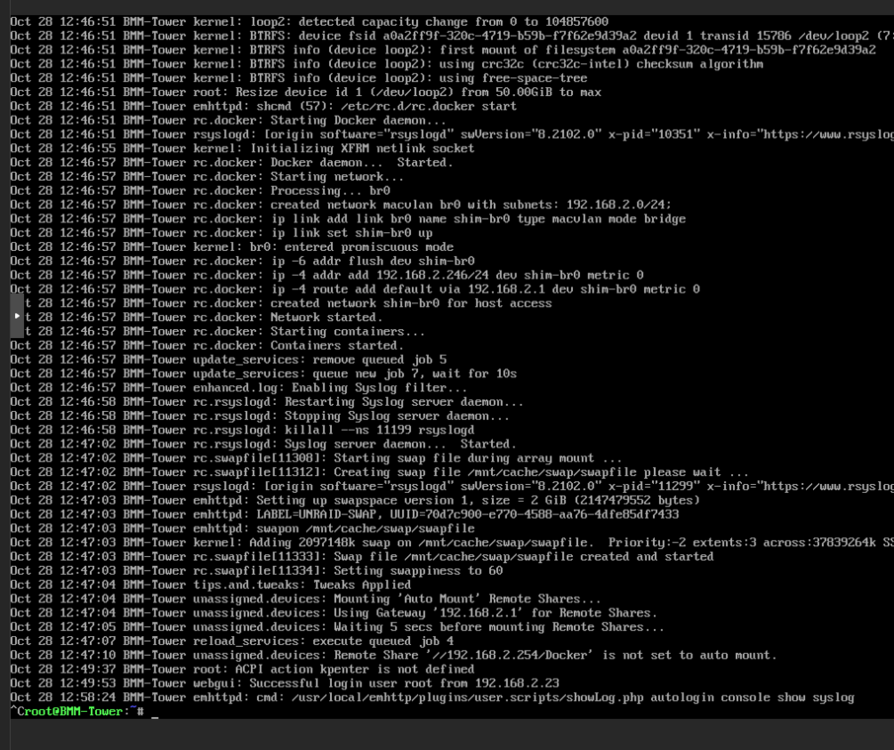
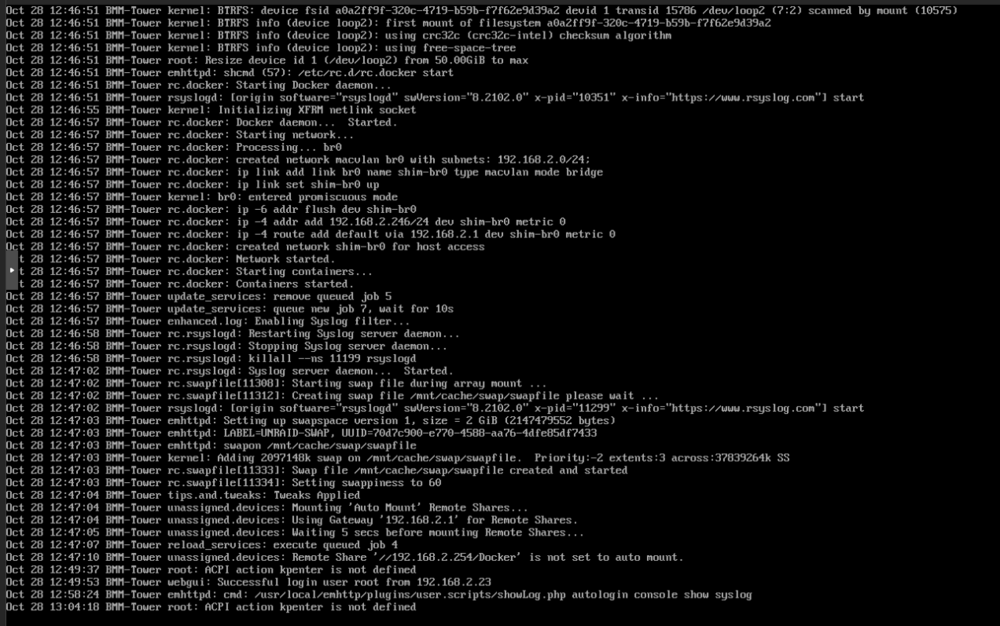
this does make a securty vul if accessable in person:

-
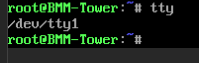
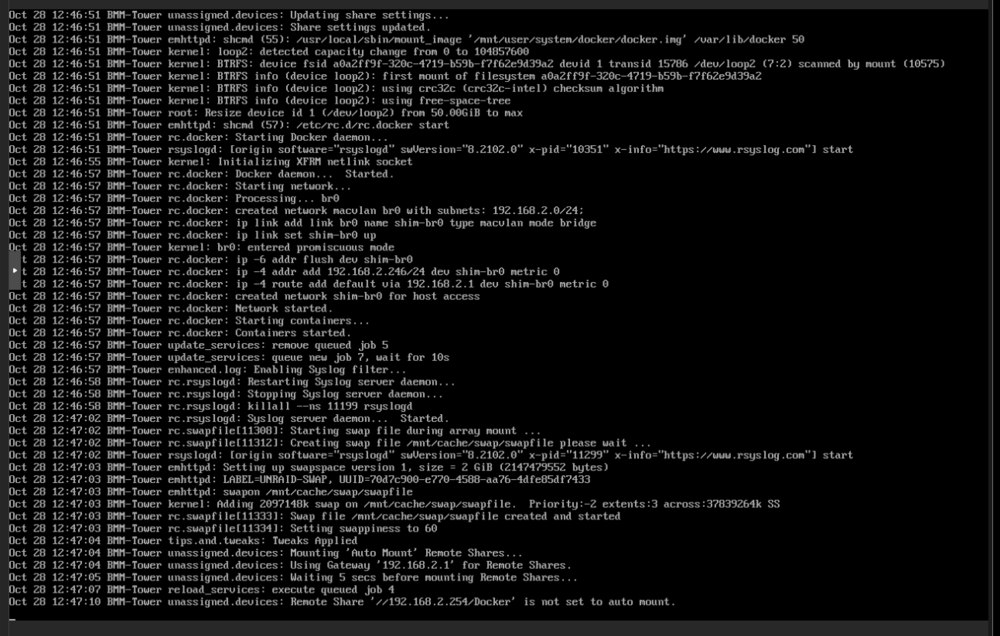
run tty and get the monitors tty line it will be needed later! Main > Flash > Syslinux Configurations... where we can add adational grub syslinux configuration... we need to set the console first! This is to guarantee it to always be at /dev/tty1 (at least this is the debain grub command may or may not work in unraid!) append initrd=/bzroot console=tty1 then with user script set to first array start to accomplish our goal... unraid /boot/config/go is the script that launches the unraid web ui and runs before the array start. user script plugin makes scripts on cron my go to is at first array start as its when the array is online. example script: #!/bin/bash set -euo pipefail # ===== FIXED SETTINGS (edit if you want a different TTY or log) ===== TTY_DEV="/dev/tty1" TTY_BASENAME="tty1" INIT_ID="c1" LOG_FILE="/var/log/syslog" WRAPPER="/usr/local/sbin/tty-console.sh" # ==================================================================== echo "[*] Configure ${TTY_DEV} as a live syslog console (Ctrl+C -> root shell)" [[ -e "$TTY_DEV" ]] || { echo "[-] ${TTY_DEV} not found"; exit 1; } # 1) Install the wrapper process that *is* the console on TTY_DEV mkdir -p "$(dirname "$WRAPPER")" cat > "$WRAPPER" <<'EOS' #!/bin/bash # Bind to the console and make this our controlling TTY exec </dev/tty1 >/dev/tty1 2>&1 stty sane >/dev/null 2>&1 || true printf "\033[2J\033[H" # clear screen TTY_WANT="/dev/tty1" LOG_WANT="/var/log/syslog" echo echo "=== Live syslog on ${TTY_WANT} ===" echo "Press Ctrl+C to drop into a root shell on this console." echo # Ctrl+C -> switch to an interactive root login shell trap 'exec /bin/bash -l' INT # Show entire file then follow in foreground tail -f -n +1 "$LOG_WANT" EOS chmod 755 "$WRAPPER" # Bake your chosen TTY/log into the wrapper sed -i \ -e "s#^exec </dev/tty1 >/dev/tty1 2>&1#exec <${TTY_DEV} >${TTY_DEV} 2>\&1#" \ -e "s#^TTY_WANT=.*#TTY_WANT=\"${TTY_DEV}\"#" \ -e "s#^LOG_WANT=.*#LOG_WANT=\"${LOG_FILE}\"#" \ "$WRAPPER" # 2) Point c1 to our wrapper (no agetty, no autologin) if grep -qE "^${INIT_ID}:" /etc/inittab ; then sed -i "s#^${INIT_ID}:.*#${INIT_ID}:12345:respawn:${WRAPPER}#" /etc/inittab else echo "${INIT_ID}:12345:respawn:${WRAPPER}" >> /etc/inittab fi # 3) Apply now: make init reread, and kill any current agetty on that TTY so it respawns our wrapper telinit q || true pkill -f "agetty .*${TTY_BASENAME}" || true sleep 0.5 # Debug echo "[D] inittab ${INIT_ID}: $(grep "^${INIT_ID}:" /etc/inittab || echo 'missing')" echo "[D] process bound to ${TTY_BASENAME}:" ps ax | grep -E "(${WRAPPER}|agetty).*${TTY_BASENAME}" || echo " (init will spawn it)" echo "[✓] ${TTY_DEV} is now a live syslog console." echo " Ctrl+C -> root shell; 'exit' -> back to log view (init respawns)." # -------- OPTIONAL: quick revert helper (comment out if you don't want it) -------- # To revert to standard login on tty1, run these two lines manually: # sed -i 's#^c1:.*#c1:12345:respawn:/sbin/agetty 38400 tty1 linux#' /etc/inittab ; telinit q ; pkill -f "(/usr/local/sbin/tty-console\.sh|agetty .*tty1)" || true # --------------------------------------------------------------------------------- Example: Proof of concept. all headless:


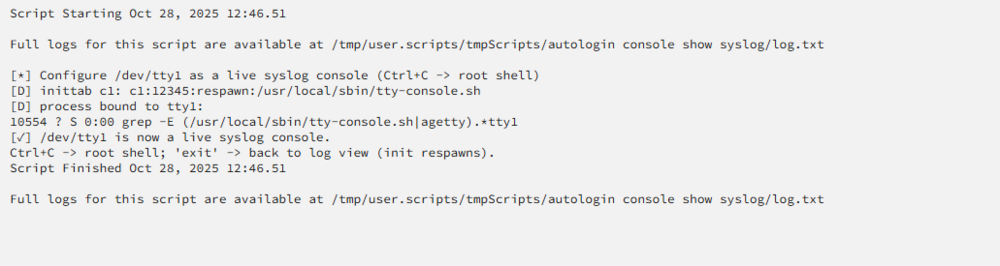
-
with linux it can be had geting 0:0 for the display.. same for which tty line or consol line that unraid uses. I can see a user script at first boot to do this but we need to tell quite a bit to get which line unraid is using at boot. some of this can be done in the grub syslinux append option. some of this can be done with the the unraid go script... I need to test as I never botherd needing to use a headless and running a command to do that at the host level. May require 3rd party install of slackpackage program called screen Unraid is slackware linux. This may not be fesible without a keyboard as even teh Main console requires a username password... to login to the tty...
-
run command dmesg will show the syslog to INDEF see the log in the terminal screen use the tail command Jorge sent above. ctrl c to leave it the -f is follow so it will constaly show the lines sent to the log file
-
thank you I will review the diags. I ahven't cehcekd out 7.2 RC or beta yet. ok following the trash guides as I asume you setting up or had a Ars system. did you edit or make changes for sym/hardlinks? -as this will afect how data can be stored access and messes with unraids fuse system underneath... https://trash-guides.info/File-and-Folder-Structure/Hardlinks-and-Instant-Moves/ https://trash-guides.info/File-and-Folder-Structure/How-to-set-up/Unraid/
-
I read some advice that the ssd cash should be mirrored because it flushes it to the array at night? depends on how you setup shares and other unraid settings... https://docs.unraid.net/category/manage-storage/ mirrored 256 GB is enothe to hold quite a bit of Core systems in terms of space. a docker vdisk image woudl be 20 by default Id increase it to about 50 - 80 GB. Phots and plex libraies take up the most space. My medai libray for plex is a goo 7 TB in and of it self. Plex docker and app data(configuration etc) will be fine on a 256 GB mirroed disk. the plex libray content will not. depending on what you chose to ineract with it and what you what whats stored where and what it will be doing...
-
To ZFS or Not To ZFS tha is the questions... Unasgend disk plugin should allow you to mount or reuse your old synology didk to copy dat off... I would recommend going without the unraid array reusing all disk... My caveot and not is the CPU The intel n150 is not a bad cpu but you will be processor limited for running plex and other... 4 cores is not alot to be running docker systems and other things.... So I would ditch the unraid array go zfs and pool disk setups only... see her for more info plugins and some ohter gneeral best practices... https://forums.unraid.net/topic/177887-os-70beta4-best-practice-storagediskcache-configuration/#findComment-1478045 Review ZFS on unraid video: https://www.youtube.com/watch?v=UR5RCItyCsw so array set to none. Cache mirrored 2x 256 GB NVME on BTRFS Save your docker appdata here, save unraid system files like the VM libvrist and docker image here. make 2 zfs named pools 4x 4TB HDD raidz1 (1vdev) - Called HDD used for deep storage (Backup data, Miroded data form all drives 321 backup rule) 3x 512 GB SSD raidz1 (1vdev) - Called SDD used for large storage but faster then deep storage (Pictures, Video files) this leaves the 2x 512 nvme as addon where you can use as zfs special disk for metadata and speed or an additional pool of 2x btrfs / zfs mirror disks for things like VMs... https://www.youtube.com/shorts/9kJPJx1OZrQ However, 4 cores is a bit limited to run plex and adational docker services and vms. So example share layout and setup with ZFS and the master plugin these can be datasets as well with comporession and other settings setup... Here’s a quick overview of what each default share is for: appdata: This is where all the working files for your Docker containers are stored. Each Docker container usually has its own folder here. system: This share holds the essential files for your Docker applications and the XML templates for your VMs. domains: This share is designated for storing virtual disk images (vdisks) that your VMs use. isos: This is where you can save CD ISO images that you want to use with your VMs. Backup: Somethign you can create and use somehting like the plugin appdata backup with your cached setup of 2x 256 BTRFS Mirror settup Media: a place to store your Plex libray content. TV show, Movies, ETC.... Cloud: Generic samba/nfs Share Name for generic etc etc all shares can be datasets as well ZFS has overhead and can be a bit more ram heavy. I would recomend the swap plguin as most of that 32 GB of ram may be sued for otehr docker services... As appdata is a unraid default docker path and should be on the btrfs cache disk I reomcend mirroring them... RAID IS NOT A BACKUP! its redundancy to keep the machine up and alive for files to exist across mutiple disk. a good practiced backup file is a file on atleasts 2 disk in 2 locations with 1 copy of the fill off site. This way if recovery of the file is needed the file is avalbe off site or on another disk. Review the Unriad docs: https://docs.unraid.net/unraid-os/using-unraid-to/manage-storage/shares/ Since using mutiple or wanting mutiple dockers review docker network info: https://bmartino1.weebly.com/guide-dockernetworks.html for pictures and Other docker implementations I recommend setting up compose https://bmartino1.weebly.com/immich-on-unraid-docker-compose-guide.html I would recomend plex via linux server in the CA(Comunity apps)




