






bmartino1
Members
-
Joined
-
Last visited
Everything posted by bmartino1
-
Since using zfs please review: https://forums.unraid.net/topic/177887-os-70beta4-best-practice-storagediskcache-configuration/#findComment-1478045 As this is a new one to me... the binary may be apart of the zfs master plugin other wise its a 3rd part install... While I'm not going heavy on compression, I've yet to hit this error for zfs on unraid 7.1.4 so ? do you have the zfs master plugin installed? what version of unraid are you running? What compression are you trying to use/set? ... https://slackware.pkgs.org/15.0/slackdce-x86_64/lzop-1.04-x86_64-1_slackdce.txz.html I doubt it will be apart of the Main Release as this binary package is third party... Binary Package https://slackware.halpanet.org/slackdce/packages/15.0/x86_64/system/lzop/lzop-1.04-x86_64-1_slackdce.txz so unget install the Slackware missing pacakge... https://forums.unraid.net/topic/129200-plug-in-nerdtools/page/25/#findComment-1513524 this will place the binary in the /boot/extra folder and the package will be installed at boot. as I'm not sure what your calling nor using for a zfs send... https://openzfs.github.io/openzfs-docs/man/master/8/zfs-send.8.html https://docs.oracle.com/cd/E19253-01/819-5461/gbchx/index.html
-
This is the downside of using a docker container as a network essential when gluten updated its changed network keys for the other containers connected to it. You can get around this with docker compose this way when updates occur to the whole stack the entire stack goes down to maintain the network... https://bmartino1.weebly.com/guide-dockernetworks.html
-
at first I thouhgt this to be a nginx / systemctl thing... nope its good old php... and potentail issues iwht fastcgi... IDK what your doing to hit that and rasing the limit is not a fix to the under line issues... Regardless, you will need a user script plugin and a script at frist array start to run to make this last between reboots.. cat /etc/php-fpm.d/www.conf and look for : pm.max_children = 50 default should have: ; The number of child processes to be created when pm is set to 'static' and the ; maximum number of child processes when pm is set to 'dynamic' or 'ondemand'. ; This value sets the limit on the number of simultaneous requests that will be ; served. Equivalent to the ApacheMaxClients directive with mpm_prefork. ; Equivalent to the PHP_FCGI_CHILDREN environment variable in the original PHP ; CGI. The below defaults are based on a server without much resources. Don't ; forget to tweak pm.* to fit your needs. ; Note: Used when pm is set to 'static', 'dynamic' or 'ondemand' ; Note: This value is mandatory. pm.max_children = 50 so at frist aray start user script plugn run: #!/bin/bash # Increase PHP-FPM max_children to handle more concurrent UI/API calls # Run "At First Array Start" in User Scripts PHP_FPM_CONF="/etc/php-fpm.d/www.conf" NEW_LIMIT=200 # adjust as needed (default 50) # Verify config exists if [[ -f "$PHP_FPM_CONF" ]]; then echo "Updating pm.max_children in $PHP_FPM_CONF to $NEW_LIMIT..." # Use sed to replace the line if it exists, otherwise append it if grep -q '^pm.max_children' "$PHP_FPM_CONF"; then sed -i "s/^pm.max_children.*/pm.max_children = ${NEW_LIMIT}/" "$PHP_FPM_CONF" else echo "pm.max_children = ${NEW_LIMIT}" >> "$PHP_FPM_CONF" fi # Restart PHP-FPM service safely /etc/rc.d/rc.php-fpm restart echo "PHP-FPM restarted with new limit: $NEW_LIMIT" else echo "ERROR: $PHP_FPM_CONF not found. Unraid may have changed its path." fi this will increase the limit to 200... However, again. this is not a fix!!! You need to figur out the memory leak that hitting the 50...Unraid templates are stored on the flash drive. cd /boot/config/plugins/dockerMan/templates-user/ example: root@The-Borg:/boot/config/plugins/dockerMan/templates-user# ls my-ApacheGuacamole.xml my-Immich_Valkey.xml my-Redis_Immich.xml my-homarr.xml my-proxmox-backup-server.xml my-ClamAV-clamdscan.xml my-Influxdb.xml my-Redis_NetBox.xml my-homeassistant.xml my-sftp-fail2ban.xml my-ClamAV.xml my-MakeMKV.xml my-RocketChat.xml my-iPXE-buildweb.xml my-sftp.xml my-ClamAV.xml.bak my-MongoDB-RocketChat.xml my-UniFi-Video.xml my-immich.xml my-steam-headless.xml my-Factorio.xml my-Palworld.xml my-UptimeKuma.xml my-mariadb-hive.xml my-syncthing.xml my-Grafana-Unraid-Stack.xml my-Pihole-DoT-DoH.xml my-binhex-syncthing.xml my-netbootxyz.xml my-unifi-controller-reborn.xml my-Homebox.xml my-PostgreSQL_Immich.xml my-foldingathome.xml my-netbox.xml my-watchtower.xml my-Immich_PostgreSQL.xml my-PostgreSQL_Netbox.xml my-frigate.xml my-plex.xml root@The-Borg:/boot/config/plugins/dockerMan/templates-user# I can cat my-xyz template and read the xml line. You might be able to pull the database password from that line... Example: root@The-Borg:/boot/config/plugins/dockerMan/templates-user# cat my-mariadb-hive.xml <Config Name="MYSQL_PASSWORD" Target="MYSQL_PASSWORD" Default="DATABASE_PASSWORD" Mode="{3}" Description="Set this to the password you want to use for you MYSQL_USER (minimum 4 characters and non-alphanumeric passwords must be properly escaped)." Type="Variable" Display="always" Required="false" Mask="true">clonedeploy</Config> as I did play around with hive farm os for bitcoin miners.. there default password is clonedeploy. Which is seen in the template.only with using a Microsoft account app password. https://support.microsoft.com/en-us/account-billing/how-to-get-and-use-app-passwords-5896ed9b-4263-e681-128a-a6f2979a7944this is telling you that something happened to cause the parity needing to be resynced. form a power failure to a ne disk format resync... it has to due to the nature of things ahppening that caused it. most times Its info and palying catchup to faster disks. in this case somethign hapend to disk int he array and its warnign you that something hapened to thoese disk that trigerd parity needing to be rewritten.with the unasigned disk plugin in the main tab you will see a disk show up here: you just hit the mount button in the web ui anc you can access the data on thta disk by going to /mnt/disk data name and path shown in web ui... https://www.youtube.com/watch?v=-A1GcJXG0F8
 unasiged disk is correct if you don't intednt to use taht disk for the array cacehc etc. do not format the disk in the new system set the fielsystem to auto But best way to handle this is having another disk to file copy the good dat off. so pull the disk form the old server is fine. onthe new server with disk setup add the old sever disk and mount with unasnged disk plugin then you can use local caoamdns to interact with teh mount or copy the data off to the new system disks.
 normal actvity and call for data should spin the disk up. If they are in a spin down state. I can see needing a coamdn to spin them down or stoping the array for that period of time so no interaction is happenign at all but not a spin spin up as that should spin up and work when the next task i called.so i would go to settings > disk settings and let teh disk go into a spun down state when they are idle for 15 min.. this mean no dockers, no file copy no disk activty and they will spin down.. you may want to enable spin groups and setup spin groups I rember a feature chat from the dev checking if people used theses... so they kept it as this would be ther only other area that I can think of that can edite or messs with spin up spin down...
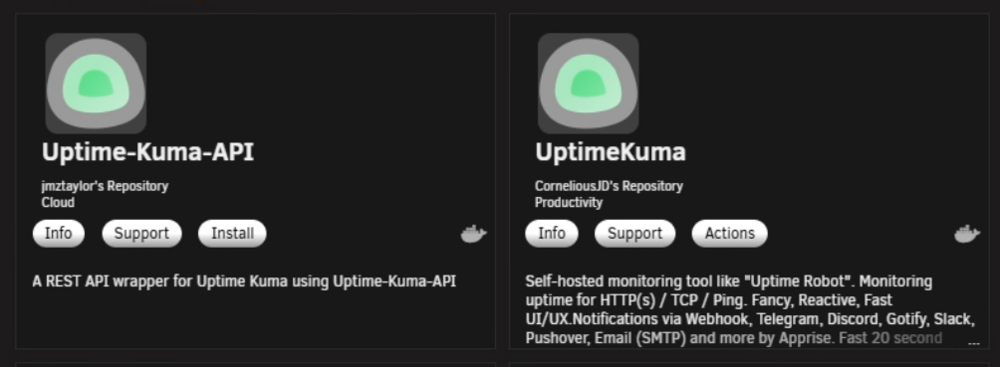
 hdparm -y /dev/sd{b,c,d,e,g,h} etc is a Hard dis parameter taht is lower level then what urnaid spin up and spin down does... that won't reflecet itn eh web ui as well and require hdparm to wake up sometimes. even if the comand worked to what makes this smei hard is finding what uraid calls the comadns now... Unraid ≥ 6.12 uses this format for the GUI “Spin Down All” and “Spin Up All” buttons: Action POST field Comment Spin down all cmdSpinDownAll=SpinDownAll note the capital D and A Spin up all cmdSpinUpAll=SpinUpAll same pattern I'm not finding the odler form data on spin down spin up as well.https://docs.unraid.net/unraid-os/using-unraid-to/manage-storage/array-configuration/#spinning-disks-down-or-upapologies as I'm at a trail and error at this point with code scripting... try to spin them all down... one copy paste... #!/usr/bin/env bash set -euo pipefail CSRF=$(grep -Po '^csrf_token="\K[^"]+' /var/local/emhttp/var.ini) COOKIE=/tmp/unraid.cookies # Try HTTP first, then HTTPS curl -sS -k --fail -e "http://localhost/Main" \ -c "$COOKIE" -b "$COOKIE" \ --data "csrf_token=${CSRF}&cmdSpindownAll=Spindown" \ http://localhost/update.htm \ || \ curl -sS -k --fail -e "https://localhost/Main" \ -c "$COOKIE" -b "$COOKIE" \ --data "csrf_token=${CSRF}&cmdSpindownAll=Spindown" \ https://localhost/update.htm Behavior Tells Unraid’s emhttpd backend to issue spindown commands to every array + pool disk. Exactly mirrors the “Spin Down All” button on the Main page. Safe to run any time — it won’t stop the array or unmount anything. You can schedule this with cron or the User Scripts plugin for after-hours power saving. I remember other termianl comands that afected spin up and down via termanl but untests and lost onth forum. Sorry I can't be of much help... as I would have to go thoguht the unraid githbu web ui and try to find the coamnd they run adn add it to the data line of this script to do what it would do as if you hit the button inthe main page... urnaid web ui github https://github.com/unraid/webgui/blob/master/emhttp/plugins/dynamix/Main.page GitHubwebgui/emhttp/plugins/dynamix/scripts at master · unraid/...Unraid Web UI. Contribute to unraid/webgui development by creating an account on GitHub.either that or a higher dev/mod may know...is bad old data in v6 that never worked ... the mdctl is form debain mdadm stuff that unraid donw't use to make its software raid. unraid uses scritps taht run under the emhttp and slackware system vars to make the array parity and other software raid. that would be a good quick data to try with debain not unraid slackwareas I'm using a ZFS SYSTEM.. I have no disk 1 to test this should be the comand to spin down disk 1 as if you hit the spin down #!/usr/bin/env bash set -euo pipefail CSRF=$(grep -Po '^csrf_token="\K[^"]+' /var/local/emhttp/var.ini) COOKIE=/tmp/unraid.cookies curl -sS -k --fail -e "http://localhost/Main" \ -c "$COOKIE" -b "$COOKIE" \ --data "csrf_token=${CSRF}&cmdSpindown=disk1" \ http://localhost/update.htm \ || \ curl -sS -k --fail -e "https://localhost/Main" \ -c "$COOKIE" -b "$COOKIE" \ --data "csrf_token=${CSRF}&cmdSpindown=disk1" \ https://localhost/update.htmI need to think more on that as I nromal aviod and turn off sleep states as if the machien is going to do the task budget and set it up to be 24/7 from runnign or using sleep states and to other disk activity. I'm not quite sure how to aproch this even form the termal runnign spin up and down comands as this can hurt active didsk doing tasks... I need to re reveiwe the urniad dos on spin up and down... https://forums.unraid.net/topic/129313-how-do-i-automate-spinning-down-specific-disks/ I also think this may be semi in the web UI with disk settings...understood, thsi coudl still be adapted as standby/sleep states. esentail we still want a array stop start durring the time. and introduce a sleep comand and when on to start the array.. untested code as I don't nomalry hit nor use the spin up spin down buttons... #!/usr/bin/env bash set -euo pipefail ######################################### # CONFIGURATION ######################################### # Active spin-up window (24-hour format) START_HOUR=9 # 9 AM STOP_HOUR=21 # 9 PM # Log file LOG_FILE="/var/log/unraid-keep-spunup.log" ######################################### # INTERNALS ######################################### HOUR=$(date +%H) CSRF=$(grep -Po '^csrf_token="\K[^"]+' /var/local/emhttp/var.ini || true) COOKIE=/tmp/unraid.cookies log() { echo "[$(date '+%Y-%m-%d %H:%M:%S')] $*" | tee -a "$LOG_FILE" } spin_up_all() { log "Spinning up all array disks..." curl -sS -k --fail -e "http://localhost/Main" \ -c "$COOKIE" -b "$COOKIE" \ --data "csrf_token=${CSRF}&cmdSpinupAll=Spinup" \ http://localhost/update.htm \ || curl -sS -k --fail -e "https://localhost/Main" \ -c "$COOKIE" -b "$COOKIE" \ --data "csrf_token=${CSRF}&cmdSpinupAll=Spinup" \ https://localhost/update.htm } ######################################### # MAIN LOGIC ######################################### if (( HOUR >= START_HOUR && HOUR < STOP_HOUR )); then spin_up_all else log "Outside active window (array may spindown normally)." fi I belve this is what you want regardign to spin up of the disk only... In the User Scripts plugin, schedule it for: */10 9-21 * * * → runs every 10 minutes between 9 AM and 9 PM.alot worng here and using bad AI and comands to do this... I can help make a stop start scirpt at time.. #!/usr/bin/env bash set -euo pipefail ######################################### # CONFIGURATION ######################################### # Time window for stopping/starting STOP_TIME="21:10" # 9:10 PM START_TIME="08:50" # 8:50 AM # Log file for status tracking LOG_FILE="/var/log/unraid-array-scheduler.log" ######################################### # INTERNALS ######################################### CURRENT_TIME=$(date +%H:%M) CSRF=$(grep -Po '^csrf_token="\K[^"]+' /var/local/emhttp/var.ini || true) COOKIE=/tmp/unraid.cookies log() { echo "[$(date '+%Y-%m-%d %H:%M:%S')] $*" | tee -a "$LOG_FILE" } stop_array() { log "Stopping array..." curl -sS -k --fail -e "http://localhost/Main" \ -c "$COOKIE" -b "$COOKIE" \ --data "startState=STARTED&file=&csrf_token=${CSRF}&cmdStop=Stop" \ http://localhost/update.htm \ || curl -sS -k --fail -e "https://localhost/Main" \ -c "$COOKIE" -b "$COOKIE" \ --data "startState=STARTED&file=&csrf_token=${CSRF}&cmdStop=Stop" \ https://localhost/update.htm sleep 5 grep -E '^(mdState|fsState)=' /var/local/emhttp/var.ini | tee -a "$LOG_FILE" } start_array() { log "Starting array..." curl -sS -k --fail -e "http://localhost/Main" \ -c "$COOKIE" -b "$COOKIE" \ --data "startState=STOPPED&file=&csrf_token=${CSRF}&cmdStart=Start" \ http://localhost/update.htm \ || curl -sS -k --fail -e "https://localhost/Main" \ -c "$COOKIE" -b "$COOKIE" \ --data "startState=STOPPED&file=&csrf_token=${CSRF}&cmdStart=Start" \ https://localhost/update.htm sleep 5 grep -E '^(mdState|fsState)=' /var/local/emhttp/var.ini | tee -a "$LOG_FILE" } current_state() { grep -Po '^mdState="\K[^"]+' /var/local/emhttp/var.ini 2>/dev/null || echo "UNKNOWN" } ######################################### # MAIN LOGIC ######################################### STATE=$(current_state) log "Current time: $CURRENT_TIME | Array state: $STATE" if [[ "$CURRENT_TIME" == "$STOP_TIME" ]]; then if [[ "$STATE" == "STARTED" ]]; then stop_array else log "Array already stopped. No action needed." fi elif [[ "$CURRENT_TIME" == "$START_TIME" ]]; then if [[ "$STATE" == "STOPPED" ]]; then start_array else log "Array already started. No action needed." fi else log "No action scheduled for $CURRENT_TIME." fi Cron every 30 min to run and check... */30 * * * * some other plugins for spin down and other are needed... as stopping the array kills vms, docker s etc... but if something running like a database or other task the disk will not spin down...updated command for 7.1.4 https://forums.unraid.net/topic/50490-solved-commands-to-start-and-stop-array/#findComment-1584966 7.1.4 1 line terminal command to stop the array... As if you hit the stop button on the main tab stop array: CSRF=$(grep -Po '^csrf_token="\K[^"]+' /var/local/emhttp/var.ini) # try HTTP first curl -sS -k --fail -e "http://localhost/Main" \ -c /tmp/unraid.cookies -b /tmp/unraid.cookies \ --data "startState=STARTED&file=&csrf_token=${CSRF}&cmdStop=Stop" \ http://localhost/update.htm || \ # fallback to HTTPS curl -sS -k --fail -e "https://localhost/Main" \ -c /tmp/unraid.cookies -b /tmp/unraid.cookies \ --data "startState=STARTED&file=&csrf_token=${CSRF}&cmdStop=Stop" \ https://localhost/update.htm stat array: CSRF=$(grep -Po '^csrf_token="\K[^"]+' /var/local/emhttp/var.ini) curl -sS -k --fail -e "http://localhost/Main" \ -c /tmp/unraid.cookies -b /tmp/unraid.cookies \ --data "startState=STOPPED&file=&csrf_token=${CSRF}&cmdStart=Start" \ http://localhost/update.htm || \ curl -sS -k --fail -e "https://localhost/Main" \ -c /tmp/unraid.cookies -b /tmp/unraid.cookies \ --data "startState=STOPPED&file=&csrf_token=${CSRF}&cmdStart=Start" \ https://localhost/update.htm *ASUMES A VALD ARRAY CONFIG!!! Verify and check: root@The-Borg:~# grep -E '^(mdState|fsState)=' /var/local/emhttp/var.ini mdState="STARTED" fsState="Started" root@The-Borg:~# Why these parameters? Because the GUI’s JS adds a hidden cmdStop=Stop input and posts to /update.htm with csrf_token, plus a startState field (STARTED when stopping, STOPPED when starting) and an empty file param. Community-confirmed payloads (worked for others when GETs failed): Tested on the borg and saw array shuting down per web ui and array start per web ui...7.1.4 1 line terminal command to stop the array... As if you hit the stop button on the main tab stop array: CSRF=$(grep -Po '^csrf_token="\K[^"]+' /var/local/emhttp/var.ini) # try HTTP first curl -sS -k --fail -e "http://localhost/Main" \ -c /tmp/unraid.cookies -b /tmp/unraid.cookies \ --data "startState=STARTED&file=&csrf_token=${CSRF}&cmdStop=Stop" \ http://localhost/update.htm || \ # fallback to HTTPS curl -sS -k --fail -e "https://localhost/Main" \ -c /tmp/unraid.cookies -b /tmp/unraid.cookies \ --data "startState=STARTED&file=&csrf_token=${CSRF}&cmdStop=Stop" \ https://localhost/update.htm stat array: CSRF=$(grep -Po '^csrf_token="\K[^"]+' /var/local/emhttp/var.ini) curl -sS -k --fail -e "http://localhost/Main" \ -c /tmp/unraid.cookies -b /tmp/unraid.cookies \ --data "startState=STOPPED&file=&csrf_token=${CSRF}&cmdStart=Start" \ http://localhost/update.htm || \ curl -sS -k --fail -e "https://localhost/Main" \ -c /tmp/unraid.cookies -b /tmp/unraid.cookies \ --data "startState=STOPPED&file=&csrf_token=${CSRF}&cmdStart=Start" \ https://localhost/update.htm *ASUMES A VALD ARRAY CONFIG!!! Verify and check: root@The-Borg:~# grep -E '^(mdState|fsState)=' /var/local/emhttp/var.ini mdState="STARTED" fsState="Started" root@The-Borg:~# Why these parameters? Because the GUI’s JS adds a hidden cmdStop=Stop input and posts to /update.htm with csrf_token, plus a startState field (STARTED when stopping, STOPPED when starting) and an empty file param. Community-confirmed payloads (worked for others when GETs failed):while not impossible very unlikely for a widows bug to encrypt and ransom your data to a samba share. That would be more a windows encryption and deletion of data from network shares... For remote secure access... one could use the unraid connect plugin which would allow for remote management and access to your system... Without setting up unraid notifications and editing these notifications...you could also setup thing like uptime kuma(a separate docker) for notifications and/or user scripts to check and restart systems... Otherwise I recommend looking into unraid notification agents.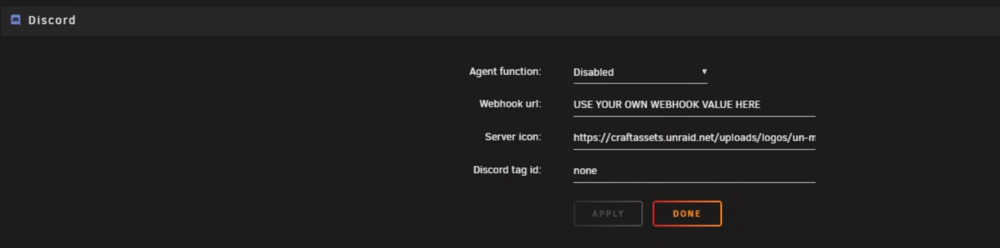
 docker appdata really shouldn't be set to array then move to cache. what is your disk layout and setup for unraid main... see docs https://docs.unraid.net/category/manage-storage/ you invite data loss with docker and docker systems if using the default template for where docker data is stored.by default unraid make boot and other script format and use the usb disk labled UNRAID and marks syslinux and teh boot flag. By default it is not setup for UEFI mode. which you can change latter in the unraid web ui UEFI supports legacy boot. You may need to turn off secure boot and enable CSM and boot to the USB via CSM legacy...




