Nodiaque
Members
-
Joined
-
Last visited
-
i didn't install update for the whole system. in the end, its just a docker running the game. its already less open then a full system. not saying it shouldn't be taken care, i just normally dont check these because it would make a way bigger docker if i put all the os patch in it.
-
Hello, I've initiate a force rebuild to see if it fixes that. I don't explicitly install libbrotli1, it might be part of other package I need to install: ca-certificates update-ca-certificates ibcurl4 lib32gcc-s1
-
Blame steam Linux for that. The entire installation and update check is done by steam client just like on Windows. The image contain no binary, not even the steam client.
-
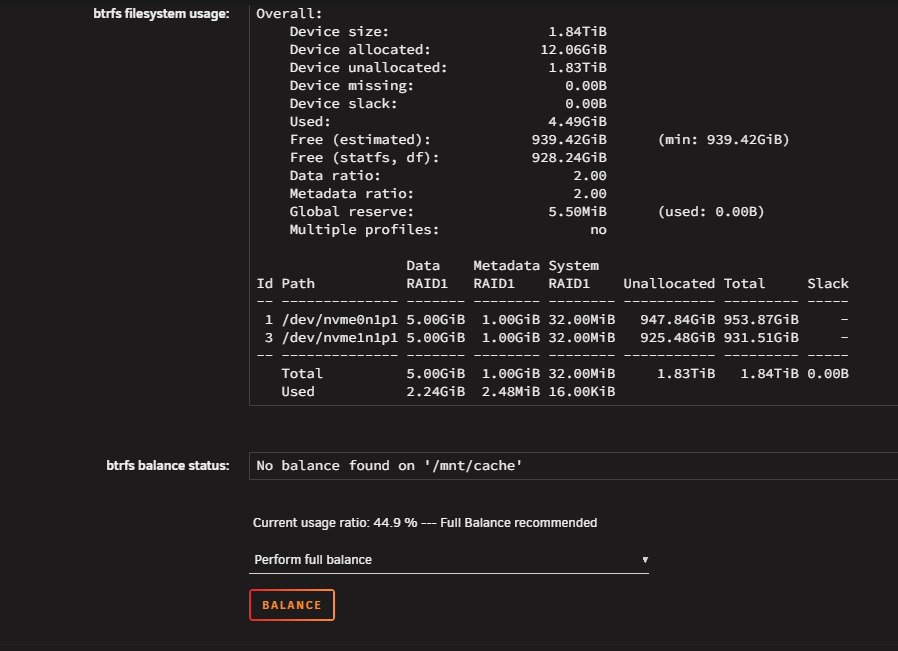
Hello everyone, I just checked the state of my btrfs pool and see a message saying I should run a balance. It is schedule to run on the 10 of each month, but ran it anyway. The message is still there and I also have a message saying no balance so I'm unsure what to do. Thank you servraid-diagnostics-20261017-1200.zip
-
So full shutdown and then boot up worked. I think I know what happened. Stupid me. I just vacuum across my house and though it would be a good idea to use the brush on top of the server to get all the dust. I probably done a short on the front port which dropped the pcie. edit: ran a scrub and no error. Should be good to go. Good thing is there's not much on that pool
-
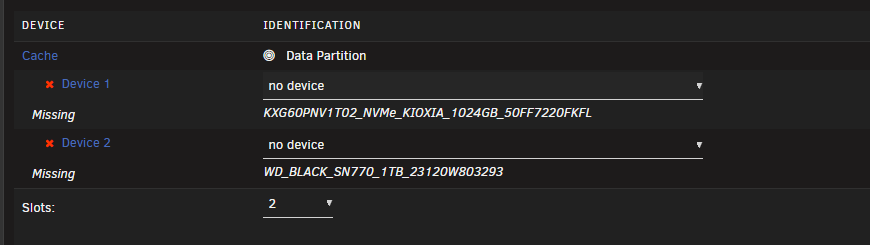
I just stopped the array and see that both disk are now missing. It align with your finding. I'll disable autostart and restart. I'll check where those disk are connected after. Maybe the controller is dying, wouldn't be the first.
-
HEllo, I just received a notification that I have error on my pool, Upon looking, it says read error. When I click on either device or cache, the window is empty. Log show it's not read only Here's the diag data thank you servraid-diagnostics-20261017-1049.zip

-
I would say it's a placebo. Some swear there's a difference, other says the non proton run smoother. I myself run the non proton version no problem but I do have a very beefy server
-
I did create a beta in the past with a newer version of proton, but I'm unsure which version it is
-
Yeah it seems something in proton is having a hard time. Can you try the non proton? There's no gain on running proton anyway
-
They might have change the name of the exe or the download path thus it cannot find it anymore. Is the issue present with the non proton?
-
Kind of harsh comment out of nowhere. But why do you disable backup? Why use this app if you don't want to backup them?
-
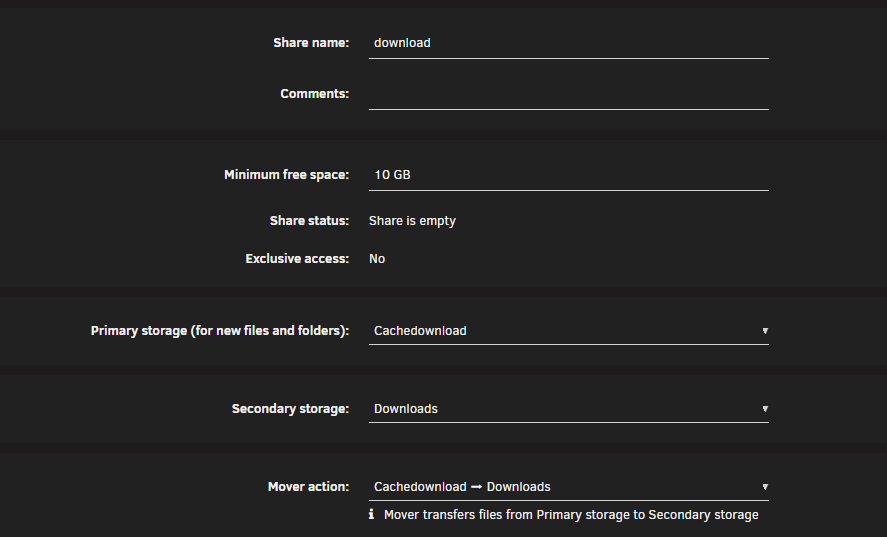
Hello, I'm getting error that some of my share have file on multiple pools, but it is how my share is configured. Exemple: These are both pool, but the cache is SSD and Downloads is HDD. I don't think this should trigger a warning. Reference: https://forums.unraid.net/topic/200756-fix-common-problems-and-pool-warning/

-
Share name is downloads no D like in the message. The message seems to not keep any cap letter because it didn't put a cap at either pool named downloads (Downloads) nor cachedownloads (Cachedownloads). If it was a case problem, it wouldn't find any file since both are wrong. Diagnostic coming, running it. servraid-diagnostics-20261001-0800.zip It's also doing the same error on my other share that is moving file between 2 other pools like this one.
-
Hello, I'm getting error that some of my share have file on multiple pools, but it is how my share is configured. Exemple: These are both pool, but the cache is SSD and Downloads is HDD. I don't think this should trigger a warning