






gyto6
Members
-
Joined
-
Last visited
Everything posted by gyto6
-
In the logs, I noticed: "Nov 13 18:49:02 Tower unassigned.devices: Error: Device '/dev/sdh1' mount point 'zfs' - name is reserved, used in the array or a pool, or by an unassigned device. Nov 13 18:49:02 Tower unassigned.devices: Disk with serial 'MB014000GZYVU_73S0A0J6FUHH', mountpoint 'zfs' cannot be mounted." Seconds : You're using cache drive with ZFS. Not a good practice IMHO has you've already ARC acting as a cache. Third : Don't call your pool "zfs, zpool, etc..." It makes things more complicated. Fourth : What does the "zpool history zfs" command list? Edit : Did you check if your data are on your cache drive? There's 10 GB used, sounds like a copy of your data are there.
-
Servers upgraded to 7.2. No dysfunctions to notice for 2 days long.
-
Indeed, I thought it could be easier to manage subforum per file system as ZFS users used to assemble on Ich777 plug-in before for general questions and support. Even a main topic could be pinned to gathered a ZFS description and frequently asked questions
-
Is it possible to create a zfs group for ZFS enthusiastic users as I excited about new functionality, help for the support? ZFS is now missing a dedicated channel on the forum, and some users might be interesting being ping to solve some novice users problems deported on this Discord?
-
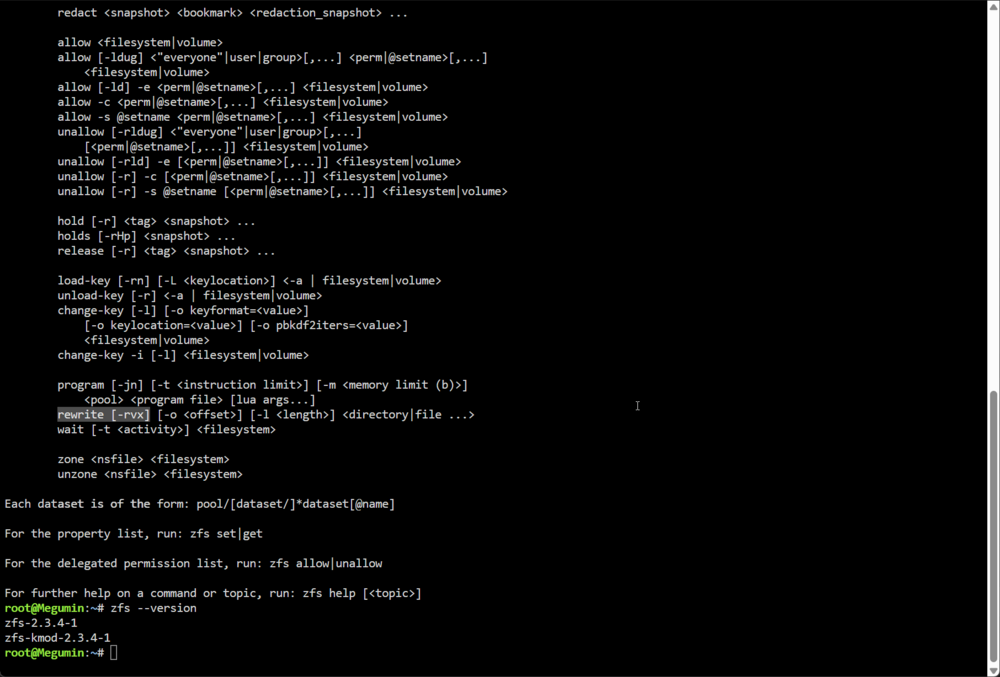
Couldn't upgrade my servers yet. However, I noticed that ZFS has been updated to the 2.3.4 version, including the "zfs rewrite" command, which is a most after editing a zpool with more vdev for example to rebalance the datas already written on the vdevs. This command should be available through GUI. More info there : https://forums.unraid.net/topic/194993-propose-zfs-rewrite-command-within-gui/
-
OpenZFS 2.3.4 proposes the new command “zfs rewrite” which is available within Unraid 7.2. This command is useful after adding a special vdev, expanding a raidz pool and others to rebalance data according to the zpool arguments and evolution. https://www.phoronix.com/news/OpenZFS-2.3.4-Released https://openzfs.github.io/openzfs-docs/man/master/8/zfs-rewrite.8.html
-
Wait, are you poor?

-
Wait, did you ordered a max stuffed RAM computer instead of a dedicated AI GPU? Regarding the performances, I'm not sure you winning. >.<
-
No, this is not because the process is visible than it is active; some process can triggers the trim process. But so long so far, it stays "sleeping", like the null activity shows. If you're expecting an absolute lack of "Trimming process", disable it within the root pool/vdev, and into each dataset whom doesn't inherit the upper instruction. Disable the trimming also within the Unraid menues (can't remember which one). But again, notice that some process could still activate the trim process, due to its necessity for your storage's health.
-
Upgrade went smooth from 7.1.2 release.
-
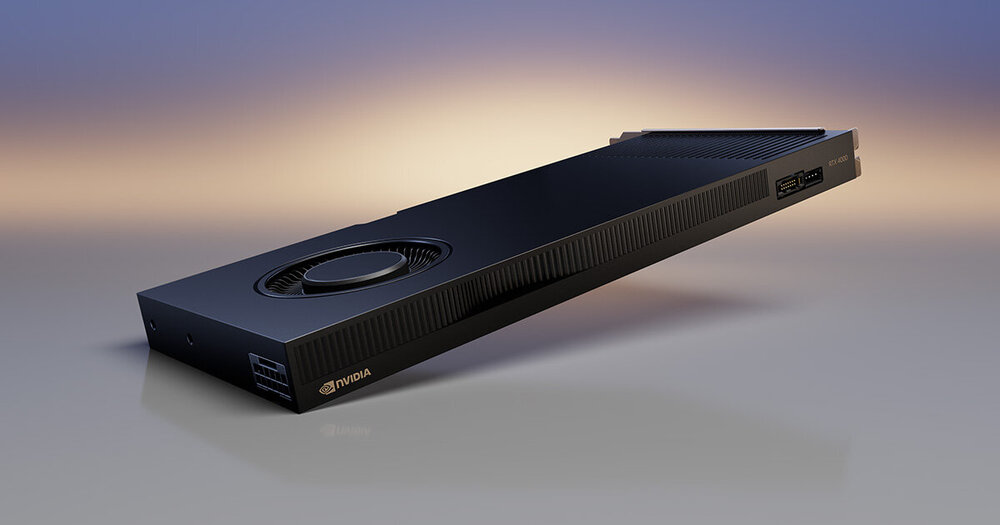
I'm kind of "fine". However, I couldn't tell yet when I'll pursue. I've upgraded my rig with this for the lasts news @BVD, an Nvidia RTX 4000 Ada, needing the 20GB of graphical memory.
-
🤣 That’s nice indeed! With a lot of works, I was able to drop the power consumption to 70W. It’s really tricky but interesting ! However, I forgot that I had to finish this post so thank for the reminder ;)
-
On tomorrow morning after the coffeemaker's finished to boot, so at 1PM. No expected delay's come to my ears. For the content, I wished that a lot about ZFS cache/special drives and properties are integrated within the GUI. Impossible for not instructed users to get straight through ZFS specificities, so links to a solid ZFS documentation should be provided from the Web GUI.
-
No suspect plugin there... How can't you not access the web GUI? Where does it fail?
-
From SSH or physically on your server : plugin remove nameOfplgFile.plg Default folder is config/plugins on your OS drive Then reboot your server and install the fresh plugins
-
Concerning this situation, you can simply wipe a disk and set it as a single ZFS. Then copy your datas back on it, wipe your second disk and add it as a mirror. Your zpool shall be then two devices mirrored. For the perf, don't expect ZFS to speedup your nvme drives. As your supposed to store videos on it, the "simplest" tweak to use are the "Ashift" and "Recordsize" parameters dedicated respectively to zpool and dataset. ZFS benefice only's it ARC read cache mechanism. So if your editing your videos, there are no gain...- ..-. --- / -.. .. -.. -. .----. - / ... - . .- .-.. / -- -.-- / ... --- -.-. -.- ... .-.-.- .-.-.- .-.-.- / .. .----. -- / .- / .... --- -... -... .. - --..-- / .. / .- .-.. .-- .- -.-- ... / .-- .- .-.. -.- / ..-. --- --- - / -. .- -.- . -.. .-.-.-.- -. -.. / -- --- .-. . / .--. --- ... - ... / .-- .. - .... / -- --- .-. ... . .----. ... / -.-. --- -.. . -.-.--Indeed ! It's confusing to talk about "storage" within the "memory" section! This kind of information shouldn't be interpreted with the manual. The dashboard must suffice to itself.Thanks for the answer, better late than never. 😉Hi, A simple question advertised in the title : does unraid connect IPv6 link actually work ? I can access my server through IPv6 address and dedicated port, but no DNS Record exists on the domain zone myunraid.net to use IPv6 dedicated link. Is this an error from my config or does the team actually manage this troubleshoot from it side? Thanks, PS : Unraid-Api already restarted, server too, disconnect and reconnect to Unraid Connect, nothing seems to work.Maybe I should put the question that should have been written in your previous post to keep a link with the thread's title. Does SSD works with any Unraid configuration? 1 - If you're using a ZFS Pool, no trouble. ZFS manages any Parity/Cache operation. Leave a "dead" storage in the array to start container. 2 - If you're using the SSD within the array, the TRIM shall break the parity, so it's not functionnal. AFAIK, no logs about Unraid 6.12 mentionned the SSD TRIM and Parity operation if dedicated to the array.It works. My own system runs only with SSD. No "progress" to be made, it's a simple storage as any other.Absolutely, It's not worthy to install the new kernel only for ZFS users to use the latest revision. Unraid's stability is above all.



