matuopm
Members
-
Joined
-
Last visited
Everything posted by matuopm
-
I dont think this is working anymore. I get my plex token. I get my server displayed. But it never shows anything that is playing. Tried SSL yes and no. No changes.
-
Scum just had its 1.0 release today. I read that there should also be a dedicated server available now. Anyone got an Idea how to set it up. EDIT I found an official how to: https://docs.google.com/document/d/1y3zrrNbyEIw_TB2SsQ6clKBZVxIzpV4h-1z8EpUgPAQ/edit?tab=t.0#heading=h.ulattif5w9wv Haven't looked at it yet but it would be amazing if someone knows how to turn it into a an unraid app.
-
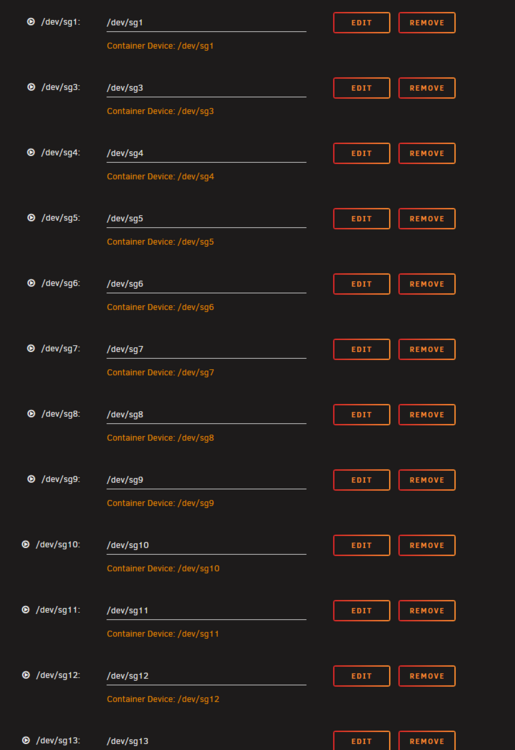
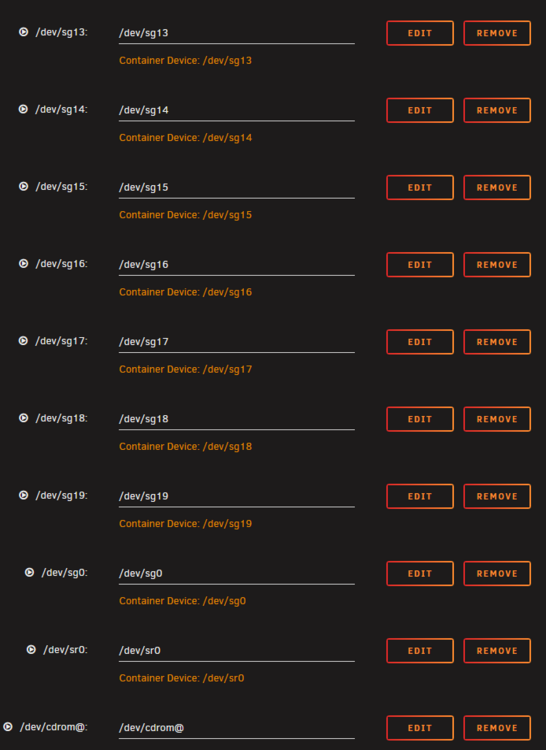
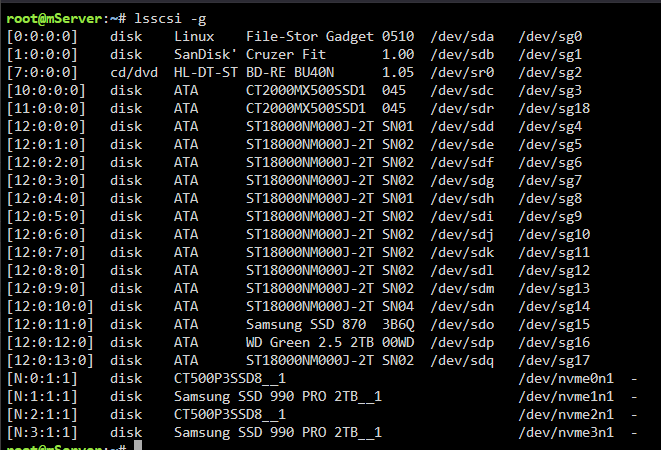
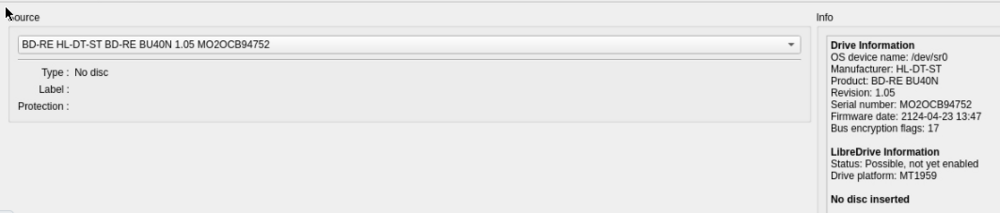
Well first of all iam not very experienced with how linux is handling stuff like this. I have a Hitachi-LG BU40N drive which is a blu ray drive that also can read DVDs and normal Audio CDs. Maybe you overlooked it but the drive was reading the discs I tried without any issues when I passed the drive to a Windows VM. I executed the commands I saw in your post so here are the outputs: root@mServer:~# ls /dev/{cdrom,sr*,sg*} root@mServer:~# lshw -C disk I put all the devices from the first output into the container like this: (see screenshot) here is the MakeMKV_log.txt file: Debug log started at Fri May 23 16:30:30 2025 , written by MakeMKV v1.18.1 linux(x64-release) 001005:0000 MakeMKV v1.18.1 linux(x64-release) started 001004:0000 Debug logging enabled, log will be saved as file:///config/MakeMKV_log.txt Using 6144KB for read cache. Network access is ENABLED, CURL version 7.88.1/OpenSSL/3.0.15/1.52.0 (x86_64-pc-linux-gnu) , proxy server not set. 001003:0020 DEBUG: Code 0 at *s,+4m-r">yFd&'k/Y<sa&:29393631 No SDF v098: HL-DT-ST_BD-RE_BU40N_1.05_212404231347_MO2OCB94752 SDF id v098: HL-DT-ST_BD-RE_BU40N_1.05_212404231347_MO2OCB94752 001003:0020 DEBUG: Code 1 at [U=QLy!_;2fC'+t^1R>#<:121265062 005010:0000 Failed to open disc Application exited at Fri May 23 16:30:31 2025 I hope this somehow helps. Let me know if you need any informations. Iam also on the discord if you guys want me to share my screen or dm me old Discord ID matuopm#8951
-
i tested one audio cd and one dvd so far. As a test I put the drive into a windows vm by "iommu grouping" the SATA controller and pass it to the VM. Inside the windows vm both discs were detected flawlessly. I have a suspicion that I might made a mistake by forwarding the drive to the container. I used this method I saw in youtube: (see screenshot) it seems the number behind SG has changed since the last reboot. I test again. Still... no disc ... In the log I can find this: Opening the disc failed: 005010:0000 Das Öffnen der Disk schlug fehl

-
I have a weird issue that when I insert a disc I receive an error message that no disc has been inserted. The disc looks alsmost flawless and works perfectly on my windows computer. The drive also gets detected inside the container ... Anyone got an idea what might be the issue ?
-
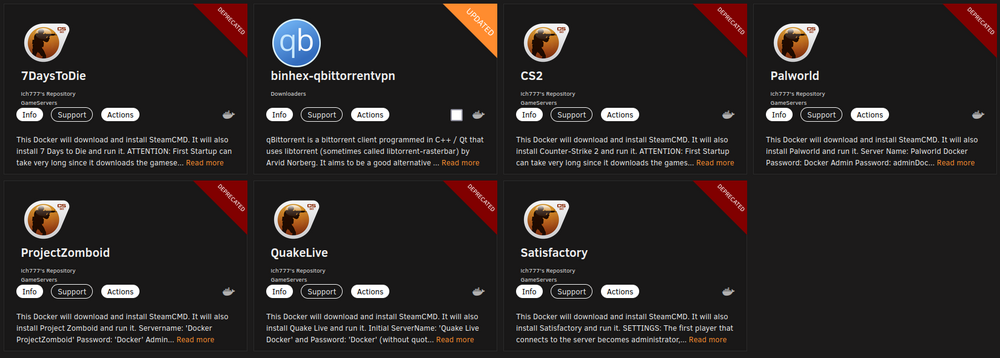
I have the same issue. I have several gameservers that I run at home for games with friends and family but all are being displayed as deprecated now. as far as I understand it I just add ghcr.io/ in front of the repository path
-
it runs now.
-
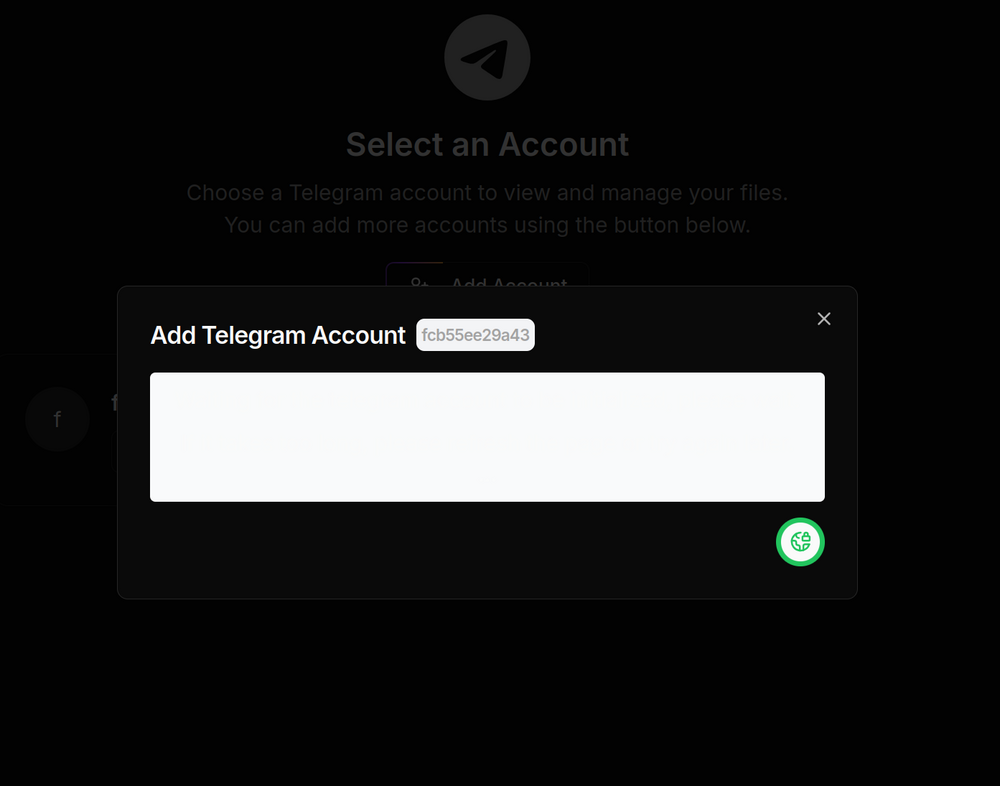
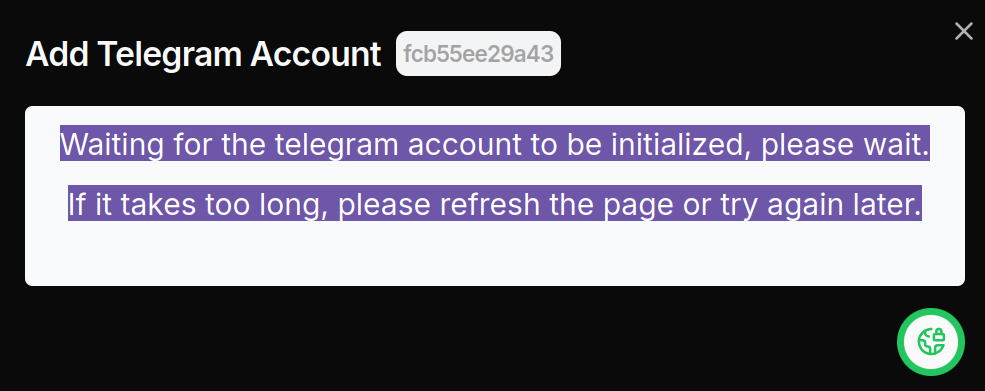
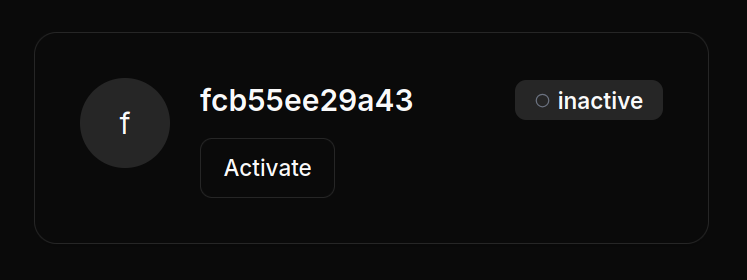
Seems there was a container update today. The errors disappeared but I have another issue. After clicking add account this shows up: Inside the Textbox it's white font on white background. And after that nothing seems to happen. I can close the Window with X But the account in the background will never be / get active: What am i missing ?
-
No one an idea ?
-
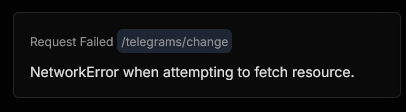
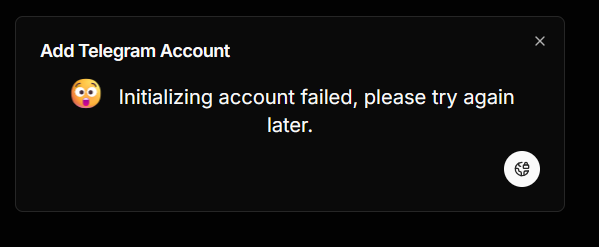
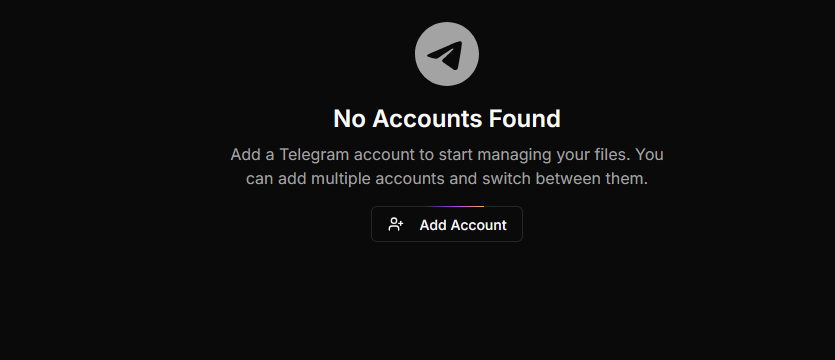
I have an issue with the app: I created a share for it and a a API_ID and API_HASH. The container also starts but I'm Stuck here: When I click add account I get: And in the bottom right corner i constantly get the following errors: Containerlog seems fine: Setting telegram.files log level to INFO 20:52:58 0|telegram-files-web | ▲ Next.js 15.0.3 20:52:58 0|telegram-files-web | - Local: http://localhost:3000 20:52:58 0|telegram-files-web | - Network: http://0.0.0.0:3000 20:52:58 0|telegram-files-web | ✓ Starting... 20:52:58 0|telegram-files-web | ✓ Ready in 269ms Sometime the error changes Would be great if someone could help me out

-
omg iam using the container for ages and did not know that. sadly my log is not long enough for me to see that but curl ifconfig.io worked, i got the external IP now. and it also displays the port as open now. thank you much
-
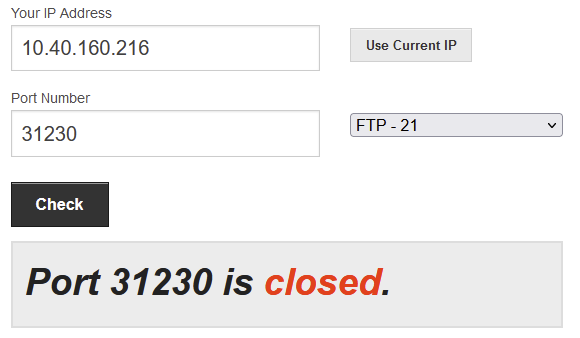
I'm having some trouble lately with the container and can't figure out why. text error warn system array login [info] montenegro.privacy.network [info] austria.privacy.network [info] no.privacy.network [info] lu.privacy.network [info] is.privacy.network [info] au-adelaide-pf.privacy.network [info] bogota.privacy.network [info] italy.privacy.network [info] de-berlin.privacy.network [info] malta.privacy.network [info] za.privacy.network [info] philippines.privacy.network [info] nl-amsterdam.privacy.network [info] japan.privacy.network [info] gt-guatemala-pf.privacy.network [info] lt.privacy.network [info] panama.privacy.network [info] hungary.privacy.network [info] liechtenstein.privacy.network [info] macau.privacy.network [info] morocco.privacy.network [info] nigeria.privacy.network [info] nl-netherlands-so.privacy.network [info] vietnam.privacy.network [info] gr.privacy.network [info] kualalumpur.privacy.network [info] saudiarabia.privacy.network [info] hk.privacy.network [info] ar.privacy.network [info] bahamas.privacy.network [info] egypt.privacy.network [info] denmark.privacy.network [info] china.privacy.network [info] yerevan.privacy.network [info] srilanka.privacy.network [info] lv.privacy.network [info] ad.privacy.network [info] ee.privacy.network [info] greenland.privacy.network 2024-12-17 13:47:39,711 DEBG 'start-script' stdout output: [info] Successfully assigned and bound incoming port '31230' 2024-12-17 13:48:25,665 DEBG 'watchdog-script' stdout output: [info] qBittorrent listening interface IP 0.0.0.0 and VPN provider IP 10.40.160.216 different, marking for reconfigure 2024-12-17 13:48:25,676 DEBG 'watchdog-script' stdout output: [info] qBittorrent not running 2024-12-17 13:48:25,677 DEBG 'watchdog-script' stdout output: [info] qBittorrent incoming port 6881 and VPN incoming port 31230 different, marking for reconfigure 2024-12-17 13:48:25,679 DEBG 'watchdog-script' stdout output: [info] qBittorrent config file already exists, skipping copy [info] Removing session lock file (if it exists)... 2024-12-17 13:48:25,737 DEBG 'watchdog-script' stdout output: [info] Attempting to start qBittorrent... 2024-12-17 13:48:25,743 DEBG 'watchdog-script' stdout output: [info] qBittorrent process started [info] Waiting for qBittorrent process to start listening on port 8080... 2024-12-17 13:48:26,424 DEBG 'watchdog-script' stdout output: [info] qBittorrent process listening on port 8080 2024-12-17 13:57:39,808 DEBG 'start-script' stdout output: [info] Successfully assigned and bound incoming port '31230' 2024-12-17 14:07:39,906 DEBG 'start-script' stdout output: [info] Successfully assigned and bound incoming port '31230' 2024-12-17 14:17:40,028 DEBG 'start-script' stdout output: [info] Successfully assigned and bound incoming port '31230' 2024-12-17 14:27:40,273 DEBG 'start-script' stdout output: [info] Successfully assigned and bound incoming port '31230' 2024-12-17 14:37:40,366 DEBG 'start-script' stdout output: [info] Successfully assigned and bound incoming port '31230' 2024-12-17 14:47:40,474 DEBG 'start-script' stdout output: [info] Successfully assigned and bound incoming port '31230' 2024-12-17 14:57:40,583 DEBG 'start-script' stdout output: [info] Successfully assigned and bound incoming port '31230' 2024-12-17 15:07:40,675 DEBG 'start-script' stdout output: [info] Successfully assigned and bound incoming port '31230' This is my latest logfile but when I check for open ports by a website like portchecker.co it says the port is closed. also the torrentwebsites say so. Also the torrentsites display that I'm not connectable. I'm using wireguard PIA. Does someone know what might be the issue. I especially wonder about these 2 lines: [info] qBittorrent listening interface IP 0.0.0.0 and VPN provider IP 10.40.160.216 different, marking for reconfigure [info] qBittorrent incoming port 6881 and VPN incoming port 31230 different, marking for reconfigure
-
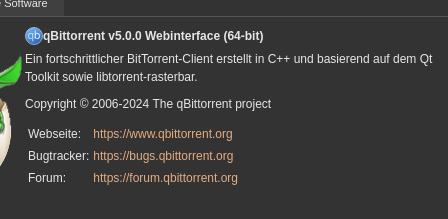
Just use the right container and update it ? binhex/arch-qbittorrentvpn thats the container I use and it's up to date
-
How can I install Jackett as plugin again ? somehow the link to the python script does not work anymore
-
I solved it. I used a different NGINX container which has the ports mapped like this: 80:80 443:443 The other container I used before did not do that and had an internal port of: 8080 4443 Thats why the Tailscale IP did not get forwarded from NGINX But it works now.
-
I recently found the video of spaceinvaderone and wanted to kinda copy his tailscale setup. (plugin tailscale) It works but I don't have SSL when I use it like he does it. So I searched and found another tutorial which seems to do exactly what I want: I created a custom network for tailscale-dockers. Then I setup the tailscale docker container assigned it to the custom docker network and then I setup the nginx reverse proxy container that uses the network of the tailscale docker container. I setup my domain from strato. the a record pointing to the IP of the tailscale docker container. I can login at nginx like that. o I figure that my setup is probably correct up to this point. Now I wanted to access my vaultwarden container. I setup a subdomain to my domain and pointed it to the ip of the tailscale docker too. I changed the existing conatiner to the custom docker network that I used for the tailscaler container. I setup a proxy host in nginx for my subdomain and pointed the it to the internal docker ip of the vaultwarden container. but somehow it does not work ... I logged into the nginx container and from there iam able to ping the vaultwarden container so it should work like that, or do I miss something:
-
How can i change the internal container ports to 80 and 443 instead of 8080 and 4443 ? I use this container inside a tailscale container and need the ports to be that way since i do not forward
-
I recently found the video of spaceinvaderone and wanted to kinda copy his tailscale setup. (plugin tailscale) It works but I don't have SSL when I use it like he does it. So I searched and found another tutorial which seems to do exactly what I want: I created a custom network for tailscale-dockers. Then I setup the tailscale docker container assigned it to the custom docker network and then I setup the nginx reverse proxy container that uses the network of the tailscale docker container. I setup my domain from strato. the a record pointing to the IP of the tailscale docker container. I can login at nginx like that. o I figure that my setup is probably correct up to this point. Now I wanted to access my vaultwarden container. I setup a subdomain to my domain and pointed it to the ip of the tailscale docker too. I changed the existing conatiner to the custom docker network that I used for the tailscaler container. I setup a proxy host in nginx for my subdomain and pointed the it to the internal docker ip of the vaultwarden container. but somehow it does not work ... I logged into the nginx container and from there iam able to ping the vaultwarden container so it should work like that, or do I miss something ?
-
Are you aware of any tests or comparisons vs. intel quicksync ?
-
i thought about switching my cpu + motherboard in my unraid server to a more powereful CPU and a dedicated AMD GPU to also game in virtual VMs. My plan is to passthrough the dedicated GPU to the virtual gaming machine and use the integrated GPU of the CPU for stuff the plex docker container. I plan to use this: https://www.amd.com/de/products/processors/desktops/ryzen/7000-series/amd-ryzen-7-7800x3d.html or maybe even: https://www.amd.com/de/products/processors/desktops/ryzen/7000-series/amd-ryzen-9-7950x3d.html to have enough cores for gaming VM and all the services and vms that eventually need to run in the background. Is it possible to use the integrated GPU of an AMD CPU for this container ?
-
Is there anything else to do besides switching to wireguard here ? Because in the logs I saw: 2024-05-01 20:11:55.745109 [info] VPN_CONFIG not defined (wireguard config doesnt file exists), defaulting to '/config/wireguard/wg0.conf' 2024-05-01 20:11:55.757465 [info] VPN_REMOTE_SERVER not defined (wireguard config doesnt file exists), defaulting to 'XXXXXXXXXXXXXXXX.privacy.network' 2024-05-01 20:11:55.770262 [info] VPN_REMOTE_PORT not defined (wireguard config file doesnt exists), defaulting to 'XXXX' and more down: 2024-05-01 20:16:49,595 DEBG 'start-script' stderr output: Warning: `/config/wireguard/wg0.conf' is world accessible

-
I have a problem with the palworld docker. Connecting anonymously to Steam Public...OK Waiting for client config...OK Waiting for user info...OK Success! App '2394010' already up to date. ---Checking if configuration is in place--- ---Configuration found, continuing...--- ---Checking if PublicIP is in place--- ---PublicIP in PalWorldSettings.ini found: xx.xx.xx.xx ---Prepare Server--- ---Server ready--- ---Start Server--- setrlimit() failed with error 22 (Invalid argument) - Max per-process value allowed is 0 (we wanted infinity). sh: 1: xdg-user-dir: not found dlopen failed trying to load: steamclient.so with error: steamclient.so: cannot open shared object file: No such file or directory [S_API] SteamAPI_Init(): Loaded '/serverdata/.steam/sdk64/steamclient.so' OK. (First tried local 'steamclient.so') CAppInfoCacheReadFromDiskThread took 1 milliseconds to initialize Setting breakpad minidump AppID = 2394010 [S_API FAIL] Tried to access Steam interface SteamUser021 before SteamAPI_Init succeeded. [S_API FAIL] Tried to access Steam interface SteamFriends017 before SteamAPI_Init succeeded. [S_API FAIL] Tried to access Steam interface STEAMAPPS_INTERFACE_VERSION008 before SteamAPI_Init succeeded. [S_API FAIL] Tried to access Steam interface SteamNetworkingUtils004 before SteamAPI_Init succeeded. The server seems stuck at this point. Anyone got an idea what could be the issue ?
-
Did you add the NVIDIA paths yourself ? Because I don' have these.
-
Yea sorry. I found it in the meanwhile. It was the pinned post. But thank you for giving support !
-
I'm getting a weird error message when I started the JDownloader 2 container today. Seems its stuck while doing some kind of update. And then this message pops up: