elibosley
Administrators
-
Joined
-
Last visited
Everything posted by elibosley
-
Thanks for the reports. We'll look into these and please remember to post feedback in this board: https://product.unraid.net/b/unraid-os-prerelease-bugs-feedback Additionally, to answer your question: @chog - we're likely (not 100% sure we'll do this yet) going to publish a tool to do this BUT we'll likely not endorse the usage, as it could be destructive if used incorrectly. I'll try to remember to update this post (or the next one), but likely @SimonF will post this on the forum at some point with the tool.
-
Yes it does @Ockingshay sorry for the confusion. We're making sure that is directly included in the release-notes.
-
Hi All, Unraid OS 7.3.0-rc.1 is now available for testing. This release candidate includes the full 7.3 feature set for users upgrading from 7.2.4, with major updates across onboarding, internal boot, licensing, Docker, storage, virtualization, hardware support, and bundled packages. Highlights (vs 7.2.4): New onboarding wizard for first-time setup, including language, time zone, theme, activation code settings, and boot option selection. Internal boot support, including dedicated boot pools and improved boot-device workflows. TPM-based licensing for new and replacement keys where supported. Docker updated to 29.3.1. New fixed MAC address field for Docker templates, with MAC addresses shown in Advanced View. Fixes for Docker MAC persistence, duplicate user templates on case-sensitive boot storage, and stale phantom containers after the Docker 27 to 29 upgrade path. ZFS improvements, including corrupted-file visibility and a WebGUI control for zfs_arc_max. Storage fixes for 4Kn/XFS compatibility, larger pool-device names, mover availability, parity swap spin-down behavior, and daily ZFS wakeups. WebGUI and system fixes for boot configuration, System Devices, CPU isolation, rclone persistence, proxy checks, notifications, and interface parsing. File Manager UI, performance, upload, move, rename, and path-handling improvements. Hardware support updates for AMD XDNA/ACP, AMD NPU firmware, Intel Bluetooth firmware, Intel wireless firmware, and the amdxdna kernel module. New Settings → Tailscale stub page for easier plugin discovery. QEMU updated to 10.2.2, libvirt updated to 12.2.0, and OVMF refreshed. Linux kernel updated to 6.18.23-Unraid. Security package updates for bind, runc (docker) and libpng CVEs. Base package refreshes including bind, btrfs-progs, docker, glib2, gtk+3, mesa, nfs-utils, xfsprogs, and zfs. Changes from beta.2: Docker fixed MAC handling now has a dedicated template field and live MAC display in Advanced View. Docker template lookup now handles case-only filename differences on case-sensitive boot storage. Boot pool and pool-device display fixes for missing, wrong, or larger device names. CRLF handling for Syslinux and GRUB configuration files. File Manager theme fix on the Main tab. QEMU 10.2.2, libvirt 12.2.0, refreshed OVMF firmware, and virtiofs hang fix. dynamix.unraid.net updated to 4.32.3. Just a note about 7.2.5 - we're still cooking up this release and wanted to get this RC out to the community a bit sooner so you can benefit from these awesome changes - expect that release sometime in the next week or two.
-
Unraid OS 7.2.5-rc.2 available Unraid OS 7.2.5-rc.2 is now available for testing. Changes from rc.1 Only the following items are new in rc.2: - Updated dynamix.unraid.net to version 4.32.3 - Updated the Linux kernel to 6.12.82-Unraid - Picked up upstream kernel fixes for CVE-2026-31430, a Linux X.509 out-of-bounds access issue triggered by specially crafted certificates - Added a mitigation for a rare crash Included from rc.1 This release also includes the previous rc.1 changes: - Docker updated from 27.5.1 to 29.3.1 - Docker update includes runc fixes for CVE-2025-31133, CVE-2025-52565, and CVE-2025-52881 - Fixed stale or uninspectable “ghost” containers showing in the Docker page - Fixed stale Tailscale Serve/Funnel state after Docker container restarts - Fixed mover empty-disk availability on systems with user shares enabled but no pool devices assigned - Restored custom case-model images on the login page - Improved registration-state refresh after license updates - Updated libpng and php for security fixes Full release notes: https://docs.unraid.net/unraid-os/release-notes/7.2.5/ Please test and report any issues in the Unraid bug tracker (https://product.unraid.net/b/unraid-os-prerelease-bugs-feedback)
-
Hi All! Thank you for posting about this issue. You’re right, 5 months is too long for a vulnerability like this to go unpatched in the product, and we are actively working on ways to make this faster in the future. We track CVEs across the stack and evaluate each one using an internal set of criteria that looks at real-world risk, exploitability, relevance to how Unraid is typically used, and the potential impact of the fix itself. There are always tradeoffs. In this case, addressing the vulnerability required a Docker engine upgrade. Historically, those upgrades have introduced breaking changes, so we made a deliberate call to validate it first in the 7.3 beta series before pushing it into a stable release. We began that work shortly after these CVEs were made public, with 7.3 entering internal beta on December 18, 2025. This approach was intended to reduce the risk of widespread breakage, rather than introducing a potentially disruptive change into a stable release. That said, we hear the feedback on timing. This situation highlights a gap in how we handle fixes that depend on larger upstream changes, and we’re actively working to improve that so we can move faster in the future. The fix is already included in the 7.3 beta, which is publicly available now. Additionally, alongside a few other bug fixes, these CVEs are addressed in a 7.2.5-rc.1 release, which went out today (April 15). We also agree with the broader point raised… “just don’t run untrusted containers” isn’t a complete security model. There should be multiple layers of protection, and we will continue to improve there. As Unraid continues to evolve and reach more users, including SMBs and less technical customers, our evaluation criteria, response timelines, and overall security posture will continue to evolve as well. Security is a priority for us, and conversations like this help us raise the bar. Thanks for being part of the community and holding us accountable.
-
Hi All, Unraid OS Version 7.2.5-rc.1 is now available. This release updates Docker for Unraid 7.2.x users and includes targeted fixes for Docker, Tailscale, mover empty-disk workflows, login-page custom case images, registration state handling, and base distro security updates. This release is recommended for all 7.2.x users and we expect the RC period to be short. Due to the nature of this Docker upgrade, we decided to release this as an RC in order to find any outstanding issues prior to a fully-available public release. Highlights Updates Docker from 27.5.1 to 29.3.1 for the 7.2.x release line. Includes base distro security updates for Docker, libpng, and PHP. Hides stale dead or uninspectable Docker containers from the Docker page without deleting containers or changing Docker state. Clears stale Tailscale Serve/Funnel state when Docker containers restart, so containers no longer keep old exposure settings after being changed to No. Keeps the mover empty-disk action available on systems with user shares enabled but no pool devices assigned. Restores custom case-model images on the login page. Updates Unraid API to v4.32.2 and improves registration-state refresh after license updates. Report bugs with this release: https://product.unraid.net/b/unraid-os-bugs Release notes: https://docs.unraid.net/unraid-os/release-notes/7.2.5/
-
Hey Everyone! Unraid 7.3.0-beta.2 is live. This build adds dedicated boot pool support and cleans up a range of regressions reported in beta.1. • Dedicated Boot Pool support — a proper dedicated boot-pool option, separate from split boot pools. • Boot-pool fixes — better handling for New Config, pool removal, and related boot-pool workflows. • XFS fixes — resolves sector-size issues affecting some 4Kn and 512e/HBA setups. • Encrypted pool fix — luks:zfs and luks:btrfs pools now report status correctly instead of showing UNKNOWN. • Docker + WebGUI fixes — more cleanup for regressions reported in beta.1. • Ongoing polish — onboarding, device configuration, and system behavior continue to get tightened up. This build also carries forward the broader 7.3 work, including internal boot, TPM-based licensing, and the new onboarding flow introduced in beta.1. Known issues are listed in the release notes, so read those before upgrading. Test it, break it, report it here: https://product.unraid.net/b/unraid-os-prerelease-bugs-feedback Release notes: https://docs.unraid.net/unraid-os/release-notes/7.3.0/
-
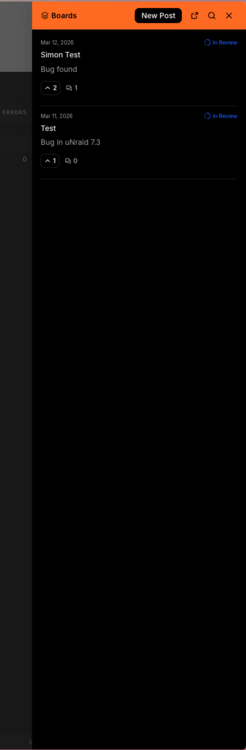
Unraid 7.3.0-beta.1 is now available! This update includes internal boot as well as a new optional TPM 2.0 based license, plus numerous other enhancements and bug fixes! This is the first beta in this series, so expect some rough edges, especially around internal boot setup. See all the details in the release notes. Upgrade instructions are available in the docs. If you're too lazy to read the release notes and want to setup internal boot, see here. This announce post is perfect for quick questions or comments, but if you suspect there will be back and forth for your specific issue, please start a new topic in our new Prerelease Feedback Tracker! Be sure to include your diagnostics.zip. Also! The Feedback Button in the GUI has been newly updated to go to our Prerelease Feedback Tracker, so try that out for a fast bug submission path! This is BETA software. Please use on test servers only.

-
Please post all new feature requests on our bug / feature tracker here: https://product.unraid.net/b/unraid-os-feature-requests
-
Thank you for the report on the $i18n issue. We're looking into this on our update application.
-
Thanks for highlighting this. We're in a strange intermediate phase of moving the header to a new Vue Component driven approach, while still dealing with legacy CSS to do this, which is causing these UI regressions. We'll get an updated Connect release out sometime in the next couple weeks with a fix for this as well as the other CSS issues that some users are seeing, and I appreciate your patience while we move towards a more flexible UI for the future.
-
7.2.2 is also out if you want to upgrade, includes the API that the Connect plugin you installed ships with to fix the flashing. The max_children setting means that there is a lot of activity on your server's webGUI, causing a lot of workers to be spawned by PHP - do you have a lot of containers, etc. that might cause this to happen?
-
Thanks for flagging this. I’ll see what I can do about this as well this week.
-
This is definitely an error on our new install check. Thanks for flagging this we will sort it out.
-
Thanks for this info. Definitely some strange edge cases around installs, not sure what this is caused by but we’ll see what we can do.
-
100% heard and understood. We're hesitant to restrict this for 7.2 but will likely improve this in 7.3 (and future Connect plugin releases before 7.3 stable). If you have a specific request related to this, please submit a feature request on the Unraid API Github (https://github.com/unraid/api). Thanks so much for bringing this up and please keep suggesting features! We're doing our best to build the stuff you guys are asking for!
-
We are pretty sure this is related to nchan not to Unraid Connect. Please try running this in SSH console and see if you are able to access the webGUI. /etc/rc.d/rc.nginx reload
-
This thread is being discontinued in favor of live updates from Github, follow them here: https://github.com/unraid/api/releases We may also post additional changelog updates in the Discord server (https://discord.unraid.net) and will continue to monitor the forums for support, we just won't continue to post release notes here.
-
It was indeed an infrastructure issue on our end . The delay in the solution working was due to our script needing to backfill every sign in into our auth system. If you continue to have issues signing in, try going to the keys page in the account app, then back to the register server page. This will force a token refresh and validate the sign in.
-
It is not but I’m working on a more permanent solution now. These internal keys should be generated on first boot and not regenerated, We will be moving to a more maintainable system in a coming release.
-
I’m really not sure what causes this. When you refresh your webgui it’s definitely not installed? Does the unraid-api command do anything? Seems like an issue with some finalization check we do but I don’t know why it would cause the API to not actually be installed.
-
Just delete them all and restart the API. I need to figure out why this occurs sometimes.. (unraid-api restart is the command)
-
Your Connect plugin is very out of date. Update it and it will show up.
-
Every key is read by a file watcher - I wonder if our watch system doesn’t fire reliably on the flash drive. We will continue to investigate!
-
Please try to use Settings -> Management Access and utilize the GUI to create keys / manage the sandbox. It may work for you and resolve this pain.