





spl147
Members
-
Joined
-
Last visited
Everything posted by spl147
-
then it loaded sucessfully, now see if the temp plugin can see fans
-
modprobe smsc47m192 not modprobe smsc47b192 but i assume you will get no such device
-
yea sorry, it seems you are SOL. you could submit a bug report to linux and see if they add support
-
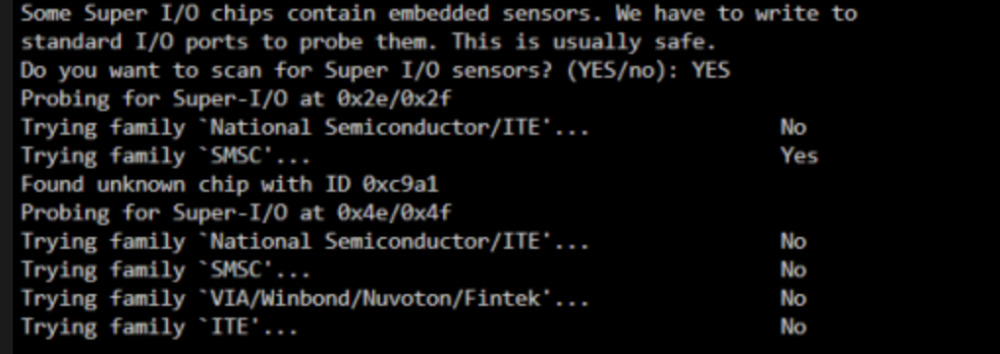
looks like fan speed and control are from this chip: since it is unknown it can not be detected. so you are most likely SOL. you can try manually loading several smsc drivers to see if the fans appear. smsc47m1 smsc47m192 smsc47b397 https://www.kernel.org/doc/html/latest/hwmon/index.html
-
now install system temp plugin, then click detect, then load, then save. then install system fan plugin
-
i just looked up the T30, this is not a real server, it does not have IPMI or IDRAC. so no the IPMI plugins will not work. from command prompt, run sensors-detect and paste full output
-
set network connection to no
-
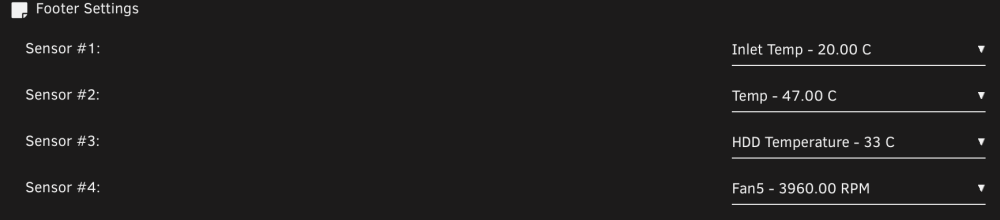
open settings page for ipmi, bottom of the settings page, footer settings, select your 4 sensors to display
-
Community Applications, search for ipmi toolsthe plugin can see the temps and fan speeds, but you cannot control the fans. here is mine:

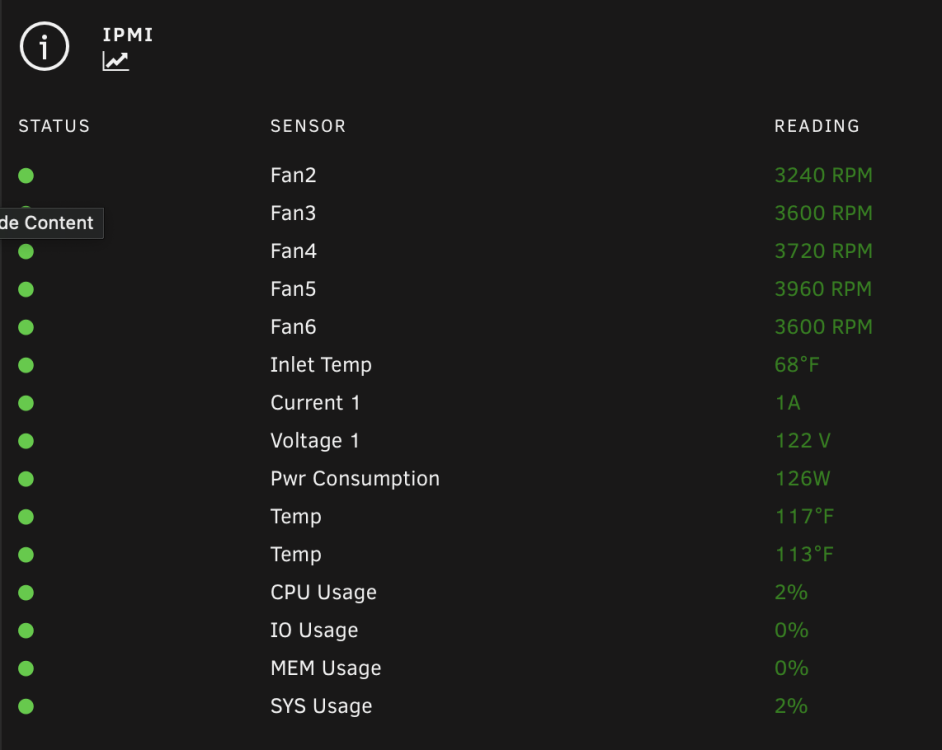 this plugin does not yet work with dell, im waiting on it myself as i have a Dell PowerEdge R530. installing ipmitoll via nerd tools did not work for me either, if you install this plugin it will also install freeipmi then ipmitool will workhere is alot of info on dell: https://github.com/White-Raven/PowerEdge-shutup https://github.com/White-Raven/PowerEdge-IPMItools$100 or soim about upgrade my drives and was wondering if SAS is worth it? i have a SAS9300-8i. is the performance increase of the SAS drive worth the cost?First of all there is no need to HACK here! These plugins are all open source. If you look on page 1 there is a link to the repo, download the plugin (not app) and modify awayYes it free during beta, doesn’t mean you cannot buy it to support the developer! If you use it for more than 1 key cycle, you should buy it, that what keeps development alive! Or you could just keep complaining when a new key is not published right away and maybe 1 day development stops.You used the program, the key expired, so BUY the Program!It logs by design for diagnostic purposes, unless you look at your log all the time, why does it matter? If it bothers you that much you can always fork the plugin repo and comment out the logging and install your own fork.Asus is using WMI for the fan and other sensors. https://docs.kernel.org/hwmon/asus_wmi_sensors.htmlfrom experience, if there is more that 1 config file in the plugin folder this happens. with the plugin stopped, delete them all. then reconfigure the pluginDid you make sure only 1 playlist was selected?anyone Use/Using this board get fan speed control working?If you have a min set then the fans will not turn off, if they turn off the you min is too low for the fans. Works fine here with a nvme cache drive



