





Mrtj18
Members
-
Joined
-
Last visited
Everything posted by Mrtj18
-
I tried this a while back, if I was in your shoes and I had to do it again I would do this the following way: Make a copy of your data, place it somewhere else. Download a fresh install, reference the same DB locations and file paths you need for your nextcloud to function properly. And see if it works. I went through pulling my hair out going through the same process of you. And I screwed it up, by not backing up everything properly, and not checking if nextcloud was 100% functional.
-
I know this is an old post, but I could kiss you man!!! I ran into some issues with my Windows setup ( due to user error) and I had to delete and reinstall Windows on my VM. But had issues with black screens no matter what GPU I used and it was working previously before I deleted it. After your tips with the xml edit, it finally worked!!! Thank you!!!
-
Is this the 6 core 6 thread CPU? If so, you may need a stronger CPU. When I initially created this thread I had a 3600x which was a 6 core 6 thread part. And cyberpunk was essentially running only on 4 cores and 4 threads. ( 2 was reserved for unraid) That's equivalent to like a 2012 cpu. It's just not strong enough for modern games. I'm now on a 16 core 32 thread CPU. And games run fantastic because I can dedicate a full 12 cores and threads now. Your GPU is being bottlenecked by the CPU
-
What CPU are you running? I had to dedicate a min of 8 cores and 8 threads for my performance to improve on my Windows vm
-
Thank you!
-
1. Yeah i kinda figured this was the issue.... Because all the data does get moved to the cache drive when vms and docker is stopped. But once I enable all services again ( docker and vm service) data ends up back on the array. 2. Yes I set this system up myself mainly from youtube and reading around the unraid forums. 3. I understand it to the extent of setting up docker containers, but if I run into problems outside of checking the logs I can get lost. which is kinda where I am today lol
-
So with the user share issue currently--- when i use the mover, and stop docker and vms, and it completes, I dont see that error anymore. But, once I start vms and docker again and check the FCP, it let me know the error you just refrenced above. But it also mentions in the notes section . "Note that there are some valid use cases for a set up like this."--- is this okay? not all my docker containers are working correctly such as: deluge not letting me login when im using the correct password Nextcloud constantly giving me 502 errors And Authiela refusing to start All of these was working correctly before the upgrade
-
I actually have 32 docker containers And I think I fixed my user share issue ( deleted the folder nothing was in it) and fixed my shares having data on both the array and cache. See diagnostics attached.... So how do you think it's best to tackle the duplicate appdata issue? tower-diagnostics-20250502-0616.zip
-
Thank you for all your help, I didn't have the errors you see now until I attempted the upgrade of my cache drive. I will attempt to solve each error a step at a time. If I have difficulty or can't figure it out, I will just have to contact paid support to get assistance. This could be over my skill level to fix correctly. Thank you
-
I reinstalled using the Previous Apps as you suggested..... Also I noticed one of my docker containers has user settings in /mnt/cache/appdata while the rest of my containers have a location of /mnt/cache/appdata/appdata. Would you recommend I just verify container by container where the settings truly live, and just delete the rest? I just dont want to make another mistake i cant fix is all.. And another diagnostics is attached. Thanks for your help tower-diagnostics-20250430-2010.zip
-
I will post an updated diagnostics once I get home from work. 😊 Also let me clear up my post a bit.. if I point my docker containers to /mnt/cache/whatever the docker containers do not find any user settings and this is for all my containers, so I have a duplicate of everything. Only when I point containers to /mnt/cache appdata/appdata/whatever then my containers pull in user settings. I just referenced emby here as an example. I need to figure out how to delete the duplicate data, it's making configuration confusing for me...
-
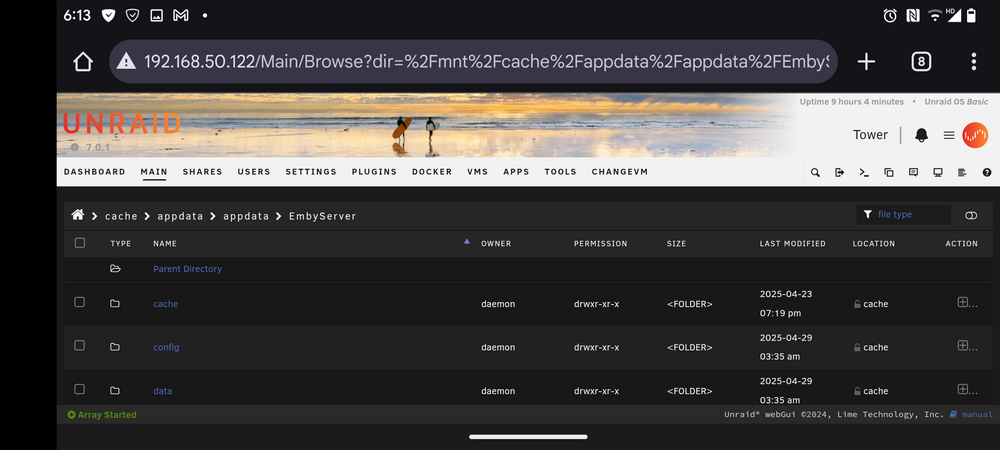
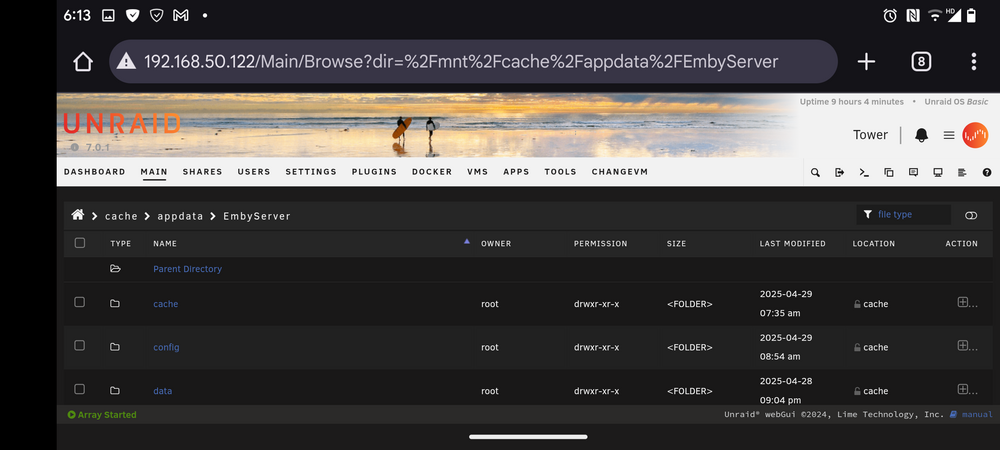
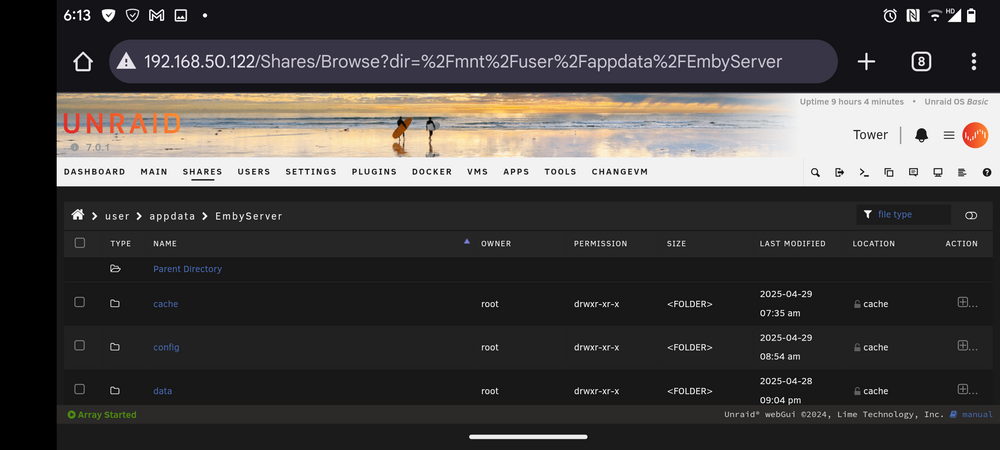
@trurl So, to give an update your solution worked, I would have never guessed these was the additional steps I needed to take to get my containers back... But I now have one small issue. Now I have duplicate appdata folders and locations. How do you recommend I delete the duplicate data without harming my NEEDED appdata folder location? Currently my dockers only retain information if it's in /mnt/cache/appdata/appdata/whatever docker. But currently I also have /mnt/cache/appdata whatever docker. Also I have a /mnt/user/appdata location as well, do I really need this? See attached screenshot.
-
Thanks for the info, I will attempt to delete the docker image and recreate it. Along with my custom networks and report back with results.
-
Hello, I upgraded my cache drive just yesterday and followed the official documentation I'm doing so.... I stopped the vm and docker service, moved the data via the cache->array method, then clicked the mover. After the mover completed. ( I did stop the mover, and resume it a couple of times because I didn't know what I was doing) I moved the data back to my new installed cache drives, via the arry->cache method .( after I formatted and created a new pool for them) all the data and drives look about correct. But the issue I am having now is after enabling docker again, is none of my docker containers can find the settings for them. I can't login to any containers that require them, ( ngix for example) containers such as emby and nextcloud want me to setup the docker as a new install, and I'm having permission issues with postgres for example. I assume the issue is where my appdata share folder is, (it's on my cache drive I think, but I also have a folder with it on the array I think as well), but when I attempt to change the template for my docker containers from /mnt/user/whatever docker container. ..to /mnt/cache/whatever docker container, I still have the same issue, where my docker containers are acting like new installs, when I can see that there is data in my shares. I'm lost how to correct this issue, any help please? tower-diagnostics-20250429-0933.zip
-
I just like to chime in. MariaDB works awesome for me as well. When I did have issues, I was new to Linux, so it was user error. Lol
-
Howdy everyone, My nextcloud instance is working fine for the most part,( I still have errors to clean up)but has anyone gotten GPU support working with the recognize app? Or nextcloud a.i. assistant working? ( I use ollama) These two features I'm very interested in, but currently I have to use immich for my photos and recognizing them. And ollama web gui to use any a.i. assisted things.
-
I ran into this error when I attempted to do the same. Copy over a " previous working" copy of NGIX. I think there is some sort of file difference between the current version and older version's preventing NGIX from starting. And not seeing any GUI. I had to just resort to a current total build
-
For anyone having issues of not being able to renew certificates. This method worked for me. I was pulling my hair out all over this issue. lol.... Found on Github..... https://github.com/NginxProxyManager/nginx-proxy-manager/issues/396 Found the solution. Steps I took: Go to cloudflare, set proxy status to "DNS Only" Wait a couple of minutes. Go to Dashboard, Proxy Hosts, disable source, now you can update the ssl certificate. Enable source, and set proxy status back to Proxied on cloudflare. Hopefully I'm helping someone out there.
-
Mine has been doing the exact same thing when playing cyberpunk 2077, I get like half the performance with Ray tracing on, compared to my bare metal windows install. Very headache inducing. Have you figured out a fix?
-
Thanks the server is avaliable again in the server browser menu, just gotta figure out why its not joinable again... ughhh! Thanks for your help once again!
-
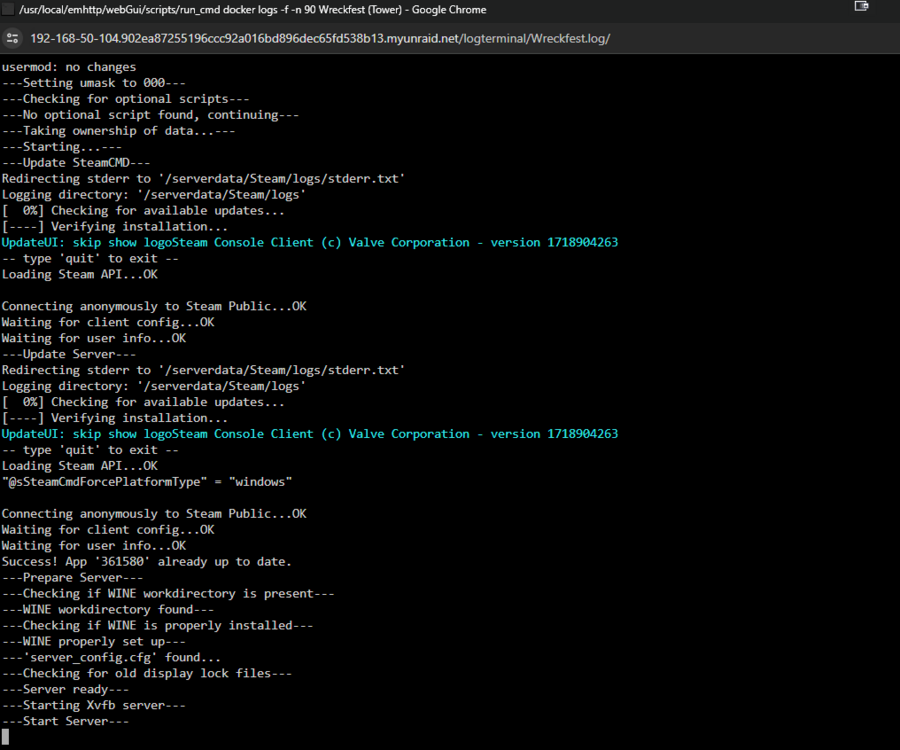
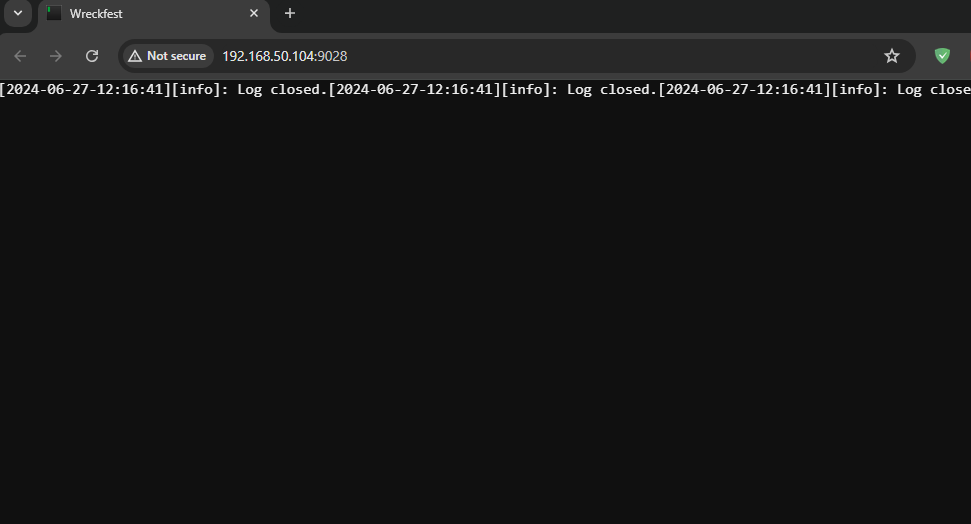
Good Morning, Has anyone had issues with the wreckfest server? Mine was running fine, but after making no changes, the server does not seem to start. Here are two screen shots of the log within docker and the log within the game browser itself.
-
I'm Having the same issue, any fix yet?
-
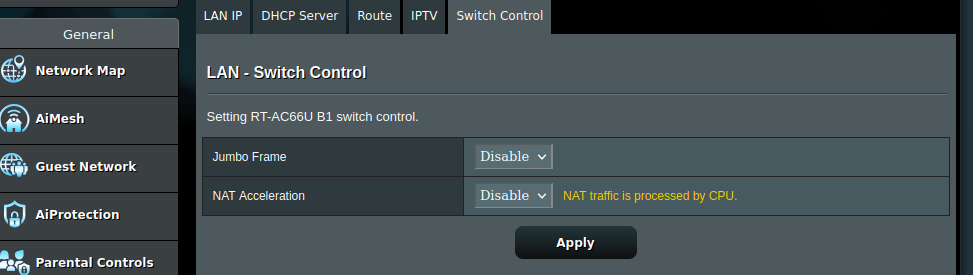
Just like to thank you again @ich777 The issues I was having with not being able to join my own wreckfest server was due to to a nat/loopback issue. Once I changed the nat acceleration to disabled on my router I was FINALLY able to join my own server. It was also causing me issues trying to access my nextcloud instance from my vms, as well as not letting me access one of my smb folders from one of my vm's as well. I didnt know one router setting could cause so much headaches......
-
Hello, I'm having the same issues with the pink screen no matter which video I attempt to transcode. Has there been a fix yet? I'm on the latest docker.
-
Same I upgraded to a 5950x last year on a good deal, no more performance problems, with 64gb of RAM



