





shire
Members
-
Joined
-
Last visited
Everything posted by shire
-
The latest beta can't be started any longer: /package/admin/s6-overlay/libexec/preinit: info: read-only root /package/admin/s6-overlay/libexec/preinit: fatal: /run is missing or not a directory s6-overlay-suexec: fatal: child failed with exit code 100 /package/admin/s6-overlay/libexec/preinit: info: read-only root /package/admin/s6-overlay/libexec/preinit: fatal: /run is missing or not a directory s6-overlay-suexec: fatal: child failed with exit code 100 /package/admin/s6-overlay/libexec/preinit: info: read-only root /package/admin/s6-overlay/libexec/preinit: fatal: /run is missing or not a directory s6-overlay-suexec: fatal: child failed with exit code 100 /package/admin/s6-overlay/libexec/preinit: info: read-only root /package/admin/s6-overlay/libexec/preinit: fatal: /run is missing or not a directory s6-overlay-suexec: fatal: child failed with exit code 100 /package/admin/s6-overlay/libexec/preinit: info: read-only root /package/admin/s6-overlay/libexec/preinit: fatal: /run is missing or not a directory s6-overlay-suexec: fatal: child failed with exit code 100 Any ideas?
-
The QuickSync issues I had with older versions (transcoding with emby) seem to be fixed.
-
Just fyi: TPM registration just works fine after installing a separate TPM module. Even after moving the data from flash to a nvme drive beforehand.
-
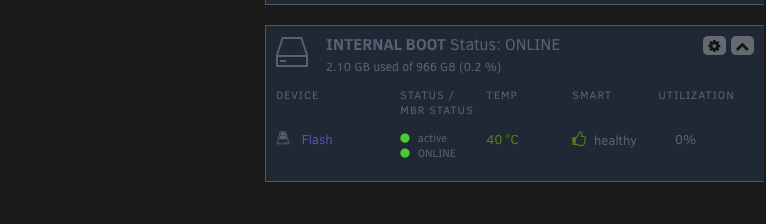
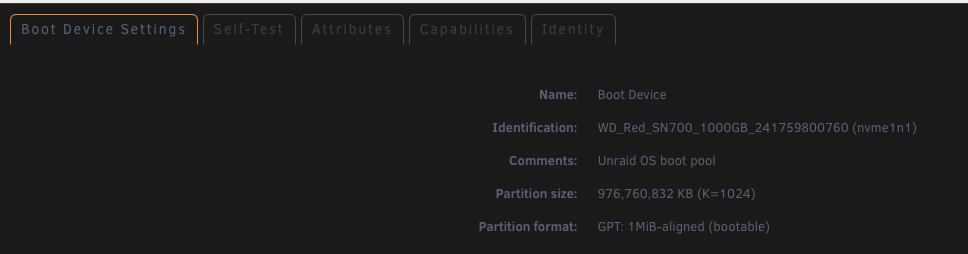
I have activated 'internal boot'. The licensing is still bound to the flash drive (had to order the TPM module for my Supermicro MB). In the GUI it looks like that: Why it is still called 'FLASH'? But here it shows the NVME...
-
I'm also interested in this....Habe ich auch grade gesehen. Das Paket ist nvme-cli. Die Applikation ist nvme.Welche Erweiterung hat das File? Keine, die von installpkg verwendet wird. Das scheinen nur leere Files zu sein.
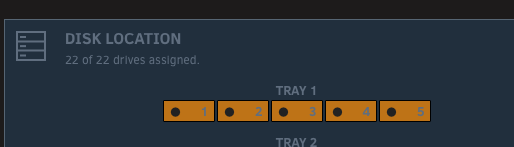
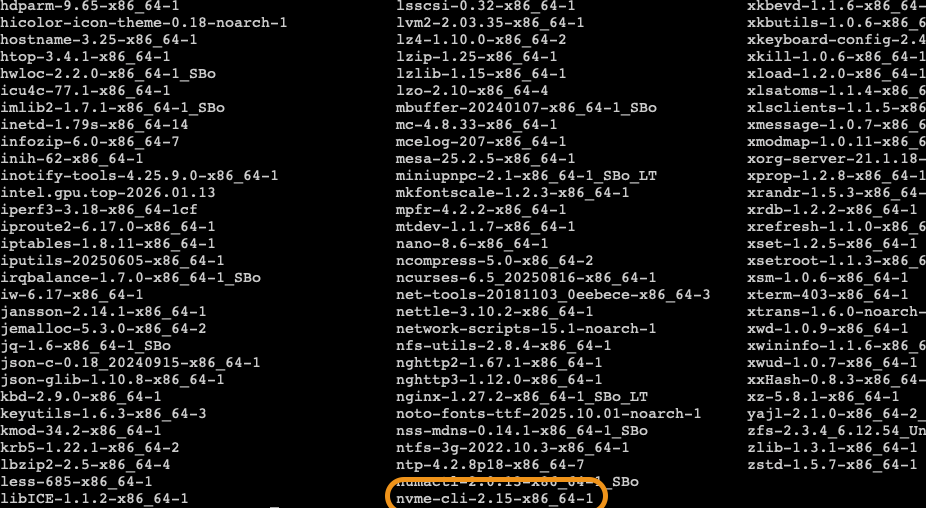 Das ist was anderes. nvme-cli dient zum aktualisieren der Firmware von NVMEs.In /var/log/packages liegt nvme-cli-2.15-x86_64-1. Ich würde das gerne verwenden. Wie kann das Paket installiert werden?Could somebody push the update? https://emby.media/community/index.php?/topic/145872-41001-wont-start-docker/ The latest beta broke the installation of EmbyServerBeta.LOL...I never tried that. Thanks...Is there a way to have the disk number in the disk location overview instead of the tray numbers? So instead of 1 2 3 4 5 disk1 disk14 disk2 disk5
 BIOS: INTERNAL GRAPHICS can't be set to 'Auto'. It needs to be disabled.I use unRAID 7.2.2 and discovered an issue with transcoding a video with Emby server (in a docker) to Emby for Android/Emby vor Android TV. After a while the playback stops. This happens when QSV (Quicksync) is activated. When I deactivate it in Emby and only use VAAPI this will not happen. So far I understand this was an issue with older kernel versions used by unRAID, but shouldn't be an issue with 7.x.x. The Emby log looks like this, when the issue occurs: 20:54:26.110 [hevc_qsv @ 0x11aebc0] Error during QSV decoding.: unknown error (-21) 20:54:26.110 Error while decoding stream #0:0: Unknown error occurred 20:54:26.211 [hevc_qsv @ 0x11aebc0] Error during QSV decoding.: unknown error (-21) 20:54:26.211 Error while decoding stream #0:0: Unknown error occurred 20:54:26.314 [hevc_qsv @ 0x11aebc0] Error during QSV decoding.: unknown error (-21) In the unRAID log file: [ 1590.375486] i915 0000:00:02.0: [drm] Resetting vcs0 for preemption time out [ 1590.375565] i915 0000:00:02.0: [drm] ffmpeg[129266] context reset due to GPU hang [ 1590.431441] i915 0000:00:02.0: [drm] GPU HANG: ecode 12:4:28fffffd, in ffmpeg [129266] [ 1596.519451] i915 0000:00:02.0: [drm] Resetting vcs0 for preemption time out [ 1596.519533] i915 0000:00:02.0: [drm] ffmpeg[129266] context reset due to GPU hang [ 1596.556176] i915 0000:00:02.0: [drm] GPU HANG: ecode 12:4:53fffeff, in ffmpeg [129266] [ 1602.599417] i915 0000:00:02.0: [drm] Resetting vcs0 for preemption time out intel_gpu_top is installed. I also found a hint to where the problem lies: https://github.com/jellyfin/jellyfin/issues/11062 It points to the kernel (Jellyfin is based on emby). NOTE: Fixed in 7.3.0 Beta 27.2.2 Bug report erstellt...Hallo zusammen, beim Transcoden mit emby erhalte ich folgende Fehler im Log. [ 1590.375486] i915 0000:00:02.0: [drm] Resetting vcs0 for preemption time out [ 1590.375565] i915 0000:00:02.0: [drm] ffmpeg[129266] context reset due to GPU hang [ 1590.431441] i915 0000:00:02.0: [drm] GPU HANG: ecode 12:4:28fffffd, in ffmpeg [129266] [ 1596.519451] i915 0000:00:02.0: [drm] Resetting vcs0 for preemption time out [ 1596.519533] i915 0000:00:02.0: [drm] ffmpeg[129266] context reset due to GPU hang [ 1596.556176] i915 0000:00:02.0: [drm] GPU HANG: ecode 12:4:53fffeff, in ffmpeg [129266] [ 1602.599417] i915 0000:00:02.0: [drm] Resetting vcs0 for preemption time out emby: 20:54:26.110 [hevc_qsv @ 0x11aebc0] Error during QSV decoding.: unknown error (-21) 20:54:26.110 Error while decoding stream #0:0: Unknown error occurred 20:54:26.211 [hevc_qsv @ 0x11aebc0] Error during QSV decoding.: unknown error (-21) 20:54:26.211 Error while decoding stream #0:0: Unknown error occurred 20:54:26.314 [hevc_qsv @ 0x11aebc0] Error during QSV decoding.: unknown error (-21) Soweit ich herausfinden konnte, ist das ein kernel-Problem im Zusammenhang mit QSV: https://github.com/jellyfin/jellyfin/issues/11062 Beim Beispiel handelt es sich um Jellyfin. Da die beiden Programme allerdings sehr ähnlich sind, würde ich vermuten, dass das bei emby auch der Auslöser ist. Gibt es eine Möglichkeit das irgendwie zu lösen? Im Moment habe ich QuickSync in emby deaktiviert. Bye.Scheinbar haben da einige im englischen Teil nicht ganz verstanden wo das Problem ist. Ich habe das Plugin jetzt wieder deaktiviert.Genau. Das war aber schon vorher so eingetragen.Hallo zusammen, ggf. könnte mir das hier jemand im deutschen Forumsteil einfacher beantworten. Ist bei der Verwendung des SR-IOV plugin der /modprobe-Eintrag notwendig, wenn die iGPU nur für emby-Transcoding (im Docker) verwendet werden soll?You mean this one? It just opens the console window in a browser. So...the same when I use the browser to access the IPMI itself....
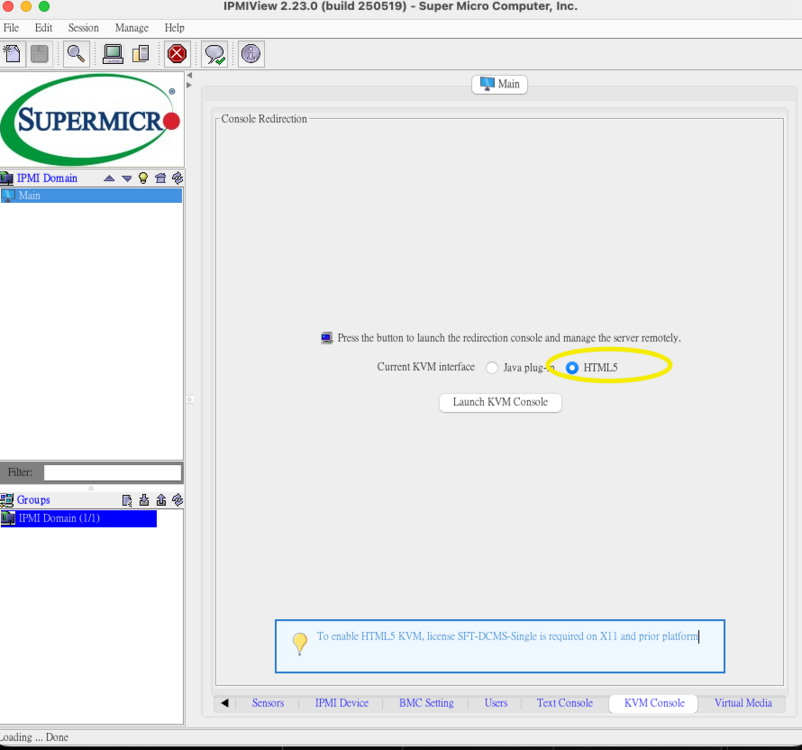 I have powered the server down and started through IPMI again. The first thing I see is the blue unRAID box, where I can choose what to start. Nothing before it nothing after it. I can't try a full shutdown (power supply off) at the moment. I can do that later this week. What's also interesting. The FPS output in the top of the console window is jumping around even when the screen is black.So...after hours of testing I found the issue. /modprobe seems not to be necessary in my case. In emby you can select Quicksync and/or VAAPI. When you activate QS the system will quit transcoding with the following message: 21:58:08.818 [hevc_qsv @ 0x1192000] Error during QSV decoding.: unknown error (-21) 21:58:08.818 Error while decoding stream #0:0: Unknown error occurred The system will activate software decoding to realize playback. If you only use VAAPI the playback will work just fine with hardware transcoding without error: Dec 7 21:55:47 Tower kernel: i915 0000:00:02.0: [drm] GPU HANG: ecode 12:4:53fffeff, in ffmpeg [51830] Dec 7 21:55:47 Tower kernel: i915 0000:00:02.0: [drm] ffmpeg[51830] context reset due to GPU hang Dec 7 21:58:06 Tower kernel: i915 0000:00:02.0: [drm] GPU HANG: ecode 12:4:53fffeff, in ffmpeg [66743] Dec 7 21:58:06 Tower kernel: i915 0000:00:02.0: [drm] ffmpeg[66743] context reset due to GPU hang Dec 7 22:00:54 Tower kernel: i915 0000:00:02.0: [drm] GPU HANG: ecode 12:4:53fffeff, in ffmpeg [80939] Dec 7 22:00:54 Tower kernel: i915 0000:00:02.0: [drm] ffmpeg[80939] context reset due to GPU hang I will monitor and investigate further...That doesn't run on my M2 Mac with MacOS 26. I can start the app but the console will not fire up...(I get JAVA errors). That package isn't enough...you need the full JDK.



