





Quantumed
Members
-
Joined
-
Last visited
Everything posted by Quantumed
-
I was on 7.1.2 with over 3 months of uptime, which was probably a record as the GUI almost always breaks eventually, due to NGINX errors - nothing suggested on the forum fixes it without a reboot, although sometimes /etc/rc.d/rc.nginx restart might buy some time). Anyway, there wasn't any reason to update today but I thought I would as I had some free time in case anything went wrong. So I updated to 7.1.4 and within a few hours both SSH and the GUI where completely down.. only a forced reboot via the server power button solved the issue, until it returned a couple of hours later. At this point I downgraded to 7.1.2, but I would like to understand what went so wrong.. diagnostics and local syslog server log attached. The local syslog attachment was obtained right after the downgrade, so some of the last logs will be post downgrade. Any help appreciated! quantumbox-diagnostics-20251010_0013.zipquantumbox-syslog-10.0.0.5-20251009-2222.zip
-
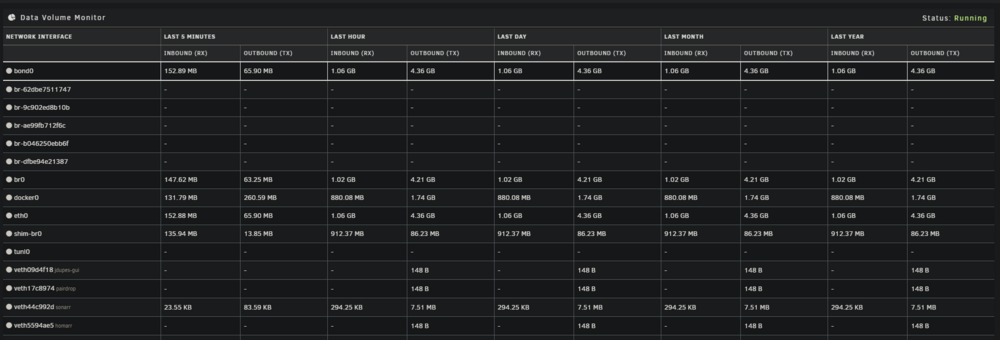
Hello, great plugin! I've noticed that any docker containers set to a fixed IP address (by choosing 'Network Type: br0' in the container settings) do not show any statistics in the plugin, and also fail to 'Match Virtual Network Interfaces to Services', is there a way to fix this?
-
Did you find a fix to this? I've tried all suggestions and it keeps happening
-
I finally decided to update to 7.1.2 from 6.12.5 today and proceeded to spend an entire evening trying fix this issue. Thank you for linking the temporary solution mentioned in that post, it immediately got things working for me again. Really hope to see this fixed asap!
-
Has anyone managed to use this reliably for more than a few months? I find that after a few weeks or months, timemachine on my MBP will fail to backup to the original .sparsebundle file/folder and create a new one named .sparsebundle1. The original sparsebundle will be rendered completely inaccessible and I have no other option but to simply delete it.. is there a way to prevent this from happening? I never tried setting things up the 'standard' way (without this docker), as detailed here: https://docs.unraid.net/unraid-os/guides/configuring-time-machine/I Does anyone know if that is a more reliable method of getting things set up?
-
I have this issue regularly.. the `/etc/rc.d/rc.nginx reload` command sometimes temporarily fixes it, other times a system restart is the only fix for me. I restarted my server less than a week ago, and it is already re-presenting itself! Please fix this once and for all.
-
Did you figure this out? I just installed smokeping for the first time and 'out of the box' there are no working graphs.. looking at the logs, I see the exact same error & warnings as you. EDIT: Alright I think I found a fix, edit the smokeping docker and click 'remove' on the following optional variables: MASTER_URL SHARED_SECRET CACHE_DIR
-
Hello, I would like to add filebrowser to my fail2ban config, however filebrowser does not appear to log to a file. What would be the best way to do this?
-
In case you didn't end up managing to fix this, or in case someone else needs a fix: add http:// to the start of the Key 1 field (where you write your unraid server IP) in the Docker Edit page for Grafana.
-
Cool plugin, thank you for sharing it with us. I would love to see a feature that enables turbo write mode while the mover is running and disables it when the mover isn't running. As it stands, the amount of data that needs to be moved can vary from nothing, to hundreds of GB's, making the cron schedule tricky to work with
-
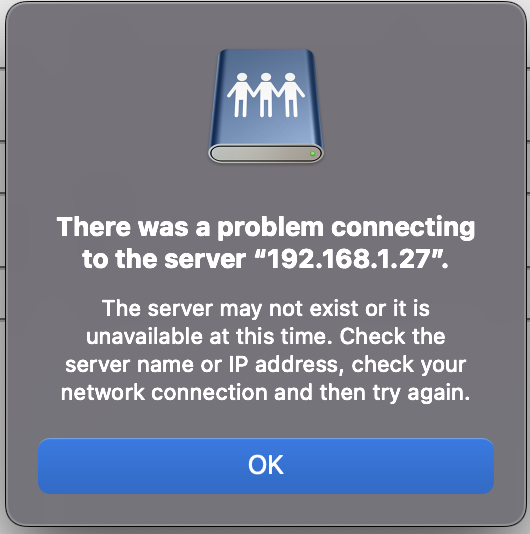
Has anyone managed to successfully connect to the TM share via Tailscale? After setting a fixed IP as instructed, I'm unable to connect to it with the following generic error:
-
Oh yeah, I missed that. Will the 01 variant perform better than the 02 while all 6 slots are occupied with traditional modern HDDs?
-
I'm looking to buy my first PCIE to SATA card. Port count, power and price are important factors, which makes the 6 Port ASM1166 card my best bet. I've noticed there's two variants: 'PCE6SAT-A01' and 'PCE6SAT-A02' - what's the difference between them? They appear identical, my guess is simply the firmware?

