





RancidGnar
Members
-
Joined
-
Last visited
-
Replying as I am having a network disconnect loop that seems to be being caused by a container restarting every 5-10 minutes and there is no intuitive way of identifying this to resolve the issue. So a tool to identify looping behavior or as OP suggested, a notice, would be fantastic
-
I ended up following this post from a few years ago to set up 9p https://www.reddit.com/r/unRAID/comments/gvx12v/how_to_access_a_share_from_linux_vm_in_unraid/ Edited to add: Once you follow the steps above to mount the share, reboot. When you log back into the client, the share should be in the path specified. In my case /mnt/disk5/VM/vmshare (I specified a disk in my VM settings in unraid instead of a user share)
-
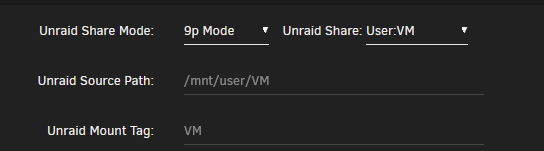
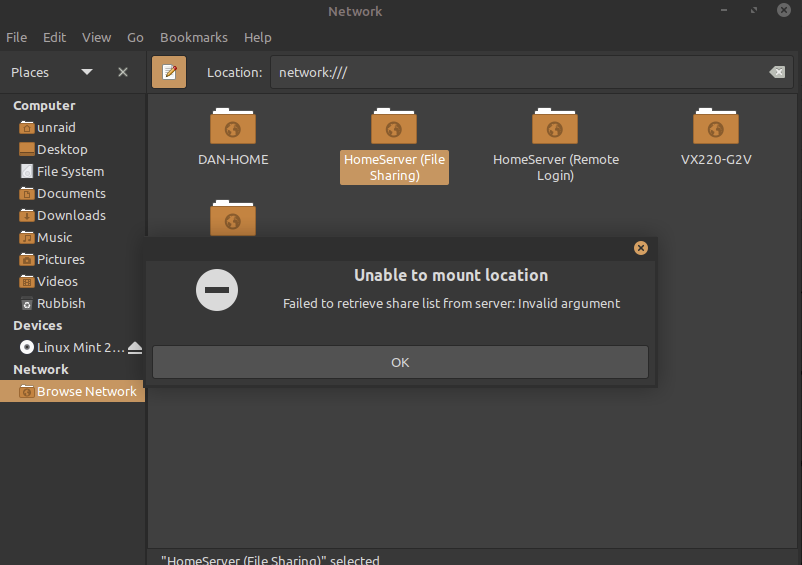
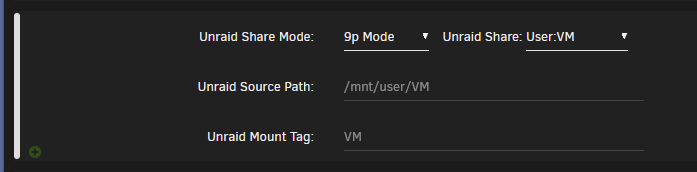
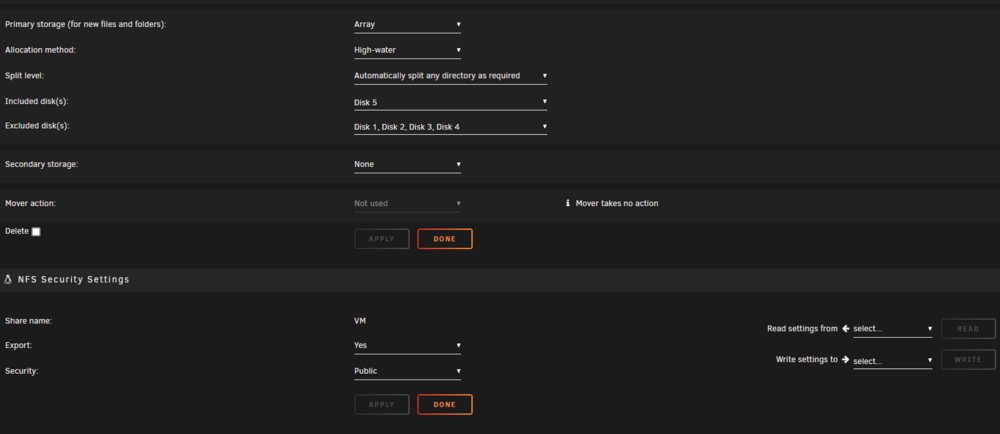
Hey all, not sure if this is better off in the KVM help forum, let me know. I have created a Li9nux Mint VM on my Unraid server, and am wanting to move files from the guest to the host, but cannot work out what I'm doing wrong here. I have NFS enabled on the Share that houses the VM, set to private, and created a user in Unraid with the same credentials as used to login to the VM. I've set 'Unraid Share Mode' to 9p Mode, and specified the share that I want to see in the VM. Network source is br0, network model is e1000, and I can see an IP has been assigned. When I jump into the network section of the Linux file explorer, I can see the server as a whole, but can't access it. I also can't mount it if I manually enter the network location (ip-address/mnt/home/user/VM). I checked through a number of forum posts, but they are all relating to being unable to access the server from a Windows VM. The Unraid Docs also seem to specify help for Windows VMs, but not Linux ones so I'm assuming it's just meant to work, and I should be able to see the share I have specified in the VM settings, inside the VM itself, but I can't. Any help is appreciated, I have been beating my head against this wall for days. Diagnostics attached. homeserver-diagnostics-20240708-0710.zip

-
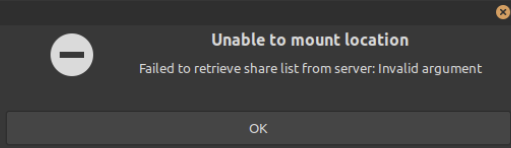
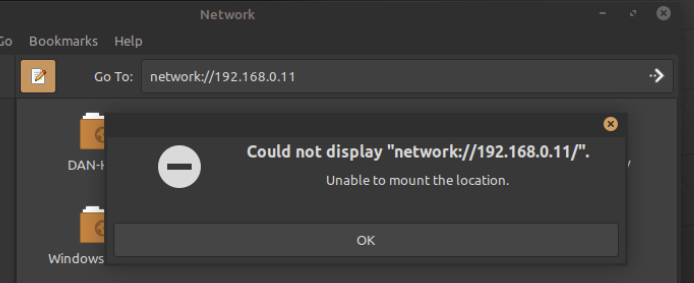
Hi all, not sure if this is the best spot to post, or is NFS support would be better, but I am having issues moving files from my Linux Mint (Debian based) client to the Unraid host. Diagnostics attached. I have enabled NFS sharing on the share that holds the vdisk, and I can see the HomeServer (File Sharing) folder in the clients network folder. But whenever I try to connect to the HomeServer folder, I get the below error. I am logging into the vm with the same credentials and a user in unraid, that has read/write access to the share, and enter these credentials when prompted, but still get the error. If I try manually entering the Server IP address in the search bar, I get the following error: Am I going about this the wrong way or is there an easier way to move file from the client to the host? My VM Share settings are below. And the Share NFS settings. homeserver-diagnostics-20240708-0240.zip
-
Not so much a security concern as I run Ethernet to devices that allow it. More that I'm not sure if it being set to public caused this issue in the first place or not. This is great to know, I'll go through and update the share name to remove the sapce I'll review this today and see if I've missed anything. Thank you so much for the help here.
-
Update: created new share 'New Media' - export = yes - security = public Moved data from 'Media' to 'New Media' Can see 'New Media' in Homeserver via 'network' and it shows all files set export = no for 'Media' deleted the 'Media' share So I can now access the server and shares via windows explorer, which is great. My concern now is will this possibly be an issue at a later date? since the security is 'public' that means any PC on the network can access the share, yes? I haven't mapped the server as a network drive, as I can see it in 'network', so I'm assuming I don't really need to. Changing this to private, I just need to make sure the credentials used to log into the PC are the same as the Unraid user I am accessing the shares under? That's what I understand at least, and so long as credential manager has the correct credentials saved I shouldn't have an issue.
-
I just updated my unraid user password to match the one used to login to my windows machine and still no dice. I made sure to clear the credentials in credential manager and chose to sign in with other account details, still unable to connect. I think the duplicate 'media' share is the issue. If I change the SMB setting for 'Media' then it updates the settings for 'media' as well. But I do not remember creating this share, so I wonder how it was created. media shows no files in the web UI where Media is the actual storage location. Windows seems to be showing media, which is why it's empty. But when I try to map the server as a network drive via server name/ ip address I still get the 'windows cannot access....' error. I'll create a new share, moves the data from Media to the new share, and delete Media and media and see if this persists.
-
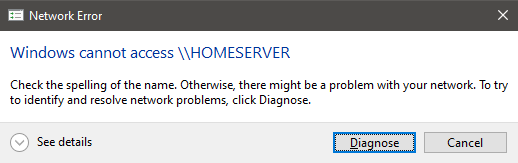
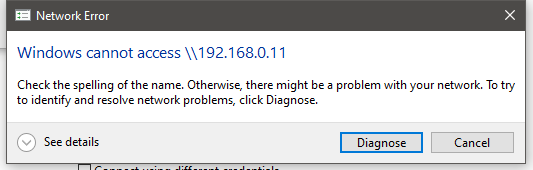
@Frank1940 sorry for the delay. Since the original post the issue has changed a bit. I ended up resetting my Windows as my C: drive needed it anyway. I still cannot map the server as a network drive, however, I can see it in 'Network' in File Explorer. When I open the directory, however, I don't see all my files. I know these files are still intact because I can see them via the Unraid webgui and access them via Jellyfin. I believe I have set SMB up correctly in Unraid, I went through that linked post to help set it up originally, but not since resetting windows. SMB v1 is off. Insecure connections is enabled. The credentials used to log into my PC are not the same as the details used when trying to map the server. Same username, but different password. This user has read/ write access to all shares and disks All shares and disks are set to export = on and security = public (at this stage) My PC is part of the same workgroup I set up a 'network neighborhood' folder before I had this issue, that was how I originally got it working. That folder was still there after the windows reset, but produces the same results as accessing \\HOMESERVER via network I've attached diagnostics and images of what I can see and what happens when trying to map the server The other two folders show as empty but are not homeserver-diagnostics-20240607-0703.zip



-
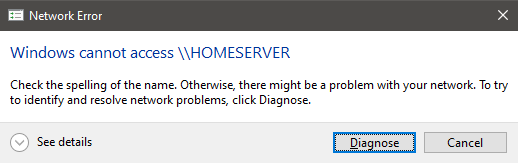
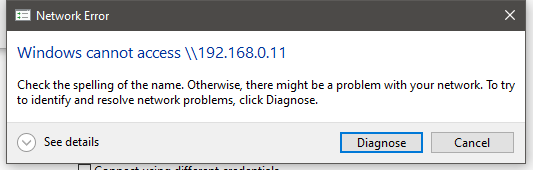
This originally worked for me but I upgraded the CPU in my server the other day and have been having issues accessing and adding the server as a network drive since. I ended up resetting windows (needed to be done anyway), enabled smb1 to be sure, enabled insecure connections via gpedit, and I can now see the server in my network, but I can only see an empty folder when I know my data is still intact as I can still access it via streaming apps, etc. If I try to map the server as a network drive, I get a connection failure. Images and diagnostics attached. homeserver-diagnostics-20240605-2213.zip



-
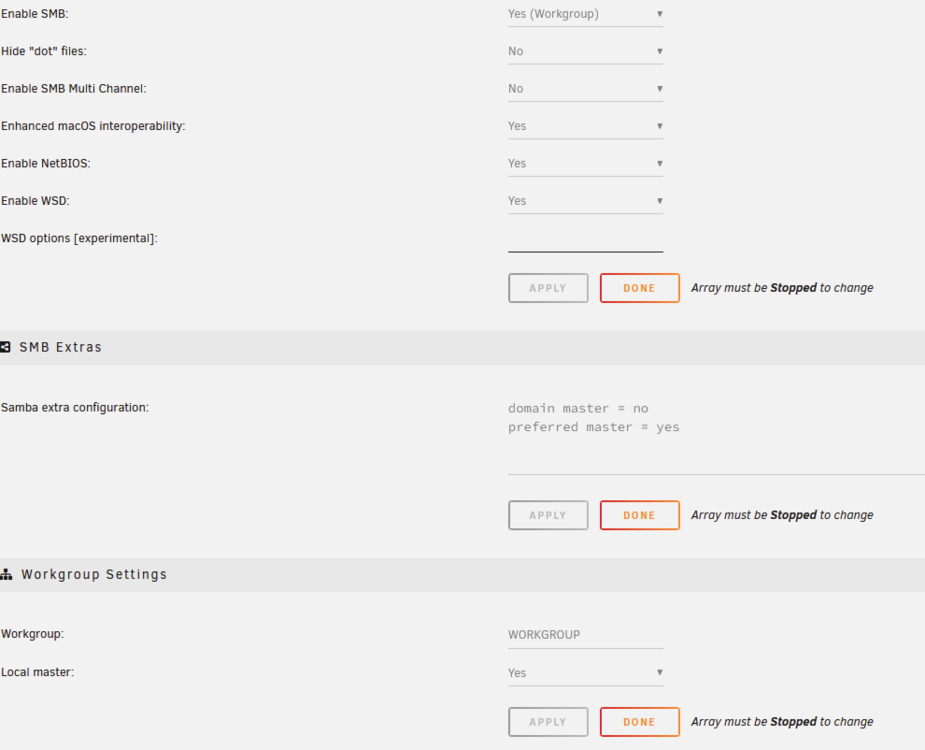
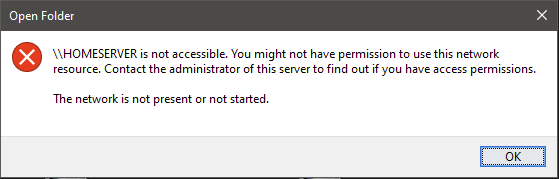
Hey all, I've had a bit of a look through the forums and spent a few hours on this now, but definitely need some help to work out what's happened. I don't really know how to sum it up so it may be a longer than needed post, sorry. Yesterday, I had the server added as a network drive on my windows machine. I upgraded the CPU yesterday afternoon and booted back up, everything worked, I could access the media on there and stream via Jellyfin, and I could see the network drive in my quick access panel in windows explorer. This morning I went to move files to the server and opened the main directory via quick access, then opened one of the folders, and there was nothing in there. I checked the array and could see all the data was intact, I could access all directories via the WebGUI, but not the network drive folder on windows. I cleared my windows credentials to try and get it to prompt me to log in again, no so then I cleared my quick access cache, so now I can't even see the network drive I did have there when trying to re-add the drive, it can't be found via browse if I try to add the ip address, it cant access it, same if I use the server name I confirmed I was part of the same workgroup Followed this article to set it up originally and still can't access it enabled smbv1 flushed dns, renewed ipconfig settings made sure my SMB settings havent changed, they are still as shows in the image attached many reboots in between I can't work this out, any help is greatly appreciated, diagnostics attached. homeserver-diagnostics-20240605-0253.zip Extra information: I can see the server now but keep getting a permissions error. I've added the user in unraid, added the user credentials for that user into windows credentials for the server, but keep getting the below. The network is absolutely started, I can still stream from it.
-
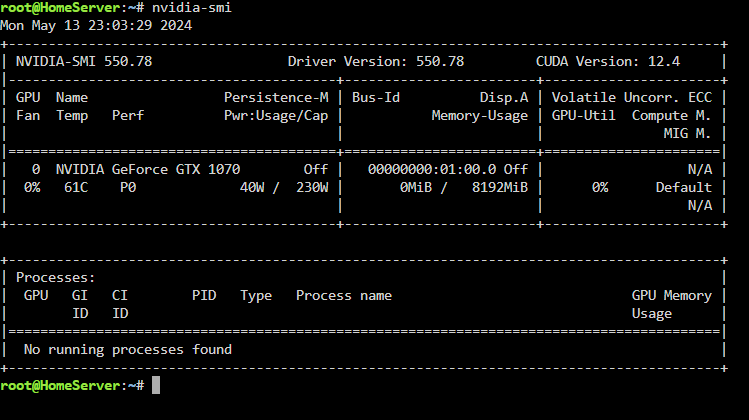
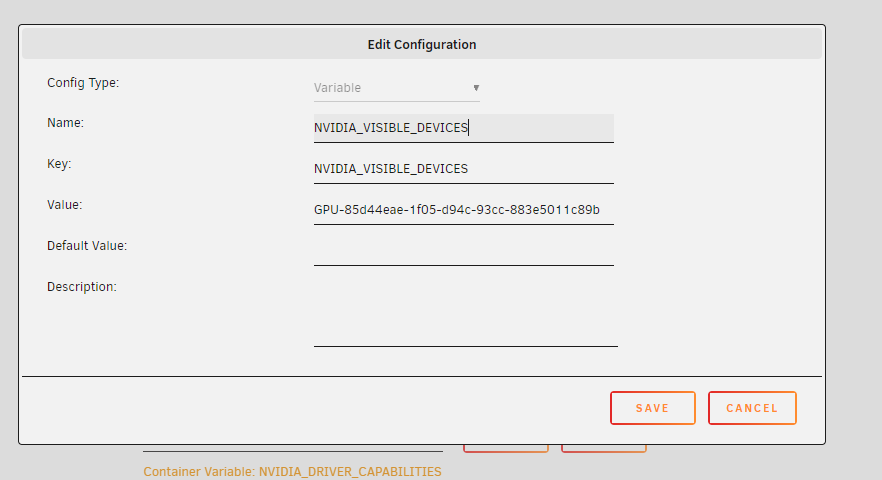
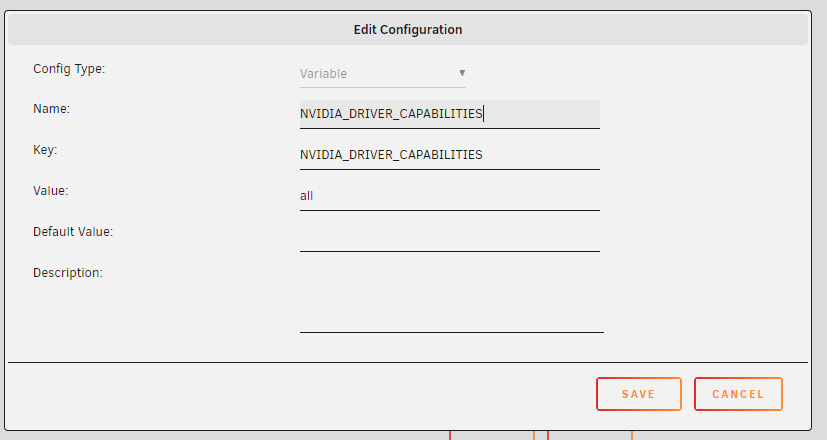
@ich777 I forgot to mention that, sorry, that was already enabled. I tried the quality change; it uses the GPU if I set it to 480 - 1.5 but if I change it to anything else it stops utilising the GPU. Jellyfin logs and diagnostics attached JF log 14-5-24.txt homeserver-diagnostics-20240514-1817.zipHi all, I've just updated my system and now my 1070 isn't being used to transcode. I've followed the steps above but smi still shows no processes using the GPU when I am actively playing a show in Jellyfin. Posting here as I feel it's more related to the plugin than Jellyfin, but delete if it's Jellyfins issue. I haven't included logs due to this. Happy to post them if wanted, however. System: unraid 6.12.10 Nvidia Driver plugin ver 2021.01.19 (using latest driver v550.78) Jellyfin 10.9.1 GTX1070 8GB I originally updated the plugin and rebooted, then came to the support page and followed the steps below. disabled hardware accel. in jellyfin uninstalled plugin rebooted installed plugin rebooted re-enabled hardware accel. rebooted played an episode opened unraid console and checked smi
 Hi all, Let me know if there is a better avenue to report issues with the Unraid website. I jumped on get some info on using the console and one of the links is broken. From the Console FAQ > Click the Terminal Access page hyperlink. https://docs.unraid.net/legacy/FAQ/console/ https://docs.unraid.net/legacy/FAQ/console/terminal-access.md/ Edit to add: If you click the hyperlink in the menu on the left, it loads fineI tried this first and it did not resolve the issue so I moved onto the documentation provided by @Frank1940. Once I labelled my Ethernet network as Private and added the shortcut for the server, I could read and write via explorer again. Thanks both!



