






cybrnook
Members
-
Joined
Everything posted by cybrnook
-
ROFL, and so you did. I see that now 🙂 Obviously you're well aware then.
-
@SimonF for the clipboard error, yes agreed and I think I got an error/warning similar to that when I tried to make my first snap on a VM where I had clipboard functionality enabled (as I normally had done in the past, so didn't think much of it). The head scratcher I had was trying to decipher what the warning/error was telling me and equating it to having to disable the clipboard. That's where google came in handy. I didn't realize that warning was put in by you and not just a generic one being provided from the subsystem. This is that link I found that pointed me to the clipboard. Seems it was a known issue, but perhaps abandoned for a fix? https://gitlab.com/qemu-project/qemu/-/issues/1380 For the spacing, would be greatly appreciated at least for verbose folks like myself who run in debug mode 🙂
-
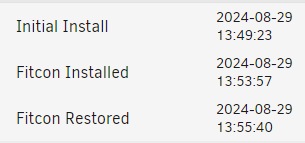
Side note, I modified manually the snapshots.db file for my EnGenius Fitcon VM as an example and removed the parenthesis as well as minimized my spacing to a single space in the "desc": and that brought the formatting back in. (Browser is Edge Chromium): Maybe something as simple as wrapping in ' ' instead of " " ? 🤷♂️
-
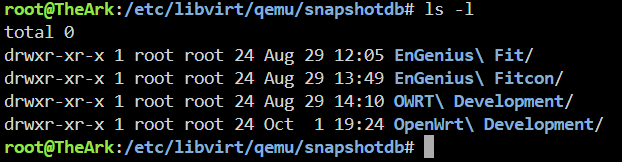
@SimonF In poking around with the crashing VM issue, I deleted a few VM's and made some new ones. I am on a full ZFS system, and all VM's have/had snapshots taken. 2 x VM's that I deleted and removed still have remnants in /etc/libvirt/qemu/snapshotdb: Is this expected and is it safe to manually delete them? Two of those folders no longer exist as a VM (so I assume the snap shots must be gone as well, right?). Another thing, I noticed weird spacing issues on the VM snapshot names. I used regular spaces and parenthesis and got lots of white space it looks like. And finally, while I have you 🙂 I'm sure you're already aware, but the ability to snapshot breaks if you enable clipboard functionality. I had previously found a bug report online for it somewhere, seems like someone picked it up and then it went silent.

-
Been poking at this for about a week now. Spun up a new VM about a week ago based on the latest Ubuntu 24.04 and every day or so the VM would stall/freeze and I would have to force shutdown and reboot it. Thinking it might be the Ubuntu release, I recently now spun up a Mint VM (based on latest Ubuntu) and am seeing the same issue. Only with Mint I got some logging in my display that I could capture. Some quick google searching for *error* failed to allocate vram bo , I am finding quite a few hits with others having the same issue. Only problem is the solution for them in those instances is to change the virtual display driver from QXL to VirtIO and in looking in Unraid VirtIO is not an option, only Cirrus which has dismal performance. I've tried changing from VNC to SPICE for the console protocol, but no real help as long as the driver is QXL. Figured I would raise this up the flag. theark-diagnostics-20241003-1605.zip
-
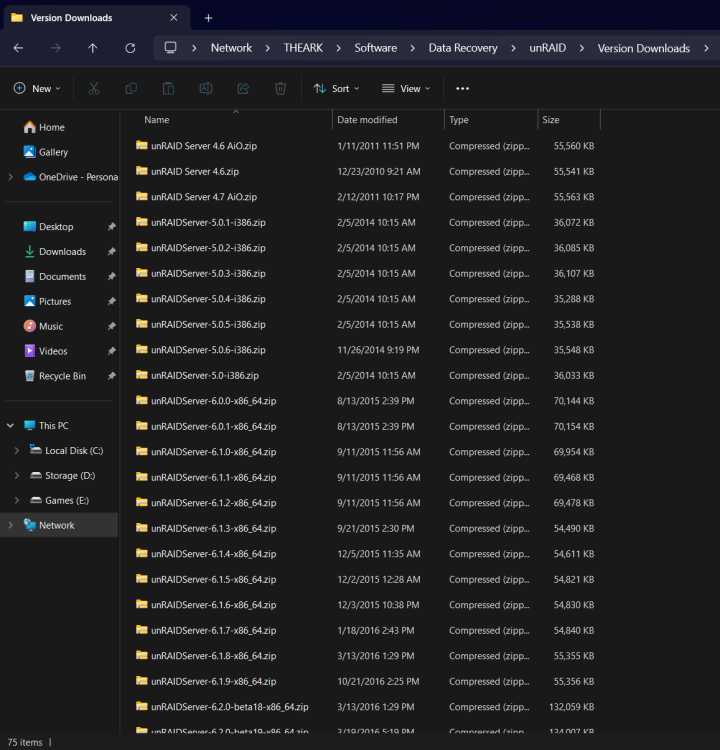
Still got some classics from when I first started 🙂
-
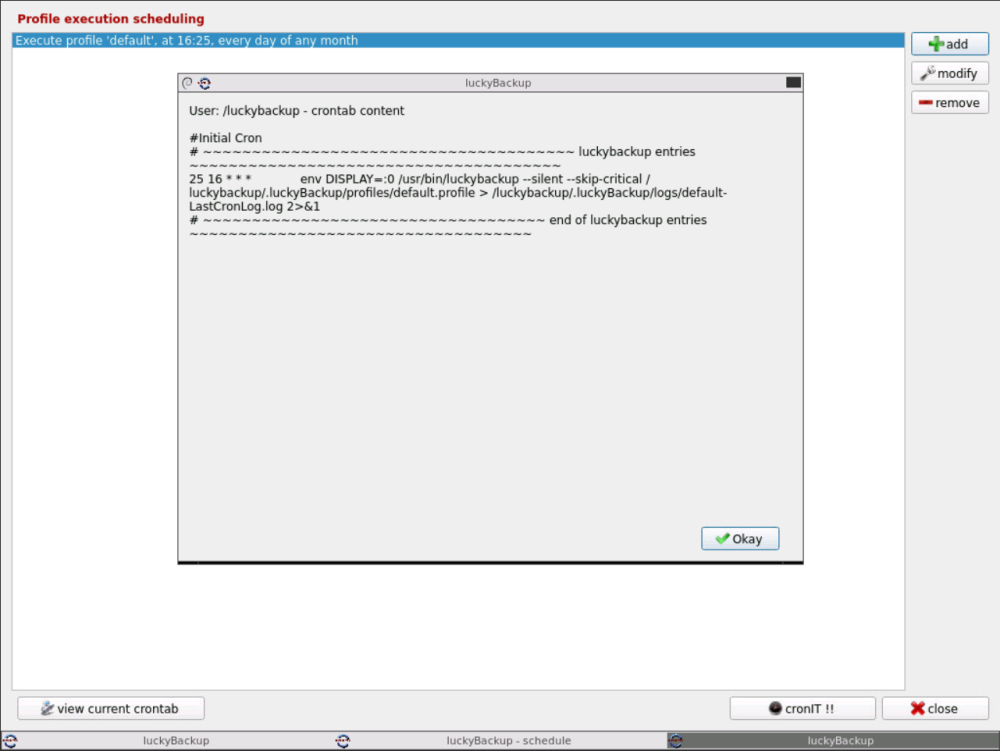
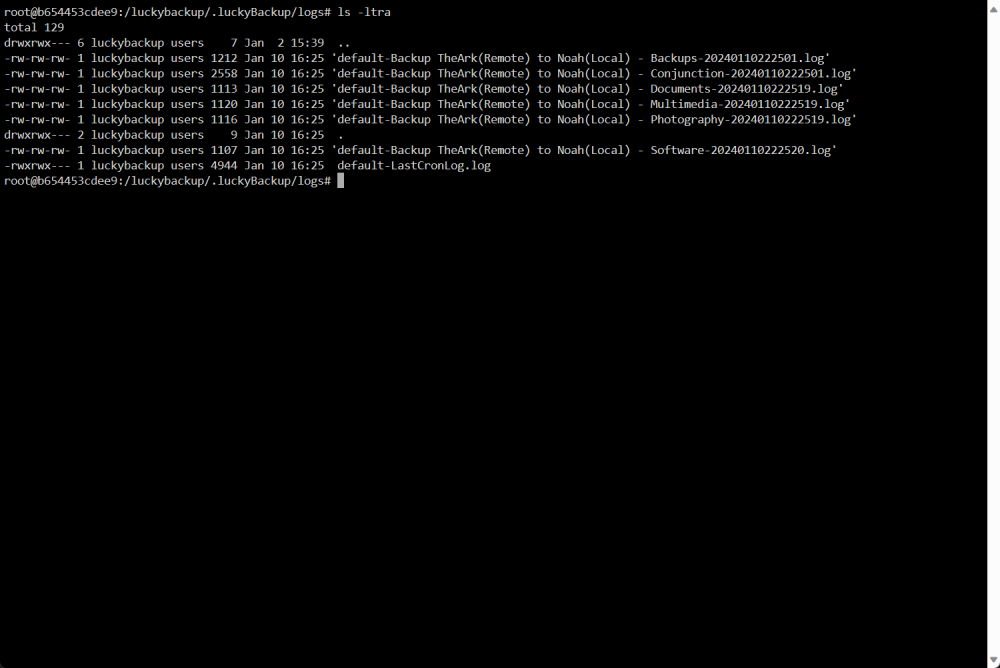
Just want to throw out that I have tested with and without "root" mode, and when I schedule my cron I have tested with and without "console" mode. Both options are working for me with the .profile workaround. I just tested at 4:25 PM EST (which is 16:25 in LuckyBackup) and it worked fine, nonroot and not in console mode: Make sure you're not doing something silly when making the schedule like forgetting that lucky is a 24 hour clock and not a 12 hour clock. So, 5:00 PM for example is 17:00.
-
Then at this point I'd say let's wait and see what @ich777 comes back with. From my side it seems to be working, and it worked for you yesterday, so I am unsure at this point if there is something else that we are missing.
-
This does not look right? Why "I"root and not /root Iroot/.luckyBackup/logs/daily-5am-LastCronLog.log 2>&1
-
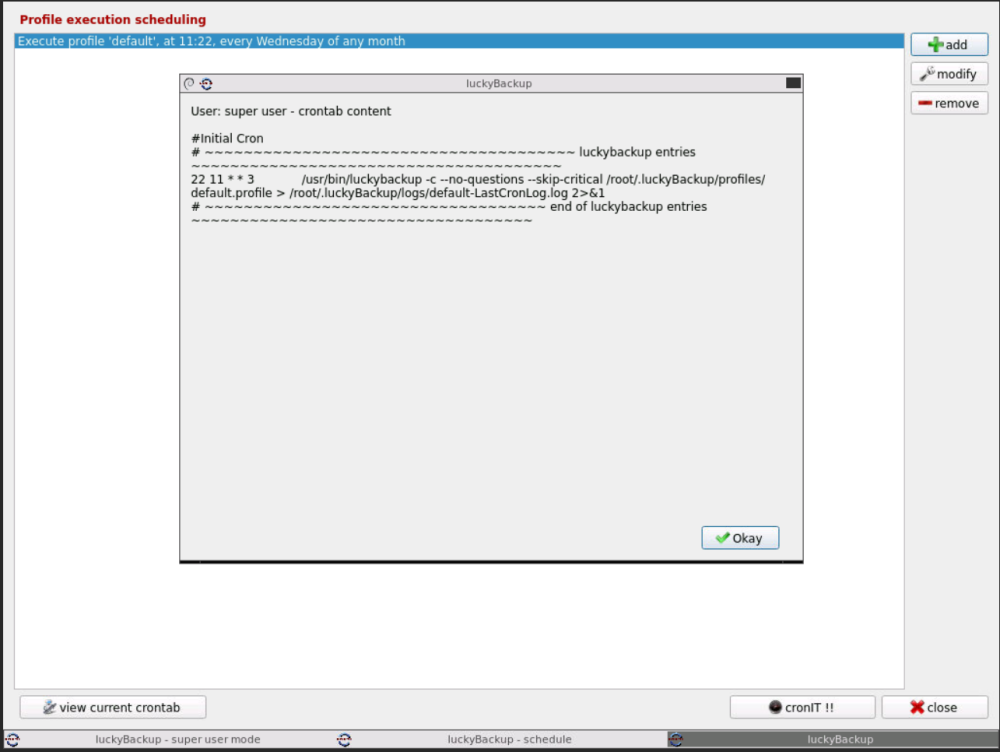
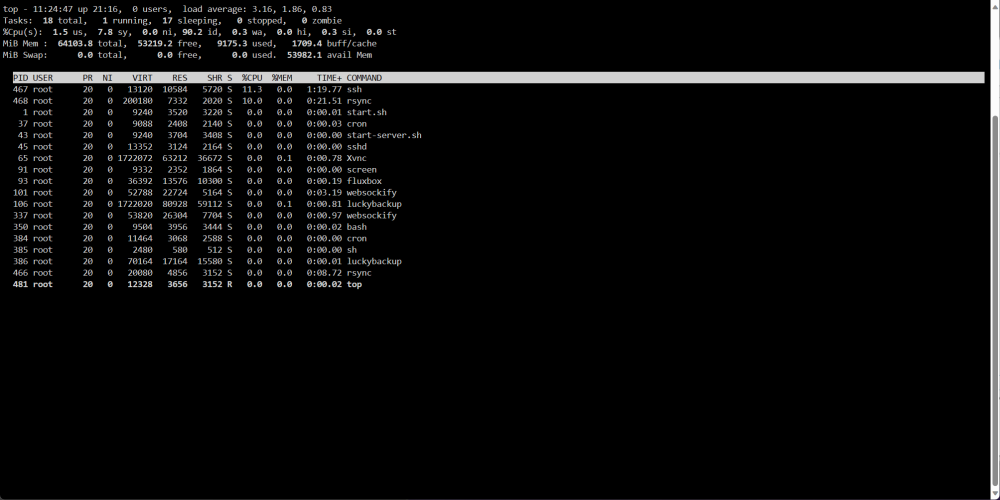
I think it looks fine. I just did a simple test of running all my backup jobs here in EST and it worked fine for me. @ 11:22 EST my cron'd backup job kicked off without issue.
-
Create another job in there to run in just a couple minutes, see if that works. Would verify if we're close to something or not.
-
@Mattaton when you ran the 5 minute test yesterday, where it worked, was that a newly schedule job? I am wondering if you need to perhaps remove and recreate the cron entries now that you made the TZ change?
-
@Mattaton let's continue in the support thread.
-
Schlaf gut 🙂 (Sleep well)
-
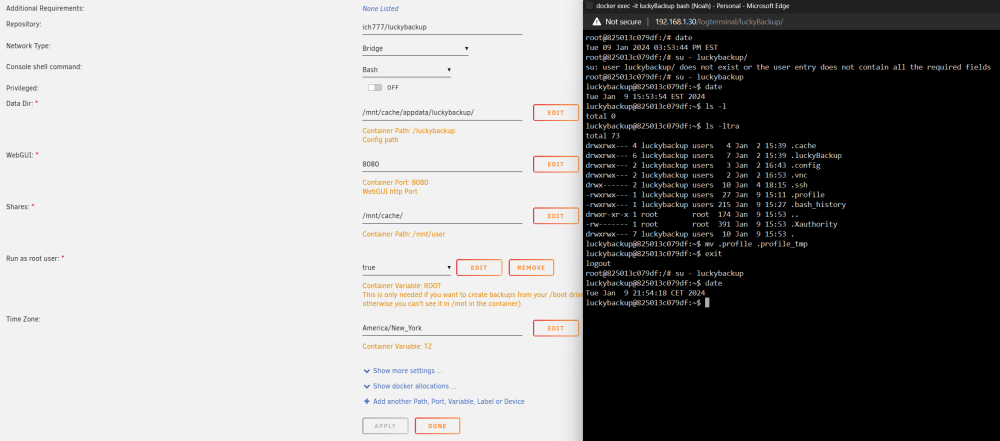
That didn't work (just to calrify, the "root" user in the container is fine, it's the "luckybackup" user that is running as CET. That seems the be the main app user within the container, where cron is being used.):
-
Yes, I think so. That's where @ich777 has been pointing all users to go for persistent changes (like keys). This should be no different.
-
Good! Can you setup a simple backup job to run, say in 5 min and see if it kicks off correctly?
-
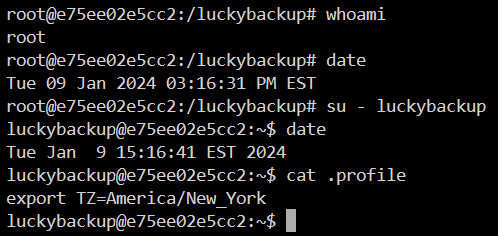
@Mattaton Try and and see if it works Log into docker console (you will be root), and execute: su - luckybackup touch .profile echo "export TZ=America/New_York" > .profile Then restart your container and check the "date" commands again. Then maybe test a simple scheulded backup and see if it kicks off when you want it to.
-
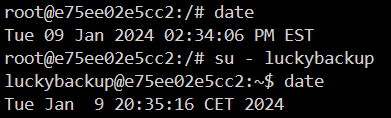
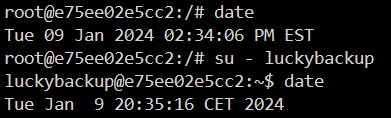
I have not experienced this myself as I'm not running scheduled backups, but user @Mattaton is running his system in EST timezone. When he runs a scheulded backup it's exactly 6 hours difference from when he thought it would run. In poking around I can see the "root" user in the container runs as system time zone, but when I switch to "luckybackup" that user runs is CET which is exactly 6 hours time difference. I assume if luckybackup also runs as EST instead of CST then that would fix the problem. I found a basic fix of just creating a .profile file in luckybackup home dir and exporting TZ=America/New_York. That seems to work in my basic testing. You think that should be good enough? Without this, this is what I see:
-
Gotta ask the master brain, @ich777, you think there is anyway to have the luckybackup user match the timezone of root, persistently? I was peeking around for a .profile file or .bashrc or something for the luckbackup user, but there is nothing in the home dir. I know docker can be destructive to changes made inside during updates and reboots.
-
make sure to pay attention to the spaces I have. So if you're in the container as "root" execute su(space)-(space)luckybackup and see what happens. I assume you probably did something like su- luckybackup or su -luckybackup? Needs to be su - luckybackup
-
and if you execute "su - luckybackup" from the root user? with the "-". You have to be careful how you switch to different users. Depending on how you do it, you either bring the current user env along for the ride, or have the sytem switch to the new users env. sudo su -, su -, su all can have different outcomes.
-
On my systems I can see that "root" runs as local timezone of the container, but "luckybackup" runs as CET, which is a difference of 6 hours 🙂 So maybe just account for the 6 hour time difference when you make your cron entry. Or, we look for a way to change the timezone persistently for luckybackup user?
-
I was just coming here to say "date" I meant date...... to show the time zone. Had a brain fart.
-
Just guessing right now (backup server is offline right now), but you'd probably want to do your timezone checking also from within the docker container itself, not necessarily your Unraid server, as the schedule would be from within the container, not your server. And, not sure if you're using the "root" option in the container, but maybe the luckybackup user in the container has a different timezone than root? You could just switch to each user and run the command "date" to see what each user is using.






