





CHBMB
Community Developer
-
Joined
Everything posted by CHBMB
-
I have absolutely no need for this, but it's very cool. Just wondering about drivers for the ADS-B Receiver? They present by default in the Unraid Linux kernel?
-
How many albums called Dark Side Of The Moon do you have? Sent from my Mi A1 using Tapatalk
-
I'm going to contact them as I've found I can't play my favourite album "Ten" by Pearl Jam, instead it plays the album "Ten" by The Stranglers, which I also enjoy listening to..... Going to see if they can add "Ask my media to play the album ${ALBUM} by ${ARTIST}"
-
Yeah, we're using this at home since Christmas, works really well and the price is very reasonable. Thanks @itimpi
-
The permission on the appdata folder are set correctly at container startup to be owned by nobody:user which from within the docker container is represented by abc:abc and inherits the PUID and GUID set in the template. As shown here https://github.com/linuxserver/docker-grocy/blob/master/root/etc/cont-init.d/50-config#L19 TL:DR The permissions are correct, the issue is probably the smb connection to your appdata share.
-
I wondered that, but thought it was worth a try as I couldn't see what his appdata path was on mobile. aptalca, worth us putting nano in and then documenting it on the readme? That way avoids SMB permission issues like this? Wouldn't add much to the container size. Just a thought. Sent from my Mi A1 using Tapatalk
-
Try this from the terminal docker exec -it openvpn-as bash nano /config/etc/as.conf Make your change then press ctrl & x and then type y to save and restart the container. Sent from my Mi A1 using Tapatalk
-
Why do you need to edit as.conf? Sent from my Mi A1 using Tapatalk
-
The template does all the commands for you. I'm just posting it as it's easier than a screenshot. Sent from my Mi A1 using Tapatalk
-
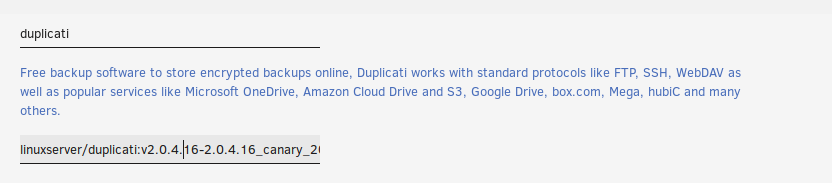
Yes add a tag to linuxserver/duplicati from the list here. Like so
-
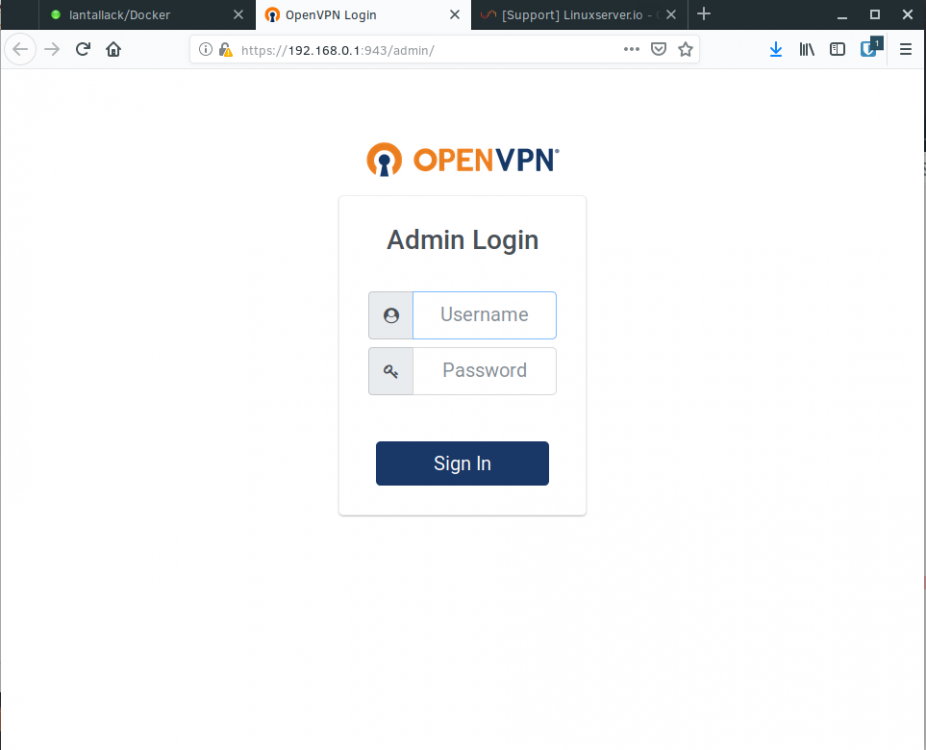
Delete your appdata folder and try again, looks corrupt, I don't use the container, but just pulled it here with docker run -d --name='openvpn-as' \ --net='bridge' \ -e TZ="Europe/London" \ -e HOST_OS="Unraid" \ -e 'PGID'='100' \ -e 'PUID'='99' \ -p '943:943/tcp' \ -p '9443:9443/tcp' \ -p '1194:1194/udp' \ -v '/mnt/cache/appdata/openvpn-as':'/config':'rw' \ --cap-add=NET_ADMIN \ 'linuxserver/openvpn-as' and it started right up. Here's my logs and the webui
-
@Kristijan Logs?
-
@Kristijan Did you also read the bit that says With bridge networking, leave it as eth0 (or don't include at all)
-
I think you can remove -e 'INTERFACE'='bond0' and run it as bridge now as per the readme.
-
He's trying to tell you what you have to post so we can help you. Post the info as described in that link.
-
Link is in my sig, command you're running to start the container.
-
@IamSpartacus Docker run command?
-
Read here and make sure you add a user. Then configure that user via the webui, when you next login as that user, your networks are preserved
-
https://thelounge.chat/docs/configuration#default-network
-
Have you tried looking at the config file as described in the readme? https://github.com/linuxserver/docker-thelounge#application-setup and more info here https://thelounge.chat/docs/configuration
-
Docker logs for the MariaDB container would be useful.
-
Did you look at the post immediately above your first one? TexasDave had posted a config.
-
Use your old ISP and go to whatismyip.com and post the results here, then do the same but using your new ISP. Sent from my Mi A1 using Tapatalk
-
Did you post in the LE thread as well? If so I stand by my original assessment. Sent from my Mi A1 using Tapatalk
-
You shouldn't need to if it's only your IP address that's changed. To elaborate, your certificate is issued based on your domain name. IP address doesn't come into it. For instance, I have a dynamic IP address, I don't need to get new certificates every time my IP address changes. Have you got cloudflare caching switched on? If so, turn it off. Without a bit more info about error messages around certs it's difficult to help, but I think you're barking up the wrong tree.



