





bally12345
Members
-
Joined
-
Last visited
Everything posted by bally12345
-
Out of warranty, so will have to go to the junk heap, got a replacement coming tomorrow. server-smart-20250625-1218.zip
-
Still appears the same, removed all the trays and put the back in, rechecked cable going to the LSI SAS 9201-8i nothing out the ordinary cable wise.server-diagnostics-20250625-1204.zip new diags attached
-
Woke up to alerts on my server looks like disk1 has 1922 errors and has been disabled and contents emulated. Server kernel: md: disk1 write error, sector=11070194240server-diagnostics-20250625-1030.zip Will be looking for a new replacement drive today but not sure if I need to do anything with a disabled drive or can I replace as normal?
-
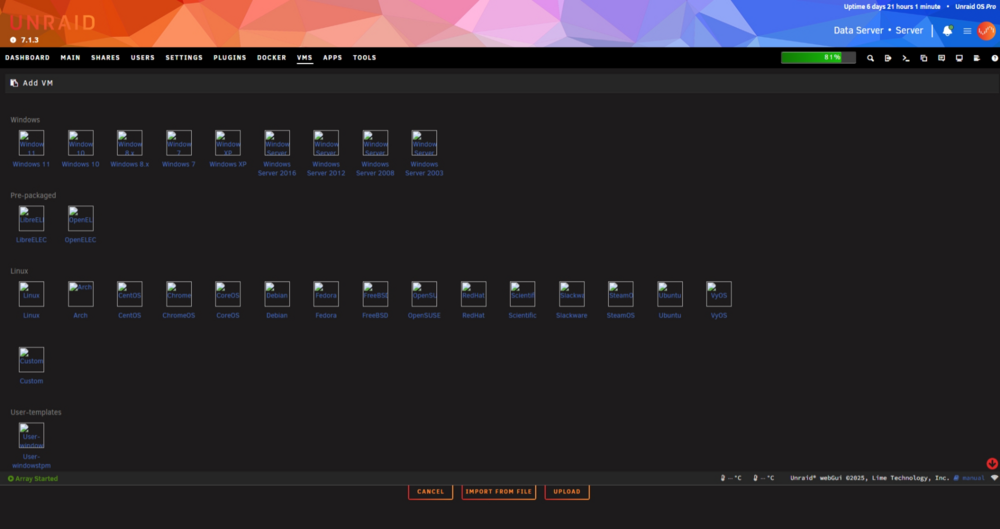
Strange I already had it installed, removed and added it back with default settings and icons appeared again.
-
Does anyone know why this is happening
-
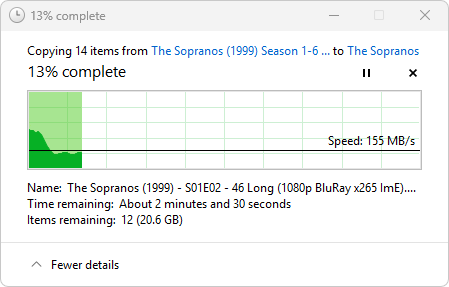
I changed Tunable (md_write_method): from Auto to reconstruct write and now getting 150MB/s
-
Turbo right has been enabled for long long time, I dont normally notice most of the time but wondering if had to do with my windows 11 vm that I was using to copy and paste over? Uploading Attachment...

-
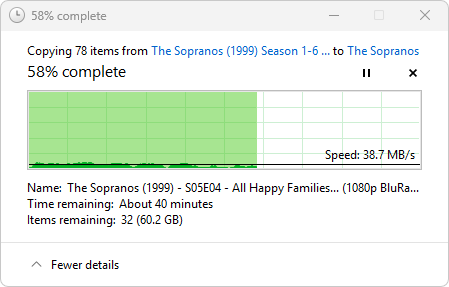
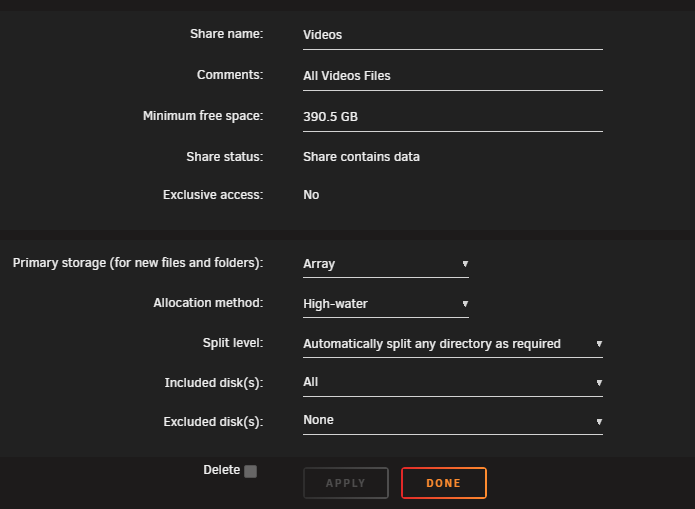
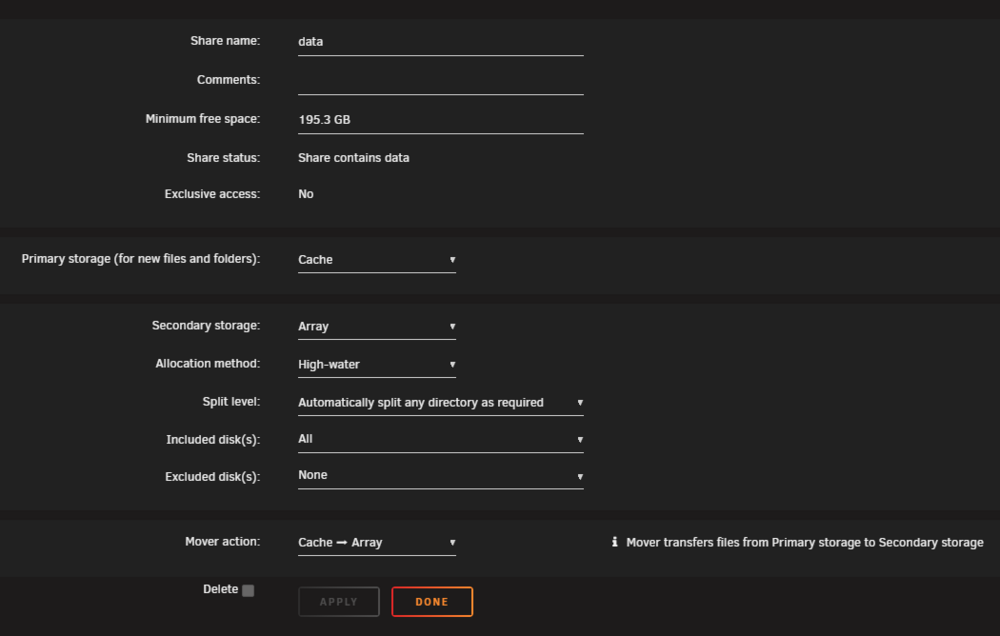
I am not sure what is going on but trying to move files from Cache to Array Storage is taking absolutely forever, I normally leave it to Sonarr to handle but on this occasion it didnt seem to move so I just used copy and paste and its averaging about 20MB/s I am not seeing anything obvious in syslog but have attached diagnostics zip Shares are setup as follows. Downloads to /data and manually moving to /Videos/TV Shows D server-diagnostics-20250522-1702.zip
-
Lol the amount of times I have updated my signature with the latest version of unraid I am surprised theres no shortcode that can use unraid api to display the version. Sticking with Stables only for now but still there has been a few recently 😆
-
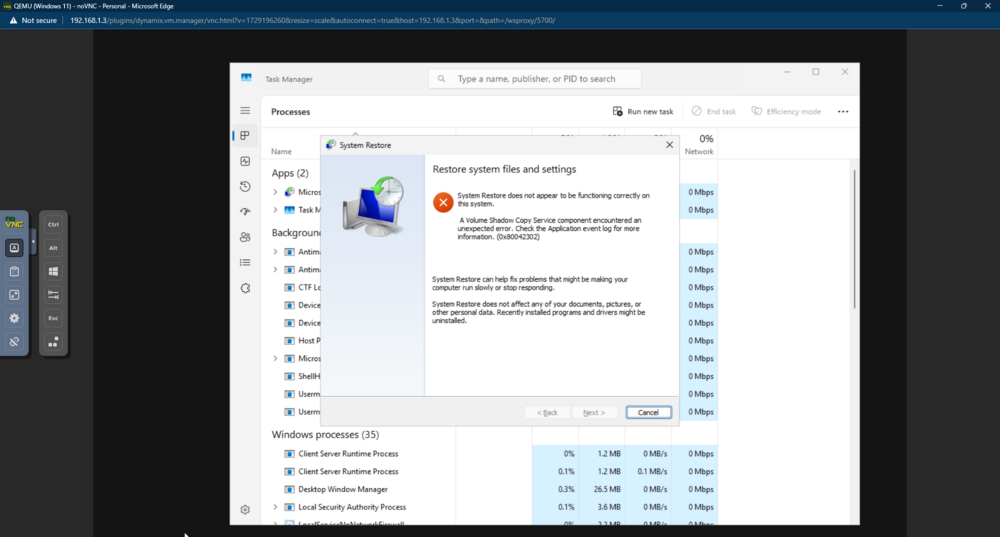
I have a Win11 VM which was working ok up until yesterday. This morning it wouldnt connect to any of the network shares mapped. Rebooted, still nothing, tried to do windows restore but it failed. I can log on but I get a black screen with cursor, if I send ctrl+al+del using VNC it shows up and I can go on task manager but cant seem to anything. Now explorer.exe running Did msconfig and set to Diagnostic start up but no difference and trying to rstrui.exe Any suggestions on how I can get it running agian? Just noticed the VM log is showing 2025-04-22T11:19:34.828671Z qemu-system-x86_64: VFIO_MAP_DMA failed: Invalid argument 2025-04-22T11:19:34.828686Z qemu-system-x86_64: vfio_container_dma_map(0x559dbdcfa650, 0x383800000000, 0x2000, 0x1511b8000000) = -22 (Invalid argument) 2025-04-22T11:19:34.828690Z qemu-system-x86_64: VFIO_MAP_DMA failed: Invalid argument 2025-04-22T11:19:34.828692Z qemu-system-x86_64: vfio_container_dma_map(0x559dbdcfa650, 0x383800003000, 0x1ffd000, 0x1511b8003000) = -22 (Invalid argument) 2025-04-22T11:19:36.125462Z qemu-system-x86_64: VFIO_MAP_DMA failed: Invalid argument 2025-04-22T11:19:36.125487Z qemu-system-x86_64: vfio_container_dma_map(0x559dbdcfa650, 0x383800000000, 0x2000, 0x1511b8000000) = -22 (Invalid argument) 2025-04-22T11:19:36.125493Z qemu-system-x86_64: VFIO_MAP_DMA failed: Invalid argument 2025-04-22T11:19:36.125497Z qemu-system-x86_64: vfio_container_dma_map(0x559dbdcfa650, 0x383800003000, 0x1ffd000, 0x1511b8003000) = -22 (Invalid argument)
-
This has crept back in since 7.0.1, it appeared to have fixed itself in v7.0.0
-
Yes I have alerts set up so as soon as it will happen will get email and telgram message. I was having issues with my LSI card in another slot and it only increased whilst in there and the whole card went offline. Since moving it back it had no errors. Either way I am looking to replace the drive and upgrade my dual parity 12TB drives with 16TB. Which will replace this and have a spare.
-
I am listening but just not seen it increase at all. I have WD Reds with over 10+ years of power on so bit suspicious why it was increasing whilst I was testing x16 pci slot and has stopped now.
-
Not had any more increases since I moved my LSI card back to PCI_e3 8x slot
-
Yeh just checked myself, last time I buy a "new" drive from ebay in that case.
-
Cant return, bought as new drive from ebay, back in october. Only got around to installing. Was sealed and packaged correctly. Will reach out to seller and see if I can get any details on the warranty side.
-
Reallocated sector count - General Support - Unraid
-
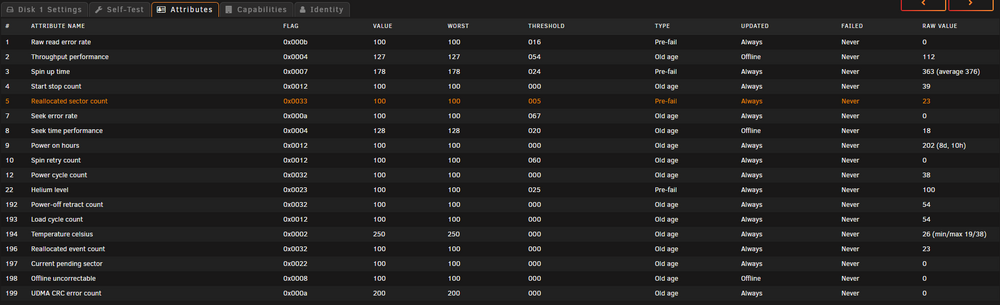
Its at 23... Is there a number I need to look at for? Looks like will need to purchase another drive and get ready for swap out...
-
I keep getting Unraid Disk 1 SMART health [5] reallocated sector ct is 23, started off at when I installed the drive and creeping up, I did google it and think I read somewhere this can be safely ignored and happen on modern drives?server-smart-20250129-1627.zip Should I look to be replacing this drive even though its new?
-
Try creating another usb and see if that boots
-
Going to leave it in PCI_e3 too much stress!
-
Moved it back and everything is working but would like to understand what happened if possible and whether I should just leave LSI controller in 4x PCI slot and call it a day.
-
After stopping the array it looks like all the disks are missing, going to shutdown and make sure the card is seated correctly. Might just move back to the original slot?
-
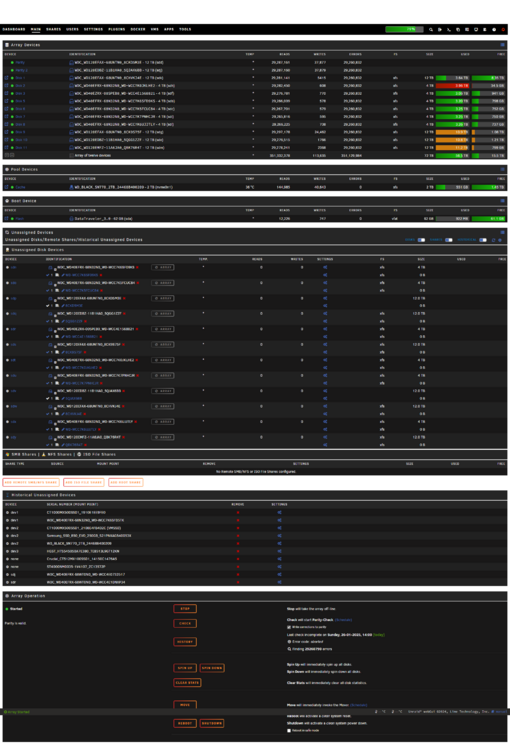
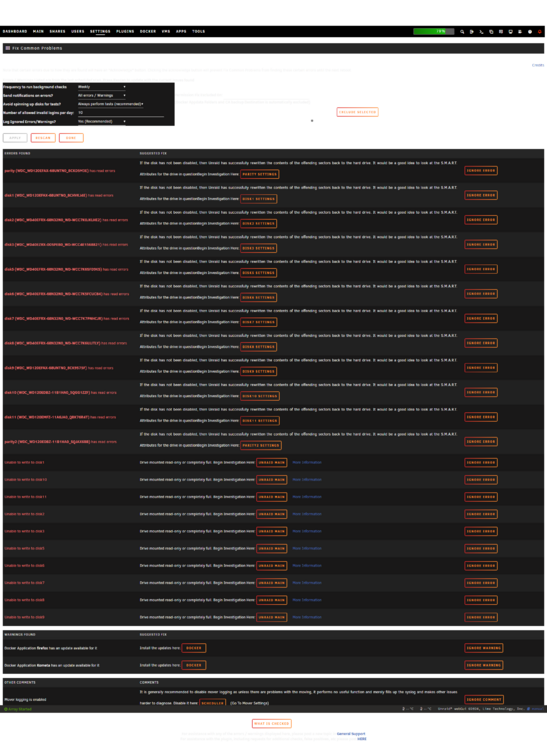
As titles suggets I moved my LSI controller from PCI_e3 to PCI_e1 to make use of faster speeds. Booted server up and all was fine, after installing powertop I need to reboot and now all disks are showing as showing as read only but then say If the disk has not been disabled, then Unraid has successfully rewritten the contents of the offending sectors back to the hard drive. It would be a good idea to look at the S.M.A.R.T. Attributes for the drive in question Main page doesnt show any issues which is weird right? I started parity check but just shit load of errors show up! So in abosolute PANIC mode right now! Fix Problems Page Main Page server-diagnostics-20250126-1402.zip
-
Swapped over the GFX card with the LSI controller and now showing as LnkSta: Speed 5GT/s, Width x8 I would 100% prefer faster disk io over the GFX card so hopefully everything will run much better from now. Just need to remember to change the binding for the GPU passthru to VM and should be sorted!






