




.jpg.adf8def3431e0aa8e590900f82752d7a.jpg)

wgstarks
Members
-
Joined
-
Last visited
Everything posted by wgstarks
-
Got up this morning to discover my X15 server completely unresponsive. No connection to webui, ssh or any dockers. Had to hard reset the system. I have attached the most recent syslog server log file. syslog-10.0.1.20.log
-
I had it disabled and noticed that the cpu temp was 63C and fan speed was 0rpm. The readings tab was showing n/a for cpu fan speed so not sure if the readings in the footer could be trusted but I really didn’t like them so switched the fan to enabled in fan control. Haven’t been able to repeat this though.🤷
-
That didn't change anything but a reboot worked. No idea why. Should have tried that right away I guess.
-
This is an old Time Machine backup that's no longer in use. I doubt the files will change.
-
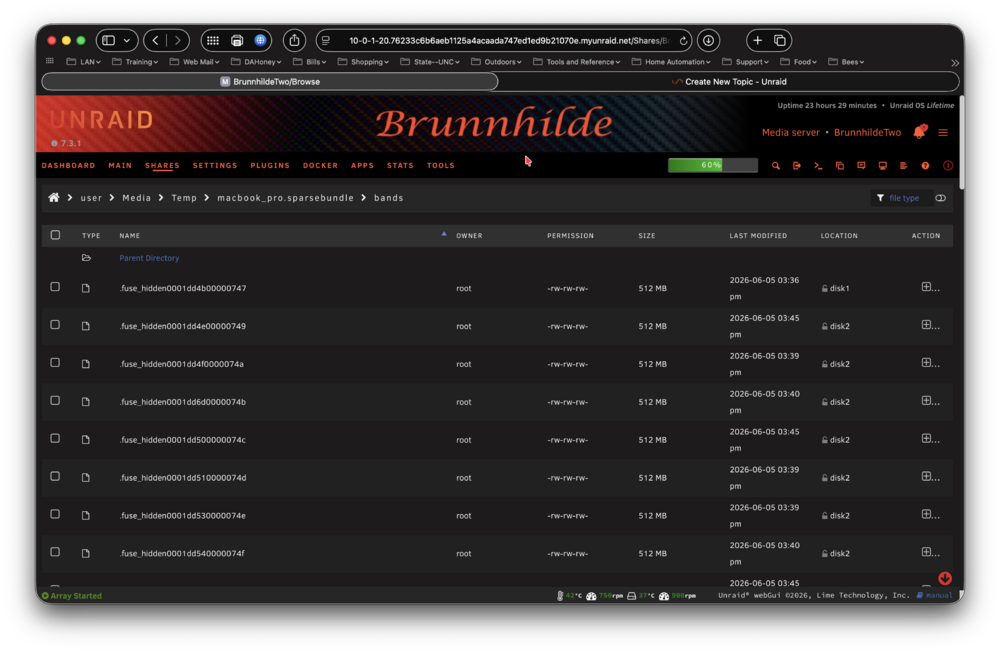
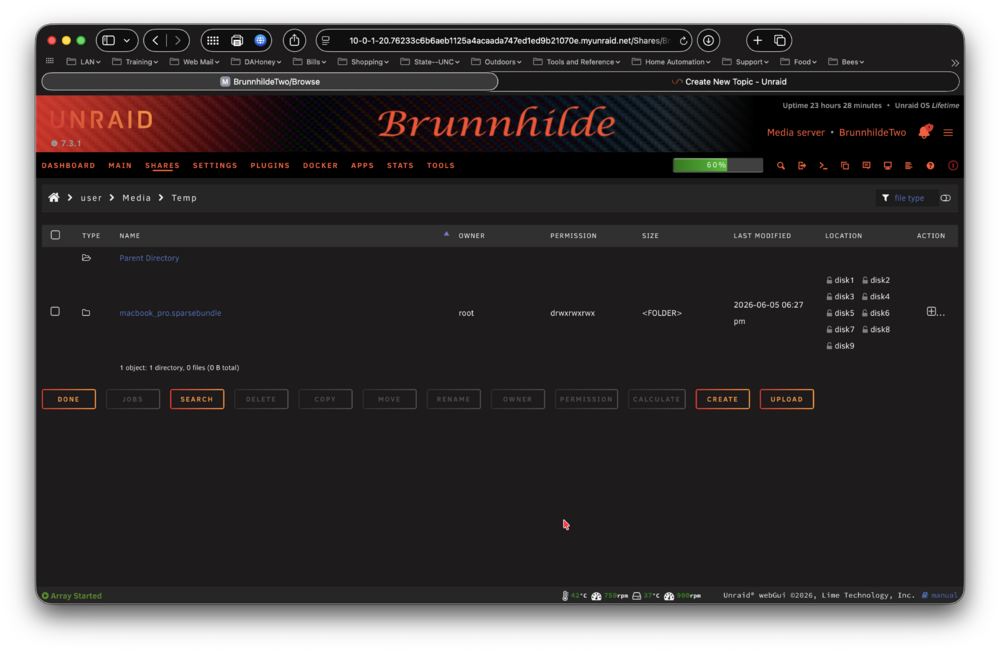
Tried with the builtin file browser first but it just failed silently so tried using rm. root@BrunnhildeTwo:~# rm -R /mnt/user/Media/Temp/macbook_pro.sparsebundle rm: cannot remove '/mnt/user/Media/Temp/macbook_pro.sparsebundle/mapped': Directory not empty rm: cannot remove '/mnt/user/Media/Temp/macbook_pro.sparsebundle/bands': Directory not empty root@BrunnhildeTwo:~# If I try to remove individual items I get no such file or directory. Not sure what else to try.
-
@SimonF What are you using for cpu fan settings?
-
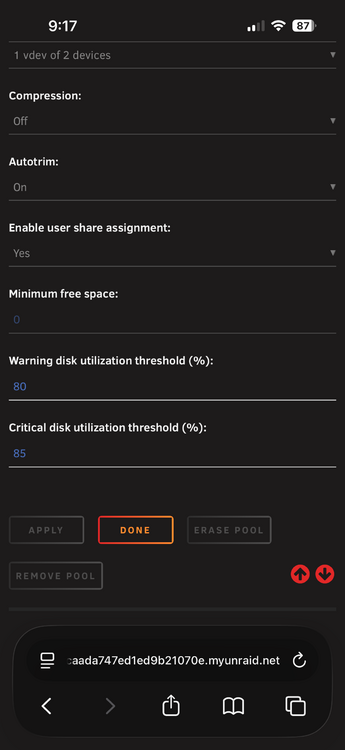
I noticed today that my minimum free space for my zfs cache pool is set to 0. Tried to change it in the pool settings but it’s grayed out and not accessible. Google says I need to change it in the Shares tab but my cache isn’t shared. What do I need to do to make this setting editable?
-
Saw this in the log- Jun 4 19:48:14 BrunnhildeTwo kernel: TCP: request_sock_TCP: Possible SYN flooding on port 10.17.229.53:42117. Sending cookies. My server is on a 10.0.1.0/24 network so not sure how this port could even exist. brunnhildetwo-diagnostics-20260604-2021.zip
-
Copied your settings and that fixed the issue. I still don't understand what was causing it though. Can you explain? Maybe because I was using HDD Temperature for HDD Spundown temp sensor also??? That's the only real difference I see in your settings.
-
Thanks. Actually, I found that repo shortly after posting here and already created the issue. @SimonF is investigating the bug.
-
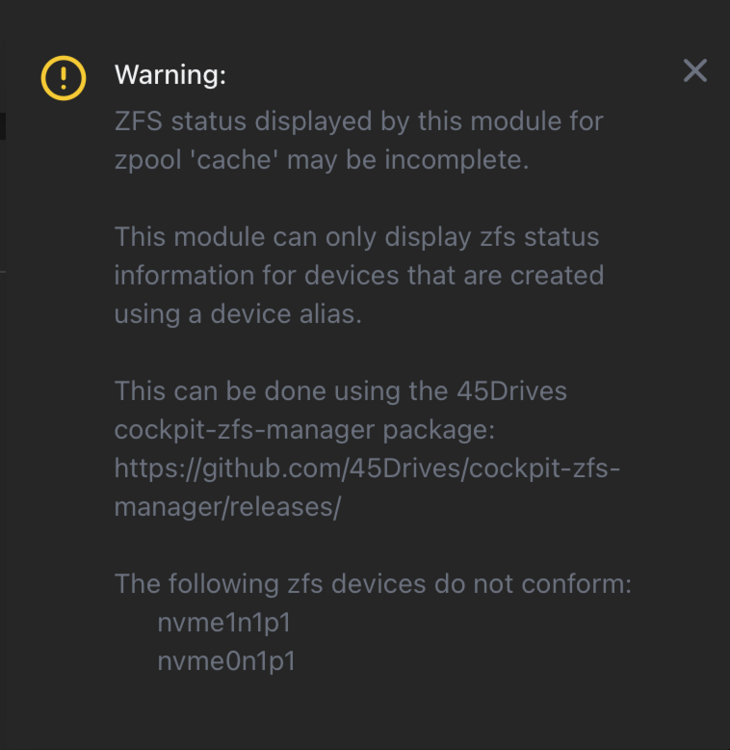
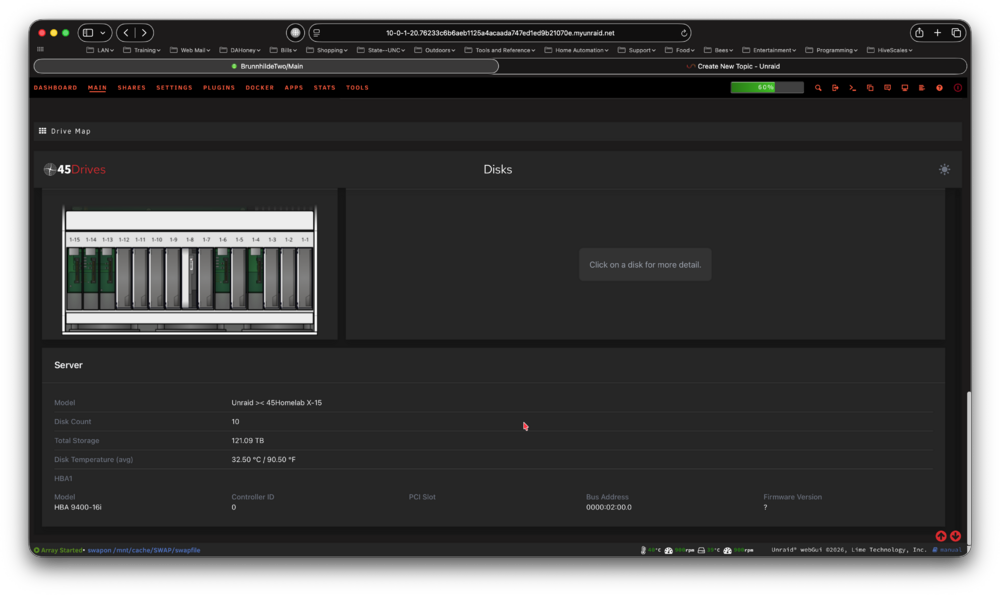
I'm getting a warning from the 45Drives plugin which they apparently install on the X15 servers. Since this plugin isn't in CA and doesn't appear to have a support thread I'm posting here. The warning is referring to my m.2 nvme cache pool which isn't displayed in the plugin at the bottom of the main tab- Should I install the cockpit-zfs-manager package (how???) referenced in the warning and re-create my m.2 nvme cache pool?
-
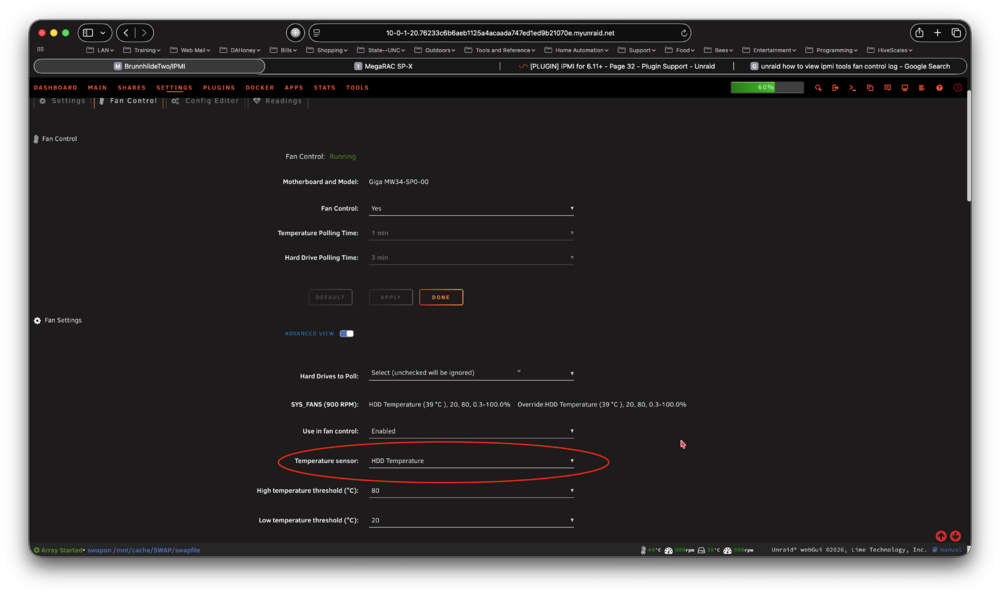
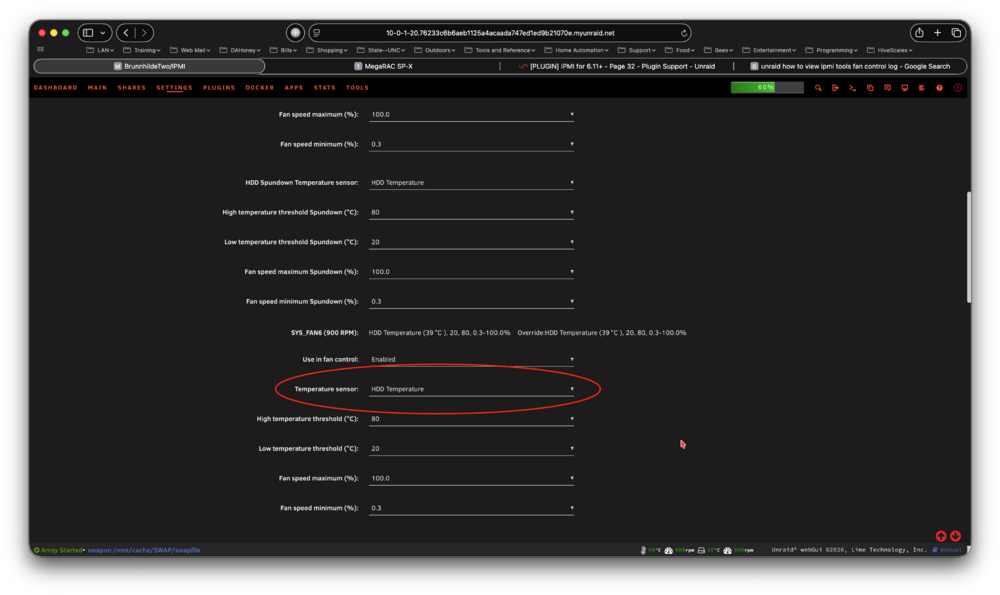
After a little thought I believe I have found how you can reproduce this event. I recently made a change to my fan control settings- I changed The temperature sensor for SYS_FAN5 and SYS_FAN6 from "Auto" to "HDD Temperature". When I reset this back to "Auto" I no longer get the IPMI events. Sorry, I was unable to collect logs. root@BrunnhildeTwo:~# /var/log# cat /var/log/ipmifan bash: /var/log#: No such file or directory root@BrunnhildeTwo:~#
-
There are many situations that can cause the failure to connect when VPN is enabled. Anything that prevents the VPN tunnel from connecting will stop the qbit app from starting and as a result there is no webUI to connect to. So many issues can cause this symptom.
-
There was a post a few weeks ago with the same problems as you. No valid WireGuard connection. You should download a new WireGuard configuration file from ProtonVPN and install it.
-
Working just fine for me on 7.3.1. Enable VPN and restart the docker then attach your docker run command and entire supervisord log to your next post. Be sure to redact users/passwords.
-
I have been testing on our X15. Everything seems to work as expected on 7.3.1 The problem repeats for me with every reboot. I get an IPMI event just after the array comes online. It lasts roughly 30 seconds and then another IPMI event when fan speeds return to normal. Diagnostics are attached. You should see the most recent event starting at about 8:02 am in the system log. brunnhildetwo-diagnostics-20260602-1241.zip
-
Currently booted into memtest86+. This is a brand new system so I decided it would really be better to do a full memory test. Once that’s complete I’ll try the plugin again.
-
I can’t get this plugin to work. Just keep getting a memory allocation error.
-
I got it to work by using another flash drive. Prepared it with the USB Creator Tool. Copied /boot/config to the new flash drive and selected the new flash as boot device in bios. https://forums.unraid.net/topic/198440-73xx-version-moving-boot-drive-nvmessd-to-another-drive-nvmessd/#findComment-1619744
-
I have a couple of dockers that always have a failed to download logo error so I figured I would just download the logos to a folder in appdata and then set the logo url to /mnt/user/appdata/logos/<logofilename> but that doesn’t work. I have the logos installed into the folder and I can view them with the built in file browser but on the docker tab the logo is blank. Am I missing something?
-
Finally got it. Never could get my previous flash drive to boot so created another using the Flash Creator Tool and copied /boot/config/ to it. Ran the makebootable script too. Not sure if that's still needed or not??? I hope this is right-

-
Trying to boot from my flash that was used prior to swapping to internal boot but it keeps failing. When I select the flash in the bios setup menu the selection just reverts back to the internal nvme. I set the boot order in bios to boot from the flash first but machine still booted from nvme. Do I need to actually remove the nvme to get the machine to boot from flash? Also noticed the flash wasn't shown on the main tab until I pulled and re-inserted it.
-
Thanks I’ll still have an Ethernet nic that I’ll setup as eth3 for a back door if needed.
-
What is the order? I haven’t found a step-by-step.
-
You think it might be port congestion? I’m going to be switching to an sfp+ DAC connection this weekend probably, assuming all the parts deliver on time.





