.jpg.adf8def3431e0aa8e590900f82752d7a.jpg)

wgstarks
Members
-
Joined
-
Last visited
Everything posted by wgstarks
-
They're still failing. brunnhildetwo-diagnostics-20260529-0717.zipJust got a new server and will be setting up a DAC internet connection. Since the pci-e card actually has 2 sfp+ ports and my MikroTik CSS326-24G-2S+RM has 2 sfp+ ports I was thinking about using 2 DACS with bonding. The switch supports LACP so was considering that but not sure if it actually results in increased bandwidth in the real world??? My goal is to improve bandwidth so my arrs stack doesn’t hog it all.Modified mine as you described- #!/bin/bash # Backup destination (change this to your desired path) dir="/enter/destination/path/here/" server_name=$(hostname) # Cleanup: remove any existing temporary flash backups in emhttp find /usr/local/emhttp/ -maxdepth 1 -name '*boot-backup-*.zip' -delete sleep 5 # Call the internal Unraid backup script /usr/local/emhttp/webGui/scripts/flash_backup # Check if the zip file was actually created in the root directory if ls /*-boot-backup-*.zip 1> /dev/null 2>&1; then # Move the generated zip file to your backup destination mv /*-boot-backup-*.zip "$dir" sleep 5 # Optional: Delete backups older than 30 days find "$dir"* -mtime +30 -exec rm -rfv {} \; # Send Success Notification /usr/local/emhttp/webGui/scripts/notify -e "Flash Backup Success" -s "Boot Backup" -d "The flash drive for $server_name has been successfully zipped and backed up to $dir." -i "normal" else # Send Failure Notification /usr/local/emhttp/webGui/scripts/notify -e "Flash Backup FAILURE" -s "Boot Backup" -d "CRITICAL: The backup script failed to generate the flash zip file on $server_name." -i "alert" fi Looks like it works but not tested much by me. I am getting success notifications. You'll need to enter a path for the backup destination.Had to change all the user passwords to recreate the file. We'll see what happens now.Update: after a little more testing (and a bunch of reboots) it appears that this must be an issue with the plugin related to some change in 7.3.1. Fan Control seems to be failing during array start and fan speeds go to zero for about 30 or 40 seconds. If I disable Fan Control in the IPMITools settings the fans remain at normal speed. For now I will leave Fan Control disabled but will be glad to provide further info or testing.@SimonF I have also started a bug report since I'm not sure of the cause of this issue but it only started after the 7.3.1 update.Deleted the file on /boot. Do I also need to reboot the server?Oh wait. It’s a file in /boot/config/?No idea how to do this?I think you’ll find that that script fails with internal boot drives. At least it does for me.Still failing with a not available error. brunnhildetwo-diagnostics-20260528-0859.zipAfter update to Unraid 7.3.1 I'm getting lots of alerts. Samples- Event: unRAID Server Alert Subject: Notice [BRUNNHILDETWO] - IPMI Event Description: localhost Warning Fan - Lower Critical - going low ; Sensor Reading = 600.00 RPM ; Threshold = 150.00 RPM Importance: warning Event: unRAID Server Alert Subject: Notice [BRUNNHILDETWO] - IPMI Event Description: localhost Nominal Fan - Lower Non-critical - going low ; Sensor Reading = 600.00 RPM ; Threshold = 300.00 RPM Importance: normal Looking at the readings I don't understand why theses alerts are being generated. 600 rpm is well above the threshold. brunnhildetwo-diagnostics-20260528-0816.zipThanks. I’m not controlling the cpu fan. Left that to the system.I'll give that a try. This is a brand new backup so nothing really lost. ThanksI've ordered the x710-da2 and will be replacing the current ethernet card with it once it arrives. Wondering if there are any changes I'll need to make in unraid network settings or any drivers that need to be installed for the da2?
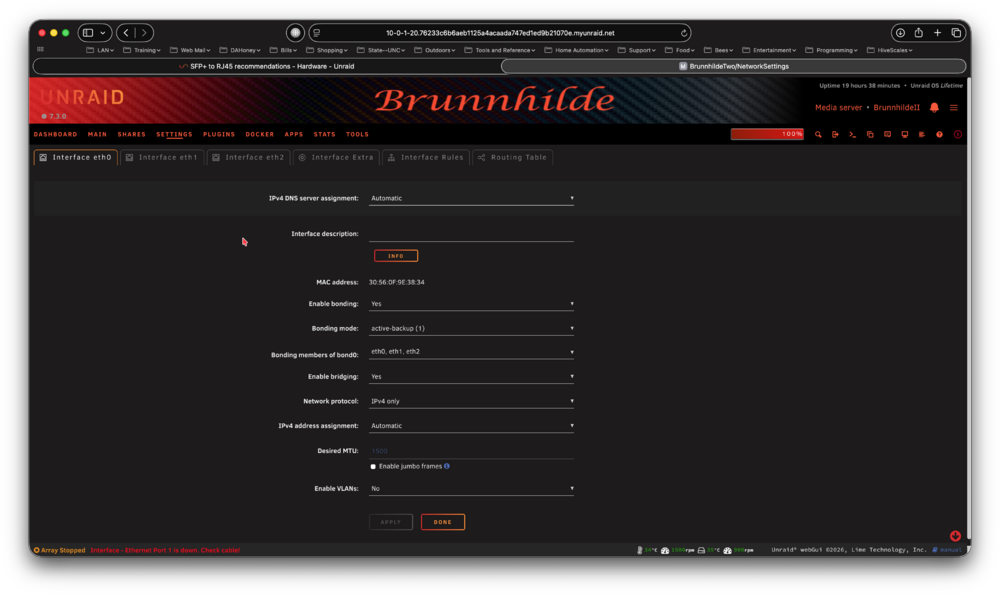
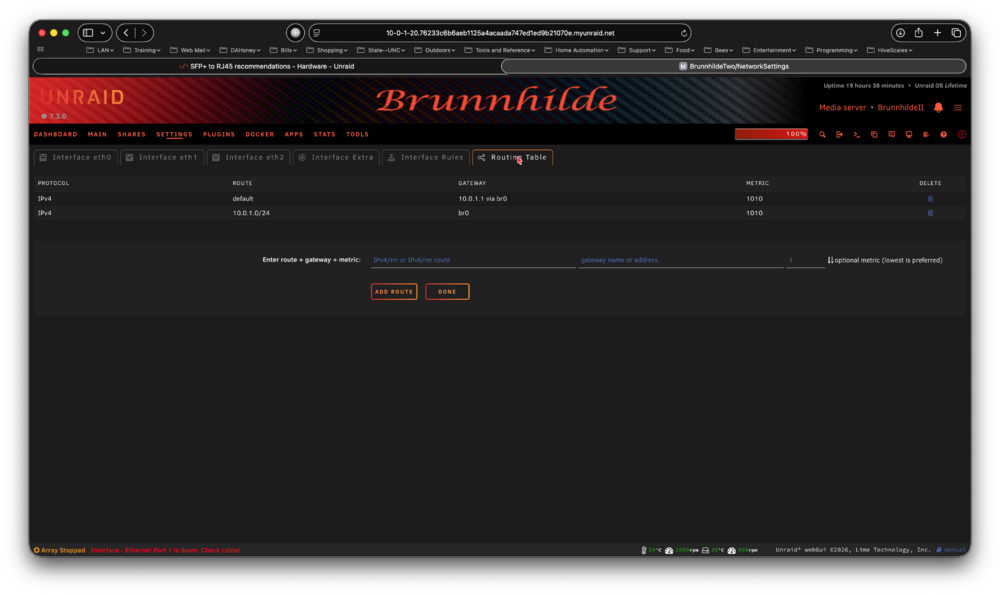
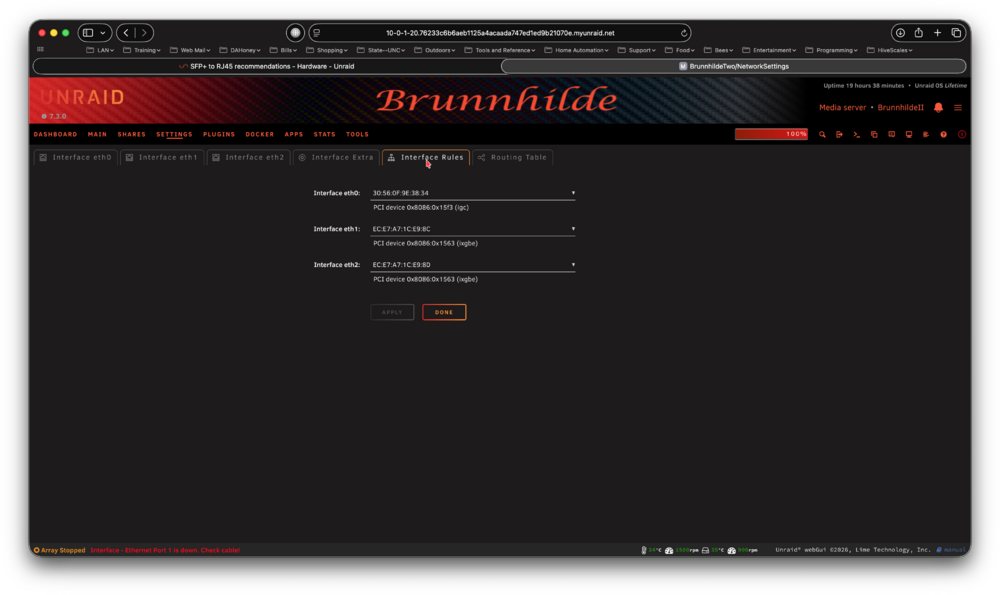
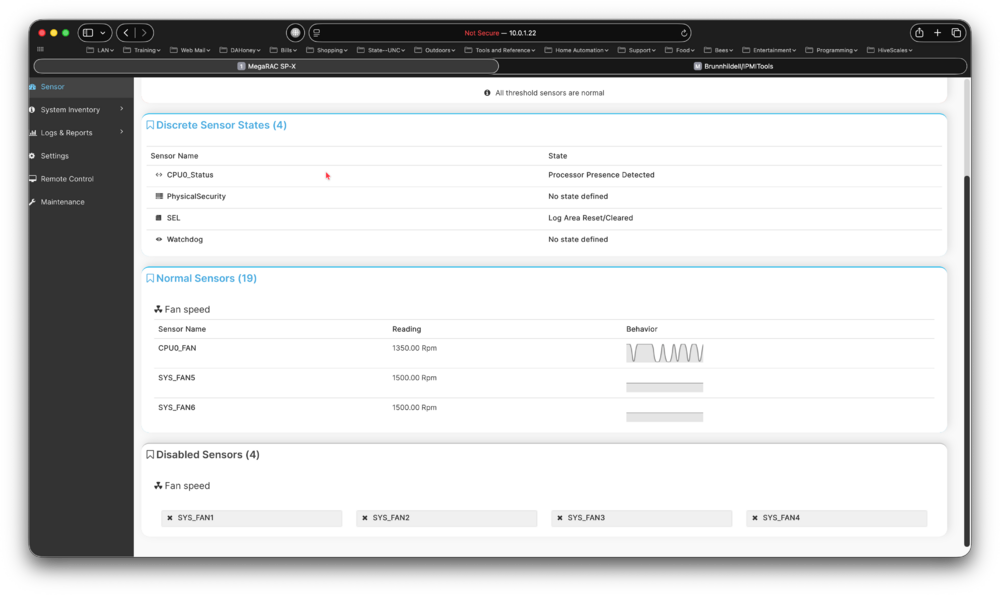
 Here you go. Backup worked properly one time and then failed the next. brunnhildeii-diagnostics-20260527-0726.zipSame issue.Yeah. I used to run a weekly backup to another machine but that script fails with internal boot. I see someone has already posted about it.Not an issue since I currently have no plans to reuse the old machine. I’ll probably back it up though.I'm seeing something odd in IPMI fan control settings on my MW34-SPO. When I look at sensor readings Fans 1, 2, 3 and 4 all show N/A. All six system fans are configured the same though. In the IPMI Viewer I see this- SYS_FANS 1, 2, 3 and 4 all show disabled. Maybe the X15 server only uses 5 and 6?? Or maybe I have something configured improperly?? I'm not sure where to look??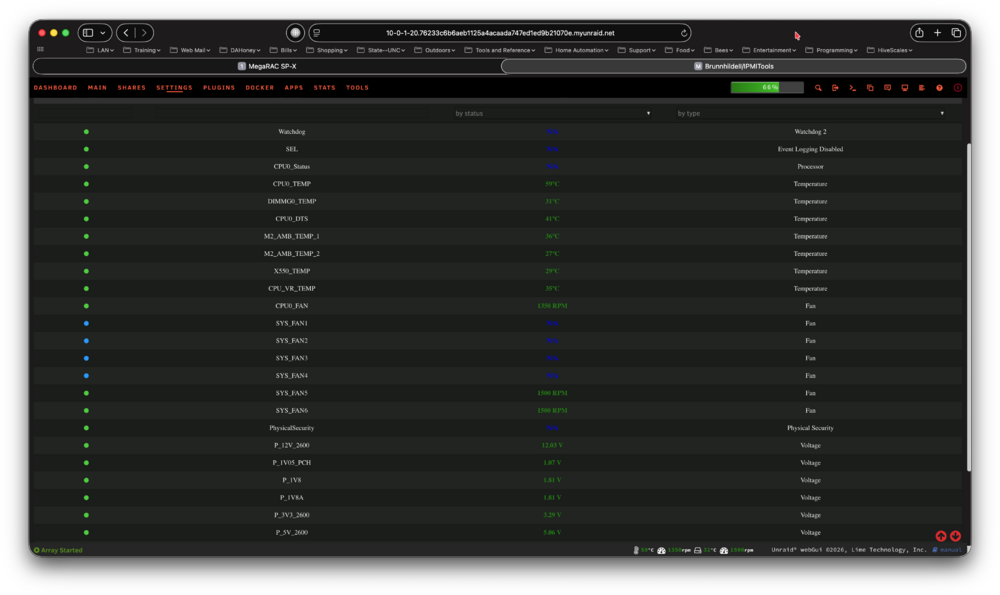
 Does it matter if I use the flash from my old system? It has its own key and would still be in sync with the current system except for network settings.Ordered a 16GB Optane from Amazon. Will attempt to transfer my boot to this drive as posted above by @JorgeB . The 1TB drive will probably be next month.My preferred setup would be a 16GB single disk boot pool (probably Optane) and a pair of 1TB disks in a mirrored pool (raid 1). Most of my shares don’t use cache so there isn’t a lot writes hour to hour. Probably most of the activity would be databases in appdata (don’t have any VMs). I’ll probably go with a pair of TLCs for the cache. Looks like I can do that for around $1000. Seems a waste to have a 1TB nvme I’m not using but I won’t really have any other use for it. I may just mirror it with a 1TB TLC in the cache and replace it when it fails.There don’t appear to be any SMB settings related to time machine but I have commented out all the settings. First attempt after the change failed. Second one worked.