eagle470
Members
-
Joined
-
Last visited
Everything posted by eagle470
-
I love this tool. it's a lot cheaper to do this (long term) than to keep buying ever more HDD's. On thing I've run into is errors and videos not transcoding properly and how difficult it is to re-queue a failed object. I've had to go an remove the container, delete the database and redownload. I've love to see an option to re-queue all failed object or to "initialize" or wipe the database on next restart.
-
I have a very old Sandy Bridge system that detects drivers, but for some reason is not showing sensors anymore. I was seeing sensors a few days ago, but no longer.
-
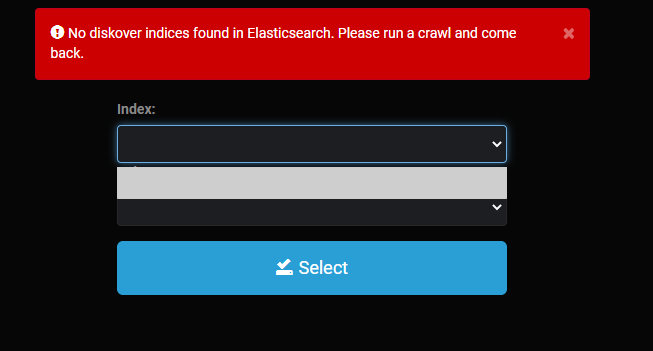
I'm having some trouble, I added the token line to the config file, restarted the container and I still cannot get anything in terms of something to index. Please advise.
-
Actually a user script to 'touch' a file every 29:59 minutes. I came across this as I was looking for an answer for my dad who is running a windows VM with BlueIris and 3 1TB laptop drives in a raid in storage spaces through Unassigned drives. I made a windows scheduled task to keep the drives from spinning down. I thought I'd share it here. You will be able to import that in Windows 7 or higher. Drive Keep Alive - File Touch.xml
-
One thing I would really like to see is a CPU Scaler to limit the app from pegging the CPU.
-
I would like to see a reduced cost license that allows you to use the cache pool for Dockers and VM's, but you cannot use the array function.
-
Is this container still under active support at all?
-
I just ran into an issue where I was doing some maintenance on my DHCP/DNS configs (shifting from pihole to router) and the server unmounted /user. The oddest thing was I had stopped docker, but not the array. unfortunately my router decided that same moment was a great time to stop working. It was fixed by resetting my router and rebuilding that config from scratch AND i had to yank the USB key and rerun the makebootable script or the web UI wouldn't come up on unraid. I could load the cli (locally, no network either) and see my shares all mounted, with no data lost. But yeah. I'm not sure what happened here.
-
Not sure myself, but it was working fine with my old Ryzen 5 2400g. I swapped out to a Ryzen 9 and this stopped working which is super frustrating as I can't manage the temperature well without this.
-
So first off, I patched and then ran to the bank without checking things, my array never came online. I had to hard reset it and since it was wholly unresponsive there are no diagnostics from it. Second two of the containers I have are set to start after 100 and 120 seconds. BUT they are the very first containers to start on the array. My Plex container even starts behind them and it has no wait time set on it, it's also the only container with no wait time. I can do another reboot if more logs are desired, but for now here are the first two.unraid1-diagnostics-20191213-0801.zip unraid1-diagnostics-20191213-0818.zip
-
Thats GREAT! I really like the app and it's simplicity, I tried TDarr and didn't care much for it. Do you have a place for us to post logs to that can help you out?
-
Hey, I'm not 100% sure this application is still being updated, but I'm getting the below error: No FFMPEG command log recorded for this task.
-
So I have this container installed on my system, but going to the port the web UI is supposed to be tied to sends me to a stripped version of the array page. Please advise.
-
Is it possible to edit the wireguard config file in 6.8-rc1? My phone isn't connecting and I have no idea why.
-
Where do I do this at?
-
You should try installing the 'Disable Security Mitigations' plugin and disabling everything. Looking through https://preview.tinyurl.com/y2svcf3a that search, I found a few mentions where the SPECTRE mitigation caused corruption issues.
-
I do leverage CPU pinning....
-
I started using this about two weeks ago and its great! I eats the shit out of my CPU though. I'd love to see a utilization limiter or, better yet, a scheduler that auto pauses jobs outside the window. right now I run this during the week by turning the app on and off. I also have the app pinned to 4 of my 8 cores and that seems to work OK, but it would run much faster if I could let it use them all when everyone is asleep through a scheduler. Otherwise it's a really great tool! I'd also like to see it save the scan job from files to be converted so it doesn't have to scan the entire library every time I bring it online.
-
You don't rebuild the database, plex will just have to redownload all the movie posters, music and what ever else. Shouldn't be a huge deal unless your on a capped connection. I would recommend you use CA Backup and that SSD for your apps/containers. Treat the docker containers as MOSTLY replaceable, yeah it's a pain in the butt to reconfigure sometimes, but I wouldn't worry too much about them. My question for you is what is causing the DB to corrupt? Old drives with errors occurring? Bad memory?
-
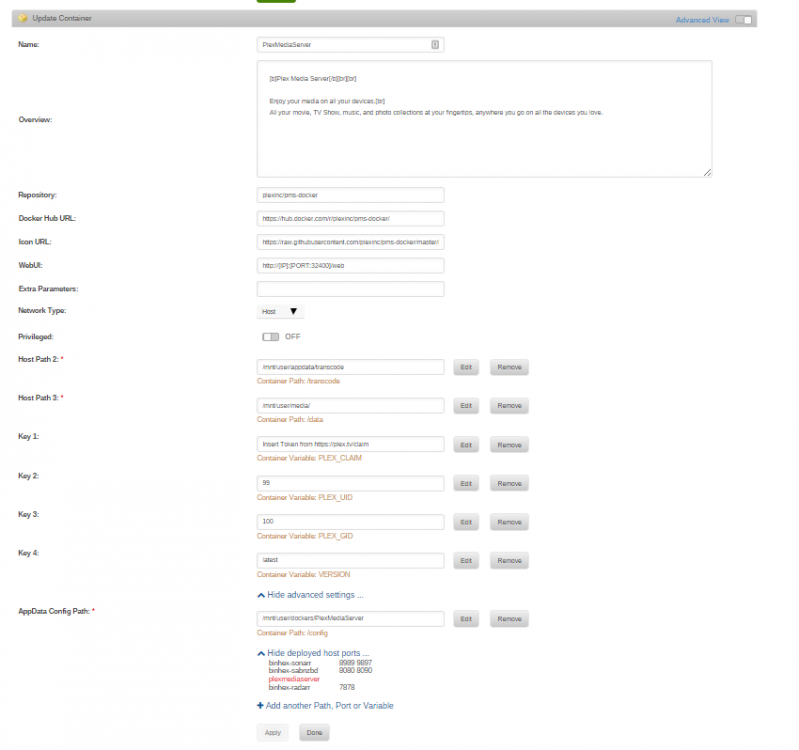
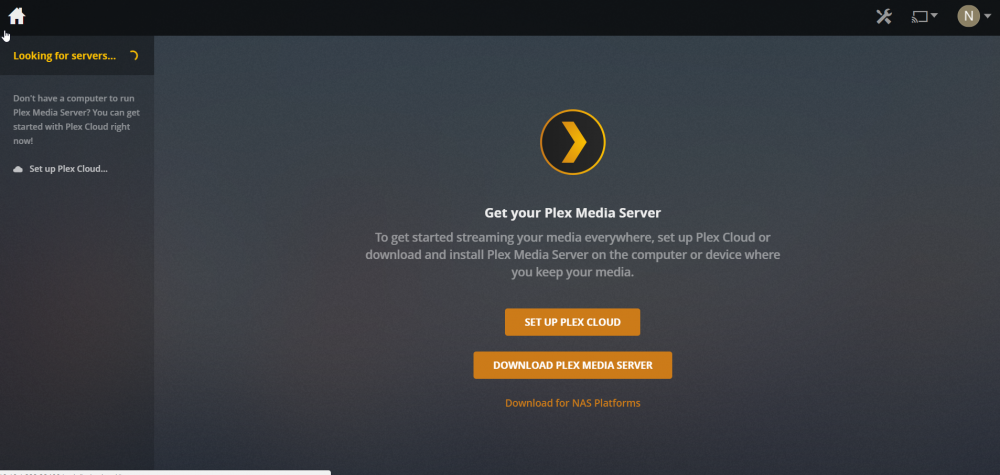
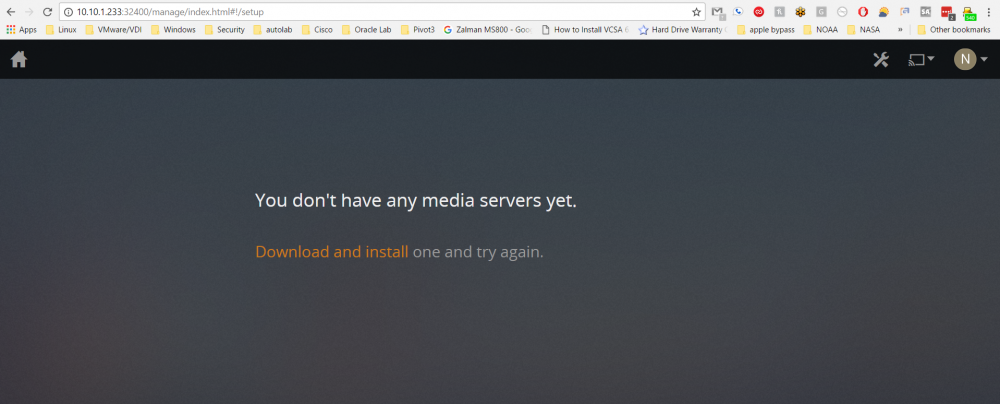
I helped him over on reddit, ran into this issue with the Binhex Plex container myself. Joeshtroops23 had a corrupted database within plex and I had them delete and download the plex, inc made container. His pathing was also a level too high, so I got him squared away there as well.
-
Hello, I am attempting to use ProFTPd with FileZilla over ssh and I am getting the below errors on the FileZilla side, with nothing on the Unraid side insofar as I can find. Connection timed out after 20 seconds of inactivity Failed to retrieve directory listing
-
I got it to connect, but Newshosting doesn't allow port forwarding. I wish there was a way to attach a second NIC and route that way, but I'm at the limits of my Linux knowledge right now, with more pressing work projects to do unfortunately.
-
I am also having this issue, not sure why.... I'm getting this error, though I know this is right as I'm pasting it straight out of lastpass. 2019-02-15 09:30:43,476 DEBG 'start-script' stdout output: Options error: Unrecognized option or missing or extra parameter(s) in [CMD-LINE]:1: auth-user-pass (2.4.6) Use --help for more information. OK, so here is the reason: The script for changing the IPTables config isn't doing it's job. 2019-02-15 10:52:59,253 DEBG 'start-script' stdout output: [debug] Docker interface defined as eth0 2019-02-15 10:52:59,256 DEBG 'start-script' stdout output: [debug] Docker IP defined as 172.17.0.6 2019-02-15 10:52:59,259 DEBG 'start-script' stdout output: [debug] Docker netmask defined as 255.255.0.0 2019-02-15 10:52:59,266 DEBG 'start-script' stdout output: [info] Docker network defined as 172.17.0.0/16 2019-02-15 10:52:59,271 DEBG 'start-script' stdout output: [info] Adding 10.10.1.0/24 as route via docker eth0 2019-02-15 10:52:59,272 DEBG 'start-script' stdout output: [info] ip route defined as follows... -------------------- 2019-02-15 10:52:59,273 DEBG 'start-script' stdout output: default via 172.17.0.1 dev eth0 10.10.1.0/24 via 172.17.0.1 dev eth0 172.17.0.0/16 dev eth0 proto kernel scope link src 172.17.0.6 2019-02-15 10:52:59,273 DEBG 'start-script' stdout output: You can see my config settings below (any identifying details have been removed): 2019-02-15 10:52:57.046800 [info] System information Linux a6e839d11b10 4.18.20-unRAID #1 SMP Fri Nov 23 11:38:16 PST 2018 x86_64 GNU/Linux 2019-02-15 10:52:57.073014 [info] PUID defined as '99' 2019-02-15 10:52:57.102041 [info] PGID defined as '100' 2019-02-15 10:52:57.157536 [info] UMASK defined as '000' 2019-02-15 10:52:57.182224 [info] Permissions already set for volume mappings 2019-02-15 10:52:57.212524 [info] DELUGE_DAEMON_LOG_LEVEL defined as 'info' 2019-02-15 10:52:57.237505 [info] DELUGE_WEB_LOG_LEVEL defined as 'info' 2019-02-15 10:52:57.260370 [info] VPN_ENABLED defined as 'yes' 2019-02-15 10:52:57.290365 [info] OpenVPN config file (ovpn extension) is located at /config/openvpn/locale-a09.ovpn dos2unix: converting file /config/openvpn/phx-a09.ovpn to Unix format... 2019-02-15 10:52:57.333279 [info] VPN remote line defined as 'remote VPNSERV.vpn.com 1194' 2019-02-15 10:52:57.357334 [info] VPN_REMOTE defined as 'VPNSERV.vpn.com' 2019-02-15 10:52:57.385161 [info] VPN_PORT defined as '1194' 2019-02-15 10:52:57.416593 [info] VPN_PROTOCOL defined as 'udp' 2019-02-15 10:52:57.441195 [info] VPN_DEVICE_TYPE defined as 'tun0' 2019-02-15 10:52:57.464199 [info] VPN_PROV defined as 'custom' 2019-02-15 10:52:57.488863 [info] LAN_NETWORK defined as '10.10.1.0/24' 2019-02-15 10:52:57.512768 [info] NAME_SERVERS defined as '209.222.18.222,37.235.1.174,1.1.1.1,209.222.18.218,37.235.1.177,1.0.0.1' 2019-02-15 10:52:57.537216 [info] VPN_USER defined as '%USERNAME%' 2019-02-15 10:52:57.560398 [info] VPN_PASS defined as '%PASSWORD%' 2019-02-15 10:52:57.584774 [info] VPN_OPTIONS defined as 'VPNSERV.vpn.com' 2019-02-15 10:52:57.614285 [info] ENABLE_PRIVOXY defined as 'yes' 2019-02-15 10:52:57.638384 [info] Starting Supervisor...
-
Rebooted the system and the web Gui and all docker services failed to start. Logs attached. I can access the system through putty, but I can't figure out how to get to the services. The man page doesn't list anything useful and the command 'service' doesn't exist. tower-diagnostics-20180928-0757.zip
-
Sorry about the lack of details, here is a reddit thread that I followed to no avail at the bottom is a .7z of the docker folder binhex-plex.7z