fatalfurry
Members
-
Joined
-
Last visited
-
Is it possible to add: neovim - https://slackbuilds.org/repository/15.0/development/neovim/
-
JorgeB, Thanks for looking into this. After upgrading and disabling things are looking better. I was able to recreate my array and have had no errors with 10.3.
-
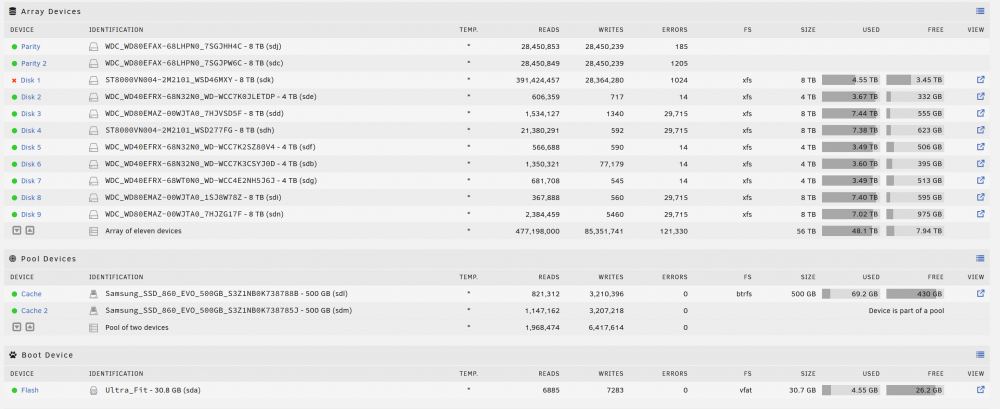
This morning I woke up to an alert that my server saying that 11 out of 11 of my drives had errors. I quick rand a diag and turned it off, until I could work on it later tonight. Looking through the longs I'm not sure if this is part of the VT-D kernel bug but i did have it turned on. Any help would be great. tidehunter-diagnostics-20220613-0749.zip
-
I rebooted my server and all of my drives are unassigned and unraid is telling me I have a stale configuration. I've attached my diagnostics if anyone could take a look that would be great. tidehunter-diagnostics-20201210-1126.zip
-
I was able to boot after going into my bios and disabling C-States. I've been stable for almost a year with C-States set to Auto and I don't understand how these items could be related.
-
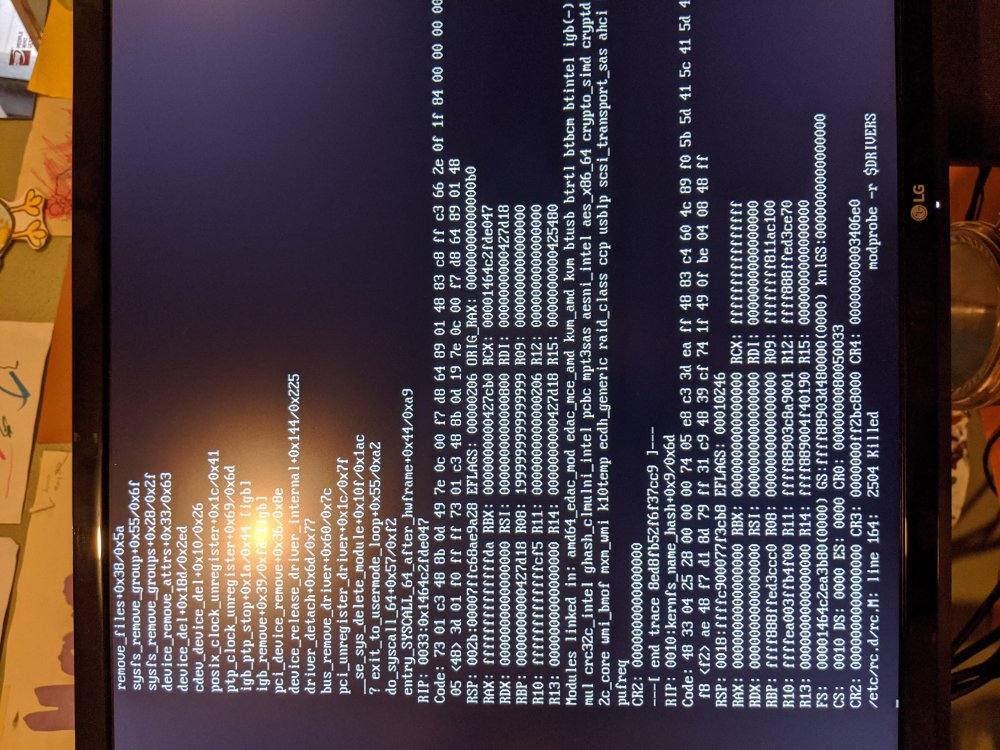
I'm getting this same error and unable to boot after upgrading. I went from 6.8.0 to 6.8.1. I've tried both the normal boot and safe mode.
-
I love that I can host my docker apps and vms on my file server and now case badges. Well sign me up.
-
At first I used the batch files and after they didn't work. I ran the commands manually. To give an update on my issue. I ended up getting everything working. I recreated the USB boot disk and used another PC. This combination worked right away and has worked all weekend.
-
Doing more research looks like fulcrum77 had the same issue back in April. I follow the same directions finding Sas2flsh P14 and trying to flash any of the three firmware (Dell, P7, P20) and nothing has been working. I still see a light blinking on the HBA so I'm thinking there's still a chance.
-
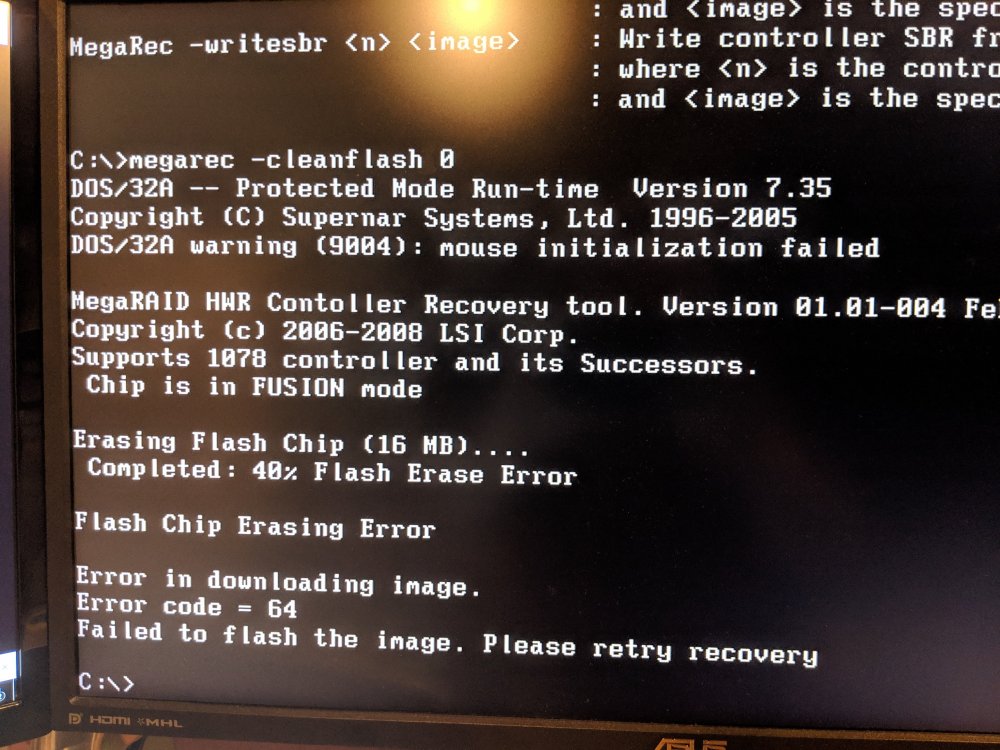
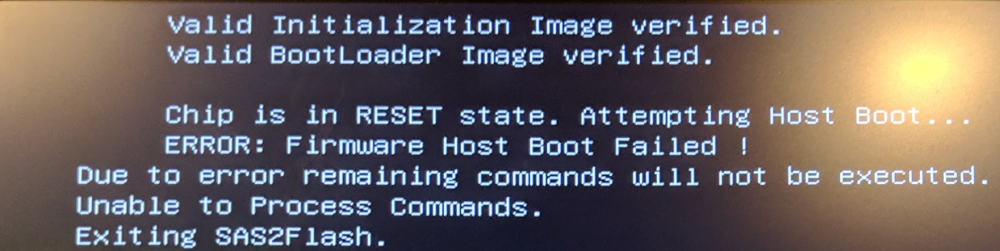
I'm not sure if I've bricked my Dell H310 Going through the process I've gotten to step 3 and received an error code 64. I continued to the next step and tried to flash the dell firmware but that also threw an error. I've tried going through all of the steps again and nothing seems to be working. I've tried two computers and using BIOS and UEFI scripts. All of which are return the same results above. What can i do going forward? Do you think I've bricked my HBA?
-
I had moved my VM from using a video card to VNC and it defaulted the VNC keyboard to Arabic (ar). Can the default keyboard be configured in settings > vm?
-
Is it possible to pass through a user share? Sent from my Pixel 2 XL using Tapatalk
-
I'm not concerned with my local IP and Routing, but about what could be exposed through the VPN.
-
I've seen a few headlines concerning rtorrent and it's security around xml-rpc https://f5.com/labs/articles/threat-intelligence/malware/rtorrent-client-exploited-in-the-wild-to-deploy-monero-crypto-miner https://arstechnica.com/information-technology/2018/03/hackers-exploiting-rtorrent-to-install-unix-coin-miner-have-netted-4k-so-far/ This was discussed on github in the following issue https://github.com/rakshasa/rtorrent/issues/696 I don't see network.scgi.open_port or network.scgi.open_local set in the rtorrent.rc but in not 100% familiar with the setup of this docker container. Is there another place to check if this security issues affects us?
-
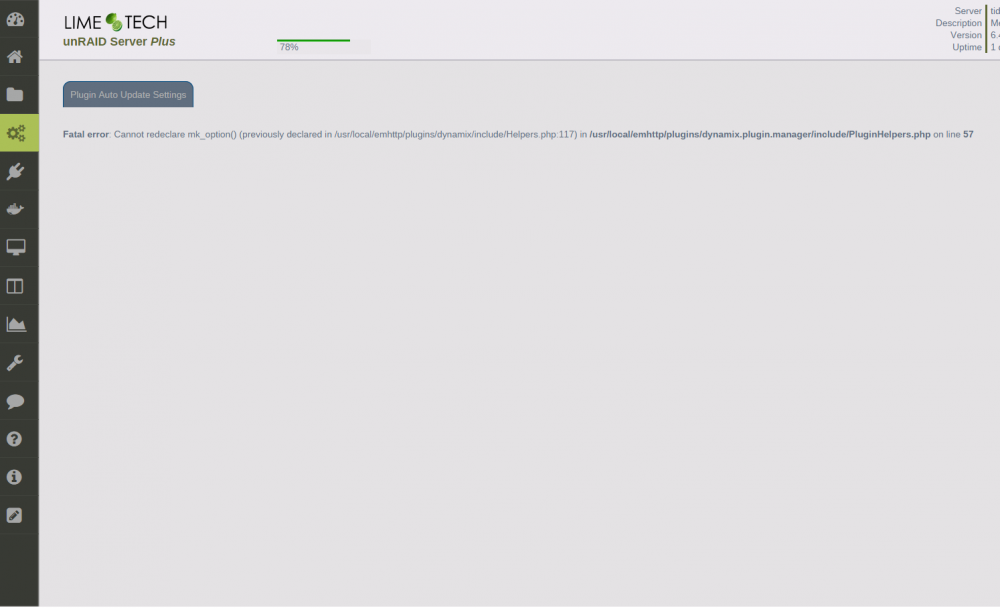
I'm getting the following error using 6.4.0-rc5 when viewing the auto update settings. Fatal error: Cannot redeclare mk_option() (previously declared in /usr/local/emhttp/plugins/dynamix/include/Helpers.php:117) in /usr/local/emhttp/plugins/dynamix.plugin.manager/include/PluginHelpers.php on line 57