





zzgus
Members
-
Joined
-
Last visited
Everything posted by zzgus
-
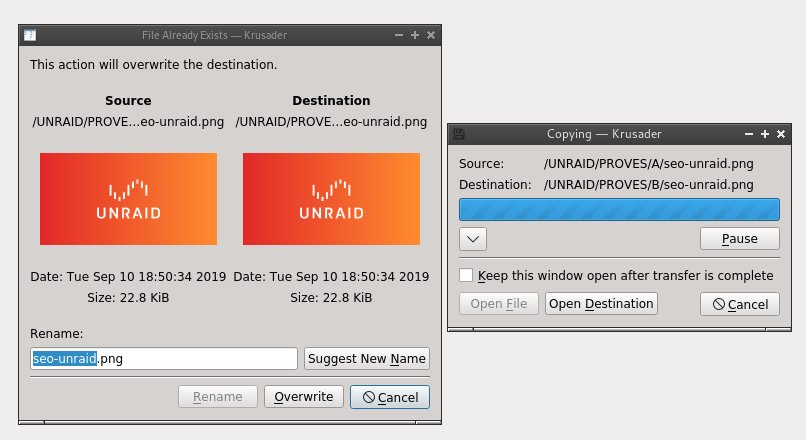
Has krusader the ability of preview images? When you overwrite a picture there's some kind of built in preview but I haven't found the option of previewing images files. Thankyou Gus
-
-
I have 2 shares on Google drive working (one encrypted). Is there any way to transfer the settings from those 2 shares to another computer ? Do rclone store some configuration file I can transfer or I must re-create the same share on the other computer? Thankyou Gus
-
My server also has 2 network adaptors but I only use one. Would it be possible then to assign this second adaptor to pi-hole container? Do this work this way? Thankyou Gus
-
I'm unable to access pi-hole admin page. As other user told me: Is then, any way to be able to connect? Or did I mess something in the configuration unraid <-> Pi-hole ? Thankyou Gus
-
Is there any way to access pi-hole admin page from another location using open-vpn? (Only can access pi-hole inside the same lan locally) Thankyou Gus
-
Is there any way to access pi-hole admin page from another location using open-vpn? (Only can access pi-hole inside the same lan locally) Thankyou Gus
-
Perfect !!! Every day I learn something new. Thankyou @jonathanm
-
I know it's old but, where's the editor inside krusader? Thankyou Gus
-
Hi, new ubiquiti user here. Switch US-16-150W AP Nano HD For a totally fresh installation, any tips to follow? What brach would be better to start with? 5.9? Thankyou Gus
-
Solved with a simple Reboot of the server. Sorry for the waste of your time. Otherwise I have no iea of why I got those errors. I'm starting to thinh I don't have a reliable machine. Some days ago one of my discs was missing. Solved with a parity rewrite of the disc. Thankyou Gus
-
Attached .txt Thankyou Gus Crashplan.txt
-
Yes I'm talking about the unraid docker page. No, I see now that that the docker is stopped. I press the start button, then I press the WebUI button, and it redirects to a new page with some text about unable to connect to 192.168.1.168:7810 Thanyou Gus
-
I don't have the red "X" I have the green "PLAY" but unable to access WebUI. I have tried with another browser and got the same. Gus
-
I have the same problem. No way to connect to WebUI. Something have they changed. Gus
-
Finally created a new account on crashplan and started from zero without any problems. Perhaps it was some kind of problem because I was and old user before they made the change. Is there any way to take full advantage of the ram installed in the system to avoid reading froms disks? It would be interesting while backing up to crashplan, to read the files and keep them in ram (I have 64GB and I see only 40% is used) to avoid continuos disk spinning. Gus
-
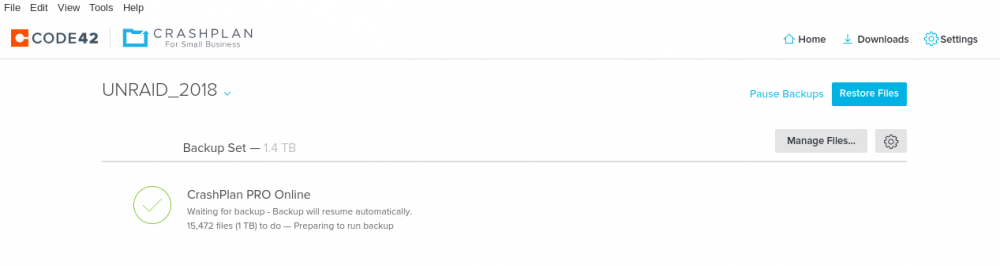
How do you know crashplan is backing up a share? I have selected one share to backup to Crashplan PRO online but I don't see any progress. 7 hours preparing to run backup? Thankyou Gus
-
Really ???? Ooooops 😅😅😅😅😅 Thankyou Gus
-
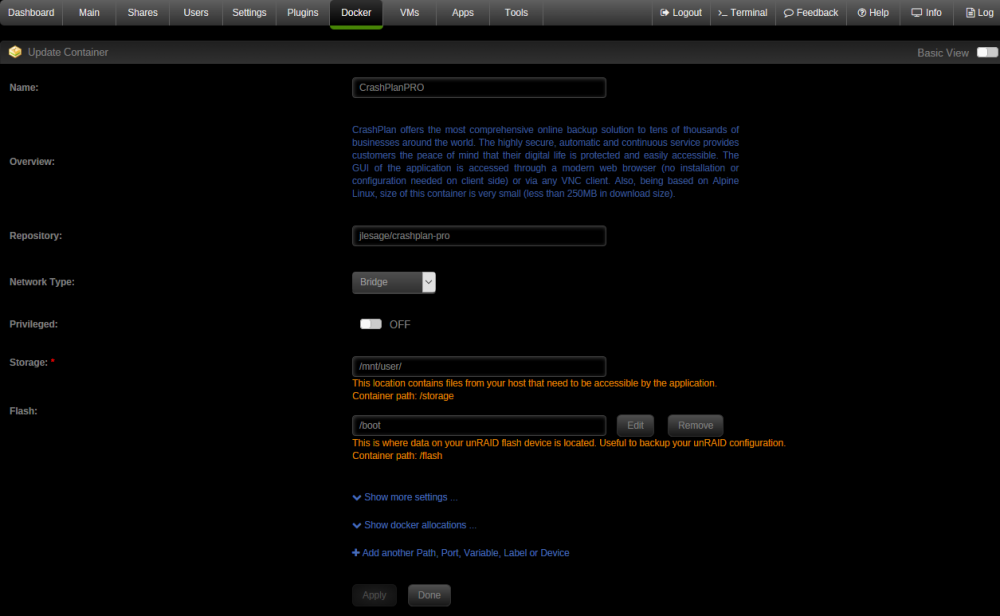
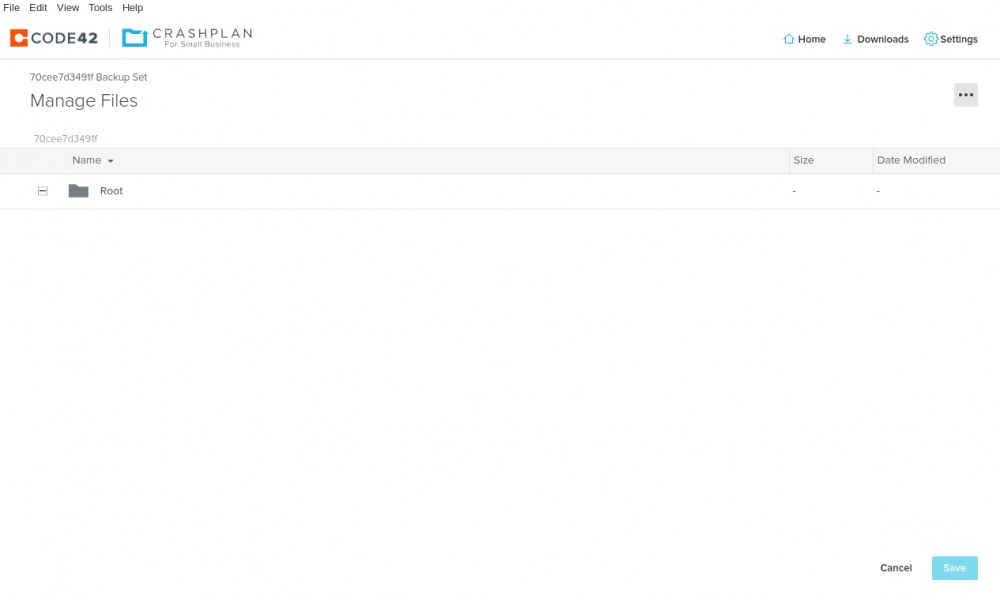
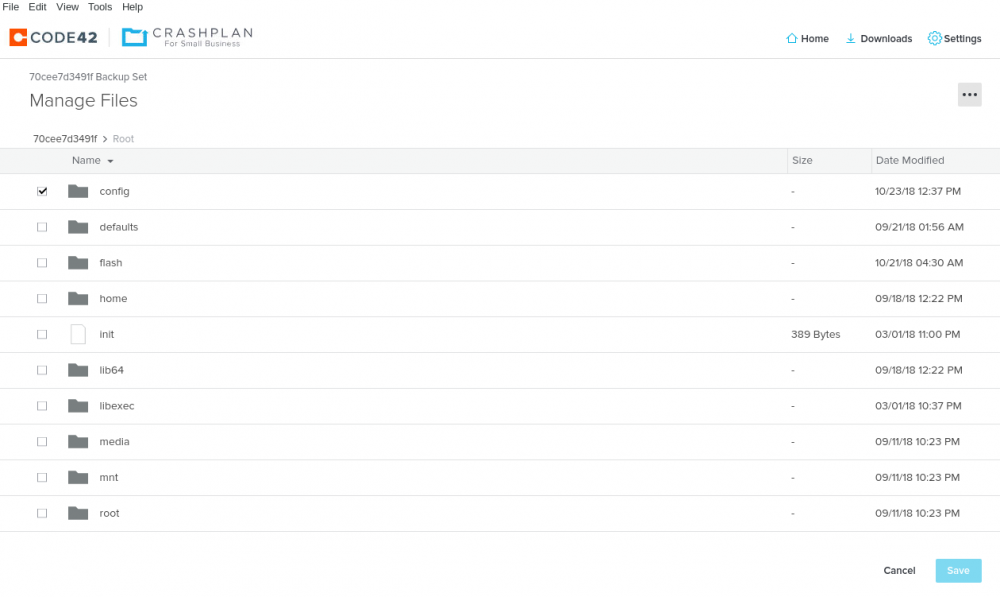
Where are my shares? I have set up a new account on Crashplan for small bussines. Can someone tell me what I'm doing wrong that I don't get my user shares? I have used the default settings: Storage: /mnt/user/ Flash: /boot But once logged into the docker I only get the Flash. Thankyou Gus
-
@S80_UK @garycase Thankyou for your time to answer and try to help me. Then, I will try to download my crashplan backup and try to compare will my local copy. I have to check when was the last crashplan backup copy and if crashplan has versions. If the crashplan copy is up to day then there's nothing to do as the two versions will be the same. @S80_UK What are the "2>&1" and the last "&" stand for? @garycase I think I got the correct one :-) (APC BACK-UPS 700VA, 230V, AVR, SCHUKO Sockets) Yes I got 712 sync errors. Corrected parity later. Thankyou Gus
-
Is there another way then to find those corrupted files I got? If the corrupted files are movies, shows or some junk I have of my disks I can simply delete or re-download it. But if the corrupted files are familiar pictures or videos then that's more annoying. I have backups in crashplan of those folders, but I don't really know what to re-download from backup. If I simply try to copy folders from my server to my server, if it finds a corrupted file while I'm copying the file will it simply hang or will I get any nothification or will not get anything at all? How would you guys proceed? Thankyou Gus
-
Perfectly explained. I got the plugin late :-( I also got the UPS. Thankyou Gus
-
Some users recomended this plugin after I got some file level corruption due to a power cut. Can some one explain a basic use of this plugin and if it's able to find those files corrupted due to the power cut? Thankyou Gus
-
Thankyou !!! Gus
-
@gridrunner In the Spanish keyboard I have a " when I press shift + 2 not the @. Don't you have the "alt gr" key on your keyboards? To be able to type | I have to press the "alt gr" key + 1. To be able to type @ I have to press the "alt gr" key + 2. To be able to type # I have to press the "alt gr" key + 3. To be able to type € I have to press the "alt gr" key + E. I'm unable to type all those characters. In my search to find a solution there seem to be some programs to remap a key to another key, for example it would be easy to remap the "windows" ket to "alt gr" key. There's is SEIL or KARABINIER but they don't have yet the Mac OS Sierra version ready. SEIL: https://pqrs.org/osx/karabiner/seil.html.en'>https://pqrs.org/osx/karabiner/seil.html.en Karabinier: https://pqrs.org/osx/karabiner/ Gus


